How to Include Weekends in Worktime in Sandtime.io
Weekends are hidden by default in Sandtime.io Timesheets. To add Saturday and Sunday to your timesheet and start logging weekend hours, open Timesheets, click Filters (top right of the grid), and turn on Show weekends. Sandtime.io saves this preference - you only need to do it once, and the setting stays on for all future weeks.
- Open Timesheets from the main navigation.
- Click Filters.
- Turn on Show weekends.
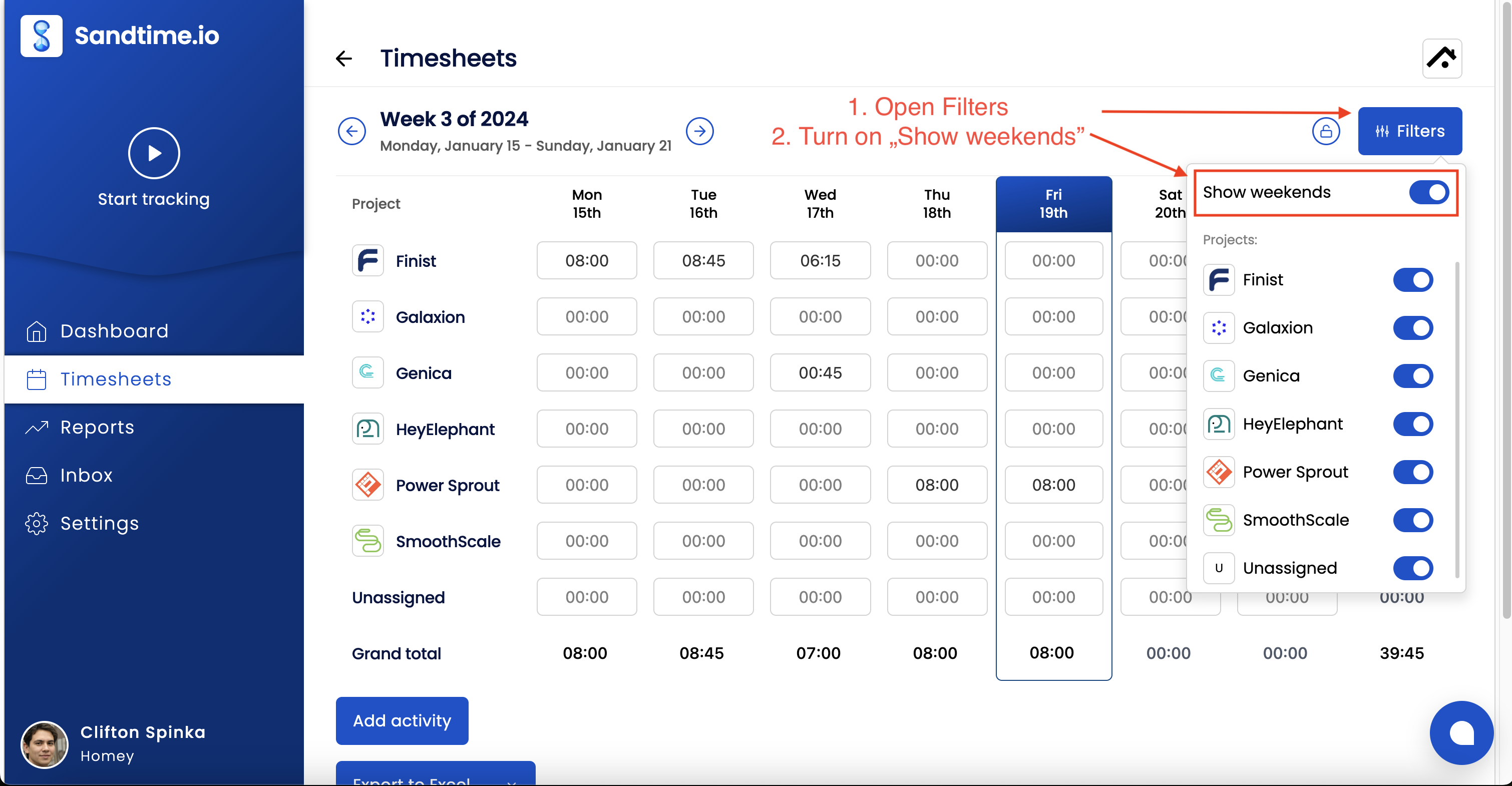
Saturday and Sunday appear alongside Monday through Friday. You can now log time on weekend days using the built-in timer or by adding entries manually.
On a narrow screen, below about 900 pixels wide, the toggle switches the view instead of widening it: with Show weekends on you see Saturday and Sunday, and with it off you see Monday to Friday. Nothing is deleted either way - only the days on screen change.
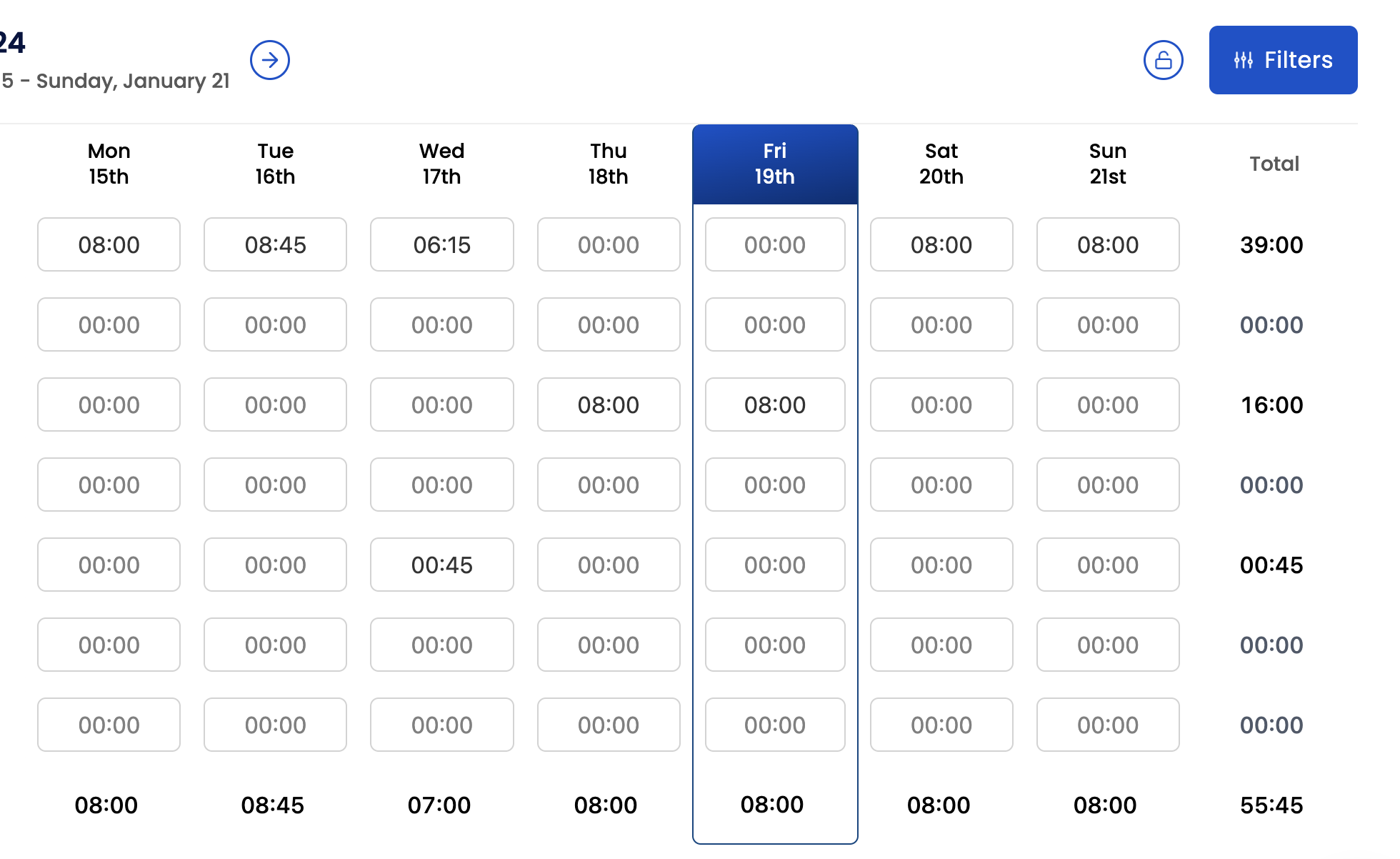
Log time on a weekend day
Once weekends are visible, tracking time on a Saturday or Sunday works the same way as any weekday:
- Timer - start the built-in timer from the weekend day itself.
- Manual entry - add an activity directly on the specific Saturday or Sunday.
- Edit existing entry - change the date of an entry if you need to move it to a weekend.
Do weekend hours count toward the weekly goal?
Weekend hours are included in the weekly total shown on the dashboard. The weekly goal itself is calculated from your core hours across five working days, so extra weekend work pushes the total above the goal rather than raising the goal target.
This is intentional - your goal reflects your planned workweek. Weekend time shows as hours above the goal, making it easy to see when you have worked extra. If your team regularly works weekends and you want the goal to reflect that, you can adjust your core hours to set a higher daily target. See Set a weekly goal for details.
See also
- Can I log time on weekends? - the short answer and steps.
- Set a weekly goal - how core hours drive the weekly target.