Time Tracking for Teams
One click to start, one click to stop. Track time with a timer or fill in hours manually - then let reports, timesheets, and totals take care of themselves.

What you get with Sandtime.io time tracking
One-click timer
Start tracking with a single click. Stop when the work block ends. The timer keeps running in the background while you focus.
Manual entry
Reconstruct time after the fact. Add activities with start time, end time, or duration - whatever fits your workflow.
Project assignment
Assign every tracked entry to a project or client. Keep billable and non-billable work clearly separated.
Overlap alerts
Get notified when entries overlap so your reported time stays accurate and ready for invoicing.
All devices
Track from browser, desktop app, mobile, or Slack. All entries sync automatically across every device.
Automatic totals
Daily and weekly summaries update in real time as you track. No manual calculations or spreadsheets needed.
Who uses time tracking
- Developers logging work per ticket or sprint
- Consultants tracking client hours for billing
- Remote teams gaining visibility into daily work
- Freelancers separating billable from non-billable time
In short: Sandtime.io records time two ways that produce the same kind of entry: a timer you start and stop, or a start, an end, or a duration typed in afterward. Every entry belongs to one person and, optionally, one project, and it shows up on the timesheet, the dashboard, and in reports on every device. There are no screenshots, no idle detection, and no location tracking, and it is free for unlimited users.
How the timer works, step by step
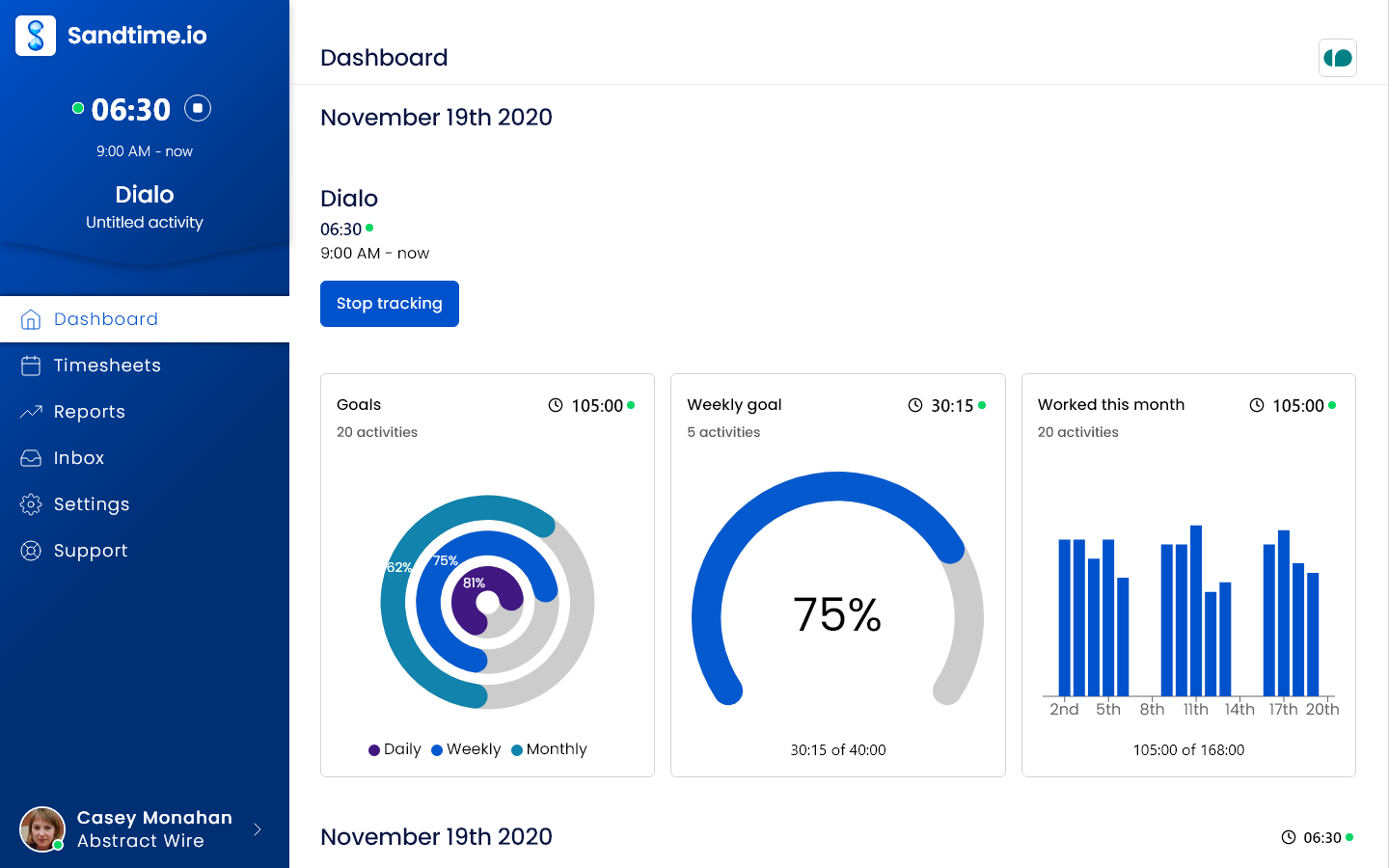
- Press Start tracking in the sidebar. The entry starts at once and picks up the project and billable setting of your latest entry, so a morning on the same client is one click.
- Or use the form on the Dashboard: type what you are working on in What are you working on now?, pick a Project, and start. Leave the project empty and the entry sits under Unassigned until you choose one.
- While it runs, open the entry to rename it or move it to another project. The Billable switch follows the project and can be flipped for a single entry.
- Press Stop tracking when the block ends. The end time fills in by itself.
Forgot to start the timer? Use the same form or Add activity on the timesheet: set Started at and Ended at, or a start and a Duration, and the entry lands in the week like any other. Entries may run past midnight, and Sandtime.io asks you to confirm anything over 12 hours or on a public holiday before saving it.
A worked example: one consultant's Tuesday
- At 9:00 Maja presses Start tracking; it picks up yesterday's project, "Acme - API". At 11:30 she stops it: 2 hours 30 minutes.
- From 11:30 to 13:00 she works on "Nordlicht - Audit": 1 hour 30 minutes.
- At 13:45 she restarts Acme and forgets to stop it. The timer is still running at 18:15, so she opens the entry and sets Ended at to 17:15: 3 hours 30 minutes.
- In the evening she adds a 30-minute Acme call from 14:00 that she took on her phone. It sits inside the afternoon block, so an overlap warning appears on the dashboard and the timesheet. Overlapping time counts once, and she trims the afternoon entry instead of letting the day disagree with itself.
Tuesday closes at 7 hours 30 minutes: 6 on Acme, 1 hour 30 minutes on Nordlicht, all billable. The weekly timesheet shows the same numbers, and so does any report covering the day.
Where you can track
The same account and the same entries follow you across the web app, the desktop apps for macOS and Windows, the iPhone and Android apps, the Chrome extension, and the Slack integration with /start-tracking and /stop-tracking. Open apps refresh on their own every 30 seconds while you use them. The desktop apps can start the timer when they open and stop it when the computer shuts down, both off until you switch them on. Developers can log time from an editor or an AI assistant through the API and MCP server, with an API key.
What it deliberately does not do
- No surveillance. No screenshots, keystroke logging, app or website tracking, idle detection, or GPS. Sandtime.io records what people report, which is why they keep it accurate. See is Sandtime.io employee monitoring software.
- No offline recording. The mobile apps need a connection; without one they show an offline screen instead of the timer.
- No clock-in kiosk. It tracks work per project, not attendance at a site.
- No runaway timers. A timer running for 8 hours raises a warning, and one left for 12 hours is stopped automatically.
More than one timer can run at once when you want it to, for example with Start again on an earlier entry, the Slack command, or the API. The sidebar and dashboard buttons never start a second one by accident.
How it connects to the rest of Sandtime.io
Tracked time feeds the weekly timesheet, which goes through approvals and locking, and then reports and Excel export. Overlap detection, time rounding, and breaks as non-billable projects keep the totals honest, and core hours set the daily goal on the dashboard. The built-in timer guide walks through every field, and the free time card calculator covers anyone still counting hours by hand.
Time tracking questions
Is Sandtime.io time tracking really free?
Yes. Sandtime.io is free for unlimited users, with no seat limits, no per-user fees, and no upgrade gate on time tracking. Registered nonprofits are eligible for a custom offer.
Does Sandtime.io take screenshots or monitor activity?
No. Sandtime.io records the hours your team enters and nothing else. There are no screenshots, no keystroke logging, and no activity monitoring, so the record stays something people are willing to keep accurate.
Can I add time after the fact instead of using a timer?
Yes. Add an activity with a start time, an end time, or just a duration, whichever fits how you remember the work. The timer and manual entry produce the same kind of record.
Does time tracked on one device appear on the others?
Yes. Entries sync across the browser, the desktop apps, mobile, the browser extension, and Slack, so a timer started in one place can be stopped in another.
What happens if I forget to stop the timer?
A timer running for 8 hours raises a warning, and one left for 12 hours is stopped automatically. Open the entry and set the real end time, and the day's totals follow.
Can more than one timer run at the same time?
Yes, when you want it: Start again on an earlier entry, the Slack command, or the API can start a second one. The Start tracking button and the dashboard form never start a second timer by accident.
Can I track time offline on my phone?
No. The mobile apps need a connection and show an offline screen without one. Add the missed time afterward with a start and end or a duration.
What happens when two entries overlap?
Nothing is blocked. Both entries are flagged on the dashboard, the timesheet, and in reports, the overlapping time counts once, and you fix it by adjusting either entry.
Start tracking time now
Free for unlimited users. No credit card required.