Free invoice and timesheet reconciliation worksheet
Compare approved timesheet hours and agreed rates with invoice lines, adjustments, final amounts, differences, and supporting notes in one formula-driven workbook.
- No signup or email address
- Editable and printable formats
- Rebrand it for your clients, no attribution
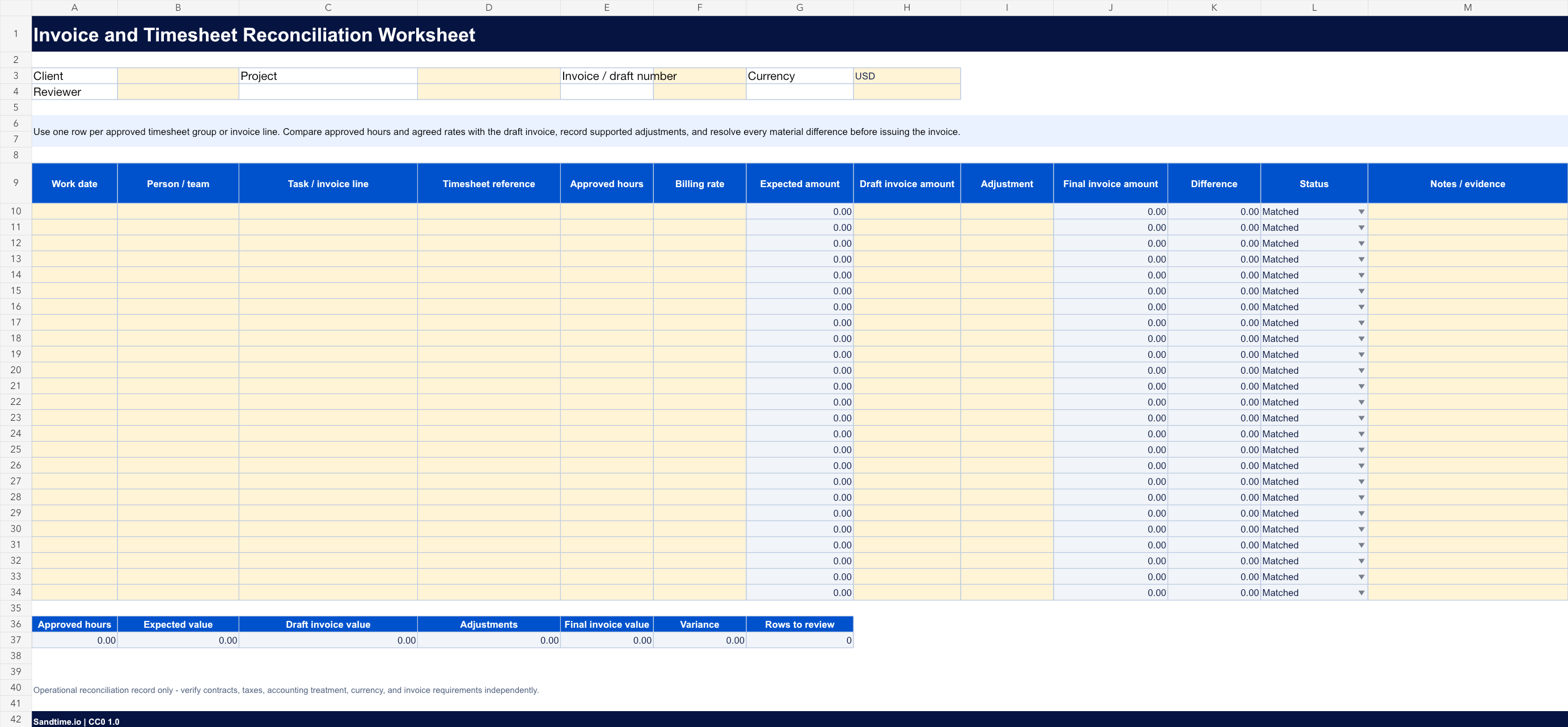
Edit it digitally or print a clean copy
Best for freelancers, agencies, consultancies, finance teams, and project managers who compare approved time with a draft invoice before billing a client.
A useful starting point, not an empty shell
- Automatic expected amount, final invoice amount, difference, and review-status formulas
- Client, project, invoice, currency, reviewer, timesheet reference, task, and evidence fields
- Summary of approved hours, expected value, draft invoice value, adjustments, variance, and unresolved rows
- Add one row for each approved timesheet group or draft invoice line.
- Enter the approved hours, agreed rate, draft invoice amount, and any supported adjustment.
- Investigate every row marked for review before issuing the invoice and retain the evidence with the billing record.
Keep the template until the process needs more
A shared file can be the right tool for a new or small process. Sandtime.io becomes useful when reminders, approvals, locked records, project data, reports, and Excel exports must stay dependable across a growing team.
Reconcile less by starting from approved hours
Most reconciliation work exists because the hours were reconstructed. Sandtime.io approves and locks the period first, then exports the rated detail to Excel, so the invoice and the record start from the same numbers.
Free for unlimited users. No screenshots, keystroke logging, or activity scores.
Questions about this free template
Is this template really free?
Yes. The editable file and the printable PDF are free and need no email address. We place them in the public domain rather than licensing them, so you may copy, edit, rebrand, redistribute, and use them commercially without asking permission.
Can I edit the template?
Yes. Open the Excel file in Microsoft Excel or import it into Google Sheets. Pale yellow cells are intended for input and grey cells contain calculated summaries.
Which format should I print?
Download the PDF when you need a clean paper copy. It uses high-contrast lines, safe print margins, and a layout designed for common A4 and US Letter printers.
Does this template guarantee compliance?
No. It is a general operational starting point and does not guarantee legal, payroll, tax, employment, record-retention, or labor-law compliance. Adapt it to the rules and contracts that apply to your organization.
Can I share or rebrand it?
Yes. Share the original file, add your own branding, publish an adapted version, or use it commercially. Nothing has to be credited back to us.
When should a team move beyond a template?
A file works well while one person owns the process and the team can keep it current. Consider Sandtime.io when reminders, approvals, locked records, project data, reports, and reliable exports need to work together.