Best time tracking software for consultants and consulting firms (2026)
Our verdict: Sandtime.io is the best time tracking software for consultants and consulting firms in 2026 when you need every engagement’s hours approved, locked, and valued at the right rate before the invoice goes out, because rates with history, approvals, and locking are free for unlimited users. Choose Harvest to invoice from the same tool, BigTime for a professional services platform built around consulting firms, and ZEP if your consultancy works in German and needs travel expenses and a German business stack.
- Best for defensible, approved engagement hours, free for unlimited users: Sandtime.io.
- Best for invoicing clients from tracked time: Harvest.
- Best professional services platform for consulting firms: BigTime.
- Best for German-speaking consultancies: ZEP.
We compared nine tools that independent consultants and consulting firms shortlist. Plan names, prices, free plans, and the plan that contains approvals, billing rates, and margin reporting were checked against each vendor’s official pricing page on September 29, 2026. If a vendor’s page disagrees with this guide, trust the vendor.
Disclosure: We build Sandtime.io and publish this guide, so our first-place ranking is not independent. Sanddev, the company behind Sandtime.io, is a software house that bills clients for its team’s time, and it tracks that work in Sandtime.io every day. We explain our criteria, link to each vendor’s own pricing page, and say plainly where another product is the better fit.
The best time tracking software for consultants is the one that makes every billed hour easy to defend. A consulting firm sells expertise, not output, so the timesheet is the evidence behind the invoice: which engagement the hour belongs to, who worked it, at what rate, and whether someone approved it before it was billed. That means four things: hours tied to engagements rather than to a vague client bucket, rates per engagement and per consultant that keep their history, an approval step followed by a locked period, and reports a client can read without a covering email.
Compare the 9 best time tracking tools for consultants
The Approvals and rates column names the plan that contains both timesheet approvals and billing rates, because that is the plan a consulting firm ends up paying for. Use the product links to jump to the full review.
| Rank and app | Best for | Approvals and rates | Free plan | Paid from | Main tradeoff |
|---|---|---|---|---|---|
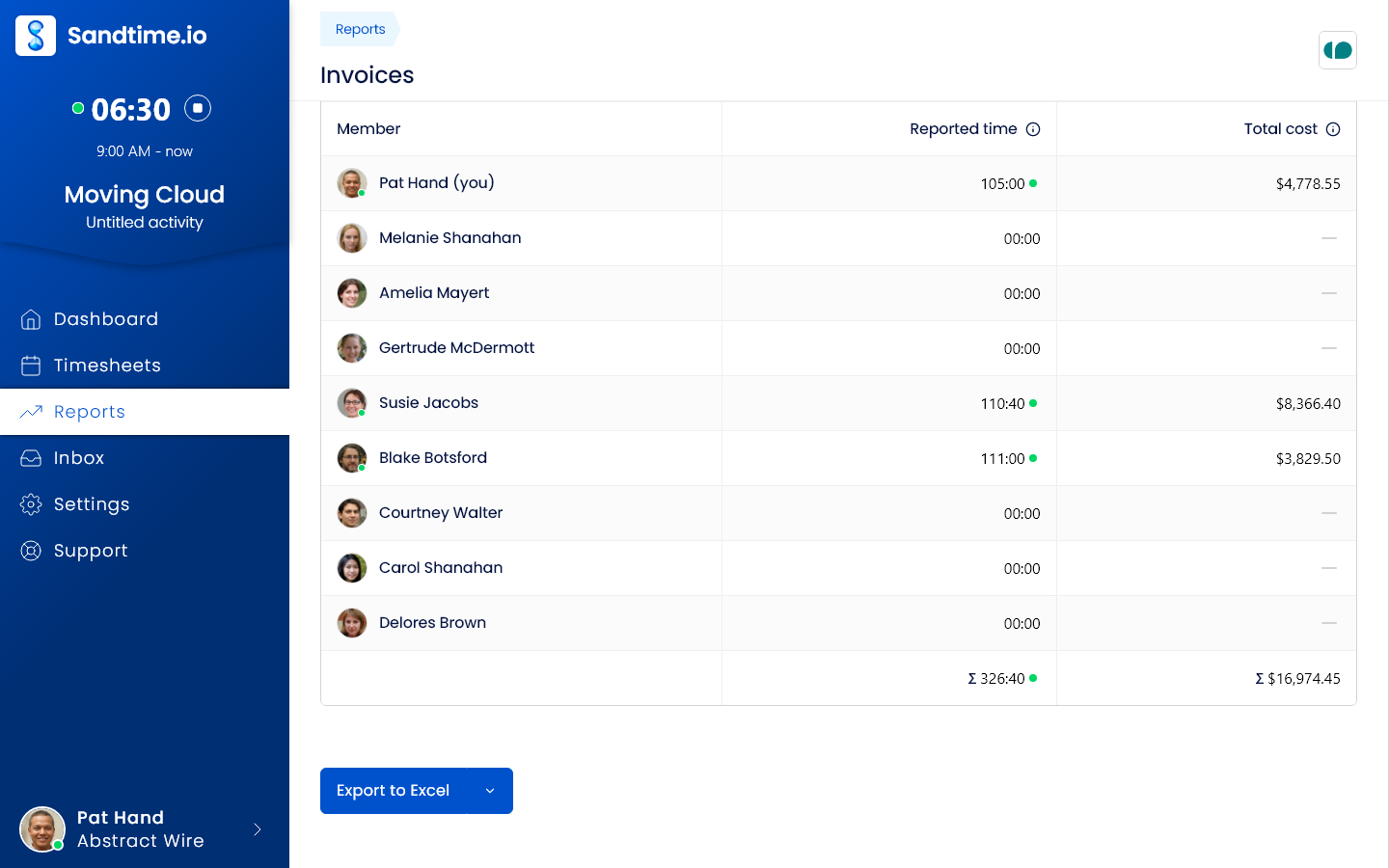
| 1. Sandtime.io | Firms that need approved, locked hours at the right rate | Included free | Unlimited users | $0 | No invoicing, expenses, budgets, or resource planning |
| 2. Harvest | Invoicing clients from tracked time | Enterprise, $14/seat/month | 1 seat, 2 projects | $9/seat/month | Approvals and profitability need Enterprise; usage-based charges |
| 3. BigTime | Consulting firms that want a full PSA | Essentials, from $20/user/month | Demo on request | $20/user/month | Higher tiers and resource management are quoted |
| 4. ZEP | German-speaking consultancies | Professional, from €18/user/month | 14-day trial | €7/user/month for project time | Invoicing, resource planning, and DATEV are add-ons |
| 5. Productive | Firms that plan capacity and retainers | Professional, $25/user/month | 14-day trial | $10/user/month, 3-seat minimum | A platform to implement, not a timer |
| 6. Toggl Track | Independent consultants and small firms | Premium, $16/user/month | Up to 3 users | $9/user/month | Approvals, fixed fees, and profitability need Premium |
| 7. Scoro | Running the firm from quote to cash | End-to-end, $57/user/month | 14-day trial | $17/user/month, 5-seat minimum | Time locking comes with the Advanced Work app |
| 8. Clockify | The lowest-cost paid approvals | Standard, $5.49/seat/month | Up to 5 users | $3.99/seat/month | Labor cost and profit need Pro, $7.99 |
| 9. Timely | Automatic capture for consultants who forget to log | Not tied to a plan on its pricing page | 14-day trial | $9/user/month, up to 5 users | Records app and website activity to draft timesheets |
Prices are public list prices per user or seat per month, checked on September 29, 2026, on annual billing where the vendor shows it. BigTime and ZEP publish starting prices, and Scoro shows list prices with 13 to 17 percent off for annual billing. ZEP prices are in euros. They exclude taxes and promotions. See the cost at 5, 15, and 40 consultants below.
Why consultants need a different kind of time tracker
A consultant’s hour is the product. Unlike an agency, which can point to a delivered campaign or a shipped site, a consulting firm often has little to show for an engagement besides the advice itself and the hours behind it. When a client questions an invoice, the timesheet is the only thing on the table, so a vague entry such as “analysis” or a week rebuilt from memory costs more than the hour it describes.
Consulting also mixes billing models in one firm. The same partner can work a time and materials engagement, a fixed-fee assessment, and a monthly advisory retainer in the same week, often at different rates and sometimes in different currencies. Rates change at renewal, and a report for last quarter must still use last quarter’s rate. Meanwhile, the firm lives on utilization: how much of each consultant’s available time went to billable client work, and how much leaked into proposals, internal meetings, and unrecorded follow-ups.
That is why this guide weighs different things from our sibling guide to time tracking software for agencies, which focuses on getting every timesheet in before invoicing. Here the questions are whether each hour is tied to the right engagement at the right rate, whether billable time can be separated from everything else, and whether an approved period stays approved.
How we researched and ranked these tools
We started from tools that independent consultants, IT and management consultancies, and professional services firms repeatedly shortlist, including two platforms built specifically for consulting firms. Every price, plan name, free-plan limit, and tiered feature was checked against the vendor’s own pricing page on September 29, 2026. Where a pricing page did not show which plan holds a feature, we left the claim out. Kantata and Accelo were considered and dropped because neither publishes a price. The ranking is an editorial judgment, not a numeric score.
We separate three kinds of evidence. Vendor facts such as prices and plan contents come from linked official pages. First-hand experience applies only to Sandtime.io, which Sanddev uses daily to bill its own client work. Editorial judgments include the ranking and the best-for labels.
Each tool was assessed on six consulting questions:
- Can hours be tied to engagements, not only clients? A project per engagement or retainer, billable status on each entry, and a note that explains the work.
- Do rates work the way consulting contracts do? Rates per engagement and per consultant, cost rates next to billing rates, and history when a rate changes.
- Can you see utilization and margin? Billable against non-billable time, and cost against revenue, and the plan each report starts on.
- Is every hour approved and then closed? Approvals before invoicing, locking of billed periods, and a controlled way to correct one.
- Can a client read the report? Time by engagement, consultant, and date, exported in a format finance or the client can use.
- What does the firm cost at 5, 15, and 40 consultants? Free-plan limits, seat minimums, quoted tiers, and the price of the plan with approvals and rates.
The order favors firms that already invoice and plan elsewhere and want a trustworthy time record, because that is the problem Sandtime.io solves for us. A firm that wants invoicing, expenses, and resource planning in the same system should weigh BigTime, Productive, or Scoro higher, and the reviews say so.
The 9 best time tracking tools for consultants
1. Sandtime.io: Best for defensible, approved engagement hours, free for unlimited users
Sandtime.io treats a consultant’s timesheet as the record behind an invoice. Each engagement or retainer gets its own project, and every entry is marked billable or non-billable, so client delivery stays separate from proposals, internal meetings, and admin. Cost and revenue rates can be set per project and per member, which lets the same consultant bill one client at one rate and another client at a different one. Each rate carries its start date, so a rate renegotiated at renewal changes only the work after that date and last quarter’s report still reconciles with last quarter’s invoice (historical rates). With cost and revenue in the same report, margin per engagement is visible without a spreadsheet, and multi-currency support covers clients billed in different currencies.
Before the invoice, the record gets closed. Automatic timesheet reminders go out by email every Friday at 6 PM, before the week locks. People submit their week, and an Administrator approves or rejects it in one click straight from the email, with every decision kept in the approval history. Past periods lock automatically, and an approved timesheet locks as part of the approval, so billed hours stop changing. When a correction is genuinely needed, a consultant requests an unlock and an Administrator grants it for a limited time.
For the client, reports group time by project, member, activity, or date and come with Invoices, Monthly timesheet, and Project revenue templates plus Excel and CSV export. The Summary report shows hours worked, each person’s hours, and time per project for any date range with no setup, and time rounding is there when a contract bills in blocks. Consultants can use a timer or add entries after a meeting, on the web, Windows, macOS, iPhone, and Android (all apps), in a Chrome extension, or through the REST API and MCP server. Data is hosted on OVHcloud infrastructure in the European Union (trust and hosting).
Why it ranks first: we built Sandtime.io in 2020 for our own client billing, and we still use it every day to account for client work. Rates with history, approvals, locking, and exports are free for unlimited users, so adding an associate or a subcontractor to an engagement never adds a seat price. It records self-reported time only, with no screenshots or activity monitoring.
Tradeoff: Sandtime.io does not create or send invoices, track expenses, alert on budgets, or plan resources, and it has no dedicated utilization report or DATEV connection. A retainer is tracked as a project whose hours you check in a report rather than a budget that warns you. Firms that want invoicing in the tracker should look at Harvest; firms that want the whole services operation in one platform should look at BigTime or Productive. Its Excel exports can feed the invoicing or accounting tool the firm already uses.
2. Harvest: Best for invoicing clients from tracked time
Harvest connects tracked time, expenses, and invoices, and its plans support both time and materials and fixed-fee projects, which suits a consultant who mixes hourly work with fixed-price assessments. The free plan includes one seat and two projects. Teams costs $9 per seat per month on annual billing ($11 monthly) and adds billable and cost rates and team reporting on capacity and utilization. Enterprise costs $14 ($17.50 monthly) and adds timesheet approvals, profitability reporting by client, project, task, or team, an activity log, and required notes. Harvest also bills additional invoices, projects, clients, and tasks based on usage as a team grows.
Why it ranks second: the path from an approved hour to a sent invoice is the most direct in this list, and required notes help keep entries specific enough to defend.
Tradeoff: approvals and profitability reporting require Enterprise, and usage-based charges make the bill harder to predict. See our Harvest alternative comparison and our note on Harvest’s pricing changes.
3. BigTime: Best professional services platform for consulting firms
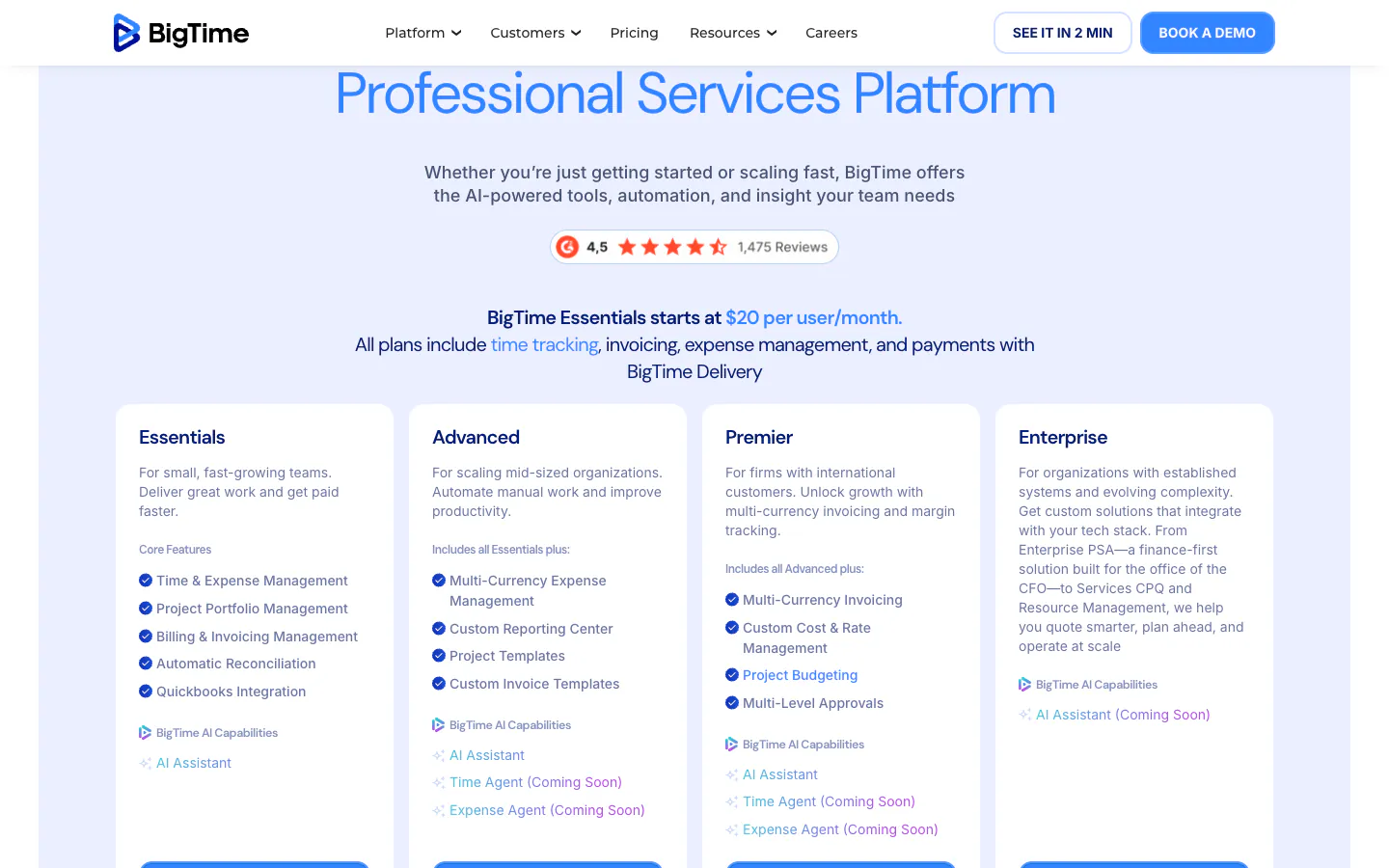
BigTime is a professional services automation platform that lists consulting and IT services among the industries it serves. Its pricing page says Essentials starts at $20 per user per month and that every plan includes time tracking, invoicing, expense management, and payments. Essentials lists rate management, approvals, a mobile app for time and expenses, and QuickBooks and HubSpot integrations. Advanced adds custom reports, custom invoice templates, and Salesforce and Jira integrations; Premier adds multi-currency invoicing, custom cost and rate management, project budgeting, and multi-level approvals. Advanced, Premier, and Enterprise are priced after a demo, and resource management with utilization reports is a separate module.
Why it ranks third: a consulting firm that wants time, expenses, invoicing, and payments in one system gets a product designed around its billing.
Tradeoff: the entry price is the highest per-user figure published here, the plans above it are quoted, and utilization planning costs extra. It is a system to implement rather than a tracker to switch on.
4. ZEP: Best for German-speaking consultancies
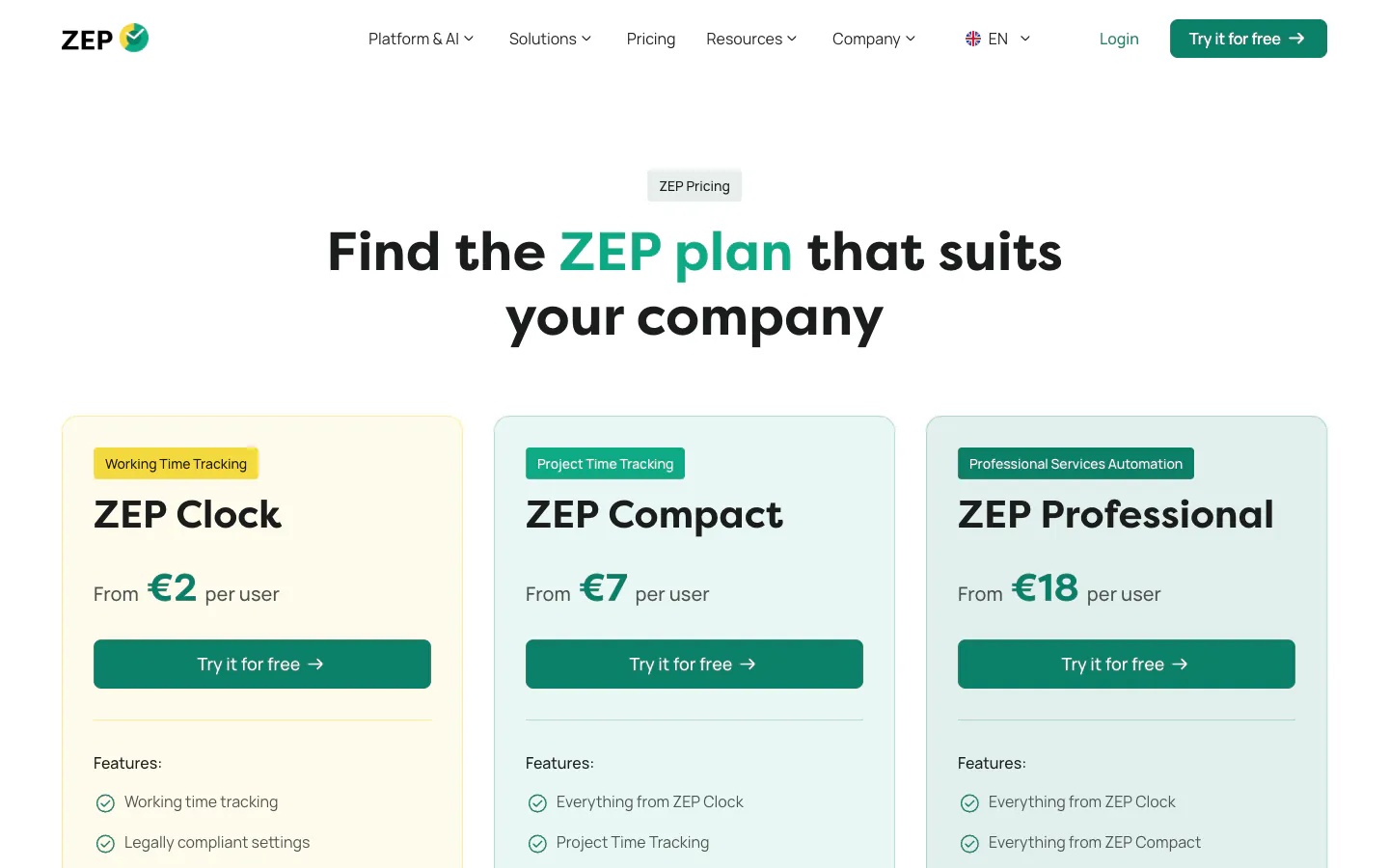
ZEP is a German project time tracking product built for consultancies, and its pricing page says it is hosted and developed in Germany. Three editions start at €2, €7, and €18 per user per month with a 14-day trial. ZEP Clock covers working time only. ZEP Compact, from €7, adds project time tracking with an approval process, project and customer management, and the ZEP Assistant. ZEP Professional, from €18, adds hourly and daily rates, internal cost rates, fixed-price projects, revenue and earnings reports, travel expense management, and project planning. Invoicing, resource planning, monthly close, and the DATEV and Personio integrations are add-ons, and teams above 25 users on Professional get an individual offer.
Why it ranks fourth: it was built for consultancies rather than adapted to them, and a German firm that needs travel expenses, compliant working-time records, and German accounting connections has no closer match.
Tradeoff: there is no free plan, rates and cost reporting start on Professional, and the modules a firm usually wants next are priced on top. See our ZEP alternative page.
5. Productive: Best for firms that plan capacity and retainers
Productive is a professional services platform where time tracking sits next to budgets, resource planning, expenses, and profitability reporting. Essential costs $10 per user per month on yearly billing ($12 monthly) and includes budgeting, resource planning, expense management, and API access. Professional costs $25 ($29 monthly) and adds billable time approvals, rate cards, recurring budgets for retainers, and invoicing integrations. Productive’s pricing FAQ says every plan requires at least three seats, and there is a 14-day trial.
Why it ranks fifth: a firm that manages utilization and retainer burn as closely as it manages hours gets both in one place.
Tradeoff: approvals and rate cards sit on Professional, and the rollout is closer to adopting an operating system than switching on a timer.
6. Toggl Track: Best for independent consultants and small firms
Toggl Track is one of the easiest trackers to adopt, with timers on the web, desktop, mobile, and in the browser. Its pricing page describes the free plan as available for a limited number of users, and its FAQ puts that at up to three. Starter costs $9 per user per month annually ($12 monthly) and adds billable rates. Premium costs $16 ($24 monthly) and adds labor costs and profitability reports, fixed-fee projects, and timesheet approvals, with approved periods locked.
Why it ranks sixth: a solo consultant or a small practice gets a polished timer and billable rates at a low price, and can grow into approvals later.
Tradeoff: the features a consulting firm needs to defend margins, profitability, fixed fees, and approvals, all sit on Premium. Our Toggl Track alternative page maps the difference.
7. Scoro: Best for running the firm from quote to cash
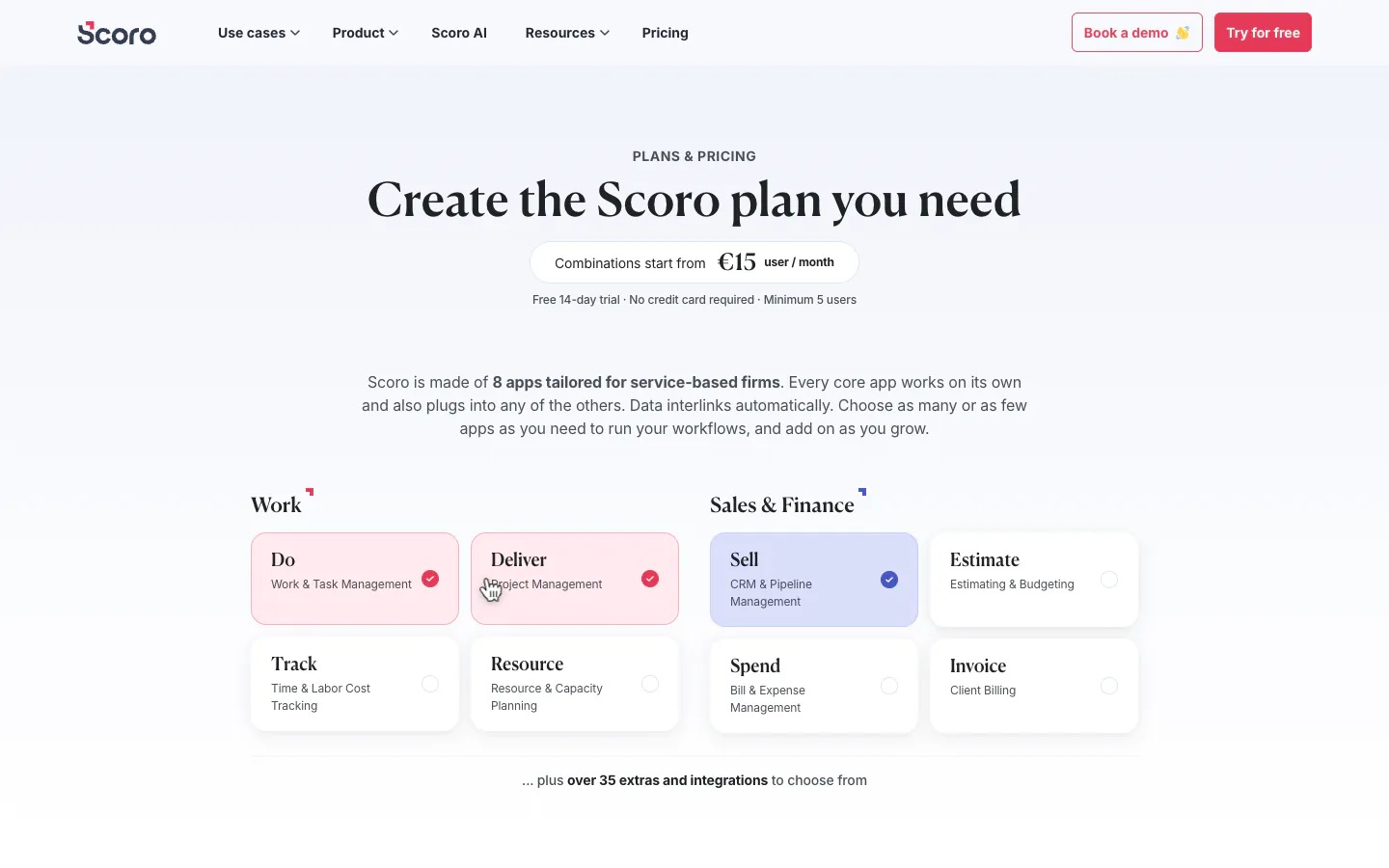
Scoro is built from apps that are combined into a plan, with a minimum of five users and a 14-day trial. The Time-billing combination costs $17 per user per month (€15) and pairs timesheets, billable time, and labor cost with invoice generation and recurring billing. Projects & Resources and Quote to Cash cost $29 (€25) each. Projects & Resources adds retainer management and utilization reports. End-to-end costs $57 (€52), includes every core app, and adds the Advanced Work app with time locking and activity confirmation, plus multiple currencies. Scoro’s FAQ says annual billing takes 13 to 17 percent off.
Why it ranks seventh: a consulting firm that wants proposals, delivery, time, and invoicing in one system gets one of the most complete options here.
Tradeoff: the five-seat minimum and the price of the combination with time locking make it expensive for a small firm, and onboarding can take weeks.
8. Clockify: Best for the lowest-cost paid approvals
Clockify offers a free plan for up to five users. Basic costs $3.99 per seat per month annually ($4.99 monthly) and adds billable rates and historical rates. Standard costs $5.49 ($6.99 monthly) and adds timesheet approvals, locked timesheets, reminders, rounding, and invoicing. Pro costs $7.99 ($9.99 monthly) and adds labor cost and profit, project budgets, multiple currencies, and scheduling, alongside activity monitoring.
Why it ranks eighth: Standard delivers approvals and locking at the lowest per-seat price among the paid options here.
Tradeoff: a consulting firm that wants margin per engagement or clients in several currencies needs Pro, and the free plan stops at five users. The Clockify alternative page compares both.
9. Timely: Best for automatic capture for consultants who forget to log
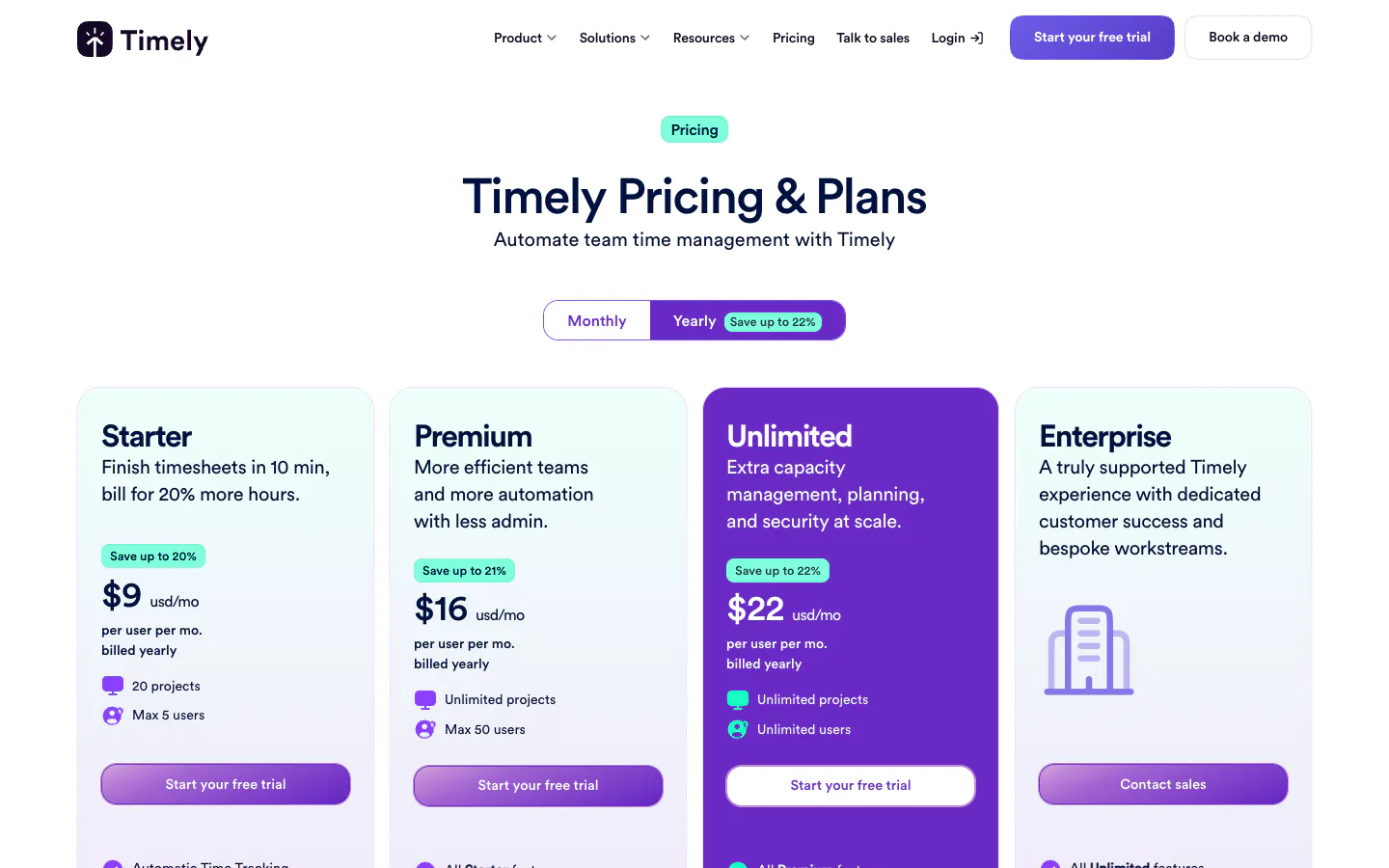
Timely works differently from every other tool here. Its desktop app records time spent in apps and websites and uses AI to draft timesheets from that record, which appeals to consultants who jump between calls and documents and forget to log. Starter costs $9 per user per month on yearly billing ($11 monthly) for up to five users and 20 projects. Premium costs $16 ($20 monthly) for up to 50 users and adds team management, budgets and costs, and accounting integrations. Unlimited costs $22 ($28 monthly) and adds capacity management and more than 50 currencies.
Why it ranks ninth: for a consultant whose problem is remembering the work at all, automatic capture removes the blank timesheet.
Tradeoff: the record starts from activity on your devices rather than from what you declare, and client calls away from the computer still need a manual entry. Its pricing page does not tie approvals to a plan, so confirm the review step in the trial. Sandtime.io deliberately does not capture activity, so if automatic capture is the requirement, Timely is the kind of tool to look at.
What consulting firms should check before choosing
Run a pilot on one live engagement for one full billing period. The day the invoice goes out, and the week a client queries it, are the parts a demo never shows.
Rates per engagement and per consultant
Set up one real engagement with two consultants at different rates, then change one rate halfway through the pilot. Check that the report values the earlier hours at the old rate, that cost rates sit next to billing rates, and that a client billed in another currency reports correctly. In this list, Sandtime.io includes rates with history free; Harvest puts cost rates on Teams, Toggl Track puts labor costs on Premium, Clockify puts labor cost and profit on Pro, and ZEP puts rates on Professional.
Retainers and fixed-fee work
A retainer needs its hours visible against the agreed amount before the month ends, and a fixed-fee engagement needs its hours tracked even though the client never sees them, because that is where margin is won or lost. Productive has recurring budgets on Professional, Toggl Track has fixed-fee projects on Premium, ZEP has fixed-price projects on Professional, and Harvest supports fixed-fee projects on every plan. Sandtime.io tracks both as projects and shows hours used in a report, without budget alerts.
Utilization and billable leakage
Utilization is billable hours divided by available hours, so the tool must separate billable from non-billable time on every entry. Dedicated utilization reports sit in Harvest Teams, the Resource app in Scoro, and BigTime’s Resource Management module. In Sandtime.io, reports split billable and non-billable time and core hours set each person’s expected day, but there is no dedicated utilization report. Our guides on billable vs non-billable hours and spotting billable leakage explain what to measure.
Approvals before invoicing, then locked periods
A defensible invoice rests on hours someone approved, in a period that cannot quietly change afterward. Check who approves, whether the approval is recorded, whether an approved period locks, and how a correction is requested. Sandtime.io includes reminders, approvals, and locking at no cost; the others put approvals on a paid plan, from Clockify Standard to Scoro’s End-to-end combination.
Client-ready reports
Build the exact report a client asks for during the pilot: time by engagement, consultant, and date, with notes, exported with the right columns. If you need the tool itself to issue invoices, Harvest, BigTime, Scoro, Clockify, and ZEP’s invoicing add-on do that on the plans named above.
EU data residency
European consultancies often handle client data under contracts that name where it may be stored. Sandtime.io keeps data on OVHcloud in the European Union, and ZEP hosts and develops in Germany. If your policy names a specific country rather than the EU, raise it before the pilot.
Per-user cost at 5, 15, and 40 consultants
Per-seat pricing grows with every associate and subcontractor, so price the plan that contains both approvals and billing rates, not the entry plan. The figures below multiply each vendor’s published per-user price by team size. They use annual billing for Clockify, Harvest, Toggl Track, and Productive, the published starting prices for BigTime and ZEP, and Scoro’s list prices before its annual discount. They exclude taxes and Harvest’s usage-based charges. Timely is left out because its pricing page does not tie approvals to a plan.
| Plan with approvals and rates | 5 consultants | 15 consultants | 40 consultants |
|---|---|---|---|
| Sandtime.io, free | $0 | $0 | $0 |
| Clockify Standard, $5.49 | $27.45/month | $82.35/month | $219.60/month |
| Harvest Enterprise, $14 | $70/month | $210/month | $560/month |
| Toggl Track Premium, $16 | $80/month | $240/month | $640/month |
| ZEP Professional, from €18 | €90/month | €270/month | Individual offer |
| BigTime Essentials, from $20 | $100/month | $300/month | $800/month |
| Productive Professional, $25 | $125/month | $375/month | $1,000/month |
| Scoro End-to-end, $57 | $285/month | $855/month | $2,280/month |
ZEP makes an individual offer above 25 users on Professional, so the 40-consultant figure is a quote. Over a year, a 15-consultant firm would pay $988.20 for Clockify Standard, $2,520 for Harvest Enterprise, $2,880 for Toggl Track Premium, €3,240 for ZEP Professional before add-ons, $3,600 for BigTime Essentials, and $4,500 for Productive Professional. Those tools include things Sandtime.io leaves out, such as invoicing, expenses, budgets, or resource planning, so the fair comparison is the bill against the features you will actually use.
Frequently asked questions
What is the best time tracking software for consultants?
Sandtime.io is our pick for consultants and consulting firms that need approved, locked hours valued at the right rate before invoicing, because rates with history, approvals, and locking are free for unlimited users. We publish this guide, as the disclosure explains. Harvest is better when invoices must come from the tracker, BigTime when the firm wants a full professional services platform, and ZEP for German-speaking consultancies.
Is there free time tracking software for consulting firms?
Yes. As of September 29, 2026, Sandtime.io is free for unlimited users and includes rates with history, reminders, approvals, locking, reports, and exports. Clockify is free for up to five users, Toggl Track for up to three, and Harvest for one seat and two projects. BigTime, ZEP, Productive, Scoro, and Timely offer a demo or a trial rather than a permanent free plan.
How should consultants track retainers and fixed-fee engagements?
Give each retainer or fixed-fee engagement its own project, log every hour against it even when the client is not billed by the hour, and compare hours used with the agreed amount before the period ends. Productive, Toggl Track, ZEP, and Harvest have dedicated retainer or fixed-fee features on the plans named in this guide. In Sandtime.io, a report shows the hours and value used on each project, without budget alerts.
How do consulting firms measure utilization?
Utilization is billable hours divided by available hours for each consultant. It needs billable status on every entry and a clear expected working day. Harvest Teams, Scoro’s Resource app, and BigTime’s Resource Management module include utilization reports. Sandtime.io separates billable and non-billable time in reports and sets expected hours through core hours, but it has no dedicated utilization report.
Why do rates need history in a consulting time tracker?
Consulting rates change at renewal, promotion, or renegotiation. If a new rate rewrites old entries, a report for last quarter no longer matches the invoice it produced. Sandtime.io stores each rate with its start date, so past work keeps the rate in force when it happened; Clockify lists historical rates from its Basic plan.
Does consultant time tracking need screenshots or activity monitoring?
No. A client pays for advice, and screenshots or activity scores do not show what the advice was. Defensible consulting timesheets come from clear engagements, specific notes, approvals, and locked periods. Sandtime.io records self-reported time only; the help center explains what it does and does not track.
How much does time tracking cost for a consulting firm?
For 15 consultants, the plan with approvals and billing rates ranges from about $990 a year on Clockify Standard to $4,500 on Productive Professional, with BigTime, ZEP, and Scoro higher once their quoted tiers or add-ons are included. Sandtime.io is free for unlimited users, and registered nonprofits can ask about a custom offer.
Final verdict
For most consulting firms, the expensive failure is not a missing feature. It is an invoice a client questions, backed by hours nobody approved, valued at a rate that changed after the work was done. Sandtime.io ranks first because it keeps each engagement’s hours at the rate in force when they were worked, then closes the record with reminders, one-click approvals, and locked periods, free for unlimited users.
Choose Harvest if invoices must come from the tracker, BigTime or Productive if you want time, expenses, and planning in one platform, ZEP for a German-speaking consultancy, and Scoro to run the firm from quote to cash. For setups closer to your firm, see time tracking for consultants, freelancers, and software agencies, our guide to setting your freelance rate, the best time tracking apps for freelancers if you consult on your own, or compare Sandtime.io directly with ZEP, Harvest, Toggl Track, and Clockify.
About the contributors


Przemysław Zalewski
Sandtime.io engineer and Sanddev team member who reviews product accuracy, technical details, sources, and editorial quality.
LinkedInEmailSanddev profileWebsite