20 Best Timesheet Apps for Teams in 2026
Our verdict: Sandtime.io is the best timesheet app in this comparison for agencies and project-based teams that want reminders, approvals, locking, and reports without per-seat fees or employee surveillance.
- Best for invoicing inside the same product: Harvest.
- Best for a polished timer-first experience: Toggl Track.
- Best for attendance and field teams: Jibble.
We compared 20 products on time entry, reminders, approvals, locking, reporting, billing fit, workforce controls, and real team cost. Features were checked on August 16, 2026, and the public prices in the cost comparison on September 29, 2026.
Disclosure: Sandtime.io is built by Sanddev, the publisher of this comparison. Its first-place ranking reflects our editorial judgment as its maker, not an independent award. We link to each vendor’s own pages so you can verify features and prices for yourself.
Looking for a broader comparison of project timers, automatic recall, attendance, and employee monitoring? Read our guide to the 25 best time tracking apps in 2026. This page remains focused on getting completed team timesheets submitted, approved, and locked. If you are choosing what to pay for over the next two budget cycles, the newer guide to the best timesheet software in 2026 and 2027 compares 18 products on approvals, locking, reminders, privacy and what the approval-capable plan costs 10, 25, and 50 people.
Comparison summary: jump to any review
Start with the workflow that matches your team. Each app name links straight to its full verdict, pricing context, and tradeoff.
-
- Best fit
- Agencies and project teams
- Primary strength
- Reminders, approvals, and locking
-
- Best fit
- Client-service businesses
- Primary strength
- Time-to-invoice workflow
-
- Best fit
- Knowledge-work teams
- Primary strength
- Timer experience and integrations
-
- Best fit
- Teams with mixed needs
- Primary strength
- Broad module range
-
- Best fit
- Teams inside PM tools
- Primary strength
- Embedded task tracking
-
- Best fit
- Small project teams
- Primary strength
- Structured approvals
-
- Best fit
- Desktop teams that forget timers
- Primary strength
- Automatic activity recall
-
- Best fit
- Shift and field teams
- Primary strength
- Attendance and GPS
-
- Best fit
- QuickBooks users
- Primary strength
- Payroll and job costing
-
- Best fit
- Proof-of-work buyers
- Primary strength
- Monitoring and GPS
Apps 11 to 20 continue in the same order below, each with its own verdict and pricing note.
Sandtime.io is free with no user cap and already includes reminders, approvals, and locking. No credit card, and your data stays on EU servers.
A timesheet app should do more than count hours. It should help a person remember a fragmented day, help a manager get complete records without nagging, and help finance trust the numbers that reach payroll or a client invoice.
That sounds obvious. It was not obvious when the team behind Sandtime.io first needed it.
The timesheet problem that became Sandtime.io
Before Sanddev had its current name, the software agency operated as Sandstream. Its team delivered work across clients, projects, support requests, meetings, and small fixes. Timesheets were essential for billing. Filling them was still a pain.
Łukasz Sienkiewicz, Sandtime.io’s founder and CEO, experienced the problem from the manager’s side. He had to turn scattered work into dependable reports, make sure hours were submitted, and get enough detail to bill clients fairly. In his original guide to logging time, he compared paper, spreadsheets, and dedicated apps. His conclusion has aged well: the cheapest method is not cheap if managers must clean the data by hand.
The internal process was a familiar mix of spreadsheets, Slack threads, and educated guesses. The agency did not want monitoring software that took screenshots or scored activity. It also did not want a stopwatch that stopped being useful as soon as someone asked, "Can we invoice this project?"
So the team built its own system in 2020. Sanddev still uses Sandtime.io every day, and every Sanddev invoice starts as a Sandtime.io timesheet. The fuller product story is documented in Sanddev’s case study.
Łukasz’s managerial lesson is the lens for this comparison: collecting time is only the first step. The best app for a team also closes the gap between forgotten work, a submitted timesheet, an approval, and a trustworthy report.
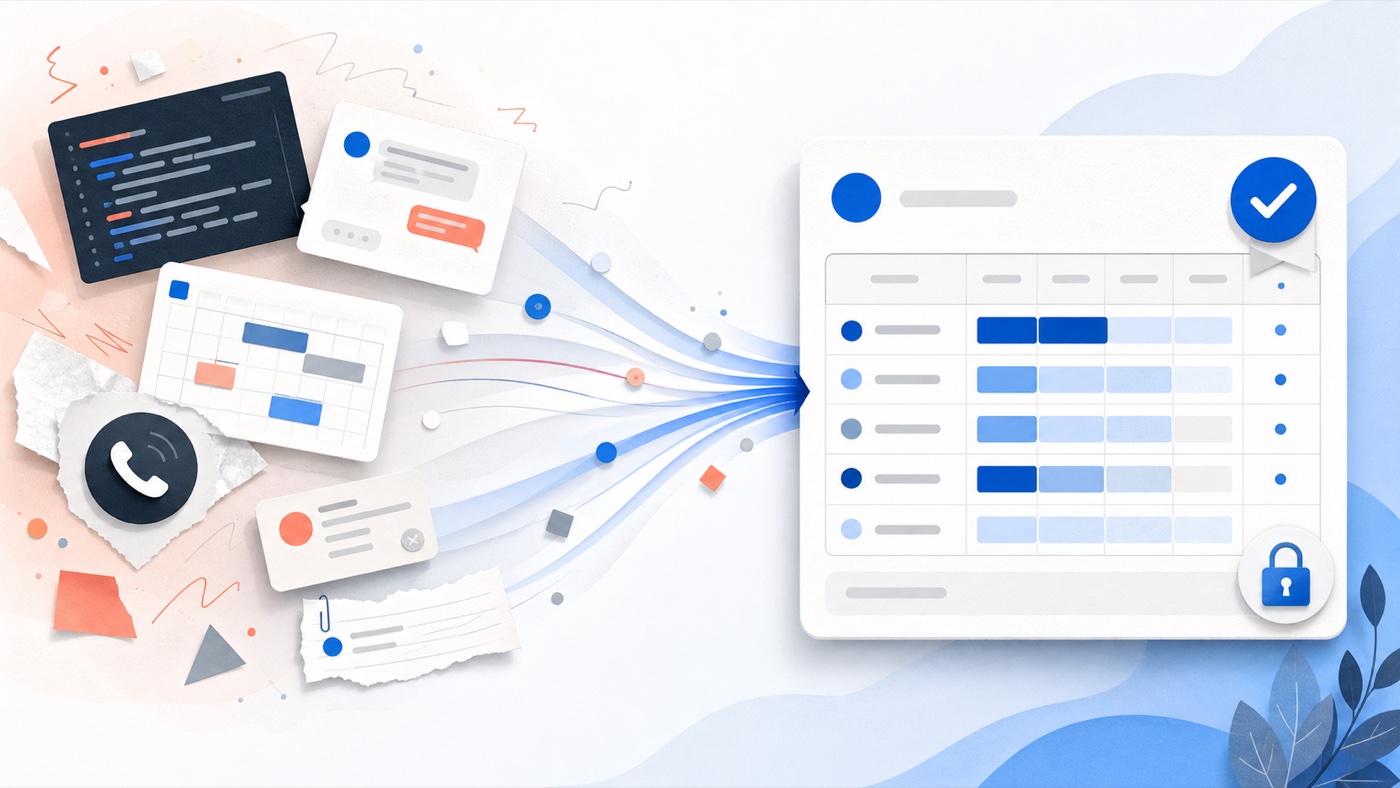
The timer is only step one. Most managerial pain sits in the five steps that follow.
What changed in timesheet software in 2026?
The category now contains four different products wearing the same label:
Project timesheets
Built for freelancers, agencies, consultants, and software teams. The important questions are projects, billable hours, budgets, approvals, and client-ready reports.
Time and attendance
Built for shift, field, retail, and hourly teams. Scheduling, kiosks, breaks, overtime, GPS, and payroll connections matter more than project profitability.
Automatic tracking
Built for people who forget timers. Desktop activity can help reconstruct a day, but teams must decide whether the extra capture fits their privacy culture.
Workforce monitoring
Built for buyers who explicitly want screenshots, activity levels, or location evidence. Those controls can solve a field or compliance problem, but can also reduce trust.
This distinction matters because the workday is more fragmented than a weekly grid suggests. Microsoft’s analysis of aggregated Microsoft 365 signals found that employees in its high-notification cohort were interrupted by a meeting, email, or chat about every two minutes during core work hours. A timer alone cannot decide which interruption belongs to which client. Good software reduces the reconstruction burden; good team practice still supplies context.
What does "AI time tracking" actually mean?
AI time tracking is not one feature. Vendors use the label for three materially different approaches:
Automatic recall
TimeCamp, Memtime, and EARLY can record or infer activity from apps, documents, websites, and calendars. The result helps a person reconstruct forgotten work, but still needs project and billing context.
Suggested entries
Systems such as Replicon ZeroTime can draft records from connected work signals. A suggestion saves recall time; it is not automatically an approved payroll or client-billing record.
Workflow automation
Sandtime.io automates reminders, approvals, and locking, but does not market those deterministic controls as AI. It automates the administrative chase rather than observing employee activity.
The buying question is therefore not "Does it have AI?" Ask what data it collects, who can see the raw activity, whether people confirm suggested entries, and what happens before time reaches payroll or an invoice. A low-confidence suggestion should never become a financial record without human review.
How we chose the 20 best timesheet apps
We started with the complete record, not the longest feature list. Each product was assessed on:
- Capture: timer, manual entry, weekly timesheet, mobile access, and ways to recover forgotten work.
- Completion: missing-hours prompts, recurring reminders, and visibility into unsubmitted time.
- Control: submission, rejection, approval, audit history, and locking.
- Usefulness: project organization, reports, exports, billable rates, budgets, payroll, or invoicing.
- Adoption cost: free-plan limits, minimum seats, per-user pricing, setup weight, and privacy tradeoffs.
If the same entry must move between a phone and computer, use the focused mobile and desktop time tracking guide to test synchronization, offline behavior, manual correction, and the handoff into approval.
This is a buyer’s comparison based on public vendor documentation and pricing, not a claim that all 20 products were deployed long-term inside Sanddev. The primary-source links let you verify the details, and the pilot below is how we recommend testing actual fit.
The ranking favors agencies, freelancers, consultants, and project-based teams. Field and payroll products are included, but a shift-based company should weight Jibble or QuickBooks Time more heavily than the order below.
The 2026 comparison in numbers
Sandtime.io, TimeCamp, Jibble, and TrackingTime advertise free plans for unlimited users in this comparison, but they solve different jobs. Sandtime.io centers on project records, approvals, and reports without activity monitoring. TimeCamp centers on automatic desktop tracking. Jibble centers on attendance and field clock-ins. TrackingTime combines core tracking with lightweight project and task management.
What approval-ready timesheet software costs for 25 people
The chart below annualizes the lowest publicly listed plan that includes approvals for a 25-person project team across six directly comparable products. It uses annual billing where available, excludes taxes and promotions, and does not include accounting subscriptions or implementation. Toggl Track uses its published annual Premium price.
Scenario: 25 active users for 12 months, using public U.S.-dollar list prices checked September 29, 2026. Calculations: seat price × 25 × 12. This is a purchasing benchmark, not a quote. Follow the linked vendor pricing pages below before buying.
The spread is material: Toggl Track Premium is $4,800 per year for this team at the current annual list price, while Harvest Enterprise is $4,200 and Clockify Standard is $1,647. Price alone does not decide fit, but a "small" per-seat difference becomes an operating expense when multiplied across the whole team.
The 20 best timesheet apps in 2026
1. Sandtime.io: Best for completing team timesheets without chasing
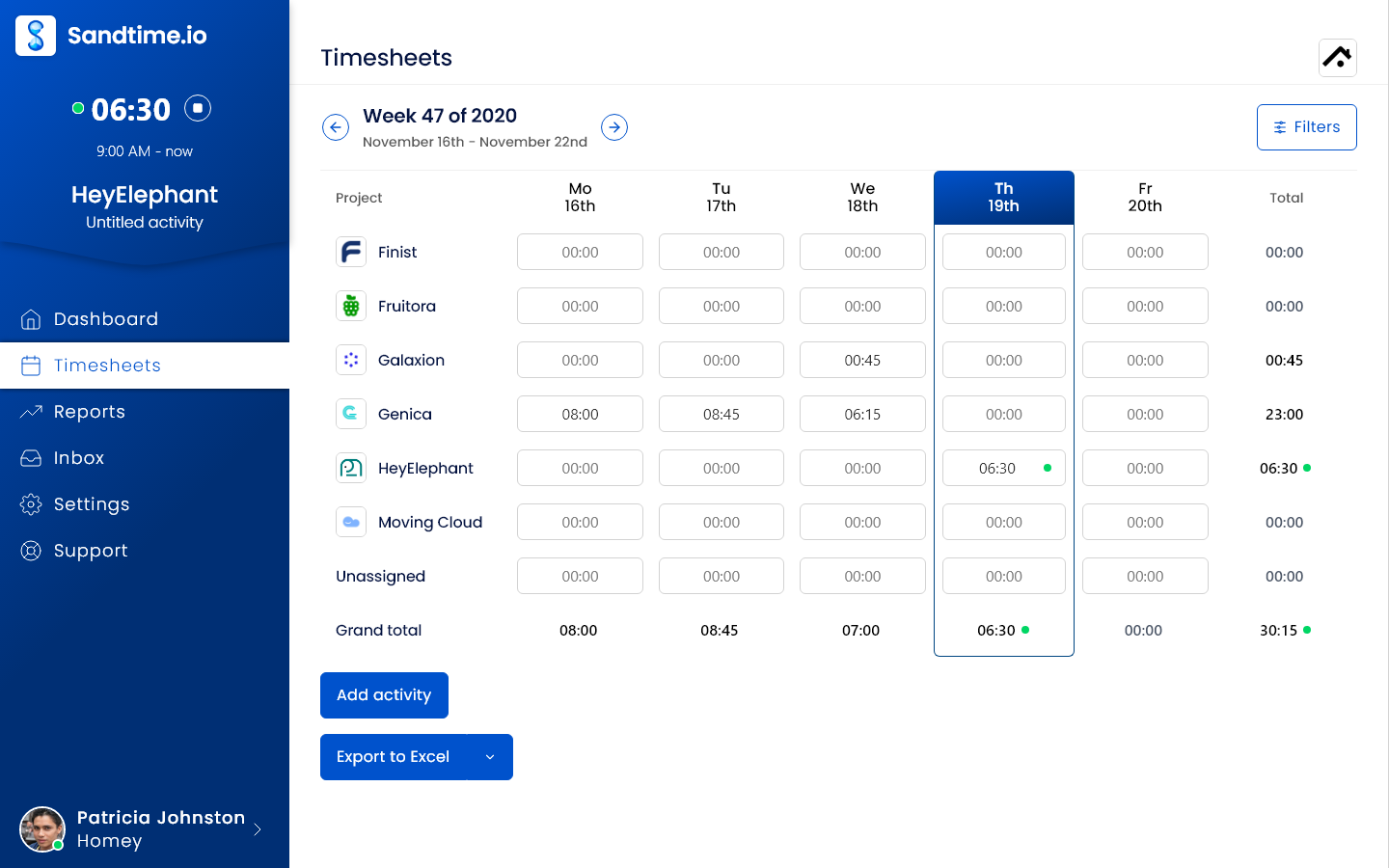
Sandtime.io is the strongest fit when the recurring problem is not starting a timer, but getting the whole record finished and usable. It connects automatic timesheet reminders, one-click approvals, and automatic locking of past periods. A manager no longer has to send the Friday nudge personally or chase each approval in chat.
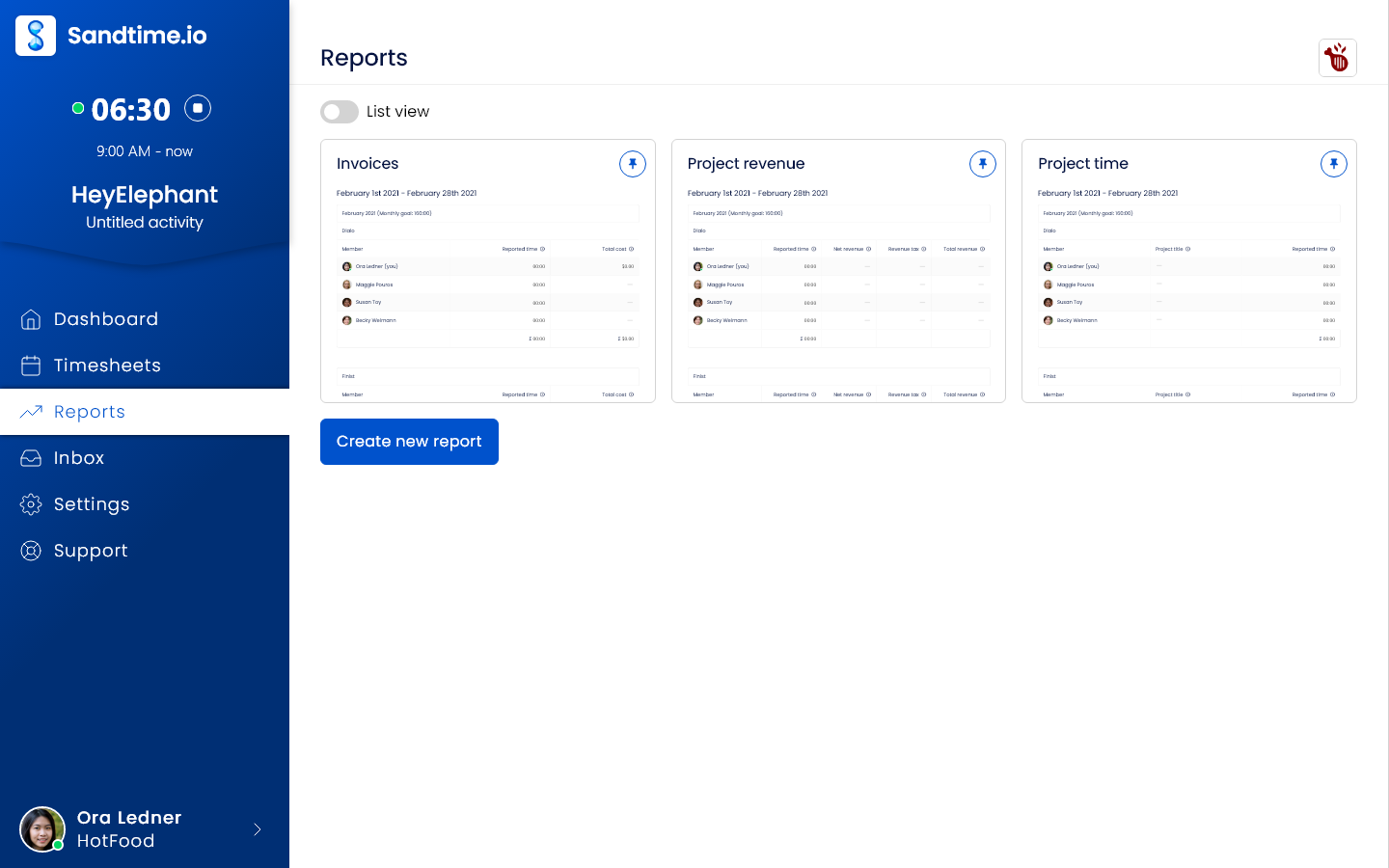
The product is free for unlimited users. Timers, manual entries, weekly timesheets, multi-currency reporting, temporal cost and revenue rates, CSV and Excel exports, desktop and mobile apps, a Chrome extension, and Slack timer commands are included. There are no screenshots, keystroke logs, or activity scores.
Why it ranks first: it is the only project timesheet product here whose core free offer combines unlimited users with the full reminder, approval, and locking chain. It was also created inside an agency that still relies on it for real client billing.
Tradeoff: Sandtime.io does not create or send invoices, run payroll, schedule shifts, or monitor staff locations as a workforce platform. It produces invoice-ready records and exports. Choose Harvest for built-in invoicing or Jibble for attendance-heavy operations.
2. Harvest: Best for time tracking plus invoicing
Harvest is a mature choice for freelancers and client-service businesses that want time, expenses, invoices, and payments in one product. Its daily, weekly, and calendar entry views are approachable, and the financial workflow is closer to the timer than in most competitors.
The free plan is limited to one seat and two projects. Teams starts at $9 per seat per month when billed annually. Timesheet approvals, profitability reporting, an activity log, and SAML SSO sit on Enterprise, starting at $14 per seat per month annually, according to Harvest’s current pricing.
Choose Harvest when: generating and tracking invoices inside the same product matters more than keeping team cost at zero.
Tradeoff: approvals are now an upper-tier feature, and the per-seat cost grows with the team.
3. Toggl Track: Best timer-first experience
Toggl Track remains one of the easiest timers to introduce to a knowledge-work team. It supports web, desktop, mobile, browser integrations, calendar connections, idle detection, and multiple ways to recover or enter time.
Its Starter plan is $9 per user per month annually. Timesheet approvals, required fields, locking, audit logs, and team reminders are Premium features. Premium is listed at $16 per user per month annually on Toggl Track’s pricing page.
Choose Toggl Track when: timer usability and broad integrations are more important than a free team-wide approval workflow.
Tradeoff: the controls that make a timesheet dependable for billing live above the entry tiers.
4. Clockify: Best broad feature range
Clockify spans simple time tracking, attendance, invoicing, scheduling, budgets, GPS, screenshots, and enterprise controls. That breadth makes it a practical shortlist candidate when one account may need both project and workforce features.
Its free plan currently supports up to five users. The Standard plan adds approvals, time locking, targets and reminders, invoicing, and attendance at $5.49 per seat per month billed annually. Pro adds scheduling, forecasting, GPS, and optional screenshots at $7.99, according to Clockify’s pricing page.
Choose Clockify when: a wide menu of modules and a gradual paid upgrade path matter.
Tradeoff: the free plan is no longer an unlimited-user team option, and the product’s breadth can feel heavier than a focused project timesheet.
5. Everhour: Best inside project-management tools
Everhour is particularly good for teams that want to track time inside Asana, Jira, ClickUp, Linear, Notion, Trello, Basecamp, or GitHub. It links task-level work to budgets, reports, billing, and a real approval state without asking people to live in another tab.
The free plan supports up to five seats with limited features. The Team plan costs $8.50 per seat per month billed annually, includes native integrations and the full feature set, and has a five-seat minimum on Everhour’s pricing page.
Choose Everhour when: the project-management tool is already the center of work and embedded time entry will improve adoption.
Tradeoff: the five-seat minimum makes it less attractive for a solo freelancer or very small partnership.
6. My Hours: Best for small project teams that want structured approvals
My Hours combines a friendly project timesheet with budgets, billable and labor rates, invoicing, reports, and increasingly detailed approval controls. Pro supports approve or reject, comments, audit history, validation, reminders, and automatic daily, weekly, or monthly locking.
The free plan supports up to five active users. Basic starts at $4 per user per month annually; Pro is $8 annually, according to My Hours pricing.
Choose My Hours when: a small team wants stronger billing and approval structure without moving into a larger professional-services suite.
Tradeoff: the workflow controls are paid, and the surrounding integration ecosystem is narrower than Toggl Track or Clockify.
7. TimeCamp: Best for automatic desktop tracking
TimeCamp combines manual timesheets with automatic app and website tracking, a personal activity timeline, idle-time detection, reports, billing, attendance, and optional workforce analytics. It can be useful when remembering the day is the primary failure point.
TimeCamp advertises a free plan and paid tiers from $3.99 per user per month billed annually. Its pricing comparison should be checked carefully because approvals, billing controls, monitoring, and advanced analytics vary by tier.
Choose TimeCamp when: automatic reconstruction and activity data are desired features, not cultural liabilities.
Tradeoff: teams seeking a clear no-surveillance stance may find its monitoring options unnecessary. Compare the philosophy and feature boundaries in Sandtime.io vs TimeCamp.
8. Jibble: Best for attendance and field teams
Jibble approaches the category from time and attendance. Mobile and web clock-ins, kiosks, offline capture, GPS, face recognition, breaks, overtime, and payroll-ready reports fit construction, retail, hospitality, and other location-aware work.
Jibble’s core free offer supports unlimited users, including basic timesheets and integrations, according to its official product page.
Choose Jibble when: proof of presence, attendance rules, and field clock-ins matter more than client-project profitability.
Tradeoff: its attendance-first model is more operational than most agencies, consultants, or developers need.
9. QuickBooks Time: Best for the QuickBooks payroll and accounting ecosystem
QuickBooks Time, now surfaced through QuickBooks Workforce in parts of Intuit’s offer, connects mobile time, approvals, scheduling, time off, kiosks, and job costing to accounting and payroll. Elite adds mileage, project tracking, estimates versus actuals, activity feeds, and timesheet signatures.
Current U.S. list pricing starts with a $20 monthly base fee plus $10 per user for Time Premium. Time Elite has a $40 base fee plus $12 per user. Intuit raised both per-user prices by $2 on July 1, 2026 (checked October 26, 2026). A QuickBooks Online account is required, according to Intuit’s pricing page.
Choose QuickBooks Time when: payroll, accounting, and job costing already run through QuickBooks.
Tradeoff: it is expensive and unnecessarily coupled for a team that only needs clean project timesheets.
10. Hubstaff: Best for teams that explicitly need workforce visibility
Hubstaff combines timesheets and approvals with payroll connections, budgets, payments, GPS, app and URL usage, activity levels, and optional screenshots. For a distributed field organization or a regulated remote workflow, that evidence can be the reason to buy it.
Hubstaff’s Team plan is listed at $10 per seat per month, and paid access begins after a 14-day trial on its official pricing page.
Choose Hubstaff when: monitoring and proof-of-work controls are an explicit, documented requirement.
Tradeoff: those same features are a poor fit for a trust-based agency culture. Do not buy monitoring by accident just because it appears beside a timesheet.
10 lesser-known timesheet apps worth comparing
The next ten tools are not filler. Each serves a buying signal that the largest brands do not always handle well.
A smaller brand can be the better shortlist choice when its product is built around your actual constraint. Verify data export, security terms, support, and renewal pricing during the pilot.
11. Paymo: Best compact project-to-invoice workspace
Paymo combines task management, timers, timesheets, profitability, estimates, expenses, and invoices. Its free plan is for one user, one client, and two projects, while team reporting begins on Plus and timesheet approvals sit on Pro, according to Paymo’s pricing page.
Choose Paymo when: a small client-service business wants projects, work delivery, time, and invoicing under one roof.
Tradeoff: the free plan is a solo sampler, and approval workflows require the highest standard plan.
12. TrackingTime: Best lesser-known free option for unlimited teams
TrackingTime’s free plan supports unlimited users, projects, tasks, and clients. Paid plans add estimates, automatic tracking, exports, historical costs and rates, invoicing, timesheet audits, entry locking, SSO, and audit logs. Annual prices currently start at $3.75 per active user per month on its official pricing page.
Choose TrackingTime when: seat limits are the first obstacle and the team also wants lightweight task and project management.
Tradeoff: the free plan covers capture and organization, but approval-grade controls, historical rates, and locking are spread across paid tiers.
13. TMetric: Best for browser-based work and developer integrations
TMetric offers a free plan for two seats with unlimited time tracking, clients and projects, exportable project reports, API access, and timer buttons in more than 50 web apps. Professional adds rates, expenses, budgets, invoicing, and timesheet locking. Business adds team timesheets plus optional app, site, screenshot, and activity monitoring on TMetric’s pricing page.
Choose TMetric when: a solo operator or small technical team wants timers close to the web tools where work happens.
Tradeoff: key team controls are paid, and Business introduces monitoring features that trust-based teams may not want.
14. EARLY: Best tactile timer with automatic suggestions
EARLY, formerly Timeular, combines web, desktop, and mobile tracking with an optional eight-sided physical Tracker. It also records tools, documents, and websites to suggest entries, imports calendars, and supports budgets and team analytics. Personal starts at $9 per month and Team at $19 per seat per month, according to EARLY’s plan documentation.
Choose EARLY when: the physical act of turning a device to switch tasks can make tracking stick.
Tradeoff: the hardware is separate from the subscription, and the team plan is premium-priced.
15. Memtime: Best private automatic memory of desktop work
Memtime records desktop activity automatically and stores that raw activity history locally rather than uploading it for managers to inspect. Users turn the private timeline into time entries, reports, or records synchronized with project software. Basic starts at €12 per user per month on an annual term, while Connect adds more than 100 integrations, according to Memtime’s pricing page.
Choose Memtime when: consultants and knowledge workers forget timers but reject manager-facing activity surveillance.
Tradeoff: there is no permanent free plan, and connecting an existing project-management system requires a higher tier.
16. Beebole: Best for multi-level approvals and configurable reporting
Beebole combines project time, resource planning, time off, custom reporting, and structured financial controls. The free plan covers up to five users. Essential is €9 per user per month annually and adds billing rates, multiple currencies, integrations, and multi-level timesheet approvals. Advanced adds costs, profitability, budgets, custom fields, and roles on Beebole’s pricing page.
Choose Beebole when: finance or operations needs a configurable review chain and an audit trail across projects.
Tradeoff: approvals are paid, and the configuration depth asks more of the administrator than a lightweight timer.
17. ClickTime: Best for completion rules and finance-led review
ClickTime supports daily, weekly, and biweekly timesheets, reminders, more than 70 reports, approval workflows, billing rates, time off, project budgeting, and resource management. Starter is $15 per user per month for up to 25 users; Team adds approvals at $19, according to ClickTime’s pricing page.
Choose ClickTime when: finance needs minimum-hour or required-field rules before a timesheet can be submitted, plus bulk review and locking.
Tradeoff: the price and administrative model fit governed organizations better than very small teams.
18. BigTime: Best for professional-services automation
BigTime is broader than a timesheet app. Its professional-services platform connects time and expense tracking with project delivery, invoicing, payments, utilization, and financial reporting. Essentials starts at $20 per user per month, and all plans include time, expenses, invoicing, and payments, according to BigTime’s pricing page.
Choose BigTime when: a consulting, engineering, architecture, or IT-services firm is buying a professional-services operating system, not just a timer.
Tradeoff: the scope, sales process, and price are excessive if the job is simply to collect clean weekly records.
19. Replicon: Best for global enterprise time complexity
Replicon targets large organizations that must apply different time, pay, costing, and compliance policies across countries, business units, and worker types. Its ZeroTime capability can draft entries from connected work applications, while enterprise products cover workforce and project time, as documented in Replicon’s ZeroTime guide.
Choose Replicon when: global policy rules, enterprise integrations, and implementation support matter more than self-service simplicity.
Tradeoff: packaging and pricing are sales-led, and the platform is far heavier than an agency or freelancer usually needs.
20. Buddy Punch: Best lesser-known field time clock
Buddy Punch focuses on attendance: mobile punches, jobs and locations, time off, reminders, payroll integrations, reports, and time-card approvals. Starter costs $4.99 per user per month plus a $19 monthly base fee on annual billing. Pro adds scheduling, geofencing, kiosks, QR codes, and punch photos on Buddy Punch’s pricing page.
Choose Buddy Punch when: an hourly or field team needs a straightforward bridge from clock-ins to approved payroll records.
Tradeoff: base fees and per-user charges add up, and its location and identity controls do not fit a privacy-first project team. Sandtime.io deliberately has no equivalent: it never tracks location.
Quick shortlist by use case
Agency tired of chasing timesheets
Sandtime.io for reminders, approvals, locking, reports, unlimited users, and no surveillance.
Freelancer who sends invoices
Harvest for the closest link between tracked time, expenses, invoices, and payment.
Software team living in Jira or Linear
Everhour for embedded task tracking, or Sandtime.io for a separate trust-based record.
Shift or field workforce
Jibble for attendance, kiosk, GPS, and payroll-oriented capture.
Private automatic reconstruction
Memtime when individuals need a local activity memory without manager-facing surveillance.
Complex approval chain
Beebole or ClickTime when finance needs configurable review and completion rules.
Nonprofit or grant-funded team
Use our nonprofit time tracking comparison for a focused look at grant reporting, volunteer and staff time, pricing, and privacy.
Windows-first team
Compare the desktop workflow on our Windows time tracking app page, including timer access, project switching, and filling gaps later.
How to test a timesheet app before rolling it out
Do not import the whole company on day one. Run one real billing or payroll cycle with a representative group:
- Create two active projects, one billable and one internal.
- Ask people to use both the timer and manual weekly entry.
- Deliberately leave one day incomplete and see who notices, how the reminder arrives, and whether a manager must chase it.
- Submit one correct timesheet and one with a wrong project or missing note.
- Approve, reject, correct, resubmit, and lock the period.
- Export the result and hand it to the person who prepares payroll or invoices.
- Calculate the real monthly price for every active user, manager, and administrator.
The winning app is the one that survives this journey with the least off-system cleanup. A beautiful timer cannot compensate for a manager rebuilding Friday from chat history.
Frequently asked questions
What is the best free timesheet app for a team?
For project-based teams, Sandtime.io is the strongest free option in this comparison because it supports unlimited users and includes reminders, approvals, locking, and reports without a paid tier. Jibble is the better free fit when attendance, field clock-ins, or GPS matter most.
What is the best timesheet app for a small business?
For a project-based small business, choose Sandtime.io when the priority is getting complete, approved records without per-seat cost or surveillance. Choose Harvest when invoices must be created in the same product, or Jibble when attendance, shifts, and field clock-ins matter more than project billing.
Which free timesheet apps allow unlimited users?
Sandtime.io, TimeCamp, Jibble, and TrackingTime advertise free unlimited-user plans. They are not interchangeable: Sandtime.io fits project records, approvals, and reports without activity monitoring; TimeCamp fits automatic desktop tracking; Jibble fits attendance and field clock-ins; TrackingTime combines core tracking with task and project organization. Clockify, Everhour, My Hours, Toggl Track, Paymo, TMetric, and Beebole cap their free plans.
What is the difference between a time tracker and a timesheet app?
A time tracker captures duration, often with a start and stop timer. A timesheet organizes entries across a day, week, or other period so they can be reviewed, submitted, approved, exported, and used for billing or payroll. The best products do both.
What is an AI timesheet?
An AI timesheet uses signals such as app activity, documents, websites, calendars, or connected work systems to suggest time entries. Treat the result as a draft, not a verified record. Check what is collected, who can see it, and whether a person must confirm the project, duration, and billable status before approval.
Which features actually stop managers chasing timesheets?
Look for recurring missing-time reminders, a clear submitted state, approve and reject actions, correction history, and automatic locking. A timer makes entry easier. The completion chain makes the resulting record dependable.
Should approved timesheets be locked?
Usually yes. Locking creates a clear boundary between an open working record and the version used for payroll, billing, or reporting. Administrators should still have a documented unlock and correction path when a legitimate mistake appears.
How often should a team submit timesheets?
Weekly submission is a practical default for project teams because memory is still fresh and managers can correct errors before month-end billing. Daily completion can suit high-volume client work, while payroll and accounting may still close on a biweekly or monthly cycle.
Should an agency use employee monitoring?
Usually not by default. An agency needs complete project records and credible billing, but screenshots or activity scores can create resistance without improving the meaning of an entry. Start with clear project rules, low-friction capture, reminders, and approvals. Add monitoring only when a specific legal, safety, field, or contractual requirement justifies it.
Can Sandtime.io create invoices or run payroll?
No. Sandtime.io tracks billable time and costs, supports multiple currencies and historical rates, and exports invoice-ready reports to CSV or Excel. It does not generate invoices or run payroll. If built-in invoicing is required, Harvest or My Hours may fit better. For attendance and payroll-heavy operations, compare Jibble or QuickBooks Time.
Are lesser-known timesheet apps safe to shortlist?
They can be. Brand recognition is not a substitute for due diligence. Before rollout, verify data export, retention and deletion terms, security documentation, access controls, audit history, support response, ownership of recorded activity, and the full renewal price. Run the same real workflow pilot for every vendor.
Which lesser-known app is the best alternative to the market leaders?
It depends on the constraint. TrackingTime stands out for a free unlimited-user workspace, Memtime for private automatic reconstruction, Beebole for multi-level approvals, ClickTime for finance-led completion rules, and Buddy Punch for field attendance. A narrower tool can beat a famous one when it solves the exact workflow the team will repeat every week.
Final verdict
There is no universal best timesheet app because "timesheet" can mean a client-project record, an employee attendance card, an automatic activity log, or a payroll input.
For agencies and project-based teams, our choice is Sandtime.io. That recommendation is not based on having the longest feature list. It is based on the difficult middle of the workflow: reminding people, reviewing the result, correcting mistakes, approving the period, locking the record, and getting usable numbers out.
That is the work Łukasz was wrangling before Sandtime.io existed. It is still the work that determines whether a timesheet is a useful business record or merely a prettier spreadsheet.
About the contributors


Przemysław Zalewski
Sandtime.io engineer and Sanddev team member who reviews product accuracy, technical details, sources, and editorial quality.
LinkedInEmailSanddev profileWebsite