Best time tracking apps for freelancers (2026)
Sandtime.io is the best time tracking app for freelancers in 2026 if you bill several clients by the hour: a rate per client that keeps its history, rounding that follows your contract, and an invoice-ready report are free for unlimited users, subcontractors included. Choose Harvest to send invoices from the tracker, Bonsai to run proposals, contracts, and payments in one app, Toggl Track for the most polished timer, or Timing for automatic tracking on a Mac.
Our verdict: most freelancers do not lose money on the work. They lose it at month end, when the hours are incomplete, a rate is out of date, and the invoice is rebuilt from memory. Sandtime.io ranks first because it fixes that month end at $0, alone or with two subcontractors, while the cheapest paid plan with the same billing features costs a three-person team $197.64 a year.
- Best for freelancers who bill several clients, free for unlimited users: Sandtime.io.
- Best for invoicing clients from tracked time: Harvest.
- Best all-in-one freelance business app: Bonsai.
- Best automatic tracking on a Mac: Timing.
We compared ten time tracking apps that freelancers shortlist. Plan names, prices, free-plan limits, and the plan that unlocks billable rates, rounding, invoicing, or approvals were checked against each vendor’s official pricing or help pages on September 29, 2026. If a vendor’s page disagrees with this guide, trust the vendor.
Disclosure: We build Sandtime.io and publish this guide, so our first-place ranking is not independent. Sanddev, the company behind Sandtime.io, works with freelance developers and bills clients by the hour, and we track that work in Sandtime.io every day. We explain our criteria, link to each vendor’s own pricing page, and say plainly where another product is the better fit.
The best time tracking app for a freelancer is the one that gets every billable hour recorded against the right client, at the right rate, and turns it into numbers you can put on an invoice without rebuilding the week from your calendar. For most freelancers that means five things: a fast timer and easy after-the-fact entries, a rate per client that keeps its history, rounding that matches your contracts, a report or export your invoice can come from, and a price that does not jump when you hire your first subcontractor.
Compare the 10 best time tracking apps for freelancers
The Billing features column names the plan that unlocks billable rates, rounding, or invoicing, because that is usually what a freelancer ends up paying for. Use the product links to jump to the full review.
| Rank and app | Best for | Billing features | Free plan | Paid from | Main tradeoff |
|---|---|---|---|---|---|
| 1. Sandtime.io | Freelancers who bill several clients by the hour | Rates with history, rounding, Invoices report, all free | Unlimited users | $0 | Does not send invoices or take payments; needs a connection |
| 2. Harvest | Invoicing clients from tracked time | Invoicing on every plan, including Free | 1 seat, 2 projects | $9/seat/month | The free plan stops at two projects |
| 3. Toggl Track | The most polished timer | Billable rates on Starter; rounding on paid plans | Up to 3 users | $9/user/month | Approvals need Premium, $16 |
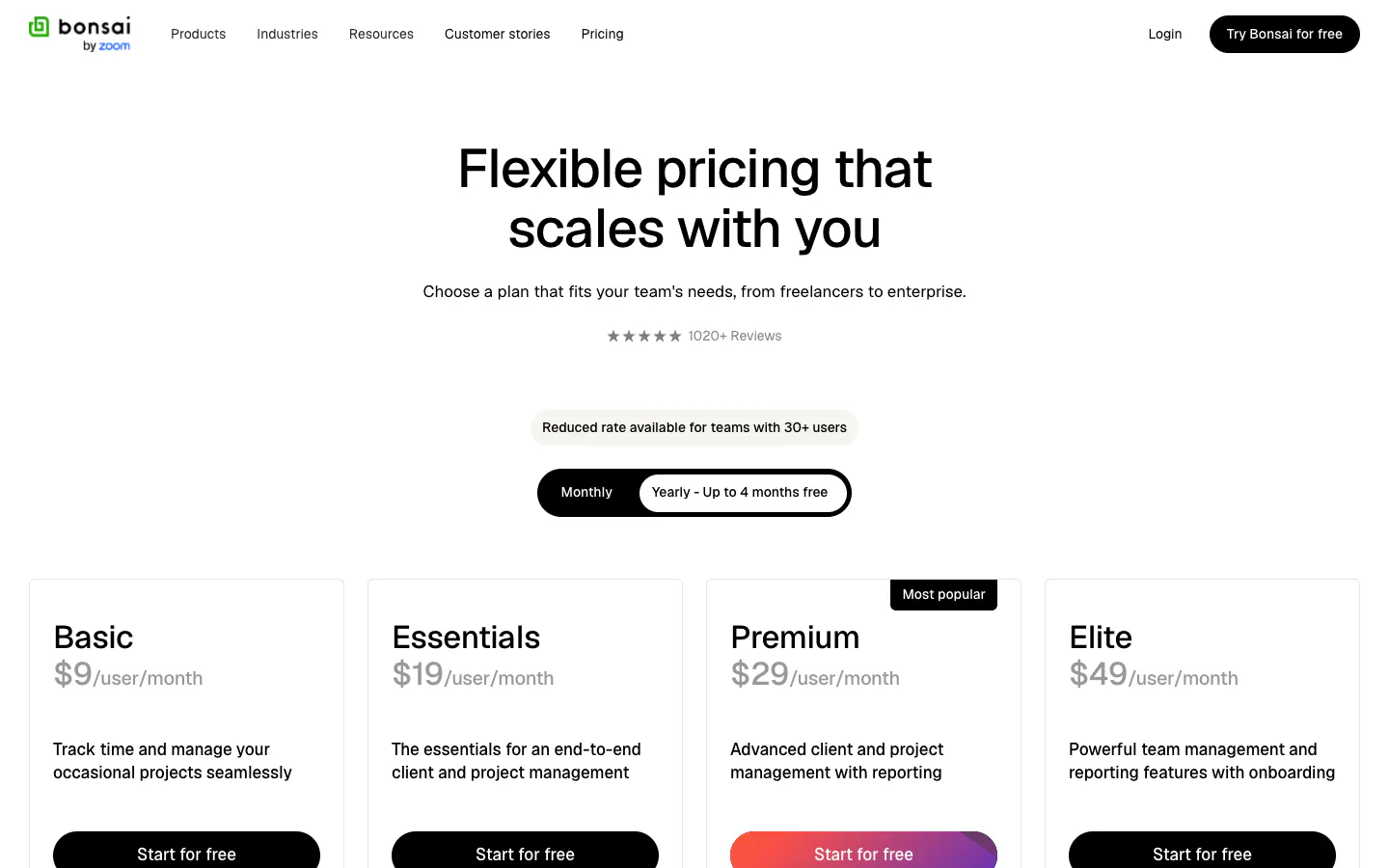
| 4. Bonsai | Running the whole freelance business in one app | Invoices and payments on Essentials | 7-day trial | $9/seat/month | Invoicing starts at $19; the most expensive here |
| 5. Clockify | The cheapest paid plan with invoicing and rounding | Billable rates on Basic; invoicing and rounding on Standard | Up to 5 users | $3.99/seat/month | Free plan exports PDF only |
| 6. My Hours | A low-cost plan with invoicing and approvals | Rate per project on Free; invoicing and rounding on Pro | Up to 5 active users | $4/user/month | Invoicing and Excel export need Pro, $8 |
| 7. TimeCamp | Free unlimited users with automatic desktop tracking | Invoicing on Starter; rounding on Premium; billable rates on Ultimate | Unlimited users | $3.99/user/month | Billable rates need Ultimate, $9.99 |
| 8. Everhour | A timer inside Asana, Trello, or ClickUp | Billing, budgeting, and invoicing on Team | Up to 5 seats | $8.50/seat/month, 5-seat minimum | A solo freelancer still pays for five seats |
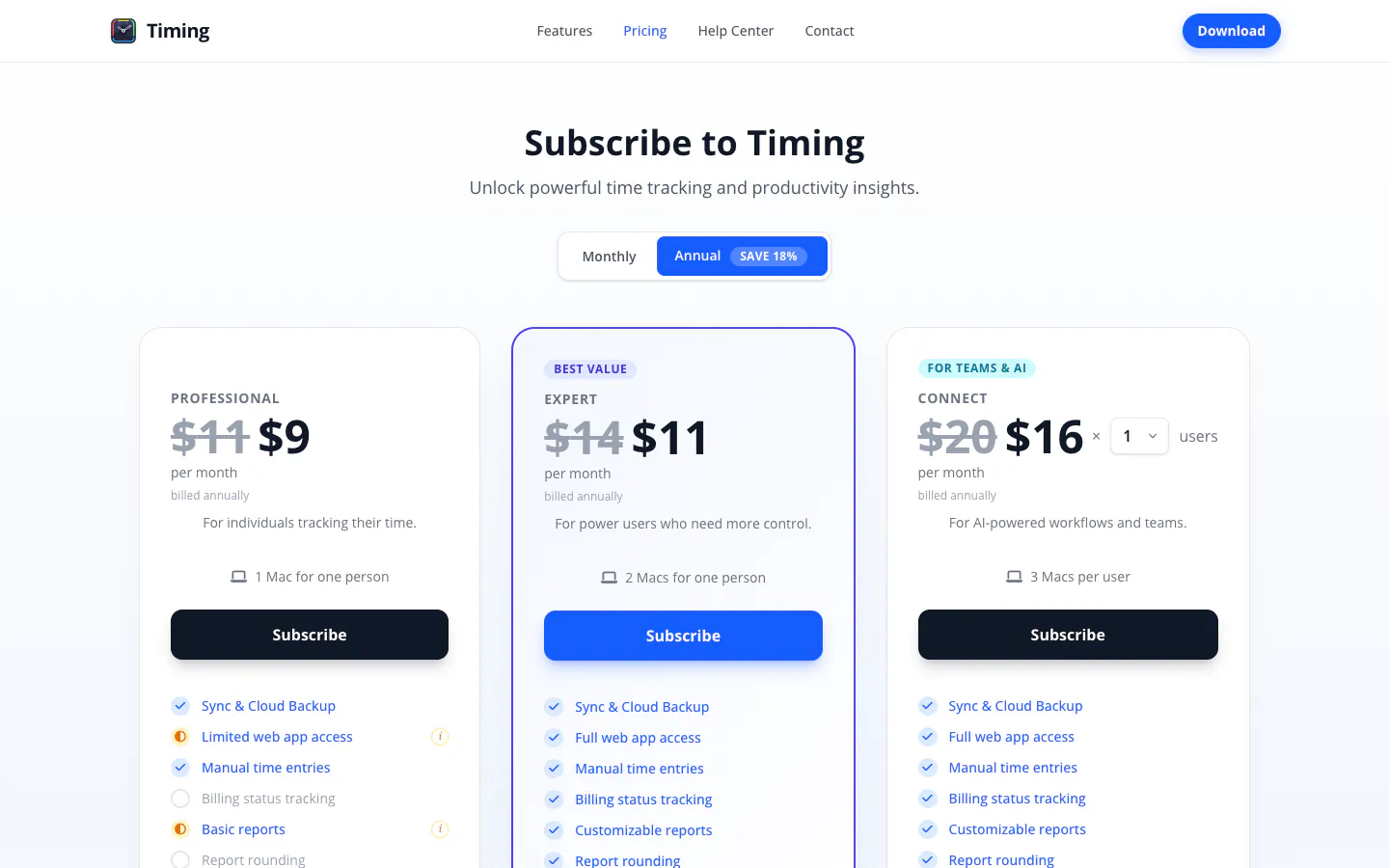
| 9. Timing | Automatic time tracking on a Mac | Billing status and report rounding on every plan | 30-day trial | $9/month | Mac only; reconstructs time from activity |
| 10. Timely | AI-drafted timesheets from automatic tracking | Billable hours reporting from Starter | 14-day trial | $9/user/month | Starter caps 20 projects and 5 users |
Prices are public U.S. list prices per user or seat per month on annual billing, checked on September 29, 2026, except Timing’s individual plans, which are per person. They exclude taxes and promotions. See what a freelancer pays per month below.
Why do freelancers need a different kind of time tracker?
A freelancer’s week is split across clients, calls, revisions, admin, and the small favors that never feel worth logging. The tracker that works for a salaried team, where one manager reviews everyone’s hours, does not match that shape. You are the person tracking, the person reviewing, and the person sending the invoice, so every minute the tool costs you comes out of billable time.
What goes wrong is rarely dramatic. A 20-minute client call goes unlogged, a revision round gets billed at last year’s rate, or the monthly total is rounded in your head instead of by the rule in the contract. Our guide to spotting billable leakage shows how quickly those small gaps add up. The right app makes the correct entry the easy one and keeps the numbers you invoice from.
There is also a line worth drawing early. Some apps record declared time: what you say you worked on, and for how long. Others reconstruct time automatically from the apps and websites you used. Both can support billing, but they suit different people, and this guide says clearly which is which.
“Freelancers rarely lose money on the work. They lose it on the call nobody logged, the old rate, and the rounding done in their head.”
How did we research and rank these apps?
We started from apps freelancers repeatedly shortlist and checked every price, plan name, free-plan limit, and tiered feature against the vendor’s own pricing page on September 29, 2026. Where a pricing page did not show which plan holds a feature, we used the vendor’s help center, or left the claim out. The ranking is an editorial judgment, not a numeric score.
We separate three kinds of evidence. Vendor facts such as prices and plan contents come from linked official pages. First-hand experience applies only to Sandtime.io, which Sanddev uses daily for its own client work. Editorial judgments include the ranking and the best-for labels.
Each app was assessed on six freelancer questions:
- Can I record time the moment I remember it? A timer, entries after the fact, and apps on the devices you actually use.
- Can each client have its own rate? Rates per client or project, what happens to past reports when a rate changes, and currencies.
- Does rounding follow my contract? The increment, the direction, and whether the original entries stay intact.
- How does tracked time reach the invoice? Built-in invoicing, an invoice-ready report, or an export to your invoicing tool, and on which plan.
- What happens when I hire a subcontractor? Whether they can see only your shared client, how their hours are reviewed, and what the extra person costs.
- Does it record declared time or monitor activity? Screenshots, activity capture, and what a client would think if they saw how the hours were recorded.
The order favors freelancers who bill several clients by the hour and want clean, invoice-ready numbers, because that is the problem Sandtime.io solves for us. A freelancer who wants the tracker to write and send invoices should weigh Harvest or Bonsai higher, and the reviews say so.
What does the evidence say?
- The billing features are what freelancers pay for. Billable rates start on Toggl Track Starter, Clockify Basic, and TimeCamp Ultimate. Rounding starts on Clockify Standard, TimeCamp Premium, and My Hours Pro. Sandtime.io includes both for free, and My Hours includes a rate per project on its free plan.
- Only two free plans cover unlimited users. Sandtime.io and TimeCamp. The free plans of Clockify, My Hours, and Everhour stop at five users or seats, Toggl Track’s at three, and Harvest’s at one seat and two projects.
- Approving a subcontractor’s hours usually means a higher tier. Approvals sit on Clockify Standard, My Hours Pro, Toggl Track Premium, TimeCamp Ultimate, and Harvest Enterprise. In Sandtime.io they are free.
- Built-in invoicing has a wide price range. It is on Harvest’s free plan (up to two projects) and TimeCamp Starter at $3.99 per user, and it reaches $19 per seat on Bonsai Essentials. Everhour’s Team plan adds a five-seat minimum.
- Three of the ten apps reconstruct time from activity. TimeCamp, Timing, and Timely capture apps and websites; the other seven, Sandtime.io included, record the time you declare.
The 10 best time tracking apps for freelancers
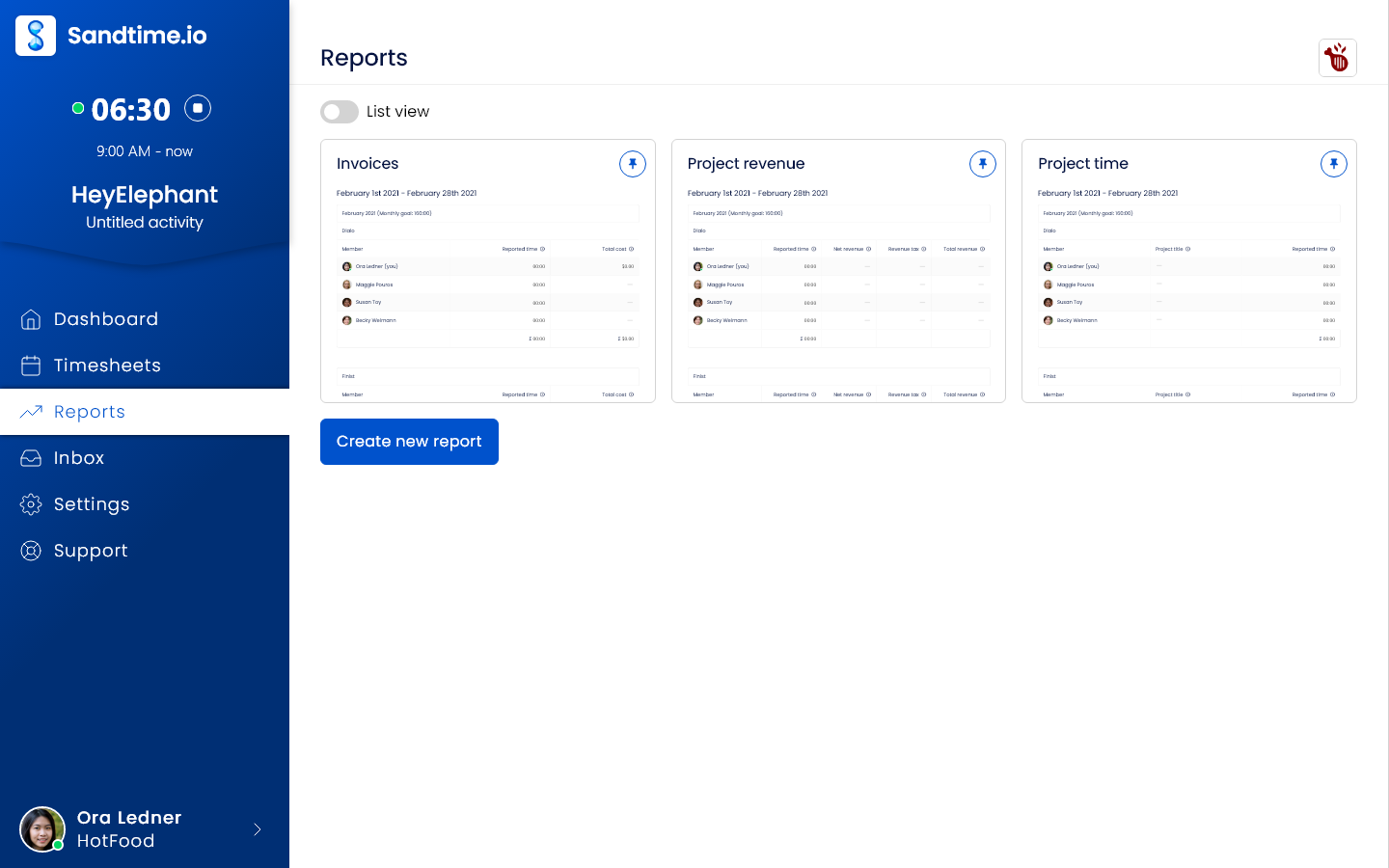
1. Sandtime.io: Best for freelancers who bill several clients, free for unlimited users
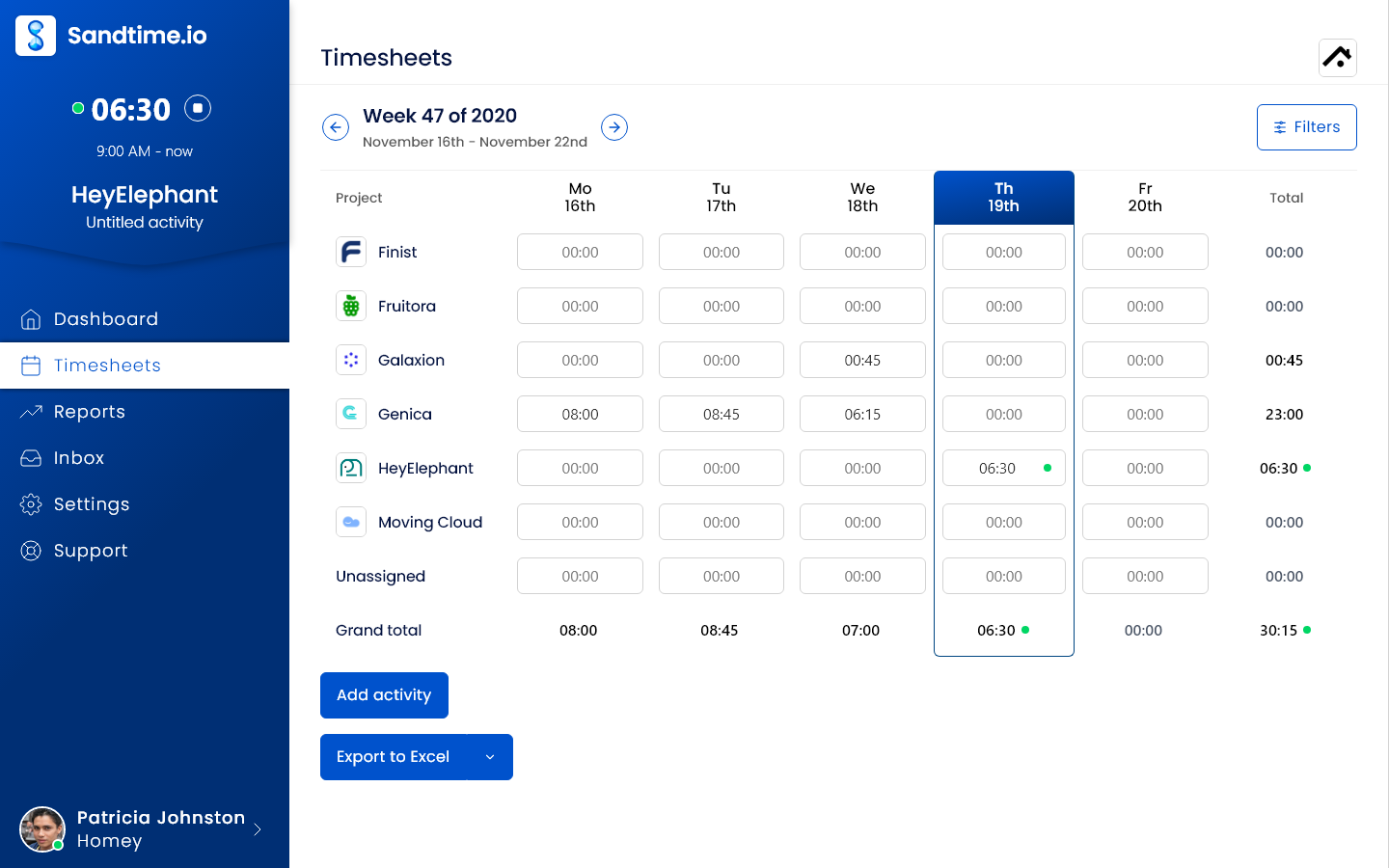
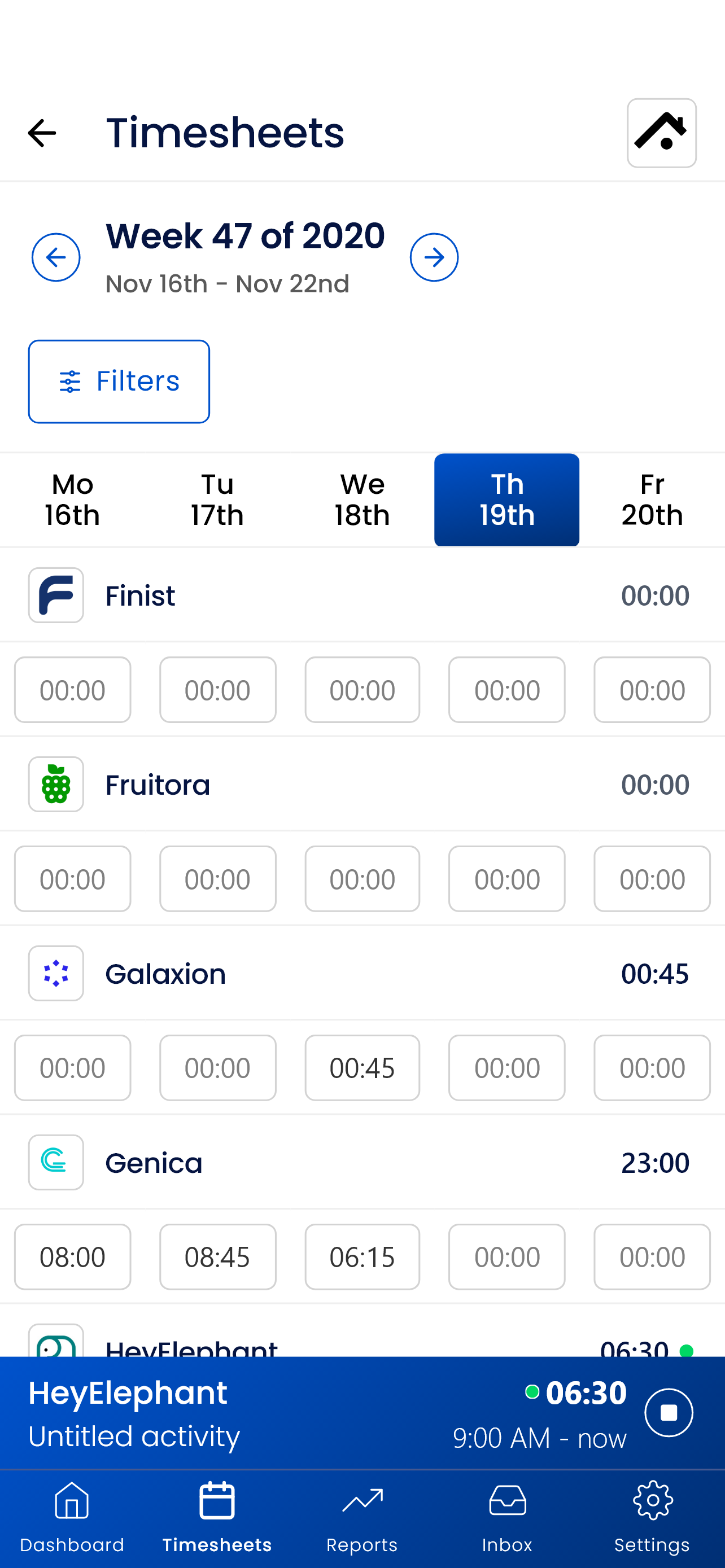
Sandtime.io is built around one project per client, each with its own revenue rate and currency. Start a timer when work begins, or add the call or revision round you forgot afterwards with a start and end time, and mark each entry as billable or non-billable. You can run several timers at once, which helps when a client call overlaps with a task you are still timing. Entries come from the web app, Windows, macOS, iPhone, and Android (all apps), the Chrome extension, Slack slash commands, and, for developers, AI assistants such as Claude Code or Cursor through the free MCP server and REST API.
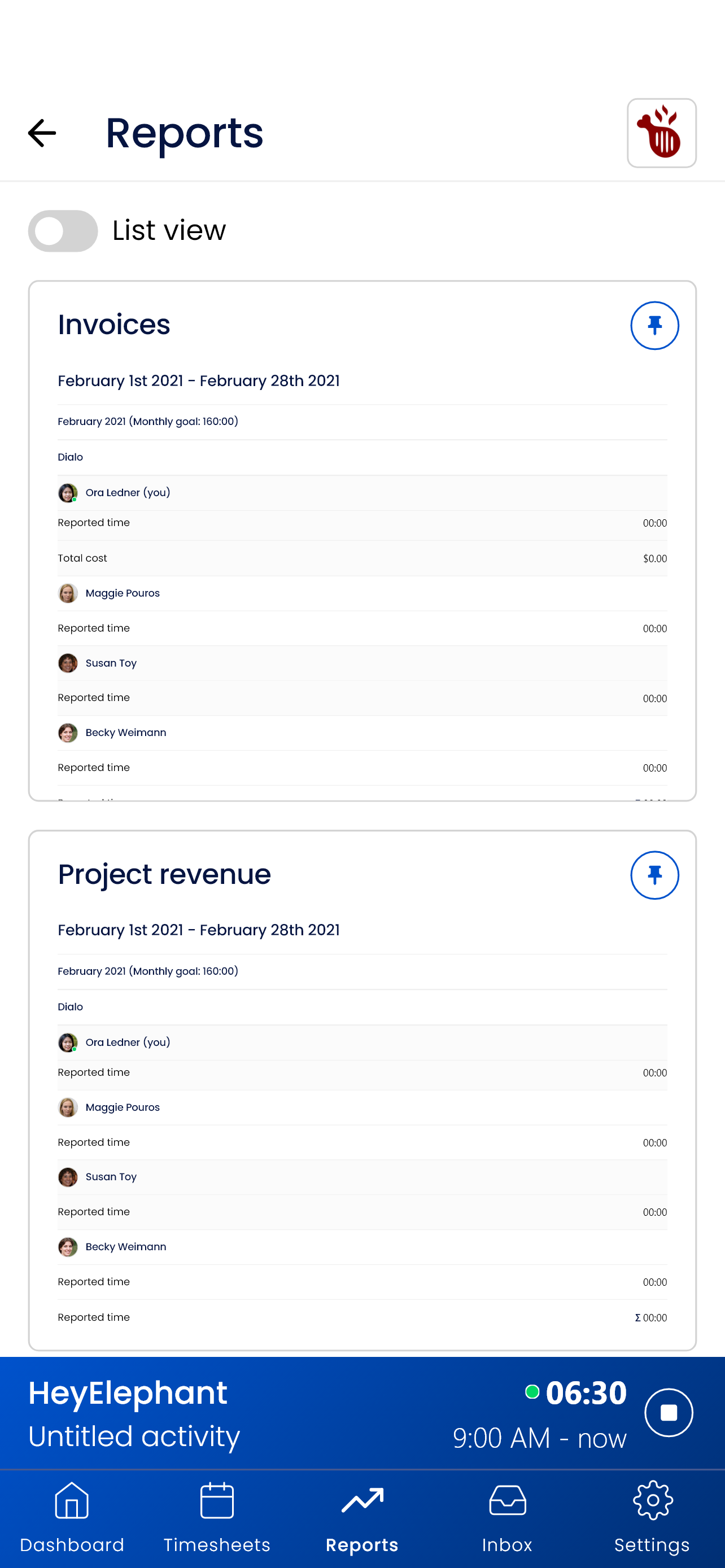
The billing side is where freelancers save the most time. Rates keep their history, so raising your rate in January does not change what last quarter’s reports say you earned. Time rounding rounds to the nearest interval, always up, or always down, in 5, 10, 15, 30, or 60 minute blocks or a custom interval, and the recorded time stays what it was. At month end, the Invoices report template lists time, hourly rate, net revenue, tax, and total revenue per project, and exports to Excel or CSV so you can copy the totals into your invoicing tool.
Why it ranks first: everything above is free for unlimited users, with no credit card and no seat price. When you bring in a subcontractor, they join as a User on the client project they work on, see only the projects they are assigned to, and fill a weekly timesheet that you approve in one click and lock once it is billed. A cost rate per person shows your margin on their hours next to the revenue you bill. Sandtime.io records self-reported time only, with no screenshots or activity monitoring, and production data is hosted in the EU on OVHcloud.
Tradeoff: Sandtime.io does not send invoices, take payments, or track expenses; it produces invoice-ready reports and exports for the invoicing tool you already use. It also does not capture activity automatically, and its apps need an internet connection: they show an offline screen rather than recording time without one, so time worked offline goes in afterwards as an entry with a start and end time. Freelancers who want invoicing inside the tracker should look at Harvest or Bonsai.
2. Harvest: Best for invoicing clients from tracked time
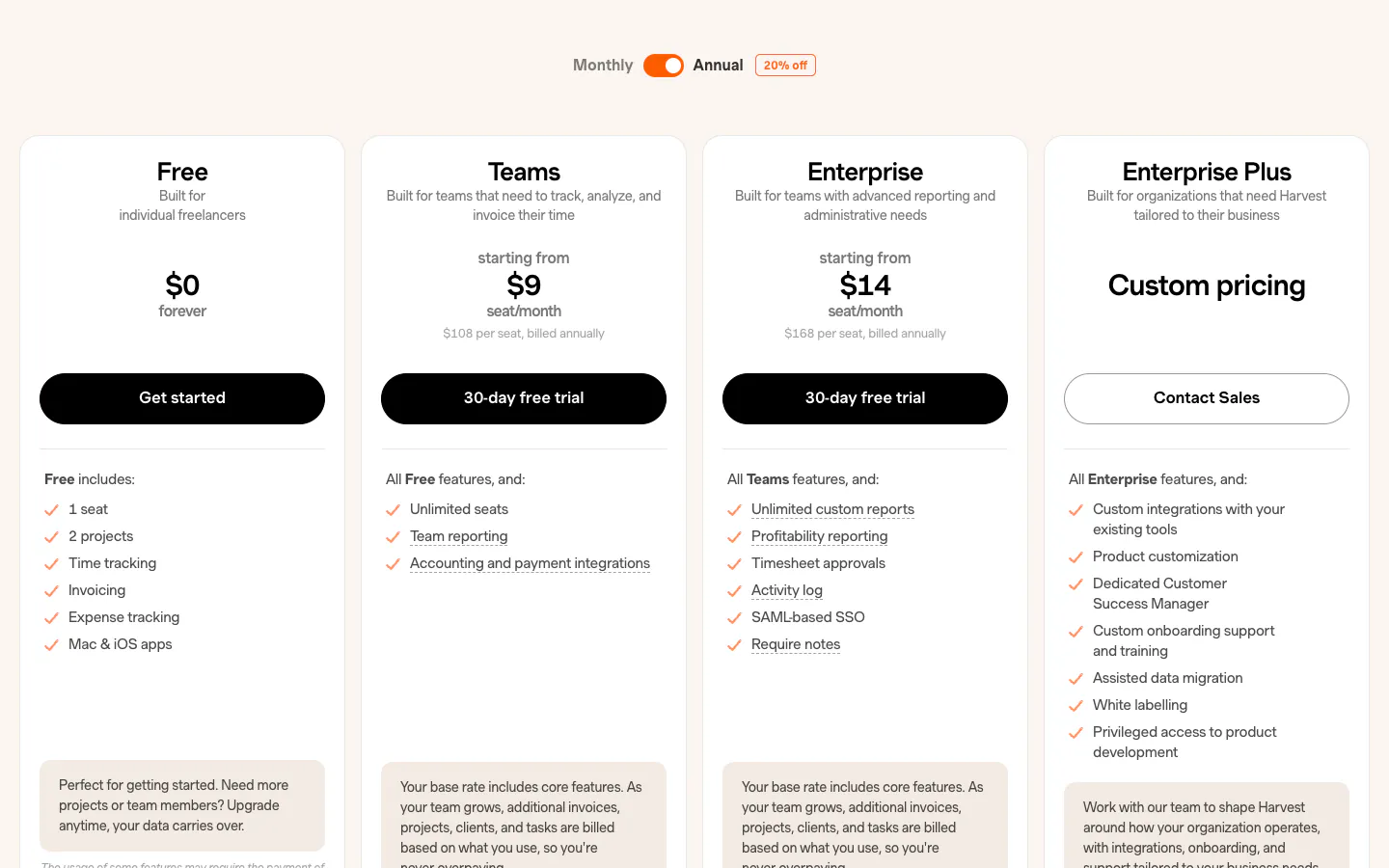
Harvest connects tracked time, expenses, and invoices, so the path from a logged hour to a sent invoice has no export step. Its free plan covers one seat and two projects and already includes time tracking, invoicing, and expense tracking. Teams costs $9 per seat per month on annual billing ($11 monthly) and adds unlimited seats, billable and cost rates for teams, and accounting and payment integrations with tools such as Stripe, QuickBooks Online, and Xero. Enterprise costs $14 ($17.50 monthly) and adds timesheet approvals and profitability reporting. Harvest’s pricing page also notes that, as a team grows, additional invoices, projects, clients, and tasks are billed based on usage.
Why it ranks second: for a freelancer who wants to invoice from the tracker and get paid online, it is the most direct path in this list, and a freelancer with one or two clients can start on the free plan.
Tradeoff: the free plan stops at two projects, which most freelancers outgrow, and approvals for subcontractor hours sit on Enterprise. See our Harvest alternative comparison.
3. Toggl Track: Best timer experience
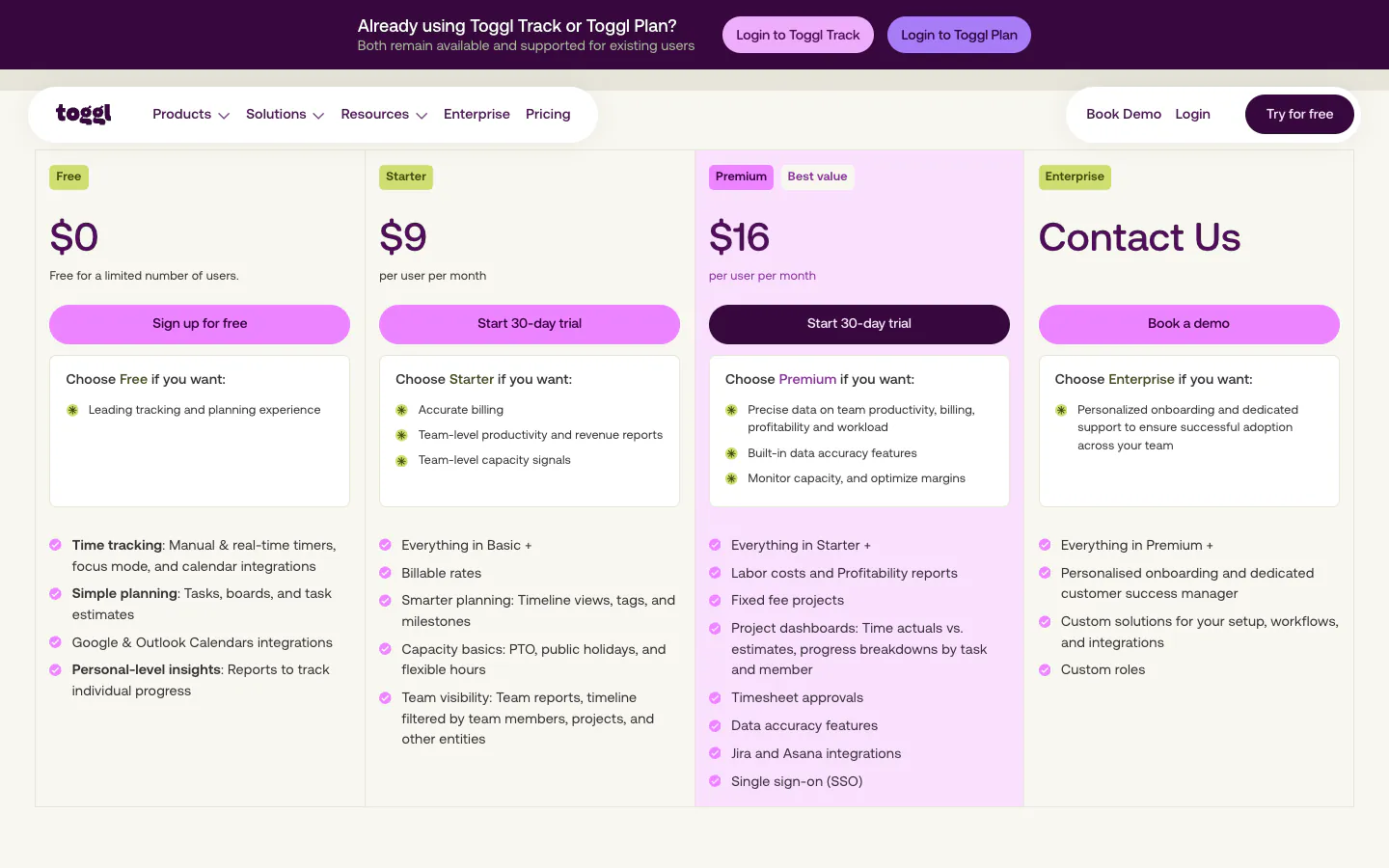
Toggl Track is one of the easiest trackers to adopt, with timers on the web, desktop, mobile, and in the browser, calendar integrations, and a focus mode. The free plan covers up to 3 users, and the pricing page’s FAQ says it is free for teams of up to three users. Starter costs $9 per user per month on annual billing ($12 monthly) and adds billable rates. Premium costs $16 ($24 monthly) and adds timesheet approvals, fixed-fee projects, and profitability reports. Toggl’s help center says rounding is a paid plan feature. The pricing page also lists the Toggl API and an MCP server.
Why it ranks third: timer polish lowers the barrier to daily tracking, which is where most freelance billing leaks.
Tradeoff: billable rates, the first feature a freelancer needs, start on Starter, and approving a subcontractor’s hours needs Premium. Our Toggl Track alternative page maps the difference.
4. Bonsai: Best all-in-one freelance business app
Bonsai is a business suite for freelancers and agencies in which time tracking sits next to proposals, contracts, invoices, payments, and a client portal. Basic costs $9 per seat per month on annual billing ($15 monthly) and includes time tracking, projects, a CRM, and iOS and Android apps. Essentials costs $19 ($25 monthly) and adds invoices and payments, proposals and contracts, scheduling, the client portal, and expense tracking. Premium costs $29 ($39 monthly), and Elite costs $49 ($59 monthly) with a three-user minimum and adds timesheet locking. There is a 7-day trial, and Bonsai charges processing fees for online payments.
Why it ranks fourth: a freelancer who wants to send a proposal, sign a contract, track the work, and get paid without stitching tools together gets the most complete package here.
Tradeoff: invoicing starts on Essentials, so the realistic price is $19 a month for one person, the highest entry point in this list, and time tracking is one module among many rather than the core of the product.
5. Clockify: Best low-cost paid plan with invoicing and rounding
Clockify’s free plan covers up to five users. Its pricing page lists report export in PDF only on Free, a one-month data range for reports, and API access at 30 requests per hour. Basic costs $3.99 per seat per month on annual billing ($4.99 monthly) and adds billable rates and CSV and Excel export. Standard costs $5.49 ($6.99 monthly) and adds invoicing from tracked time and expenses, rounding up, down, or to the nearest interval, and timesheet approvals. Pro costs $7.99 ($9.99 monthly).
Why it ranks fifth: Standard delivers invoicing, rounding, and approvals at the lowest per-seat price among the paid options here.
Tradeoff: the free plan is limited for billing: billable rates start on Basic, and invoicing and rounding on Standard. The Clockify alternative page compares both.
6. My Hours: Best low-cost plan with invoicing and approvals
My Hours is a straightforward project time tracker, and its pricing page names freelancers in the description of its Pro plan. The free plan is limited to five active users and already includes a billable rate per project and PDF report downloads. Basic costs $4 per user per month on annual billing ($5 monthly). Pro costs $8 ($9 monthly) and adds invoicing of billable time, automatic rounding of billable time, billable rates per user or task, timesheet approvals, auto-locking of time logs, and Excel reports. There is a 14-day Pro trial.
Why it ranks sixth: Pro puts invoicing, rounding, and subcontractor approvals in one inexpensive plan.
Tradeoff: the billing features that matter at invoice time all sit on Pro. See our My Hours alternative page.
7. TimeCamp: Best free plan with automatic desktop tracking
TimeCamp’s free plan covers unlimited users and includes a timer, a weekly timesheet, auto tracking, and PDF report export. Its pricing table lists invoicing and Excel export from Starter, at $3.99 per user per month on annual billing ($5.49 monthly), time rounding from Premium, at $6.99 ($9.99 monthly), and billable rates and timesheet approvals from Ultimate, at $9.99 ($13.99 monthly). Ultimate also adds screenshots.
Why it ranks seventh: a freelancer who wants automatic desktop tracking and unlimited free users has a credible, inexpensive option.
Tradeoff: billable rates sit on Ultimate, the same plan that adds screenshots, so a freelancer billing by the hour pays the top tier. The TimeCamp alternative page covers the difference.
8. Everhour: Best for a timer inside Asana, Trello, or ClickUp
Everhour puts a timer inside project management tools, and its pricing page names integrations such as Asana, Trello, ClickUp, and GitHub. The free plan covers up to five seats with time tracking, projects and tasks, reports, and data export. The Team plan costs $8.50 per seat per month on yearly billing with a five-seat minimum and adds native integrations and billing, budgeting, and invoicing. There is a 14-day trial of all features.
Why it ranks eighth: a freelancer who manages client work in Asana or Trello gets tracking where the tasks already live.
Tradeoff: the five-seat minimum means a solo freelancer pays $42.50 a month for the integrations and invoicing. See our Everhour alternative page.
9. Timing: Best automatic time tracking on a Mac
Timing is different from most tools here: its homepage says it automatically tracks every app, document, and website you use on your Mac, and it groups that activity so you can turn it into time entries in a few clicks, alongside timers and manual entries. Professional costs $9 per month on annual billing ($11 monthly) for one person on one Mac, Expert $11 ($14 monthly) for two Macs, and Connect, the plan for teams and AI workflows, $16 per user ($20 monthly). Every plan lists billing status tracking, report rounding, and a GrandTotal invoicing integration, and there is a 30-day trial.
Why it ranks ninth: for a freelancer who forgets to start timers and works on one Mac, reconstructing the day from activity recovers hours that would otherwise go unbilled.
Tradeoff: it runs only on the Mac, and automatic capture is a different approach from declared time: you still review and assign the activity before it becomes a billable entry.
10. Timely: Best for AI-drafted timesheets
Timely records activity across apps and websites and uses AI to draft timesheets from it. Starter costs $9 per user per month on yearly billing ($11 monthly) for up to 20 projects and five users. Premium costs $16 ($20 monthly) for unlimited projects and up to 50 users, and adds accounting integrations and budgets, and Unlimited costs $22 ($28 monthly). There is a 14-day trial.
Why it ranks tenth: it is a strong fit for a freelancer who wants tracking to happen in the background.
Tradeoff: Starter’s 20-project cap is tight for a freelancer with many small clients, and like Timing it reconstructs time from activity, which is a different product from a declared timesheet.
What should freelancers check before choosing?
Track one real client for one full invoicing cycle before you commit. The moment that matters is the end of the month, when the hours have to become an invoice, and a demo never shows it.
Billable rates per client
Check that each client can have its own rate, that non-billable admin stays out of the invoice total, and what happens to past reports when you change a rate. In Sandtime.io, rates carry the period they applied to. Billable rates start on a paid plan in Toggl Track (Starter), Clockify (Basic), and TimeCamp (Ultimate), while My Hours includes a rate per project on its free plan. Our guides on setting your freelance rate and billable vs non-billable hours cover the numbers behind the setting, and the freelance rate calculator works back from the income you want.
Rounding
If your contract bills in 6, 15, or 30 minute increments, the tool should apply that rule once rather than leaving you to round in your head. Check the increment, the direction, and whether the original entries stay intact. Sandtime.io includes rounding for free; Clockify puts it on Standard, TimeCamp on Premium, and My Hours on Pro.
Invoicing, or an export to your invoicing tool
Decide where invoices should live. Harvest, Bonsai, Clockify Standard, My Hours Pro, TimeCamp Starter, and Everhour Team create invoices from tracked time. Sandtime.io does not; its Invoices report and Excel or CSV export give you the totals for the invoicing tool or accountant you already use. If you need a quick one-off invoice, our free invoice generator and invoice template are separate from the app.
Working across devices
List where you will record time: a laptop, a phone after a client call, a browser tab next to the client’s tools. Check that each app works with the same entries. Timing runs only on the Mac, while Sandtime.io, Toggl Track, and Harvest list web, desktop, and mobile apps.
Working offline
If you work on trains or at client sites with poor Wi-Fi, check what happens without a connection. Sandtime.io’s apps need a connection and show an offline screen instead of recording, so offline time goes in afterwards with a start and end time. Timing’s homepage says tracked times are stored locally on the Mac unless you opt into sync. Test your own setup during the trial rather than relying on a feature list.
Privacy
A client who asks how the hours were recorded should get an answer you are comfortable giving. Screenshots and activity scores rarely help a freelancer, and they sit badly with subcontractors. Sandtime.io records self-reported time only; the help center explains what it does and does not track. TimeCamp adds screenshots on Ultimate, and Timing and Timely capture activity by design, with you deciding what becomes a time entry.
When you hire a subcontractor
The first subcontractor changes the job. You need them to see only the client they work on, to submit hours you can review before you invoice, and to cost as little as possible to add. In Sandtime.io, they join as a User on one project, with approvals and locking included for free. Elsewhere, approvals sit on Toggl Track Premium, Clockify Standard, My Hours Pro, TimeCamp Ultimate, and Harvest Enterprise, and every added person is another seat.
How much does a time tracker cost a freelancer?
The figures below price the lowest plan that holds billable rates and, where the tool invoices, invoicing, on annual billing and excluding taxes. The team column assumes a freelancer plus two subcontractors, each taking a seat.

Three people for a year, on the plan each app needs for billable rates. The table below adds the solo price.
| Plan priced | Solo freelancer | Freelancer + 2 subcontractors | 3 people, per year |
|---|---|---|---|
| Sandtime.io, free | $0 | $0 | $0 |
| Clockify Standard, $5.49 | $5.49/month | $16.47/month | $197.64 |
| My Hours Pro, $8 | $8/month | $24/month | $288 |
| Toggl Track Starter, $9 | $9/month | $27/month | $324 |
| Harvest Teams, $9 | $0 on Free with up to 2 projects, else $9/month | $27/month | $324 |
| Timely Starter, $9 | $9/month | $27/month | $324 |
| TimeCamp Ultimate, $9.99 | $9.99/month | $29.97/month | $359.64 |
| Everhour Team, $8.50, 5-seat minimum | $42.50/month | $42.50/month | $510 |
| Timing, Professional $9 solo, Connect $16 for teams | $9/month | $48/month | $576 |
| Bonsai Essentials, $19 | $19/month | $57/month | $684 |
Two adjustments matter once subcontractors join. If you want to approve their hours before invoicing, Toggl Track moves to Premium ($48 a month for three people) and Harvest to Enterprise ($42), while Clockify Standard and My Hours Pro already include approvals. Harvest also bills additional invoices, projects, clients, and tasks based on usage as a team grows. These tools include things Sandtime.io leaves out, such as sending invoices, online payments, or automatic capture, so the fair comparison is the bill against the features you will actually use. The freelance take-home calculator helps put any of these costs in context.
Which time tracking app should a freelancer choose?
Start from how you bill, not from the feature list. One of these four situations usually decides it.
You bill several clients by the hour
Choose Sandtime.io. A project per client with its own rate and currency, rounding by contract, and an Invoices report you export to your invoicing tool, free for you and every subcontractor.
Invoices must come from the tracker
Choose Harvest. Logged hours become invoices with online payment, and one or two clients fit on the free plan. Clockify Standard and My Hours Pro are cheaper paid routes.
You want the whole business in one app
Choose Bonsai. Proposals, contracts, invoices, payments, and a client portal sit next to the timer, from $19 a month on Essentials.
You forget to start timers
Choose Timing if you work on one Mac, or Timely for AI-drafted timesheets. Both reconstruct the day from activity, which you review before billing.
Frequently asked questions
What is the best time tracking app for freelancers?
Sandtime.io is our pick for freelancers who bill several clients by the hour, because rates with history, rounding, the Invoices report, and Excel or CSV export are free for unlimited users. We publish this guide, as the disclosure explains. Harvest is better if you want to send invoices from the tracker, and Bonsai if you want proposals, contracts, and payments in the same app.
Is there a free time tracking app for freelancers?
Yes. As of September 29, 2026, Sandtime.io and TimeCamp offer free plans for unlimited users. Sandtime.io includes billable rates, rounding, reports, and exports at no cost, while TimeCamp puts billable rates on Ultimate. Harvest is free for one seat and two projects, including invoicing, and Clockify, My Hours, and Everhour have free plans for up to five users or seats with billing features on paid plans.
How do I track time for multiple clients as a freelancer?
Give each client its own project with its own hourly rate and currency, so every entry lands at the right price. In Sandtime.io, start a timer when the work begins or add a forgotten call afterwards with a start and end time, mark it billable or non-billable, and run several timers at once when a call overlaps a task. At month end, the Invoices report gives each client’s hours, rate, and totals.
Which time tracking apps for freelancers work on Mac, Windows, iPhone, and Android?
Sandtime.io, Toggl Track, and Harvest list web, desktop, and mobile apps, so the same entries follow you from the laptop to the phone. Sandtime.io also has a Chrome extension and Slack commands. Timing runs only on the Mac. Check offline behavior separately: Sandtime.io’s apps need a connection.
Can I invoice clients straight from Sandtime.io?
No. Sandtime.io does not send invoices or process payments. The Invoices report template lists time, hourly rate, net revenue, tax, and total revenue per project, and exports to Excel or CSV for your invoicing tool. If invoicing inside the tracker matters most, look at Harvest, Bonsai, or the invoicing plans of Clockify and My Hours.
How should freelancers round billable time?
Follow your contract. If it bills in 15-minute increments, set that rule once in the tracker so every client is rounded the same way, and keep the original entries unchanged. Sandtime.io rounds to the nearest interval, always up, or always down, in 5, 10, 15, 30, or 60 minute blocks or a custom interval.
What happens when I hire a subcontractor?
In Sandtime.io, invite them as a User on the client project they work on. They see only the projects they are assigned to, submit their weekly timesheet for approval, and cost nothing to add. In most other apps, each subcontractor is a paid seat, and approving their hours needs a higher plan, such as Toggl Track Premium or Harvest Enterprise.
Do I need automatic time tracking as a freelancer?
Only if you routinely forget to start timers and work mostly on one computer. Timing and Timely reconstruct time from the apps and websites you use, which you then review before billing. Sandtime.io takes the other approach: fast timers and easy after-the-fact entries, with no activity capture, so the record is what you declared.
Can I use a spreadsheet instead of a time tracking app?
For one or two clients, yes. Our free freelancer timesheet template works in Excel or Google Sheets. Once you bill several clients at different rates, round by contract, or bring in a subcontractor, a tracker saves the month-end reconstruction.
Final verdict
For most freelancers, the expensive failure is not a missing feature. It is a month-end where the hours are incomplete, a rate is out of date, and the invoice is rebuilt from memory. Sandtime.io ranks first because it keeps every client’s hours, rates, and rounding in one place and turns them into an invoice-ready report, free for unlimited users, including the subcontractors you hire later.
Choose Harvest if invoices must come from the tracker, Bonsai if you want the whole freelance business in one app, Toggl Track for the most polished timer, and Timing or Timely if you want time reconstructed from your activity. Before you set the rates, the freelance rate calculator works back from the income you want. For more on the setup, see time tracking for freelancers, or compare Sandtime.io directly with Harvest, Toggl Track, Clockify, My Hours, TimeCamp, and Everhour.
About the contributors


Przemysław Zalewski
Sandtime.io engineer and Sanddev team member who reviews product accuracy, technical details, sources, and editorial quality.
LinkedInEmailSanddev profileWebsite