10 Best Volunteer Time Tracking Tools for Nonprofits (2026)
Our verdict: Sandtime.io is the best fit in this comparison for nonprofits that need a free, unlimited-user time tracker to organize staff and volunteer hours by project and export clean records for grant and internal reporting.
- Best low-cost general-purpose alternative: Clockify.
- Best timer-first experience: Toggl Track.
- Best when volunteer recruitment and check-in matter: compare Track It Forward or VolunteerHub instead of a general time tracker.
We compared 10 time tracking products for volunteer hours, project allocation, approvals, exports, free-plan limits, and nonprofit fit. Vendor fit was reviewed on July 14, 2026; prices were last checked on September 30, 2026. If a vendor’s page disagrees, trust the vendor.
Saving the world is hard. Filling out timesheets should not be. Nonprofits juggle donor deadlines, grant reports, volunteer hours, and too many meetings before lunch. The right time tracking app will not write your impact report for you, but it can make reporting, planning, and compliance much less painful.
One nonprofit has more than 100 users in a single active Sandtime.io account, alongside several other nonprofit accounts. Reviewer Łukasz Sienkiewicz spent 10 years volunteering on the IPMA Polska board before joining its Audit Committee in December 2025. His work covered regional groups, certification, ISO, and IT, according to IPMA Polska. That gives this guide a practical association and nonprofit operating perspective, not just a software-vendor viewpoint.
Do you need time tracking or volunteer management software?
These categories overlap, but they solve different problems. Choosing the wrong category creates a polished system that still cannot produce the report or volunteer experience you need.
Choose time tracking software when...
You need staff and volunteer hours assigned to programs, projects, grants, or funding sources, followed by review, approval, and clean exports. This is where Sandtime.io, Clockify, Toggl Track, Harvest, TimeCamp, and OnTheClock fit.
Choose volunteer management software when...
You need volunteer recruitment, profiles, opportunity scheduling, event check-in, waivers, messaging, and hour verification in one volunteer-facing system. A dedicated platform will usually fit better.
Some organizations need both: a volunteer platform for the volunteer lifecycle and a time tracker for staff, grant allocation, approvals, and finance reporting. Test the complete data handoff before buying either tool.
Why volunteer time tracking deserves a real system
Volunteer hours are not a side note. They represent a large share of the work and economic value that nonprofit teams need to explain clearly:
- More than 75.7 million Americans formally volunteered in 2023, contributing an estimated 4.99 billion hours, according to the U.S. Census Bureau and AmeriCorps.
- Independent Sector and the Do Good Institute valued a volunteer hour at $36.14 in 2025, up 3.9% from the previous year. At that rate, 100 unrecorded hours represent $3,614 of contribution that never reaches a report. See the 2026 Value of Volunteer Time report.
- U.S. nonprofits accounted for 12.8 million jobs and 9.9% of private-sector employment in 2022, according to the Bureau of Labor Statistics.
That scale is why nonprofit timesheet software should make it easy to separate hours by project, program, or funding source and produce a clean record for internal reviews, grant reporting, and audits.

What a useful volunteer time record should capture
Do not start with the software. Start with the report you need to produce. A useful record normally includes:
- the volunteer or staff member, with those roles kept distinct;
- the date, duration, and activity performed;
- the program, project, grant, or funding source connected to the work;
- a short note when context will matter later;
- an approval or review step for hours used in formal reporting; and
- an export that finance, program leads, or an auditor can understand without rebuilding the data.
Keep the form short enough to complete consistently. If people need to choose from dozens of vague categories, the reporting problem has only moved from a spreadsheet into a new tool.
If a spreadsheet is enough for now, our free volunteer hours log has these columns ready, in Excel and as a printable PDF, and totals hours per program or grant.
Watch: five principles for managing volunteers well
Time tracking works better when volunteers understand their role, feel connected to the mission, and know their contribution is appreciated. This independent video from Jotform features advice from a Museums of Sonoma County volunteer expert on recruitment, community, useful work, and recognition.
The practical connection to time tracking is simple: explain why hours are collected, ask only for information the organization will use, and turn the resulting records into recognition and credible impact reporting.
Dedicated volunteer hour tracking platforms to compare
The ranked list below focuses on time tracking and timesheet tools. If volunteers need to find opportunities, sign in at events, or manage their own service history, compare these purpose-built options too:
Track It Forward
Built around volunteer hour logs, event sign-ups, milestones, verification, and mobile or kiosk check-in.
VolunteerHub
Combines volunteer registration, scheduling, communication, check-in, and reporting for structured programs.
Volgistics
Suited to organizations that need a detailed volunteer database, assignments, schedules, service tracking, and reports.
POINT
Connects volunteer discovery and event management with sign-ups, check-in, hour tracking, and impact reporting.
These tools are not automatically better than the ten below. They are a better category match when volunteer engagement is the primary job to be done.
How we chose these apps
We did not rank these tools on design alone. For nonprofit teams, the shortlist usually comes down to four questions:
- Can the team afford it without draining program budget?
- Will staff and volunteers actually use it?
- Can reports map cleanly to grants, donors, programs, or internal cost centers?
- Does it still make sense when the organization grows from a tiny team to something much larger?
That is why this list includes true free tools, a few broader project-management suites, and several products that are especially strong for billing, field work, or compliance-heavy workflows.
The 10 best time tracking apps for nonprofits
1. Sandtime.io: Best for grant-funded nonprofits
Sandtime.io is the only tool on this list positioned directly around nonprofit realities. It is a strong fit for nonprofits that need project-by-grant organization, donor-ready reporting, Slack access, and a clean interface that staff and volunteers can understand quickly. It is completely free, supports unlimited users, and does not run ads. If your organization qualifies for the dedicated nonprofit program, see Sandtime.io for Nonprofits. If you want a page focused specifically on nonprofit workflows, start with Time Tracking for Nonprofits.
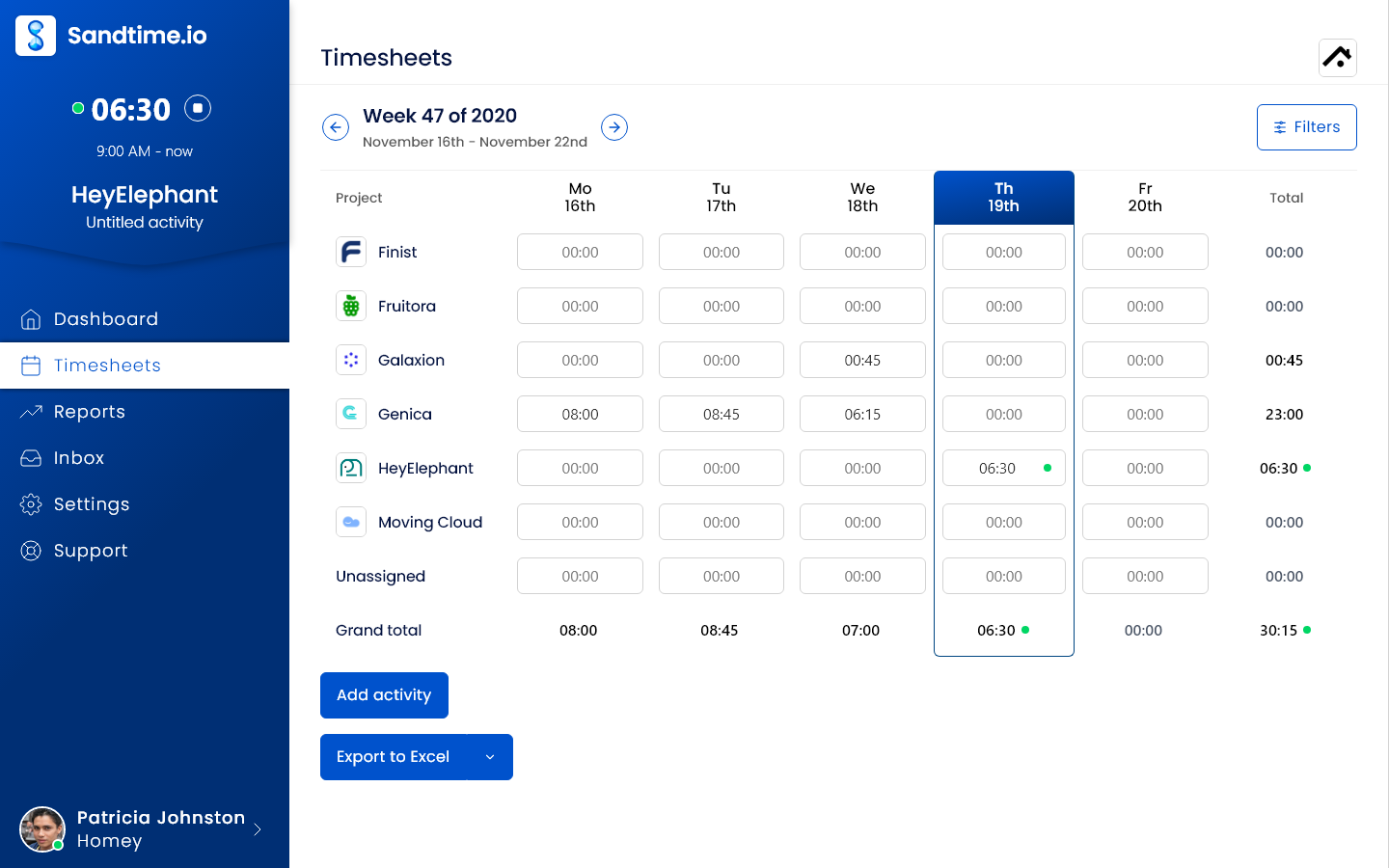
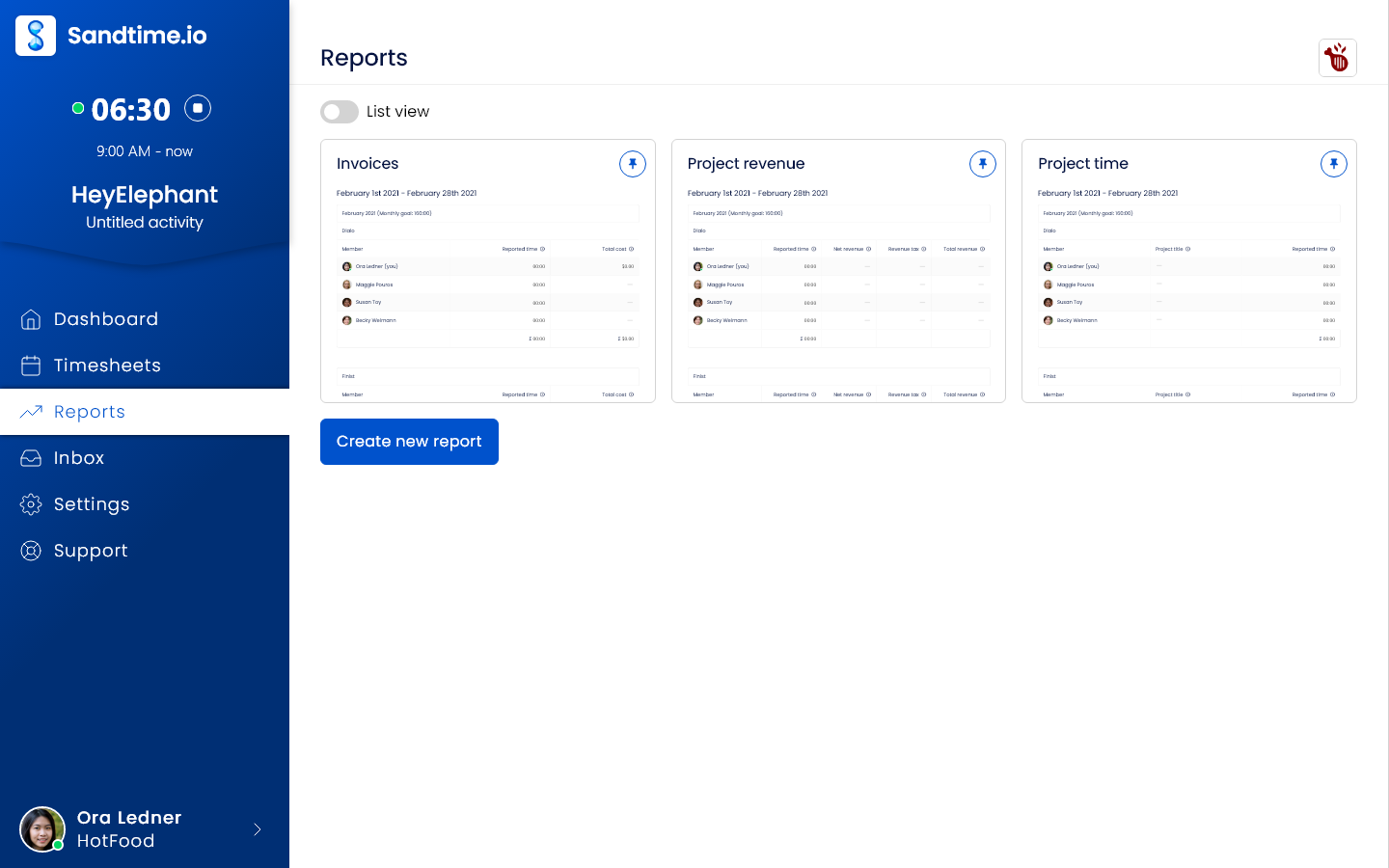
See Sandtime.io time tracking in action
This short product tour shows the timer, timesheets, projects, and reports in one workflow.
2. Toggl Track: Best for small nonprofits that want the easiest rollout
Toggl Track remains one of the simplest tools to deploy. The interface is clean, the timer is fast, and new users usually understand it without much explanation. As of September 29, 2026, the free plan covers up to 3 users, and paid plans start at $9 per user per month billed annually. For small nonprofits that want a low-friction default choice, Toggl Track is still one of the safest picks.

3. Harvest: Best for nonprofits that bill clients or invoice grant-funded work
Harvest combines time tracking, invoicing, and expense tracking in one product. That makes it useful for nonprofits that mix grant work with consulting, training, or fee-for-service projects. As of September 30, 2026, Harvest offers a free plan for one seat and two projects, with team pricing starting at $9 per seat per month billed annually, or $11 monthly. Finance teams tend to like Harvest because it keeps time, costs, and invoicing close together.

4. Clockify: Best low-cost general-purpose option
Clockify stays compelling on price: its free plan covers up to 5 users, having been unlimited until April 2026, and paid seats are among the cheapest in this list. If your NGO needs a cost-conscious team rollout and can live with a more utilitarian interface, it is one of the easiest recommendations to make. Paid plans start at $3.99 per user per month billed annually as of September 30, 2026. It is not the most polished tool here, but the free-plan generosity is hard to ignore.
5. Hubstaff: Best for distributed field teams
Hubstaff is most relevant for nonprofits that manage distributed teams, field officers, or location-based operations. Its positioning is built around productivity visibility, and optional monitoring and location features are part of the offering. That can help some organizations, but it also means you need a clear internal policy and staff consent if you enable those features. Hubstaff is best treated as a more operational, management-heavy option than a lightweight trust-based tracker.
6. TimeCamp: Best for automatic time tracking
TimeCamp is a strong fit for nonprofits that want automatic time capture instead of relying entirely on manual timers. It supports unlimited users on the free plan, and paid plans start at $3.99 per user per month billed annually as of September 30, 2026. Research teams, M&E staff, and anyone who regularly forgets to start a timer may find TimeCamp especially useful.

7. My Hours: Best for tiny nonprofit teams
My Hours is a good fit when simplicity matters more than feature depth. The product is straightforward, the interface is approachable, and the free plan supports teams of up to five users. Paid plans start at $4 per user per month billed annually as of September 30, 2026. If your organization is very small and just wants clear timesheets without heavy setup, My Hours deserves a look.

8. Everhour: Best for nonprofits already living in project-management tools
Everhour shines when your team already works inside tools like Asana, Trello, ClickUp, or Notion and wants time tracking to sit inside that workflow. The free plan covers up to five seats without integrations, while the paid Team plan starts at $8.50 per seat per month billed annually, with a five-seat minimum. Nonprofits with mature project operations often prefer Everhour because it adds time tracking without forcing another central workspace.
9. ClickUp: Best all-in-one option
ClickUp is not just a time tracker. It is a full work-management suite that includes time tracking alongside tasks, docs, dashboards, and automation. That makes it appealing for nonprofits that want one platform for operations rather than a dedicated time tool. The tradeoff is complexity: you get more power, but you also get more surface area to manage. If your team is already using ClickUp, enabling time tracking can be an efficient next step.
10. OnTheClock: Best for nonprofit teams with hourly staff spread across worksites
OnTheClock is a strong fit for nonprofits that manage hourly staff across multiple locations or off-site teams and want payroll-ready time tracking with less manual admin. Employees can clock in from a mobile device, computer, or shared kiosk, while managers can review, approve, and export time cards with just a few clicks. The platform also includes scheduling, PTO tracking, GPS location tracking, and geofencing, which makes it especially useful for organizations with field staff or employees who need location-based clock-ins. Sandtime.io takes the opposite position: hours are self-reported and location never enters the record.
Quick shortlist by use case
- Sandtime.io: Best for grant-funded nonprofits that need donor-ready reports, nonprofit-friendly workflows, and unlimited free users.
- Toggl Track: Best for small nonprofits that want the fastest setup and the least training overhead.
- Harvest: Best for nonprofits that also invoice clients, projects, or fee-for-service work.
- Clockify: Best low-cost option once a team outgrows a free plan, which covers up to 5 users.
- Hubstaff: Best for distributed field teams that want more operational oversight.
- TimeCamp: Best for teams that want automatic time tracking.
- My Hours: Best for very small teams that want simple weekly timesheets.
- Everhour: Best for project-heavy nonprofits already anchored in other tools.
- ClickUp: Best if you want tasks, docs, and time tracking in one platform.
- OnTheClock: Best for nonprofits managing hourly staff across multiple locations or off-site teams that also want payroll-ready timesheets.
How to choose the right app for your nonprofit
- Start with reporting. If the real pain is grant or donor reporting, pick the tool that keeps project structure and exports clean.
- Match the tool to team behavior. A product your team ignores is more expensive than a product with a higher sticker price.
- Be careful with monitoring-heavy features. NGO teams need trust, clarity, and consent, especially across field operations.
- Check the free-plan math. A free tier that only works for one person is usually not a serious nonprofit solution.
- Think beyond today. The right tool should still work when you add new programs, new donors, or a much larger team.
A two-week rollout checklist
- Record
- Review
- Assign
- Export
- Report
- Pick one program and one reporting owner for the pilot.
- Define the minimum fields you need before configuring the tool.
- Import only active projects and use names the team already recognizes.
- Ask a small group of staff and volunteers to record time for two weeks.
- Generate the real report you need, then remove any field nobody used and clarify any category people interpreted differently.
This short pilot tests the entire reporting loop without forcing the whole organization into a process that has not yet been proven.
Frequently asked questions about volunteer time tracking
What is the best free app to track volunteer hours?
For project, grant, and timesheet reporting with unlimited users, Sandtime.io is the free general-purpose option in this comparison; Clockify's free plan covers up to 5 users. If volunteers need event discovery, registration, check-in, or service-history profiles, test a dedicated volunteer platform instead. The best free app is the one that can produce your real report without manual rebuilding.
How should a nonprofit track volunteer hours?
Capture the volunteer, date, duration, activity, program or grant, and any note needed for later review. Keep volunteer and employee records distinct, define who verifies hours, and test the export used in grant, board, or impact reporting.
Can one app track both staff and volunteer time?
Yes, when both groups only need projects, timesheets, approvals, and exports. Use clear roles or project structures so records stay separate. If volunteers also need recruitment, scheduling, waivers, or event check-in, pair the time tracker with volunteer management software.
What are the top platforms for tracking volunteer hours?
Two kinds of tools track volunteer hours. Volunteer management platforms add recruitment, scheduling, event sign-ups, and check-in; the section on dedicated volunteer platforms above compares them. Time trackers such as Sandtime.io cover hours per program or grant, approval, and exports for funder reports. Choose by the report you have to produce, not by the feature list.
How do you track volunteer hours for grant compliance and donor reporting?
Record each shift against the program or grant it supports, have a coordinator approve the hours before they are reported, and keep the approved records unchanged afterwards. A spreadsheet like our volunteer hours log works for a small team. For EU-funded projects, our guide to what EU grant auditors expect from timesheets covers the stricter rules.
What should a volunteer timesheet include?
At minimum: volunteer name or identifier, service date, hours, activity, program or project, and verification status. Add a grant or funding source only when the organization will actually report against it.
Final verdict
If your nonprofit wants a time tracker designed around grants, donor-ready reporting, and mission-driven teams, start with Sandtime.io. If you want a more general-purpose alternative, Toggl Track and Clockify are good places to compare first. Either way, the goal is the same: less spreadsheet cleanup, less reporting pain, and more time for the work that actually matters.
About the contributors

Małgorzata Petlińska-Kordel
Sanddev and Sandtime.io editorial team member focused on useful, reader-first product communication.
LinkedInEmailSanddev profile
Przemysław Zalewski
Sandtime.io engineer and Sanddev team member who reviews product accuracy, technical details, sources, and editorial quality.
LinkedInEmailSanddev profileWebsite

Łukasz Sienkiewicz
Founder and CEO of Sandtime.io with 20 years in project, program, and portfolio management, a PhD on agile software development, and the full IPMA certification path. He knows the paper timesheet workflow firsthand.
LinkedInSanddev profileProfessional sourceWebsite