A Jibble alternative for teams that bill project time, not shifts
Jibble and Sandtime.io are both free for unlimited users. Jibble is built around attendance: clock-ins, kiosks, face recognition, GPS, and pay-period timesheets for payroll. Sandtime.io is built around project time: people submit a weekly timesheet, an administrator approves it, the week locks, and reports carry the rate that applied on the day. Neither takes a per-user fee for that core.
Jibble is a time and attendance product from Jibble Ltd. It records clock-ins from phones, desktops, browsers, kiosks, Slack, and Microsoft Teams, verifies them with face recognition, selfies, GPS, and geofences, and turns them into pay-period timesheets with overtime, time off, projects, and invoices. It markets its core as free forever for unlimited users. Visit Jibble website
Sandtime.io vs Jibble: the short answer
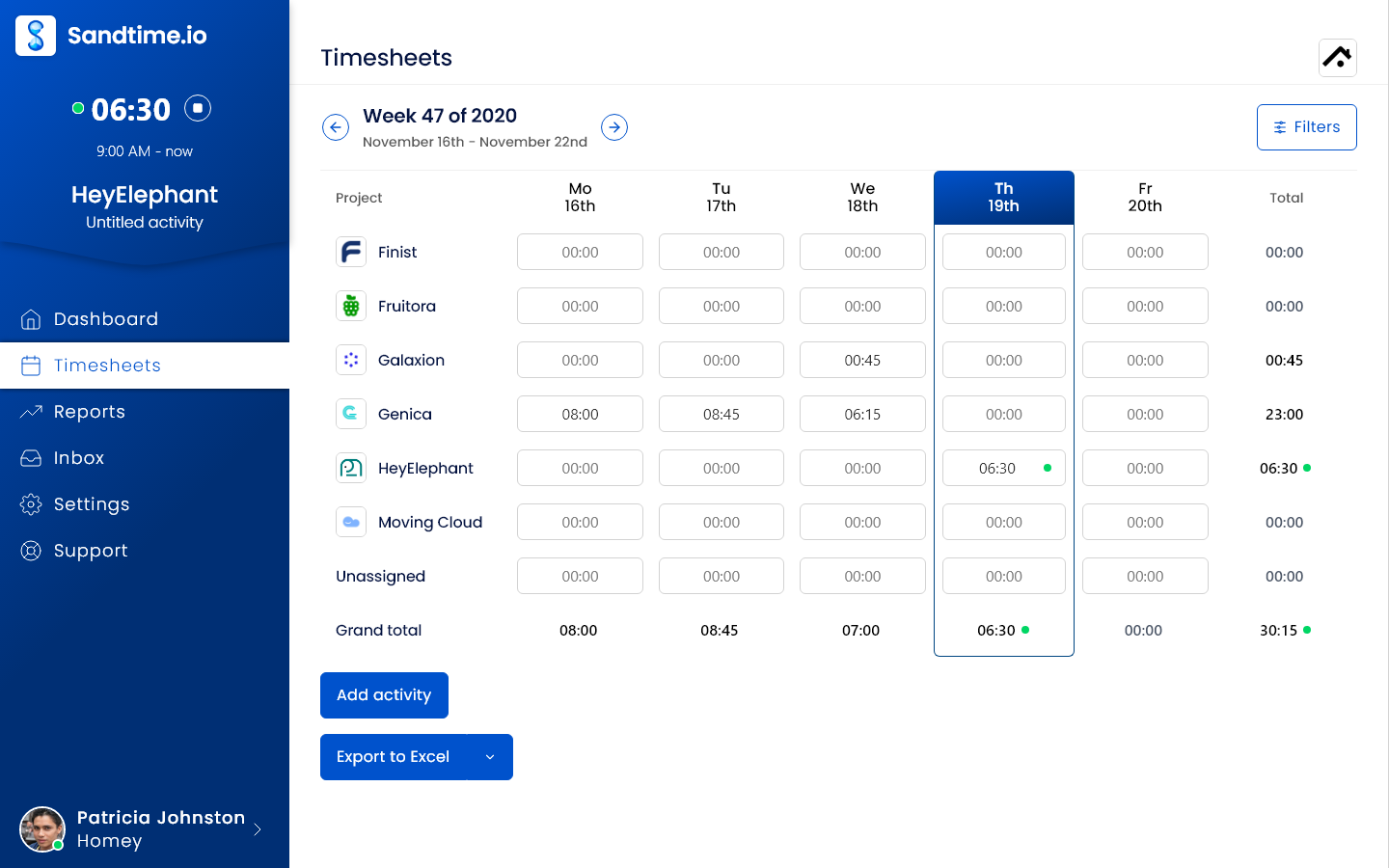
Jibble is the better choice when the question is who worked when and where; Sandtime.io is the better choice when the question is which project the hours belong to and whether a manager signed off on them. Both are free for unlimited users. Jibble turns verified clock-ins into pay-period timesheets for payroll, with kiosks, face recognition, GPS, overtime, and time off. Sandtime.io has none of that. It gives every person a weekly project timesheet to submit, an approval that locks the week, dated rates in more than one currency, and Excel or CSV reports, with no monitoring of any kind.
Choose Sandtime.io when the record you need is project time
Everyone logs hours against projects, submits the week, an administrator approves it from the app or the email, and the week locks. Reports group hours by project, member, activity, or date and use the rate that applied on the day, in the currency the client is billed in. There are no screenshots, locations, or identity checks to explain to anyone.
Choose Jibble when you must record attendance
Jibble is built for hourly, shift, and field teams: clock-ins from a phone, a shared kiosk, NFC, or a QR code, face recognition against buddy punching, GPS and geofences per site, offline mobile tracking, overtime rules, work schedules, leave, and payroll exports. It adds projects, clients, and invoices on top, so one tool can hold both the attendance and a project view.
Sandtime.io vs Jibble at a glance
What each product documents, as of September 30, 2026. Jibble markets its core features as free, so this compares capabilities rather than plan tiers.
| Decision factor | Sandtime.io | Jibble |
|---|---|---|
| Main job | Project and client timesheets that are submitted, approved, locked, and reported with rates | Time and attendance: verified clock-ins that become payroll-ready pay-period timesheets |
| Price and free plan | Free for unlimited users and projects, with no paid tier today | Core marketed as free forever for unlimited users. Paid plans also exist, and some limits, such as screenshot storage, depend on the plan |
| How time is captured | A timer or manual entries against a project, from web, mobile, desktop, or the Chrome extension | Clock in and out from mobile, web, desktop, Chrome, Slack, Teams, a shared kiosk, NFC, or a QR code, with offline sync |
| Verification | None. Hours are entered or timed by the person doing the work | Face recognition, selfies, GPS stamps, geofences, live location, and automatic clock-in by geofence |
| Timesheet approvals | Each person submits a weekly timesheet; an administrator approves or rejects it in the app or from the email in one click | Approvers approve each person's pay-period timesheet once the period ends. Member submission is listed as coming soon |
| Locking | The approved week locks, and an unlock request reopens it for a set period only | Approved pay-period timesheets lock until reopened. Approved project hours stay editable and are flagged as Modified |
| Projects and rates | Projects, billable and non-billable time, dated cost and revenue rates, and a currency per rate | Projects, clients, and activities, member billable rates and project rates, and separate project-hour approvals |
| Reports and exports | Custom reports by project, member, activity, or date, print layout, and Excel and CSV export | Time, attendance, and payroll reports exported as XLS or CSV, plus payroll exports to Xero, QuickBooks, and Deel |
| Invoicing | Reports and exports for invoice preparation, without built-in invoices | Invoices from tracked time; another currency is applied at a 1:1 conversion |
| Overtime, schedules, and time off | Core hours set daily and weekly goals. No overtime rules, schedules, or leave management | Overtime rules, breaks, work schedules, public holidays, leave accruals, and multi-level leave approvals |
| Monitoring | No screenshots, location, or activity capture on any plan | Optional desktop screenshots every 2, 5, or 10 minutes, blurred by default, with storage length set by plan |
| API, MCP, and AI | A public REST API with an OpenAPI schema and an MCP server, included free | An API, Zapier, and an MCP connector listed in Claude's connectors directory, marketed as free |
| Hosting | OVHcloud in the European Union, built in Poland; self-hosting arranged case by case for Enterprise | AWS Ireland region, with the legacy Jibble 1 in North Virginia |
| Languages | English, Polish, and French interface | Website and help center in 20 languages |
| Best fit | Agencies, consultancies, and project teams that bill or report time by client and need a signed-off week | Hourly, shift, site, and field teams that need verified attendance and payroll hours |
Why teams choose Sandtime.io instead of Jibble
A timesheet built from projects, not punches
In Sandtime.io the unit of work is an entry on a project, not a clock-in. That suits people who switch clients during the day and are paid a salary rather than by the hour.
People submit, managers sign off, the week locks
Each person sends their own week for approval. An administrator approves or rejects it from the email in one click, and a locked week reopens only for a set period on request.
Rates that stay right as they change
Each cost and revenue rate has a start date and its own currency, so a raise or a client billed in euros never rewrites last quarter's report.
Nothing to monitor, nothing to negotiate
No screenshots, face scans, or location stamps exist in Sandtime.io, so a salaried team is never asked to accept attendance controls built for shift work.
One plan, the same limits for everyone
Sandtime.io has no paid tier today, so every team gets the same product. Jibble also sells paid plans, and some limits, such as how long screenshots are kept, depend on which one you are on.
A narrower product, on purpose
Sandtime.io has no attendance clock, kiosk, overtime rules, or time off. If you need those, Jibble covers more ground, and says so for free.
Which product should your team choose?
Start with the record someone will ask you for: a payroll register of hours worked, or a client or funder report of hours per project.
Choose Sandtime.io
Pick Sandtime.io when your people work on projects and clients, when each of them should confirm their own week before a manager signs it off, when reports need dated or multi-currency rates, and when monitoring is off the table.
Choose Jibble
Pick Jibble when you pay by the hour or the shift, work across sites, need proof of who clocked in where, or want overtime, schedules, leave, and payroll exports in the same place. Its free plan covers far more attendance ground than any project tracker.
Consider using both
Some companies keep Jibble for the hourly or field staff and use Sandtime.io for the project team. If the same people would log time in both, run one month that way before deciding the split is worth it.
Free timesheet approvals for a team of 15: what each workflow looks like
Neither product charges a 15-person team for approvals: Jibble markets its timesheet app as free for unlimited users, and Sandtime.io is free for everyone. The difference is who acts, when, and what gets locked.
Sandtime.io
Weekly project timesheets with a sign-off
Freefor unlimited users, no credit card required
- CycleWeekly
- Who actsEach person submits, an administrator approves
- What locksThe approved week, reopened on request
- Project sign-offPart of the weekly approval
- Approve or reject from the notification email
- Unlock requests for a set period
- Dated cost and revenue rates in any currency
- Custom reports with Excel and CSV export
- No screenshots, location, or activity capture
Jibble free plan
Verified attendance that becomes payroll hours
Freecore marketed as free forever for unlimited users; paid plans also exist
- CycleWeekly to monthly pay periods
- Who actsAn owner, admin, or manager after the period ends
- What locksThe approved pay-period timesheet
- Project sign-offA separate approval, entries stay editable
- Clock-ins from phones, kiosks, NFC, and QR codes
- Face recognition, GPS, and geofences
- Overtime rules, schedules, and time off
- Payroll exports to Xero, QuickBooks, and Deel
- Projects, clients, and invoices
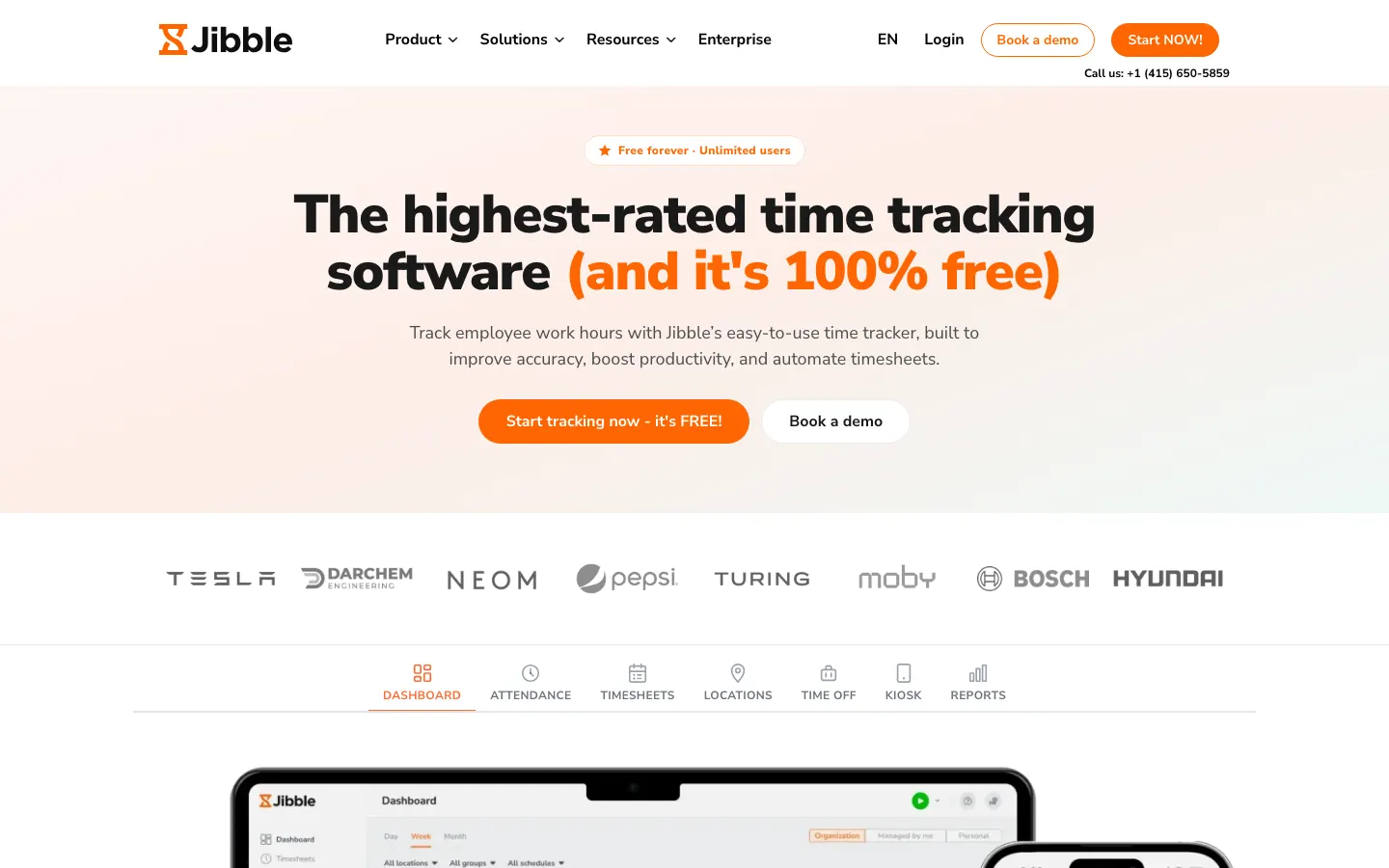
Workflow as documented by Jibble and in the Sandtime.io product on September 30, 2026. On Jibble's paid plans, some limits, such as screenshot storage, depend on the plan.
Watch the 75-second Sandtime.io product tour
See the timer, timesheets, reporting flow, integrations, and mobile apps before creating an account. The video is served directly by Sandtime.io, so it does not contact a third-party player.
Product details checked on September 30, 2026. If Jibble's own pages disagree, trust Jibble, and see Sandtime.io pricing for ours.
Jibble vs Sandtime.io: frequently asked questions
Direct answers about free plans, approvals, project time, monitoring, hosting, and moving your data.
What is the best Jibble alternative?
It depends on what Jibble is doing for you. If you need clock-ins, kiosks, face recognition, GPS, geofencing, overtime, or time off for hourly or field staff, Jibble is built for that and Sandtime.io is not a replacement. If the job is project and client time for office, remote, or professional teams, Sandtime.io is a free alternative for unlimited users where each person submits a weekly timesheet, an administrator approves or rejects it, the approved week locks, and reports use dated rates in the client's currency.
Is Jibble really free?
Jibble markets its core as free forever for unlimited users. On September 30, 2026, its features page listed time tracking, attendance tracking, timesheets, GPS, and facial recognition as free, its timesheet software page described pay-period approvals as part of a timesheet app that is free for unlimited users, and its invoicing and Claude pages made the same free claim. Paid plans exist too: its privacy policy and help center refer to them, for example screenshot storage "determined by the active plan", so ask Jibble which limits apply to your account.
Can a team of 15 approve timesheets for free?
Yes, in both products, but the approval means different things. In Jibble, an owner, admin, or manager approves each person's pay-period timesheet after the pay period ends, which locks it for payroll. Its help center lists member submission as coming soon. In Sandtime.io, each person submits their own weekly timesheet, an administrator approves or rejects it in the app or from the notification email in one click, and the approved week locks until an unlock request is granted.
Is Sandtime.io free for unlimited users?
Yes. Sandtime.io is free for unlimited users and projects, with no per-user fee and no credit card required. Approvals, locking, roles, reports, Excel and CSV exports, historical rates, multi-currency support, the REST API, and MCP access are all included, and registered nonprofits can ask for a custom offer.
Does Sandtime.io have clock-ins, GPS, or face recognition?
No. Sandtime.io has no punch clock, kiosk, GPS, geofencing, selfie, or face recognition, and it does not calculate overtime or manage time off. People start a timer or enter their hours against a project. If you have to prove who was on site and when, keep Jibble or another attendance tool for that record.
Does either product monitor employees?
Jibble can. Its desktop app can capture screenshots every 2, 5, or 10 minutes while someone is clocked in, blurred by default and visible to the person, and its attendance features record location and identity at clock-in. Each of these is set up by the employer. Sandtime.io has no automatic activity capture at all: no screenshots, no location, no activity scoring, so there is nothing of that kind to agree with employees or a works council.
Where do Jibble and Sandtime.io host data?
Both keep data in the European Union. Jibble's privacy policy says it stores Jibble data in the AWS Ireland region, with the legacy Jibble 1 in North Virginia. Sandtime.io runs on OVHcloud infrastructure in the EU, is built in Poland, and publishes its subprocessors. Self-hosting Sandtime.io can be arranged case by case under an Enterprise agreement.
Can I move from Jibble to Sandtime.io?
For project time, yes, but not automatically. Jibble exports timesheets and reports as XLS or CSV, which make a good archive. Sandtime.io has no Jibble importer, so recreate active projects, members, and current rates, then run one weekly cycle in both products. If Jibble also runs your attendance or payroll hours, keep it for that job.
Comparing something else?
Teams weighing this one usually weigh these too.
Close one real week of project time in Sandtime.io
Invite the whole team at no seat cost, have everyone submit one week, approve it, and compare the export with the project report Jibble produces for the same days.