Free Time Tracking App for Mac
Free for unlimited users on the Mac App Store. A menu bar timer that can start with your Mac and stop when you quit.

Time tracking that lives in the menu bar
The Mac app puts Sandtime.io where you already look for the clock. One click in the menu bar starts a timer, one click stops it, and the app stays out of the way in between.
It is the same account you use everywhere else. An entry you start on the Mac can be stopped from your phone or the web, and your team sees the same hours whichever device they work from.
Get it from the Mac App Store, sign in, and you are tracking. There is no trial to start, no seat count to watch, and no credit card required.
Why use Sandtime.io on macOS?
Menu bar timer
Start and stop timers with one click right from your macOS menu bar. Your timer is always visible and accessible.
Turn on your Mac, the timer starts
Right-click the Dock icon, open Options, and tick Open at Login. Pair it with Start tracking on startup under Settings, Time tracking, Desktop app, and turning on your Mac is what starts the day.
Shut down, and it stops
Stop tracking on shutdown sits next to it and ends the timer when you quit, and at the last minute your Mac was on if it went down without warning. A timer left running overnight is how hours nobody worked end up on a client invoice.
Free for unlimited users
No trial period. No credit card required. No screenshots. Download it from the Mac App Store and start tracking today.
More than one timer at once
Waiting on one client while you work for another? Switch off Stop running activities when you create the second activity, and both timers run side by side. Stop tracking ends them together.
Send the week for approval
Submit your week from Timesheets once it is complete. Administrators approve or reject it in the same Approvals section, or with one click from the notification email, and an approved week locks.
What it looks like on a Mac
The same account you use on a phone or in the browser, with room to spread out.
Track your time, watch the goals fill
Still runningDaily, weekly and monthly goals on one chart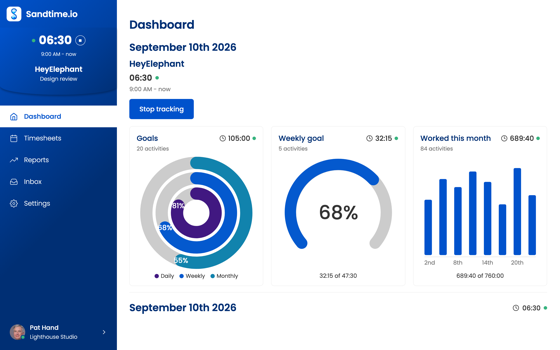
The week, project by project
A week at a glanceType hours straight in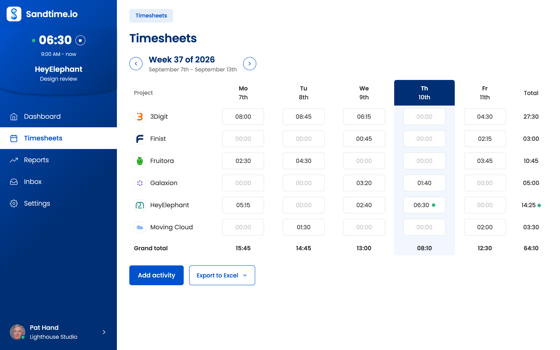
Forgot to start it? Add it afterwards
Add time after the factMark an entry billable or not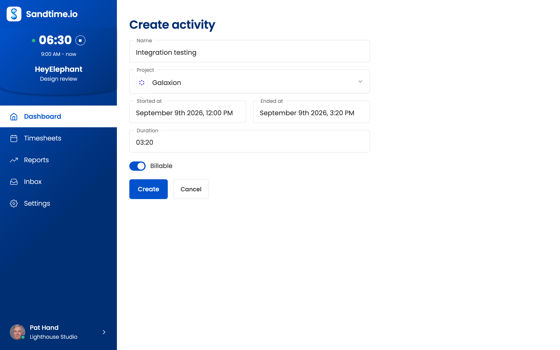
Numbers you can invoice from
Cost per personExport to Excel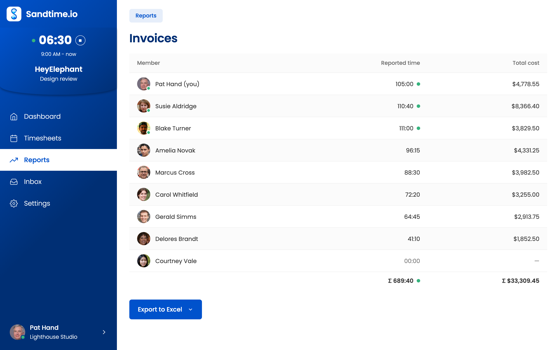
What the team actually did
Hours workedWho worked on what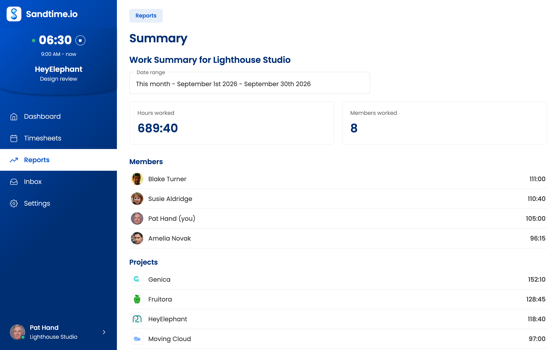
Every project in one list
Archived hidden by defaultClick one to edit it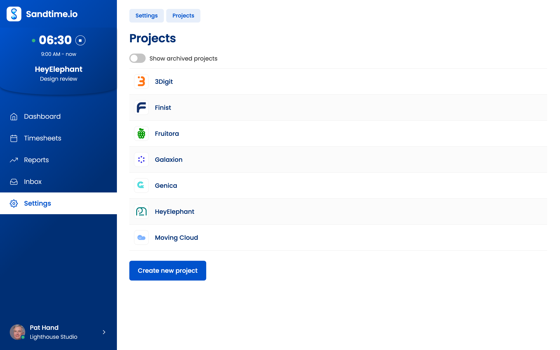
Reports built in, and the ones you add
Summary report built inBuild your own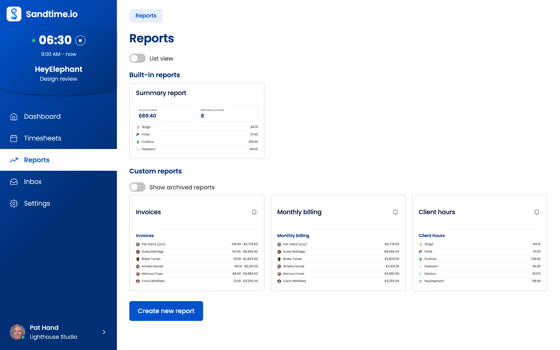
Set the rules once, then forget them
Round to the nearest 15 minutesLock each week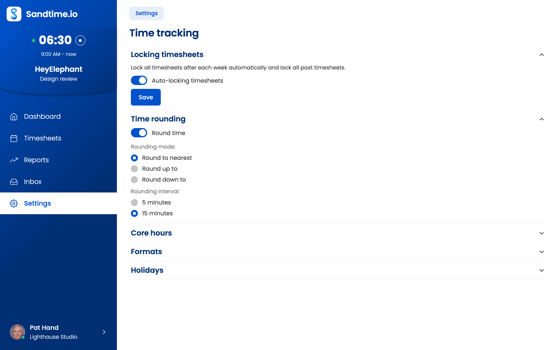
Everything you can do without opening the app
The menu bar shows the running total
While a timer runs, the elapsed time sits next to the Sandtime.io icon in the menu bar as plain text. No hover, no clicking through: glance up and the running total is there, and the icon follows your light or dark appearance.
Start or stop from the menu bar
Click the menu bar icon for the quick menu. Open the app, start a timer, stop the running one, or jump to Settings, then carry on with what you were doing.
Close the window, keep the timer running
Closing the window puts Sandtime.io away rather than shutting it down. A running timer keeps running, and reopening from the menu bar brings the window back where you left it.
Jump to Timesheets or Reports directly
The app menu goes straight to your Dashboard, Timesheets, Reports, or Inbox, so the view you want is one menu away rather than a trip through the interface.
Starts on your last project
Start tracking in the icon's menu picks up the project and Billable setting of your most recent activity, so the usual case takes one click. Change either while the timer runs.
Quit ends the entry on the minute
With Stop tracking on shutdown on, Quit in the icon's menu ends the running entry on that minute. Closing the window never does, so Quit is the one to use at the end of the day.
Setting up Sandtime.io on a Mac
Get Sandtime.io from the Mac App Store, open it, and sign in with your account. There is no disk image to mount and nothing to drag into Applications, and updates arrive through the App Store like any other app. The build is universal, so it runs natively on Apple silicon as well as on Intel Macs rather than through Rosetta translation.
The menu bar is the app
Most of the time you will not open the window at all. While a timer runs, the elapsed time sits next to the Sandtime.io icon in the menu bar as plain text, so the running total is one glance away. The icon follows your light or dark appearance.
Click the icon for its menu: Open, Start tracking or Stop tracking, Settings, and Quit. When you do want the window, the File menu goes straight to your Dashboard, Timesheets, Reports, Inbox, or Settings, and the Help menu opens the Help Center.
Closing the window puts the app away rather than quitting it, so a running timer keeps running. Choose Quit when you want it to end.
Start with your Mac, stop when you quit
Two settings under Settings > Time tracking > Desktop app tie the timer to the Mac itself:
- Start tracking on startup starts a timer as soon as the app opens, on the project and Billable setting of your most recent activity.
- Stop tracking on shutdown ends the timer when you quit. If the Mac goes down without warning, from a crash or a flat battery, the next launch closes the leftover entry at the last minute it was on.
For the first to happen when you log in, macOS has to open the app: right-click the Sandtime.io icon in the Dock, open Options, and tick Open at Login. The desktop tracking guide walks through both settings.
Sleep is not quitting. Closing the lid or locking the screen leaves the app running and the timer counting, so stop it before you close the lid for the night. The shutdown recovery does not trim those hours either, because it only runs after a real quit, shutdown, or crash. If a night does end up on an entry, edit its end time.
A day on a Mac
Tom is a freelance designer with three clients. He opens his MacBook at 9 AM, the app opens at login, and a timer starts on the project he finished yesterday. When he switches to another client's logo at 11 AM, he clicks the menu bar icon, stops the timer, and starts a new one from the window on the right project. At 3 PM he notices a call that was never tracked and adds it after the fact with its start and end time. He quits the app at 6 PM and the timer stops with it. On the last day of the month he opens Reports, checks the hours per client, and exports them to Excel for his invoices.
What it records, and what it does not
Sandtime.io records hours: when a timer started, when it stopped, and the project it belongs to. It takes no screenshots, does not log keystrokes, and does not watch which apps you use. Rounding, if you want it, is a setting under Time tracking, and overlap detection warns when two of your entries cover the same minutes.
The same account on every device
The Mac app signs in to the same account as the web app, the iPhone and iPad app, Android, and Windows. A timer started on the Mac can be stopped on your phone, and the entries show up in timesheets and reports everywhere. If you work with a team, timesheet approvals and reminders work the same from the Mac as from a phone, and the people you invite use Sandtime.io free.
The app loads your account from sandtime.io, so it needs an internet connection to open and to save entries.
Why get Sandtime.io from the Mac App Store?
Reviewed before it reaches you
Apps on the Mac App Store are reviewed before they are listed, and installed without an installer to run or admin rights to grant.
Always up to date
Updates arrive through the App Store, so the version on your Mac stays current without downloads to chase or prompts to dismiss.
Uninstalls like any store app
Remove it from Launchpad or the Applications folder like anything else you installed from the App Store, with nothing left behind to clean up.
Frequently asked questions
Can I start a timer on my Mac and stop it on my phone?
Yes. One account covers every platform, so an entry started in the Mac app can be stopped from the iPhone or Android app, or from the web.
Does the Mac app take screenshots?
No. Sandtime.io records the hours people log and nothing else: no screenshots, no keystroke logging, and no location tracking on any platform.
Is the Mac time tracking app free?
Yes. Free for unlimited users, with no credit card required.
Can my team use the app too?
Get Sandtime.io for macOS
Download the app and sign in with your Sandtime.io account to start tracking.
Step-by-step instructions are in the Help Center: Start and stop tracking with the desktop app
Also on your other devices
One account, and the entries follow you between them. Sandtime.io is free for unlimited users on every platform.
New to Sandtime.io?
Create your free account to get started.