A timr alternative for teams that bill project time rather than clock attendance
timr is strong at working time, absences, GPS-checked field work, and a tax-compliant mileage log, and it charges per user for all of it. If the job is approved, billable project timesheets, Sandtime.io covers it free for unlimited users and hosts its data in the European Union.
timr is a time tracking product from troii Software GmbH in Braunau am Inn, Austria, hosted in data centers in Germany. It combines working time recording, leave and absence management, project time, and a GPS mileage log in one web and mobile product, with an Android tablet terminal for clocking in on site. Visit timr website
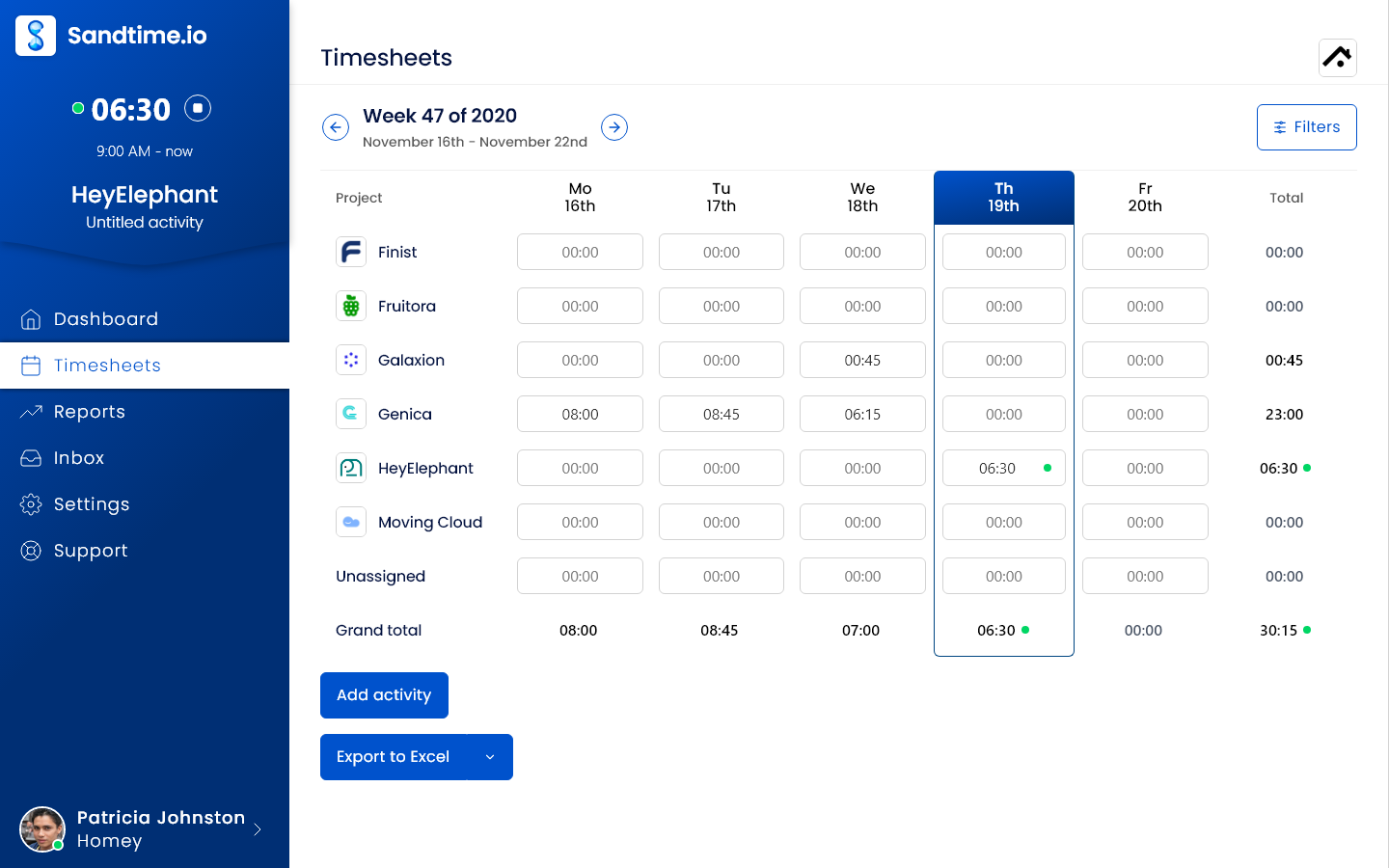
Sandtime.io vs timr: the short answer
timr is an attendance, project time, and mileage product in one, and the attendance and fleet half is usually why teams buy it. If you need clock-ins, time accounts, break and rest rules, leave requests, GPS-checked field bookings, or a tax-compliant mileage log, choose timr. If what you need is project and client time that people submit, managers approve and lock, and reports price at the right rate, Sandtime.io does that free for unlimited users, where timr charges at least €8 per user per month and puts hourly rates on Plus.
Choose Sandtime.io when the job is billable project time
Everyone submits a timesheet, a manager approves it, the week locks, and reports use the rate that applied on the day, in the currency the client is billed in. None of that needs a paid plan, and nothing in Sandtime.io watches where people are. Sandtime.io also publishes its EU hosting on OVHcloud, its subprocessors, a REST API, and an MCP server.
Choose timr when attendance, field staff, or vehicles are the job
timr records working time against working time models, checks breaks, maximum hours, and daily rest, keeps time and leave accounts, and closes each month for payroll. Field teams get offline mobile apps, GPS position logging, and geofenced bookings, and an Android tablet can serve as a clock-in terminal. The mileage log is tax compliant and can record trips automatically. Sandtime.io builds none of this.
Sandtime.io vs timr at a glance
Where each capability sits on timr's plans, as of September 29, 2026.
| Decision factor | Sandtime.io | timr |
|---|---|---|
| Price and free plan | Free for unlimited users and projects | Free for 1 user and one function. Paid plans from €8 per user per month, or €7.20 billed annually, excluding taxes |
| Working time and attendance | Not an attendance system: no clock-in terminal, time accounts, or break and rest-period checks | Working time models, rule checks for breaks, maximum hours, and daily rest, time accounts, flexitime, and monthly closing on Regular |
| Leave and absences | No leave management | Absence types with requests, vacation accounts, substitutes, and holiday calendars on Regular |
| Project time approval and locking | Submit, approve, reject, and lock timesheets, included free | Approve project times, mark them as billed, and lock tasks up to a date on Regular |
| Billable rates and budgets | Billable and non-billable time, dated cost and revenue rates, and a currency per rate, included free | Internal and external hourly rates, hour budgets, and a budget dashboard on Plus and Enterprise |
| GPS and location | None by design. No GPS, geofencing, screenshots, or activity scores | GPS position logging at start and stop, geofenced task starts, and location-based task suggestions on Regular |
| Mileage log | None | Manual and automatic GPS mileage log with vehicle management, described as tax compliant, on Regular |
| Reports and exports | Custom reports, print layout, and Excel and CSV export, included free | Reports with Excel, CSV, and PDF export, a live attendance board, and payroll export at monthly closing on Regular |
| Apps | Web, iPhone, Android, Chrome extension, and macOS and Windows desktop apps | Web, iPhone, and Android apps that work offline, plus an Android tablet terminal app, all included in the price |
| Integrations and API | Slack, the Chrome extension, a public REST API with an OpenAPI schema, and an MCP server, included free | Personio and Slack integrations, a SOAP API and a REST API in beta, and SSO on Regular |
| Hosting | OVHcloud in the European Union, built in Poland; self-hosting arranged case by case for Enterprise | Hetzner data centers in Germany, run by an Austrian company |
| Moving data out | Excel and CSV exports for every member and date range | Time and mileage log entries exportable as CSV, according to its terms |
| Best fit | Agencies, consultancies, and software teams that need approved, locked, billable project timesheets at no cost | Businesses with field staff, vehicles, or working time duties that want attendance, projects, and mileage in one tool |
Why teams choose Sandtime.io instead of timr
No per-user bill
Sandtime.io is free for unlimited users. timr charges per user on every paid plan, admins included.
Rates without an upgrade
Each rate has a start date and its own currency, so a raise or a client billed in another currency never rewrites last quarter. In timr, hourly rates and budgets start on Plus.
Approval and locking included
Submitting, approving, rejecting, and locking timesheets are part of the free plan, with an automatic email reminder to fill in the week before it locks.
Nothing that tracks location
Sandtime.io has no GPS, geofencing, screenshots, or activity scores, so there is less for a works council to review.
Data hosted in the European Union
Sandtime.io runs on OVHcloud in the EU and publishes its subprocessors. timr hosts in Germany, which is the better answer if your policy names Germany.
A narrower product, on purpose
Sandtime.io has no attendance clock, leave management, or mileage log. If you need those, timr covers more ground. For attendance and leave alone, also compare Clockodo and Jibble.
Which product should your team choose?
Start with the record you are required to keep, then check which product was built to keep it.
Choose Sandtime.io
Pick Sandtime.io when the record that matters is time per client and project: submitted, approved, locked, and priced at the right rate for invoicing, with data in the EU and no per-user bill.
Choose timr
Pick timr when you have to record working time and absences for payroll or German and Austrian working time rules (the ArbZG and AZG), when field staff book on site with GPS or geofencing, or when company cars need a mileage log.
Choose neither
Keep looking if you need shift planning or payroll processing itself. timr exports monthly closings for payroll, and Sandtime.io exports approved hours, but neither runs payroll or schedules shifts.
What timr costs once hourly rates matter
Approving and locking project time are on timr Regular, and internal and external hourly rates start on timr Plus, which adds a €29 monthly account fee. For a team of 10, Plus comes to €98.10 a month billed annually. Sandtime.io includes approvals, locking, and rates at €0 for any team size.
Sandtime.io
Approvals, locking, and rates for everyone
Freefor unlimited users, no credit card required
- 5 users€0 a month
- 10 users€0 a month
- 25 users€0 a month
- 50 users€0 a month
- Submit, approve, reject, and lock timesheets
- Friday email reminders before the week locks
- Dated cost and revenue rates
- A currency per rate
- Custom reports with Excel and CSV export
timr Regular
Attendance, project time, and mileage
€7.20per user per month billed annually, or €8 monthly, with no account fee
- 5 users€36 a month
- 10 users€72 a month
- 25 users€180 a month
- 50 users€360 a month
- Working time models, break and rest checks, time accounts
- Absence requests and vacation accounts
- Approve and lock project times
- GPS logging and geofenced bookings
- Mileage log with vehicle management
- Hourly rates and budgets start on Plus
timr Plus
Where hourly rates and budgets start
€7.20per user per month billed annually, plus a €26.10 account fee, or €8 and €29 billed monthly
- 5 users€62.10 a month€69 billed monthly
- 10 users€98.10 a month€109 billed monthly
- 25 users€206.10 a month€229 billed monthly
- 50 users€386.10 a month€429 billed monthly
- Everything in Regular
- Internal and external hourly rates
- Hour budgets and a budget dashboard
- Photo documentation for projects
- A digital project file
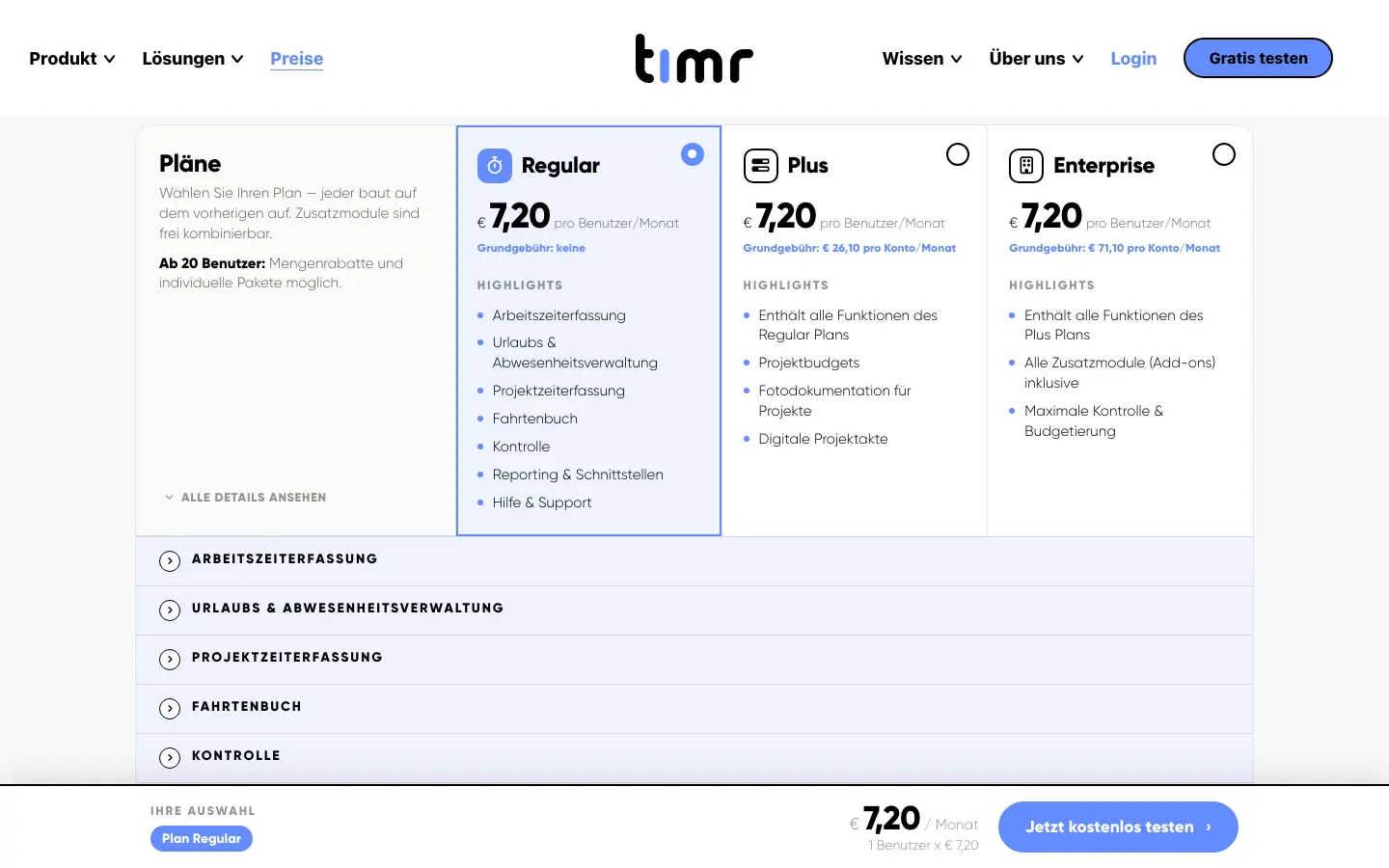
Monthly cost at list price, net of taxes as timr's terms state. Add-on modules, volume offers from 20 users, and negotiated terms are excluded.
Watch the 75-second Sandtime.io product tour
See the timer, timesheets, reporting flow, integrations, and mobile apps before creating an account. The video is served directly by Sandtime.io, so it does not contact a third-party player.
Prices and plans checked on September 29, 2026. If timr's pricing page disagrees, trust timr, and see Sandtime.io pricing for ours.
timr vs Sandtime.io: frequently asked questions
Direct answers about pricing, the free plan, GPS, working time rules, hosting, and moving your data.
What is the best timr alternative?
It depends on which half of timr you use. For project and client time, Sandtime.io is a close alternative: approvals, locking, historical and multi-currency rates, and Excel or CSV exports are free for unlimited users. If you rely on timr for clocking in, time accounts, break and rest rules, leave requests, GPS or geofenced bookings, or the mileage log, Sandtime.io is not a replacement, and a dedicated attendance or fleet tool fits better.
How much does timr cost?
On September 29, 2026, timr's pricing page listed Regular at €8 per user per month with no account fee, Plus at €8 per user plus €29 per account per month, and Enterprise at €8 per user plus €79 per account per month. Annual billing takes 10% off, so €7.20 per user, €26.10, and €71.10. timr's terms say website prices exclude taxes, admins need a paid license too, and teams from 20 users can ask for a custom offer. timr also quotes per-module prices.
Is there a free version of timr?
Yes, for one user. timr's Free plan covers a single user and one function: working time with 2 working time types, project time with up to 5 active tasks, or a mileage log with 1 vehicle and 2 categories, without the automatic Tour app. Teams start on a 14-day trial with all features and then choose a paid plan.
Is Sandtime.io free for unlimited users?
Yes. Sandtime.io is free for unlimited users and projects, with no per-user fee and no credit card required. Reminders, approvals, locking, roles, reports, Excel and CSV exports, historical rates, multi-currency support, the REST API, and MCP access are all included.
Does timr track GPS location, and does Sandtime.io?
timr can, if the account is configured for it. Its Regular plan lists GPS position logging at the start and stop of a booking, geofenced task starts, location-based task suggestions, and an automatic mileage log that records trips by GPS. Sandtime.io collects no GPS positions, screenshots, keystrokes, or activity scores: hours are entered or timed by the person doing the work.
Where do timr and Sandtime.io host data?
timr is run by an Austrian company and says it operates on servers in ISO/IEC 27001 certified data centers in Germany, run by Hetzner. Sandtime.io runs on OVHcloud infrastructure in the European Union and is built in Poland. Both keep data in the EU, but only timr names Germany, which matters if your policy names the country rather than the union. Sandtime.io self-hosting can be arranged case by case under an Enterprise agreement.
Can Sandtime.io handle German or Austrian working time recording?
Not as an attendance system. timr is built for that job, with working time models, automatic checks for breaks, maximum hours, and daily rest, time accounts with flexitime, leave requests, and a monthly closing with payroll export. Sandtime.io records self-reported project and client time, with approvals and locking, and has no clock-in terminal, rest-period checks, or leave management. This is context, not legal advice.
Can I move from timr to Sandtime.io?
Yes, for project time, but not automatically. timr's terms say recorded time and mileage log entries can be exported as CSV, which makes a good archive. Sandtime.io has no timr importer, so recreate active clients, projects, members, and current rates, then run one weekly or monthly reporting cycle in both products before switching.
Comparing something else?
Teams weighing this one usually weigh these too.
Run one real project reporting cycle in Sandtime.io
Invite the whole team at no seat cost, submit and approve one week or month of project time, and compare the export with what timr produces for the same period.