Free project budget and billable-hours tracker
Set an hour and money budget, then record project work by person and task. The workbook keeps billable value, labor cost, and the balance current.
- No signup or email address
- Editable and printable formats
- Rebrand it for your clients, no attribution
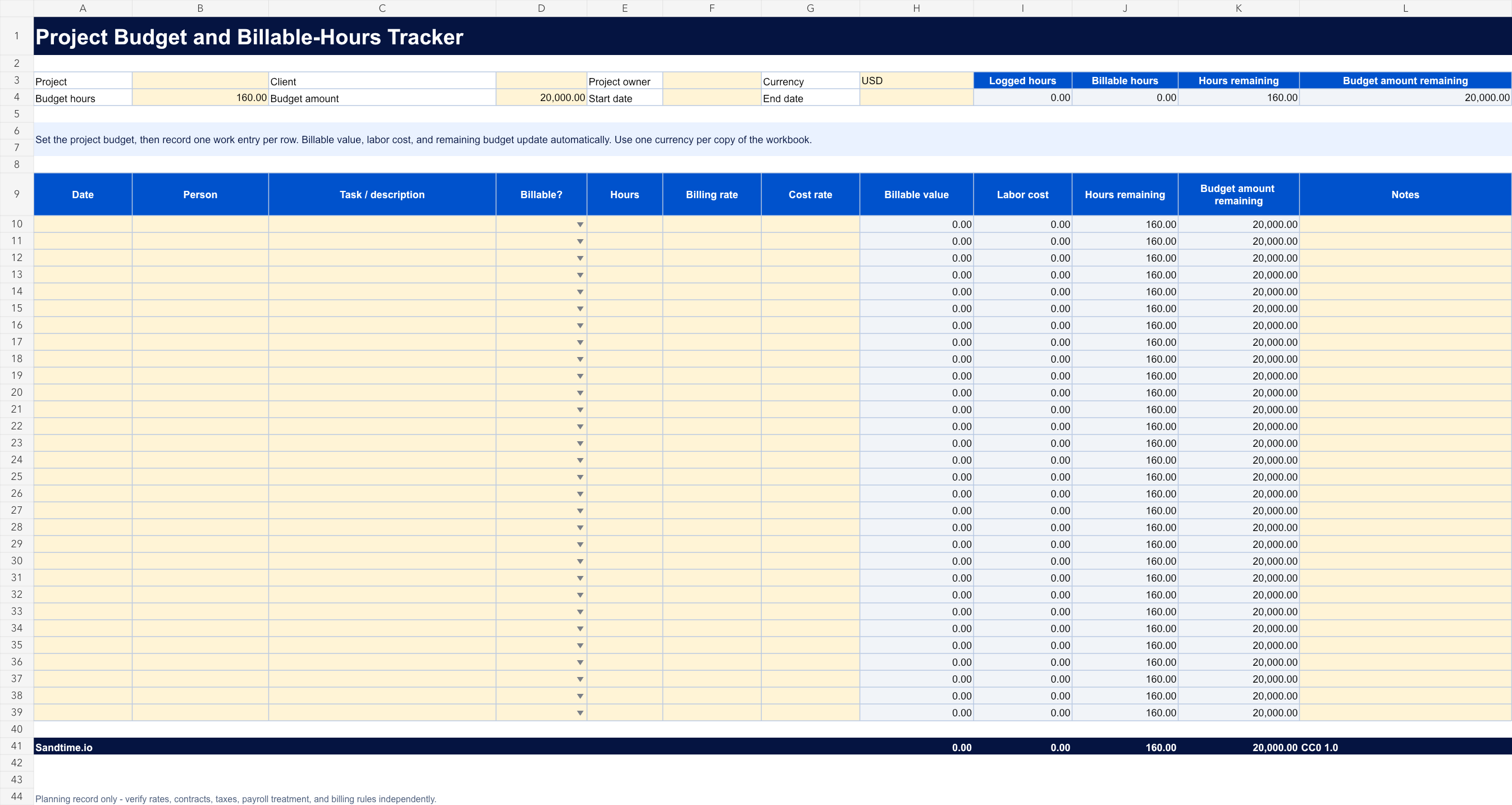
Edit it digitally or print a clean copy
Best for freelancers, agencies, consultants, and project teams that need a simple view of budgeted hours, billable value, labor cost, and remaining budget.
A useful starting point, not an empty shell
- Formula-driven hour, billable-value, labor-cost, and remaining-budget totals
- Editable billing and cost rates with billable-status validation
- Project, client, owner, date range, currency, task, person, and notes fields
- Enter the project details and approved hour and money budgets.
- Add one work entry per row with hours, rates, and billable status.
- Review the live summary and remaining balances before scope or billing decisions.
Keep the template until the process needs more
A shared file can be the right tool for a new or small process. Sandtime.io becomes useful when reminders, approvals, locked records, project data, reports, and Excel exports must stay dependable across a growing team.
Questions about this free template
Is this template really free?
Yes. The editable file and the printable PDF are free and need no email address. We place them in the public domain rather than licensing them, so you may copy, edit, rebrand, redistribute, and use them commercially without asking permission.
Can I edit the template?
Yes. Open the Excel file in Microsoft Excel or import it into Google Sheets. Pale yellow cells are intended for input and grey cells contain calculated summaries.
Which format should I print?
Download the PDF when you need a clean paper copy. It uses high-contrast lines, safe print margins, and a layout designed for common A4 and US Letter printers.
Does this template guarantee compliance?
No. It is a general operational starting point and does not guarantee legal, payroll, tax, employment, record-retention, or labor-law compliance. Adapt it to the rules and contracts that apply to your organization.
Can I share or rebrand it?
Yes. Share the original file, add your own branding, publish an adapted version, or use it commercially. Nothing has to be credited back to us.
When should a team move beyond a template?
A file works well while one person owns the process and the team can keep it current. Consider Sandtime.io when reminders, approvals, locked records, project data, reports, and reliable exports need to work together.