Free Time Tracking App for iPhone and iPad
Free for unlimited users on the App Store, for iPhone and iPad. Start a timer at your desk and stop it from your pocket.

The timer that travels with you
Work does not always happen at a desk, and the hours spent away from one are the easiest to forget. The iPhone app puts starting and stopping a timer within reach wherever the work is.
It runs on iPad as well, and it is the same account throughout. An entry you start on a Mac or in the browser can be stopped on your phone, so a journey home does not leave a timer running.
What it will not do is watch you. A tracker on a personal phone should record hours and nothing else, so there are no screenshots, no keystroke logs, and no location tracking.
Why use Sandtime.io on iPhone?
Time tracking on the go
Track your working hours wherever you are. Start and stop timers on the go from your iPhone.
No screenshots, no keystroke logging
A time tracker on your phone should record hours, not watch the person carrying it. Sandtime.io takes no screenshots and logs no keystrokes, on any device.
Start on your Mac, finish on your iPhone
Entries you log on one device show up on the rest, so the timer you started at your desk is the one you stop on the train.
Free for unlimited users
No trial period. No credit card required. No screenshots. Download it from the App Store and start tracking today.
Send the week for approval
Submit your week from Timesheets once it is complete. Administrators approve or reject it in the same Approvals section, or with one click from the notification email, and an approved week locks.
Fill in the details while it runs
Start first and sort out the rest later. The timer begins on the spot, and you can set the name, project, and Billable switch while it keeps counting.
What it looks like on iPhone
The same account you use on a Mac or in the browser, laid out for a phone.
Track your time, watch the goals fill
Still runningDaily, weekly and monthly goals on one chart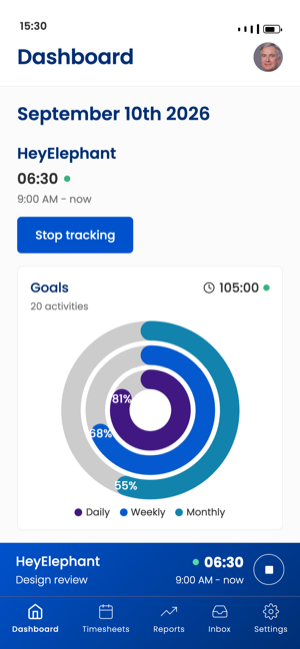
The week, project by project
A week at a glanceType hours straight in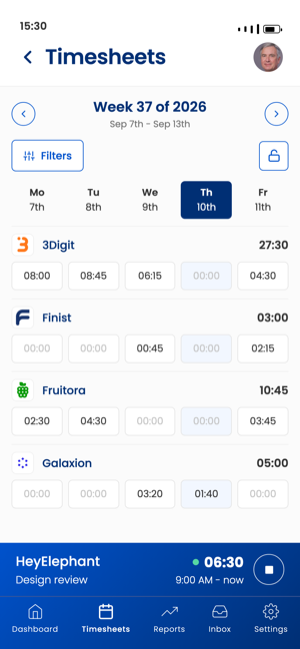
Forgot to start it? Add it afterwards
Add time after the factMark an entry billable or not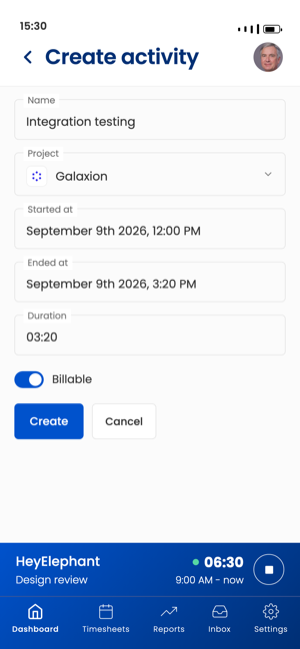
Numbers you can invoice from
Cost per personExport to Excel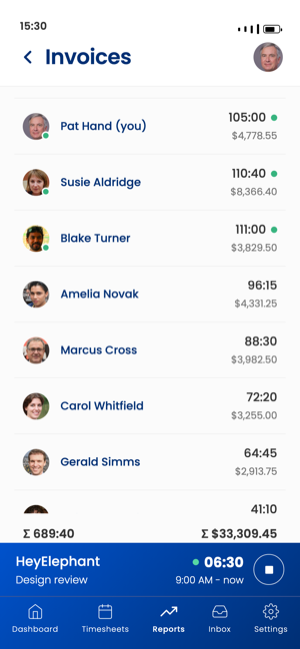
What the team actually did
Hours workedWho worked on what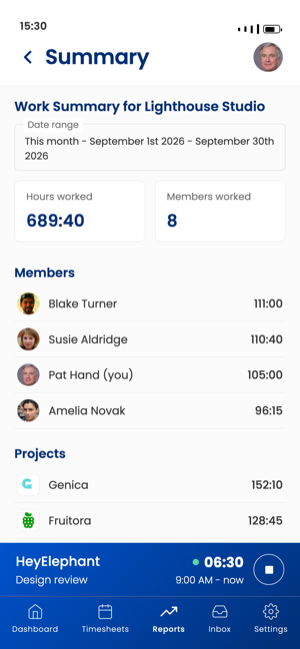
Every project in one list
Tap one to edit itArchived hidden by default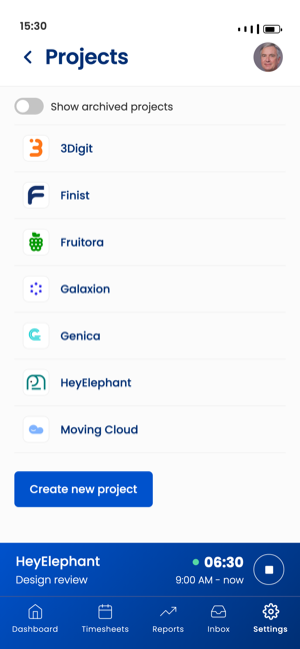
Reports built in, and the ones you add
Summary report built inBuild your own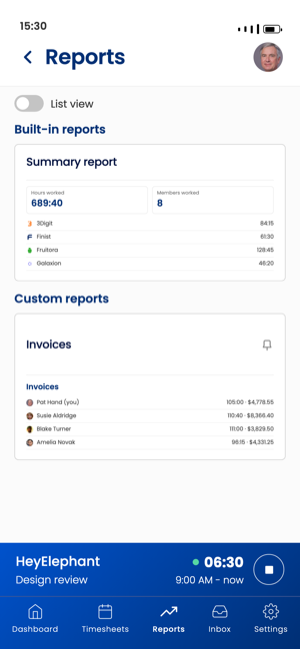
Set the rules once, then forget them
Round to the nearest 15 minutesLock each week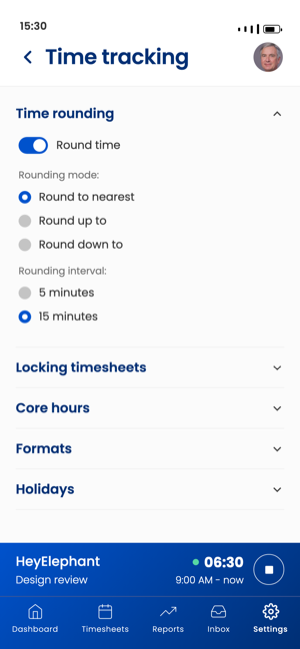
Getting it on your iPhone or iPad
Install Sandtime.io from the App Store and sign in with the account you already use on a computer, or create one in the app. The same download runs on iPhone and iPad, and updates arrive through the App Store.
If the App Store will not offer the app on an older device, you do not have to go without it. Open sandtime.io in Safari, tap the share button, and choose Add to Home Screen. It gets its own icon and window and signs in to the same account. The mobile install guide covers both routes.
What the phone is good for
A phone is where the hours that happen away from a desk get recorded before they are forgotten. The bottom bar holds Dashboard, Timesheets, Reports, Inbox, and Settings, and a running timer stays pinned above it with its own stop button, whichever screen you are on.
Start and stop without looking for it
On the dashboard, Start tracking begins a timer straight away. The entry picks up the project and Billable setting of your most recent activity, and you can change both while it runs. The running timer sits above the bottom bar, so stopping it is one tap from any screen.
Stop the timer you started on a computer
This is where the app earns its place. You leave the office, the timer on your laptop is still running, and the train has already left. Open the app, and the timer from the desktop is the one on your screen: stop it, and the entry ends where you actually stopped working rather than the next morning.
Fix the day from the couch
Missed the start of a meeting? Open the activity form, set the project, start, end, and duration, and mark it billable or not. Then check the week on Timesheets, where hours can be typed straight into a day, before you Submit for approval from the phone.
On iPad
The iPad gets the same screens with more room: the week in Timesheets has space to spread out, and reports are easier to read. It suits the end of the week, when you want to check every day before you submit it, without opening a laptop.
A day with the iPhone app
Sam is a consultant who spends half the week at client offices. At 9 AM, standing in the lobby, Sam taps Start tracking and picks the client's project while the timer runs. Lunch is a stop from the timer bar and a start again afterwards. The afternoon workshop gets its own timer, started on the laptop, and when it ends at 5:30 PM Sam is already walking to the station, so that timer gets stopped from the phone. On Friday evening Sam opens Timesheets, adds the half hour of travel that was never tracked, and submits the week.
What the app will not do
It needs a connection. Without one, the app shows an offline screen rather than recording time, so start or stop the timer once you are back online, or add the entry afterwards with its start and end times.
It will not watch you, either. Sandtime.io records the hours people log and nothing else: no screenshots, no keystroke logging, and no location tracking. A time tracker on a personal phone should not ask for more than that.
One account, the whole team
The iPhone app is the same account as the Mac, Windows, and Android apps and the web app, and entries logged on one show up on the rest. Teams use the same phone for the review side: timesheet approvals and reminders work from the app, and everyone you invite uses Sandtime.io free.
Why get Sandtime.io from the App Store?
Reviewed before it reaches you
Apps on the App Store are reviewed before they are listed, and install with a tap rather than a download to find and open.
Always up to date
Updates arrive through the App Store, so the version on your phone stays current without downloads to chase or prompts to dismiss.
Uninstalls like any store app
Remove it from the Home Screen or App Library like anything else you installed from the App Store, with nothing left behind to clean up.
Frequently asked questions
Does the Sandtime.io iPhone app work on iPad?
Yes. The app supports iPad as well as iPhone, and entries sync across every device signed in to the same account.
Does the iPhone app track my location?
No. Sandtime.io records the hours people log and nothing else: no screenshots, no keystroke logging, and no location tracking on any platform.
Is the iPhone time tracking app free?
Yes. Free for unlimited users, with no credit card required.
Can my team use the app too?
Get Sandtime.io for iPhone
Download the app and sign in with your Sandtime.io account to start tracking.
Step-by-step instructions are in the Help Center: Install the mobile app
Also on your other devices
One account, and the entries follow you between them. Sandtime.io is free for unlimited users on every platform.
New to Sandtime.io?
Create your free account to get started.