Best Polish Time Tracking Apps 2026
The best Polish time tracking app depends on what the hours must prove. An agency needs a complete client timesheet. A restaurant needs actual attendance against its schedule. HR needs an approved record that payroll can import. This guide compares 34 Polish products against those three jobs. Every profile cites a source, with prices where the vendor publishes them and screenshots where available.
Which Polish time tracking apps should you shortlist?
- Client and project hours: Sandtime.io, TimeCamp, and Timenotes as standalone trackers; Teamdeck and Primetric when time belongs with resource planning; IC Project and FlexiProject when it belongs inside project management; Clockwork for teams working in Jira.
- Shifts and payroll attendance: compare Kadromierz, inEwi, Proplanum, Grafik Optymalny, and PlanujGrafik on the whole path from schedule to worked hours.
- Field teams and devices: start with Moniti, RCPonline, GrafikPro, and Weekly by TIGAMI. For fixed sites with readers, add RCM Control. Decide whether location matters at clock-in or throughout a shift.
- Time inside HR: shortlist Calamari, HRappka, and HRnest when attendance must work alongside leave, documents, and payroll.
Products are grouped by category, and the profile numbers only help you find a profile: they are not a quality ranking. Recommendations describe workflow fit, not test results.
Publisher disclosure: Sandtime.io publishes this guide and is one of the products in it; the other profiles rely on vendors' public pages, price lists, help centers, or provided screenshots, not hands-on tests. Prices were checked on October 19, 2026, in each vendor's currency, so confirm them in the linked source before buying.
What counts as a Polish time tracking product?
A product qualifies when the vendor documents two things: Polish roots or a Polish operator, and a way to record actual work. That can be timers, manual entries, clock-in and clock-out events, or ongoing records of hours worked. A Polish translation or a schedule generator alone does not qualify. The list includes focused trackers and broader systems with a documented time module.
Three questions organize the comparison:
What work did the client receive?
Project records connect hours with clients, tasks, rates, and billing reports.
Who actually worked the shift?
Attendance systems compare arrivals, departures, breaks, and absences with the plan.
What should HR send to payroll?
Broader suites connect worked time with leave, employment data, and the payroll process.
The categories overlap. Calamari, HRappka, and HRnest document project time alongside attendance, while Firmao and Tillio add time records to a CRM. Check each product's reports and billing workflow instead of assuming every tool in a group works the same way.
The guide counts products, not companies, so one company can appear twice. Unrubble's terms name inEwi as its operator, and inEwi has been part of the Polish software group Symfonia since 2025. If you are looking for TrackTime24, the tracktime24.com domain now redirects to Unrubble.

Compare 34 Polish time tracking products
The tables group products by the main reason a team would buy them. The price column shows the cheapest plan that includes time records, which may not cover every feature in the profile. Quote-only products are marked as such instead of showing a rate. A kiosk is a shared device at the workplace, such as a tablet, where employees clock in. An API lets the system connect to other software, such as payroll, and a worklog is a time entry in Jira. Most attendance vendors quote net prices, which exclude VAT (value-added tax); gross prices include it.
Client and project time
| Product | Best fit | Price | Watch out for |
|---|---|---|---|
 Sandtime.io Sandtime.io | Complete project timesheets | Free for unlimited users | No attendance clock or invoicing; exports hours for billing |
 TimeCamp TimeCamp | Projects and automatic capture | Free; Starter USD 3.99/user/month, annual | Approvals only in Ultimate; AI billed by usage |
 Timenotes Timenotes | Flat team pricing | Solo free; USD 6.99/month up to 10 active users; USD 69 unlimited | Team totals, not per-person rates |
 IC Project IC Project | Time inside project management | Basic PLN 39/user/month annual; PLN 59 monthly | Five-user minimum; finance in Premium |
 Teamdeck Teamdeck | Resource planning and timesheets | Full Member USD 5.40/user/month annual; USD 6 monthly | Cheaper Light Members (USD 1.80) cannot log in to the app |
 FlexiProject FlexiProject | Time in project portfolios | Standardowa PLN 60 net/user/month annual; PLN 75 monthly | Viewing team time takes the Pełna (Full) license |
 Primetric Primetric | Resources, margins, approved timesheets | Custom quote, excluding VAT | Billed in PLN, EUR, or USD; paid test phase |
 Clockwork for Jira Clockwork for Jira | Automatic worklogs in Jira | Pro free up to 10 users; USD 325/year for 25 | Jira Cloud; priced on every Jira site user |
 Kanban Tool Kanban Tool | Timers on board cards | Enterprise EUR 11/user/month | Time tracking only in Enterprise |
 WorkClocker WorkClocker | Freelancers invoicing hours | Premium PLN 29 net/month annual; PLN 36 monthly | Price list does not say if it is per user |
 Firmao Firmao | Task time inside a CRM | Standard from PLN 69 net/seat/month on a 12-month term | PLN 93 on monthly billing |
Attendance, shifts, and field work
| Product | Best fit | Price | Watch out for |
|---|---|---|---|
 Kadromierz Kadromierz | Schedule-to-attendance reconciliation | Attendance from PLN 15.99 net/employee/month, annual | The PLN 12.99 tier is scheduling only |
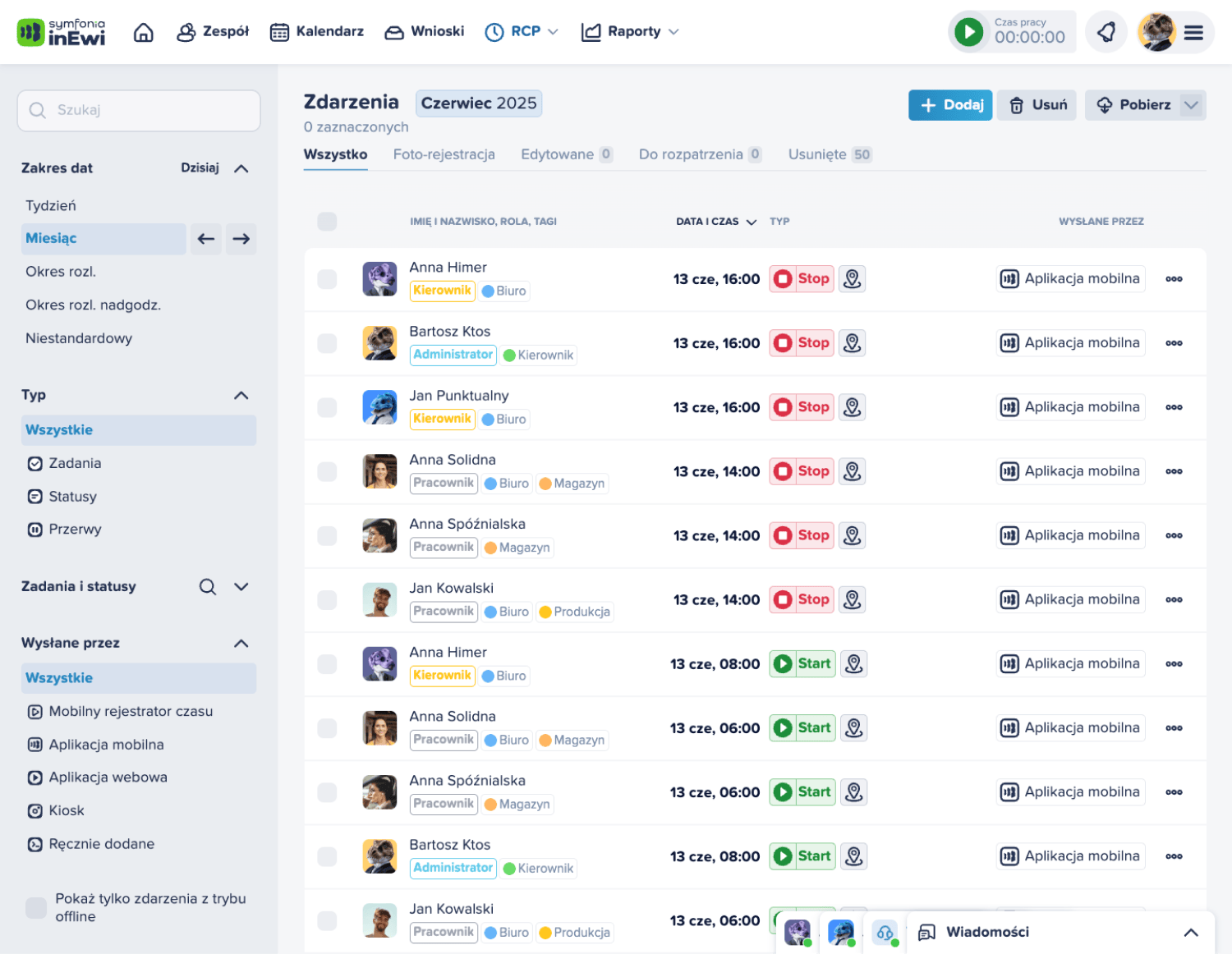
 inEwi inEwi | Attendance with selected modules | One module PLN 10.95 net/user/month annual; PLN 12.95 monthly | More modules change the price |
 Moniti Moniti | Field and on-site teams | Time PLN 9/employee/month + account from PLN 99, net, annual | GPS, tasks, leave, and schedules extra |
 Proplanum Proplanum | Schedule, actuals, payroll data | Biznes USD 4/account/month annual; USD 4.50 monthly, excl. VAT | Managers need paid accounts too; API only in Enterprise |
 Grafik Optymalny Grafik Optymalny | Complex schedules and day closing | Configured quote | 25-license minimum; time registration from Multi |
 RCPonline RCPonline | Attendance with device choices | PLN 4.50-8.50 net/employee/month, annual | MINI up to 10 people; methods depend on plan; add-ons extra |
 Unrubble Unrubble | Separate time, schedule, and leave modules | Module from USD 1/user/month annual; USD 1.25 monthly | Total depends on the modules you pick |
 Time Harmony Time Harmony | Operational attendance setup | Consultation and configured quote | Quote bundles software, terminals, and setup |
 Registo Registo | Simple attendance, flat PRO fee | Basic free; PRO PLN 99/30 days or PLN 599/365 days, gross | GPS, schedules, and leave in PRO |
 UnitagAtt UnitagAtt | Browser and tablet identification | Free up to 10 employees; above that PLN 2.50 net/employee/month | Schedules, leave, projects PLN 1.50 each |
 PlanujGrafik PlanujGrafik | Schedules with Premium attendance | Premium PLN 11.99 net/employee/month annual; PLN 14.99 monthly | Free plan covers schedules, not recording |
 GrafikPro GrafikPro | SMB mobile attendance | PLN 10 net/employee/month, monthly | Decide GPS and photo rules before rollout |
 Ewido Ewido | Small firms and accounting offices | Free up to 3; Starter PLN 4, Pro PLN 7 net/person/month | PIN kiosk from Starter, API from Pro |
 GrafikiOnline.pl GrafikiOnline.pl | Schedules and QR clock-ins | Package calculator by users and term | Compare a specific configuration |
 RCM Control RCM Control | Attendance with on-site readers | PLN 90 up to 10, PLN 198 up to 25, PLN 389 up to 50 employees/month, net | Activation and readers extra |
 Weekly by TIGAMI Weekly by TIGAMI | Field work: app and terminals | One-off setup, upkeep by user count; quote | Continuous location during shifts |
Time inside HR and CRM workflows
| Product | Best fit | Price | Watch out for |
|---|---|---|---|
 Calamari Calamari | Attendance beside HR modules | Working-time module PLN 7/employee/month annual; PLN 8 monthly | Ten-user minimum; other modules extra |
 HRappka HRappka | Polish HR and staffing operations | Time records PLN 6 net/employee/month | Ten-employee minimum; free manager accounts |
 HRnest HRnest | Attendance, leave, and business trips for a flat fee | Starter PLN 99 net/month annual, up to 10 employees | Trips from Podstawowy (Basic); projects, QR, Slack, and API from Rozszerzony (Extended) |
 iPersonel iPersonel | Planned vs. actual time beside payroll, from about 50 staff | Custom quote | Work-time planning is an add-on module |
 ePlanneR ePlanneR | Schedules and overtime classification | No public prices; demo | Attendance list from PROF; TimeSplit in ENTERPRISE |
 e-Pracownik e-Pracownik | Requests and time beside Symfonia payroll | License by user count; quote | Choose cloud, on-premises, or hybrid |
 Tillio Tillio | CRM with a work-time report | PLUS PLN 59 net/user/month annual; PLN 69 monthly | ONE without time records; PLUS: 15-user limit, 30 with add-on |
Which capture methods do attendance vendors document?
Kiosks or tablets (documented by 16 of the 17 vendors) and phone apps (15) are the most widely documented methods; card readers, photos, and offline capture vary by vendor. The cards below list the methods each vendor describes on its own site or help center. “Not documented” means the checked sources do not describe a method, not that it is confirmed absent. Each card links to the product profile and to the source; the profiles below cover details and limits.
Kadromierz
- Phone
- Browser
- Kiosk or tablet: PIN, QR
- Card or reader
- GPS at clock-in
- Photo
- Offline: app
inEwi
- Phone
- Browser
- Kiosk or tablet: QR
- GPS at clock-in
- Photo: face recognition
- Offline: app
Not documented: card or reader. Source
Moniti
- Phone
- Browser
- Kiosk or tablet: face recognition
- GPS at clock-in and on the route
- Photo
Not documented: card or reader, offline. Source
Proplanum
- Phone
- Browser
- Kiosk or tablet: PIN, QR
- Card or reader
- GPS at clock-in
- Offline: kiosk (PIN, QR)
Not documented: photo. Source
Grafik Optymalny
- Phone
- Browser
- Kiosk or tablet: QR
- Card or reader: barcode reader
Not documented: GPS, photo, offline. Source
RCPonline
- Phone
- Browser
- Kiosk or tablet: QR
- Card or reader
- GPS at clock-in and on the route
- Photo
Not documented: offline. Source
Unrubble
- Phone
- Browser
- Kiosk or tablet: QR
- GPS at clock-in
- Photo
- Offline: app
Not documented: card or reader. Source
Time Harmony
- Phone
- Browser
- Kiosk or tablet: PIN, QR
- Card or reader
Not documented: GPS, photo, offline. Source
Registo
- Phone
- Kiosk or tablet: PIN, QR
- GPS at clock-in
- Photo
Not documented: browser, card or reader, offline. Source
UnitagAtt
- Phone
- Browser
- Kiosk or tablet: PIN, QR
- Card or reader
- GPS at clock-in
- Photo
- Offline: browser cache
GrafikPro
- Phone
- Browser
- Kiosk or tablet: PIN
- GPS at clock-in
- Photo
Not documented: card or reader, offline. Source
Ewido
- Phone
- Browser
- Kiosk or tablet: PIN, QR
- GPS at clock-in
- Offline: app
Not documented: card or reader, photo. Source
GrafikiOnline.pl
- Kiosk or tablet: QR
Not documented: phone, browser, card or reader, GPS, photo, offline. Source
RCM Control
- Card or reader
- Offline: readers
Not documented: phone, browser, kiosk or tablet, GPS, photo. Source
Weekly by TIGAMI
- Phone
- Kiosk or tablet
- Card or reader
- GPS at clock-in and on the route
- Offline: tablets and terminals
Not documented: browser, photo. Source
Calamari
- Phone
- Browser
- Kiosk or tablet: QR
- Card or reader
- GPS at clock-in
- Photo
Not documented: offline. Source
HRappka
- Phone
- Browser
- Kiosk or tablet
- Card or reader
- GPS at clock-in
- Photo
Not documented: offline. Source
“GPS at clock-in and on the route” means the vendor documents route tracking in addition to the location check at the start and end of work. PlanujGrafik, HRnest, iPersonel, ePlanneR, and e-Pracownik have no card here. HRnest's methods are listed in its profile; confirm the others with the vendor.
Polish apps for project and client hours
Project trackers record how much time the team spent on clients, projects, and tasks and feed those hours into reports and invoices. Sandtime.io, TimeCamp, Timenotes, and WorkClocker are standalone trackers. Teamdeck and Primetric connect time with resource planning, IC Project and FlexiProject with project management, Clockwork with Jira, Kanban Tool with a task board, and Firmao with a CRM.
1. Sandtime.io: free project timesheets for unlimited users
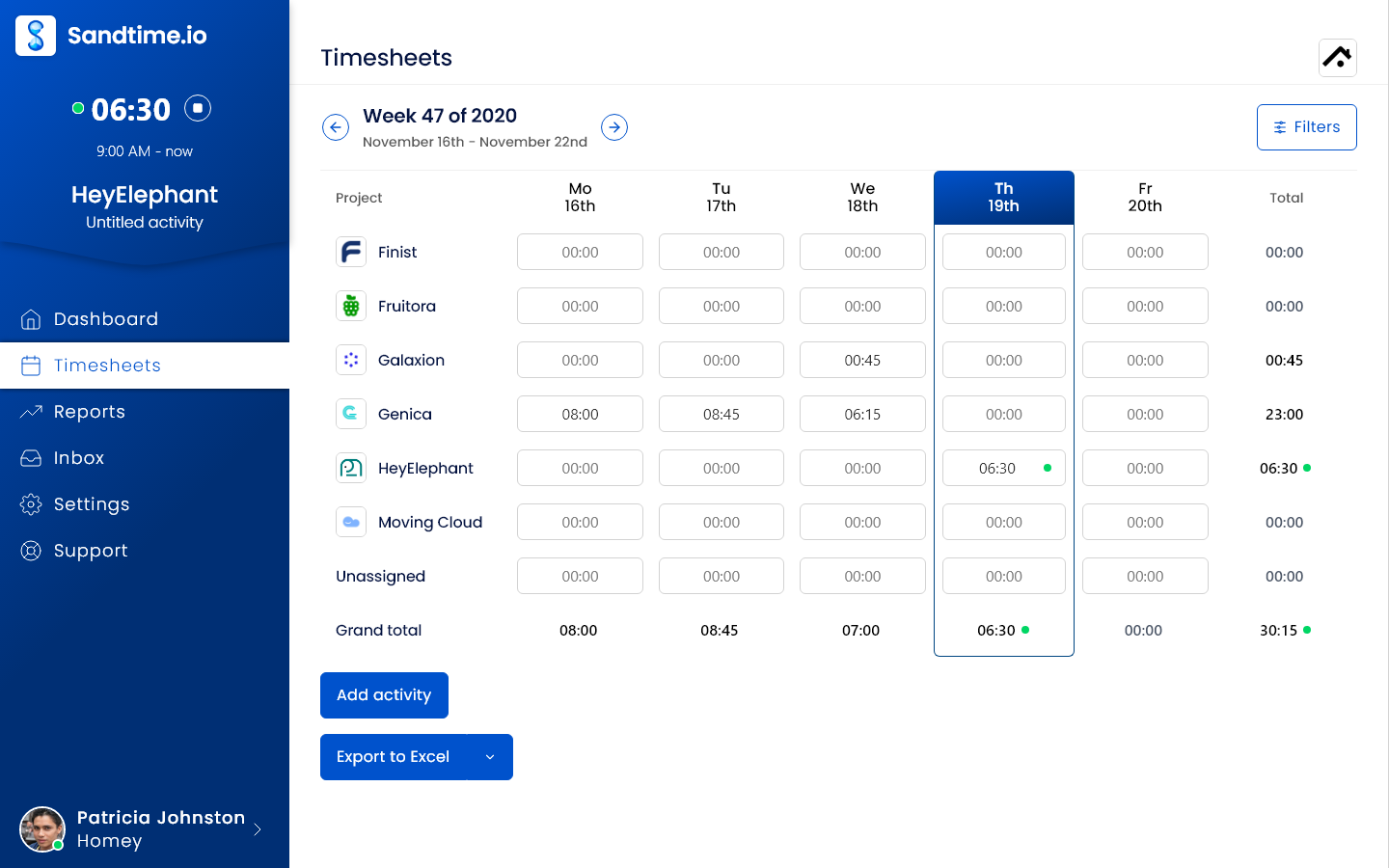
Sandtime.io suits agencies, consultants, freelancers, and project teams that need complete, reviewed hours ready for client reporting. It is developed by Sanddev sp. z o.o. in Wrocław (sp. z o.o. is the Polish limited liability company form). People record activities with a timer or by hand, assign them to projects, and mark them billable or non-billable. Cost and revenue rates keep their history, which makes reporting easier when a rate or currency changes.
Sandtime.io focuses on closing each week. Members select Submit for approval; an administrator approves or rejects the week, and approval locks it. When automatic weekly locking is on, an email reminder can go out on Fridays at 6 PM. The reminder does not check whether a timesheet is complete. The approval guide and reminder feature page explain the conditions.
Price and fit: the core product is free for unlimited users, including approvals and Excel/CSV exports. Registered nonprofits can request a custom offer.
Tradeoff: attendance clock-ins, shift scheduling, GPS, leave administration, and sending invoices need separate tools. Reports hand hours to the billing process already in place.
2. TimeCamp: project time with optional automatic capture
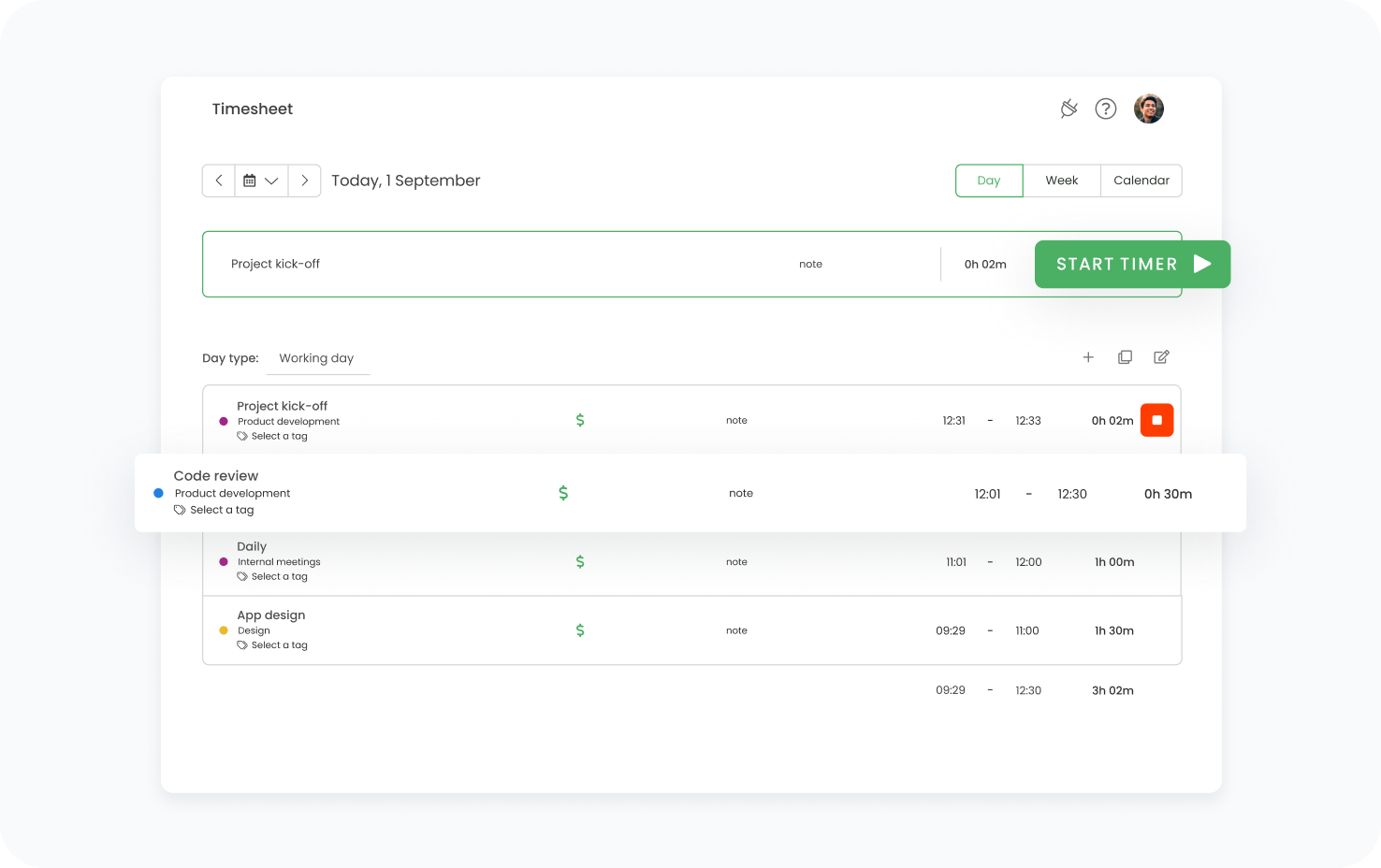
TimeCamp is for teams that bill project time and want help reconstructing their work on the computer; automatic capture and attendance features are optional. Its approval module takes timesheets daily or weekly, locks submitted and approved ones, and can approve them automatically after a chosen number of days. Its privacy policy names TimeCamp S.A. in Wrocław.
Price and fit: Free lists unlimited users and projects. Starter costs USD 3.99/user/month annually or USD 5.49 monthly. Timesheet approvals are in Ultimate (USD 9.99/user/month annually or USD 13.99 monthly), so price an approval workflow from that plan. Automatic AI suggestions are priced by usage. The Polish price page also quotes USD, and paying by bank transfer in PLN has to be arranged with the vendor.
Tradeoff: automatic capture can serve as a private memory aid, a shared log of app and website use, or an attendance record. Decide which one you want before rollout, since each collects different data about employees. Sandtime.io's TimeCamp comparison adds context for teams focused on self-reported project hours.
3. Timenotes: flat pricing for a project-time team
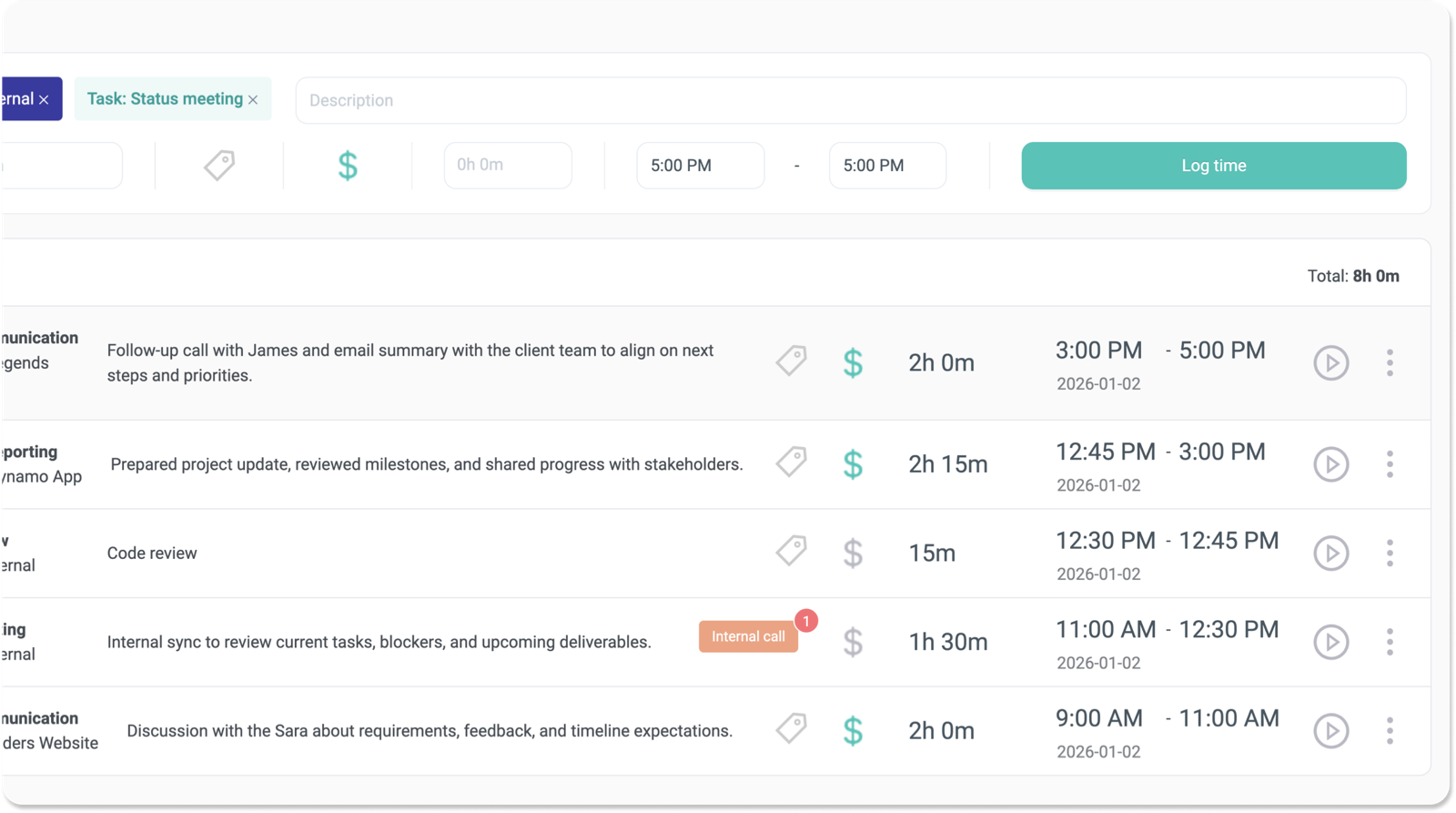
Timenotes is for teams that run tasks in Asana, GitHub, Trello, Todoist, or Basecamp and want a flat price for time tracking instead of a per-person rate. Tasks sync from those tools, alongside timers, reports, team rates, and budgets. According to its home page, every plan has all features, including timesheet approval and locking of approved periods. Its terms name Timenotes Sp.j. in Warsaw.
Price and fit: the current price list shows Solo at USD 0 for one active user, Small Team at USD 6.99/month for up to 10 active users, and Unlimited at USD 69/month for unlimited users. These are team totals, not per-person rates. Paid plans advertise a 30-day trial, and annual billing gives two months free.
Tradeoff: check how your task structure maps to projects and how records reach finance. A flat license saves per-person math, but it does not make the product suitable for shift attendance or Polish payroll.
4. IC Project: time recording inside project management
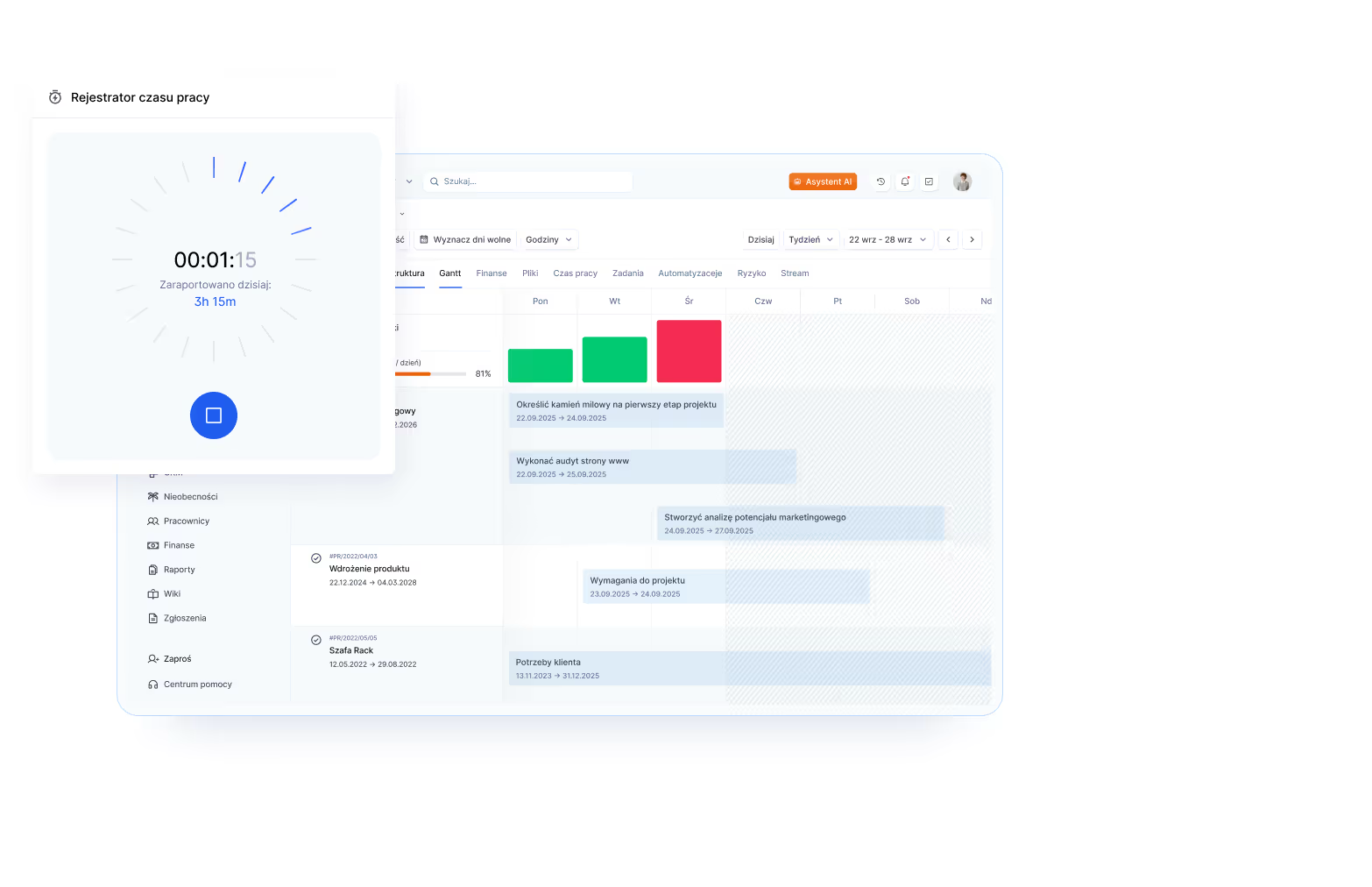
IC Project is for companies that want to plan projects, run tasks, and record time in one system instead of pairing a separate tracker with a task tool. Its time-recording feature offers a timer started from a task and manual entries added daily or weekly, and entries feed team timesheets that update in real time. Its terms name nGroup System sp. z o.o. in Kielce.
Price and fit: Basic includes time measurement, with a five-user minimum: PLN 39/user/month on annual billing and PLN 59 monthly. Premium adds financial management and conversion of time into cost. Check the final tax and contract terms.
Tradeoff: IC Project makes sense when you also need project management. Moving an established task workflow just to get a timer adds migration and adoption work.
5. Teamdeck: resource planning and timesheets in one calendar
Teamdeck is for agencies and software houses that book people onto projects and want to compare that plan with recorded time. Its timesheet page documents tagged entries (billable time is also set by tag), timesheet approval, and Google Calendar import. Its Project Budget report template sets the schedule against timesheets, so an overrun shows up before it happens. A timer is documented in the mobile app. Its terms name Teamdeck sp. z o.o. in Poznań.
Price and fit: the price list shows Full Member at USD 6/user/month monthly or USD 5.40 on annual billing. Light Member costs USD 2 monthly or USD 1.80 annually; Light Members cannot log in to the app, but their time can still be recorded. The Polish price page shows the same USD amounts. The trial lasts 14 days.
Tradeoff: Teamdeck pays off most when resource bookings stay current; without up-to-date capacity plans, the resource-planning features add little. In a pilot, run the Project Budget report on one project.
6. FlexiProject: working time inside project portfolio management
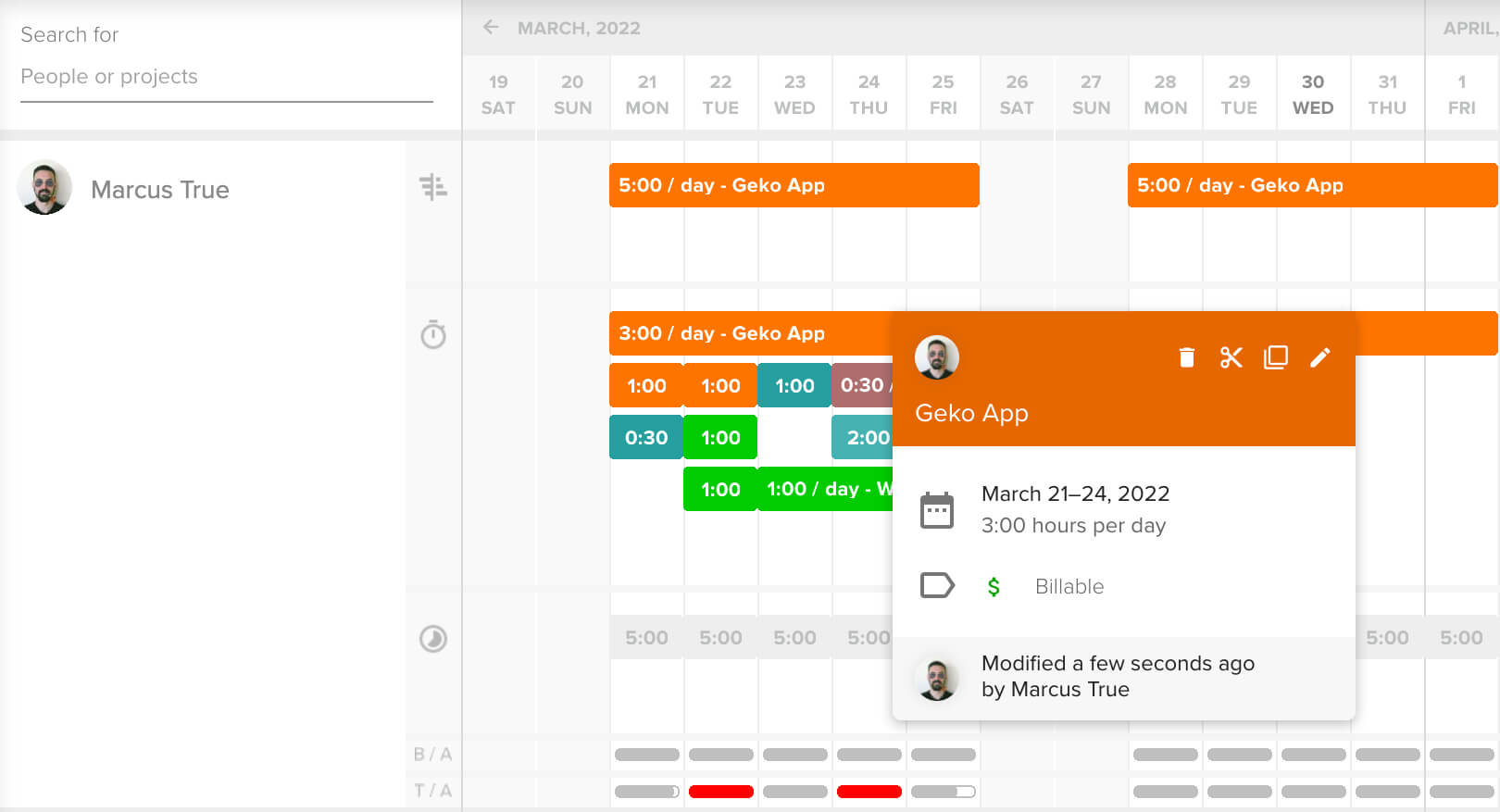
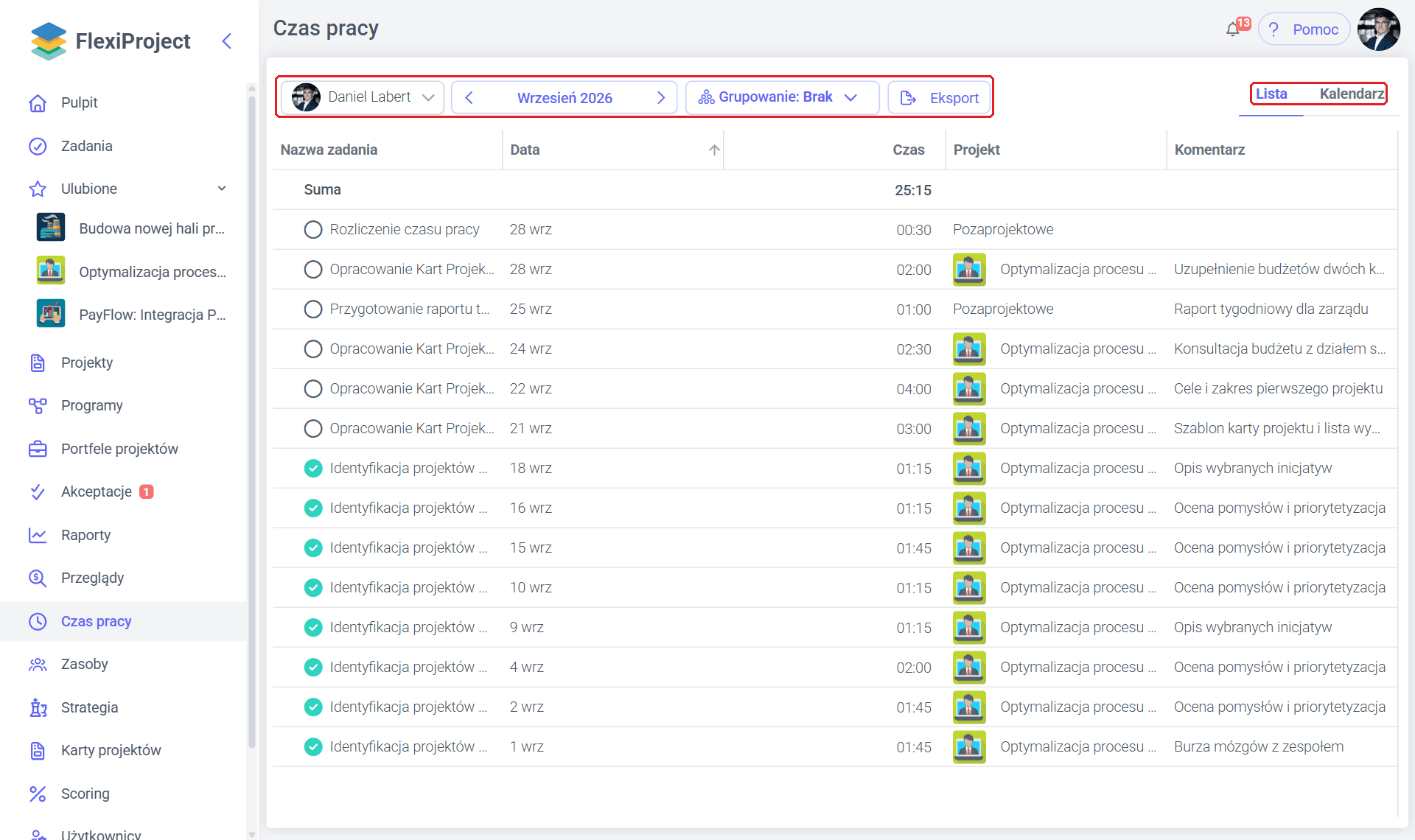
FlexiProject is for organizations with a project management office (PMO) that manage a project portfolio and want to compare planned effort with actual working time. With its working-time recording, employees log hours against tasks with a comment and get a personal timesheet with grouping and export, while managers and the PMO see time by day, week, or month. Its privacy policy names FlexiProject sp. z o.o. sp.k. in Warsaw.
Price and fit: the price list puts time recording in the Standardowa (Standard) license and up: PLN 60 net/user/month annually or PLN 75 monthly. Viewing other users' time takes the Pełna (Full) license at PLN 180 annually or PLN 225 monthly. License types can be mixed in one organization, so only the people who review team time need Pełna. The trial lasts 30 days.
Tradeoff: its pages describe entering hours on tasks, not a timer; if the team needs a timer, check for one during the trial. The product makes the most sense when the organization also needs portfolio management.
7. Primetric: resource planning, margins, and approved timesheets
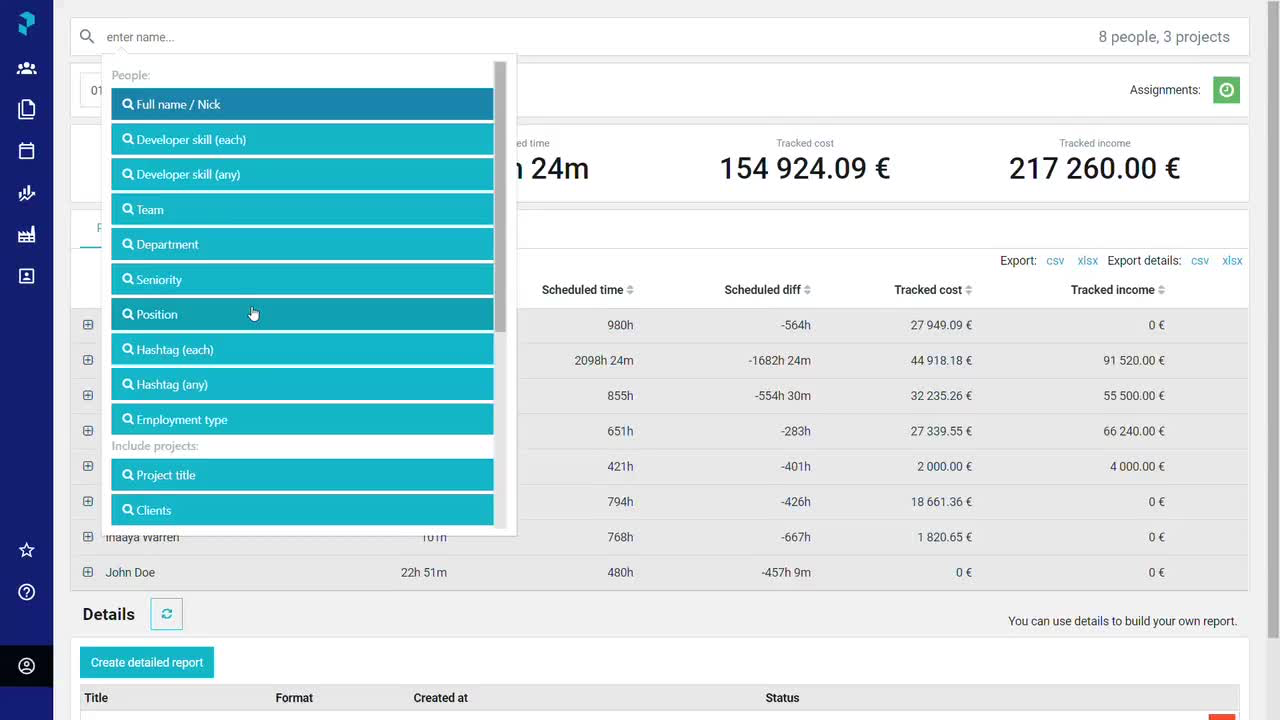
Primetric is for IT services firms and software development companies that plan who works on which project and want to see the margin behind recorded time. Its time and expense module takes entries from the calendar, a timer, and planned assignments, exports XLSX, CSV, and PDF, and syncs worklogs with Jira Cloud, Tempo, Harvest, and Clockify. Its terms name Primetric sp. z o.o. in Wrocław, a subsidiary of US-based BigTime Software.
Price and fit: the price page shows Standard and Enterprise only as custom pricing, excluding VAT. The plan description lists timesheet approval, T&M, Fixed Price, and Non-billable billing models, multiple currencies, and rates by project, role, and phase. The price calculator offers PLN, EUR, or USD billing. According to the FAQ, there is no free trial; implementation begins with a paid test phase.
Tradeoff: without a public rate, early comparison is harder. Ask for a quote that covers both the people who are planned and the people who record time; in many teams those groups differ.
8. Clockwork for Jira: automatic worklogs without leaving Jira
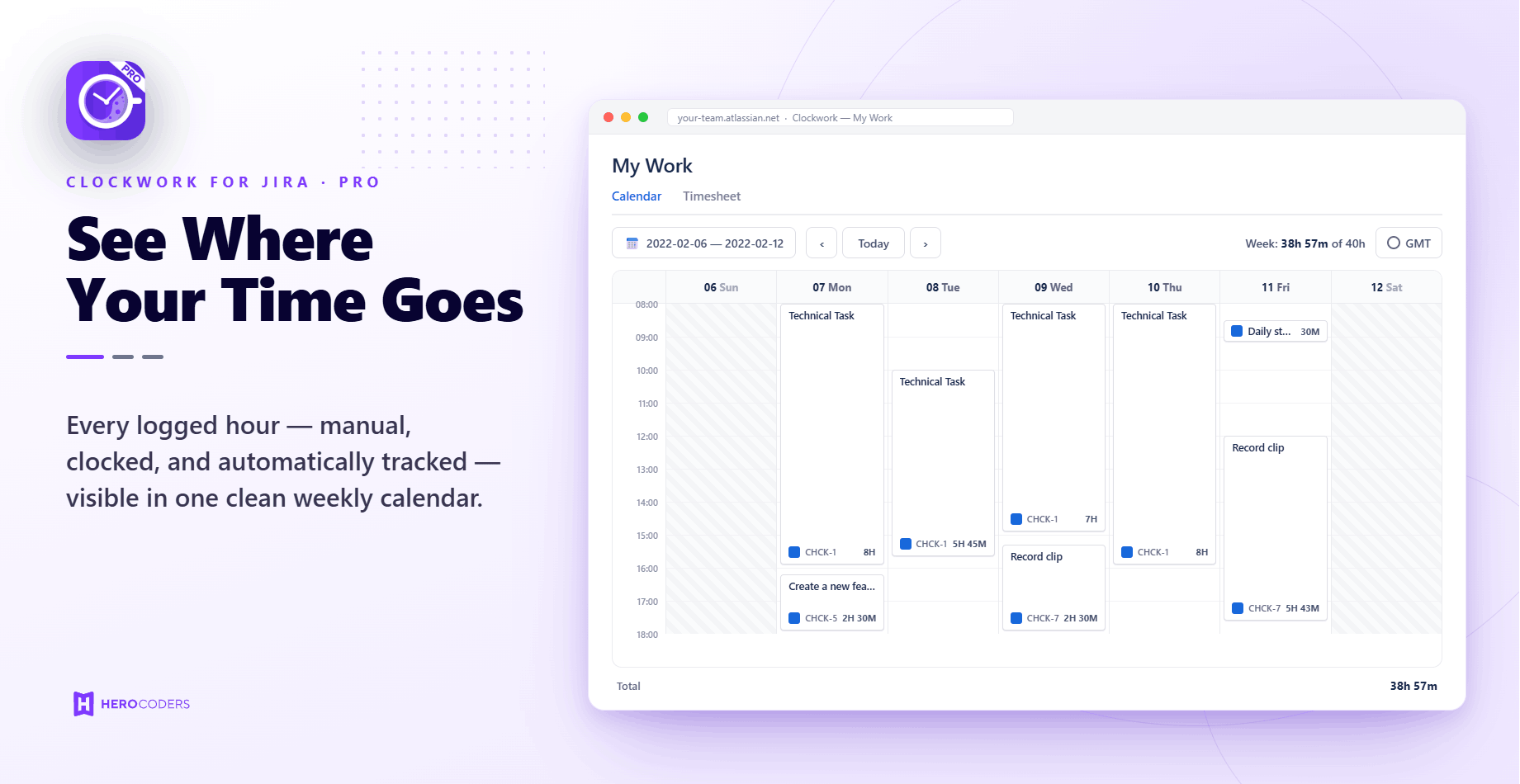
Clockwork is for teams that work in Jira Cloud and want worklogs to appear on their own, without a separate tracker. The Pro edition creates worklogs when an issue changes status, counting the assignee's working hours. It also adds timers, manual entries with custom fields, timesheet approvals that lock approved periods, and cost and rate reports. A workflow validator can stop an issue from moving to the next status until time has been logged. The app is made by HeroCoders sp. z o.o. in Gdańsk.
Price and fit: Atlassian Marketplace lists Pro free for up to 10 users. An annual license costs USD 325 for 25 users and USD 650 for 50; monthly billing is USD 1.30/user in the tier up to 100 users. The Pro trial lasts 30 days.
Tradeoff: according to the product page, the price depends on the number of users on the whole Jira site, not just the people recording time. If only part of the team works in Jira, compare the cost with a standalone tracker.
9. Kanban Tool: timers driven by card moves
Kanban Tool is for teams that run their work on a kanban board and want time measured without anyone having to remember a timer. According to its documentation, timers start, pause, and stop automatically as a card moves into a column marked as in progress, waiting, or done. Timers can also be started by hand, and missing time can be added from the card menu or corrected in the My work panel. The time report has summary and detailed views with PDF and CSV export. It is run by Kanban Tool sp. z o.o. in Katowice.
Price and fit: the price list places time tracking only in Enterprise at EUR 11/user/month. Free and Team do not list it. The trial lasts 14 days. The page does not say whether the amount excludes tax.
Tradeoff: automatic timing works only if people move cards consistently. Plan how to record work done outside the board.
10. WorkClocker: timer, rates, and invoices for freelancers
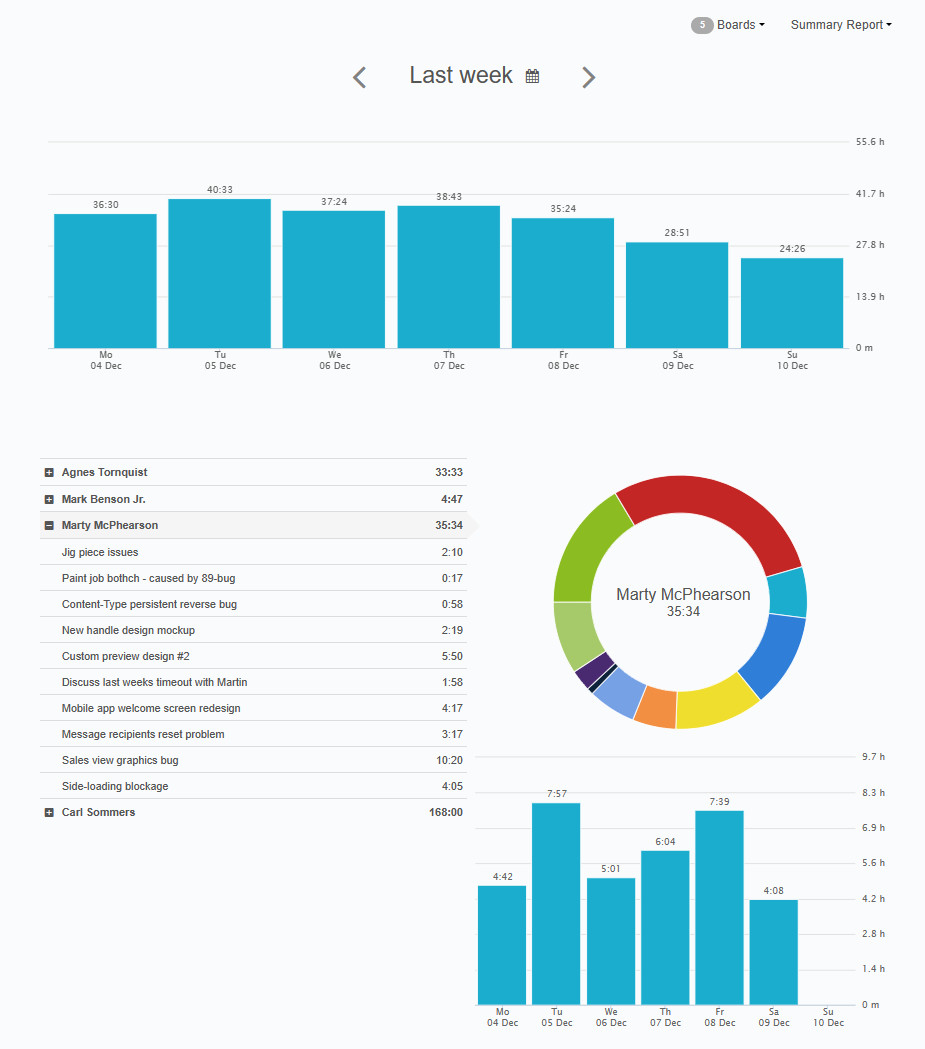
WorkClocker is for freelancers and B2B contractors who want to go from logged hours to a client report and an invoice in one tool. It combines a timer and manual entries with projects, tasks, tags, and hourly or flat rates in PLN, USD, EUR, or GBP. It also supports a flat fee with an hour cap, after which further hours are billed at the hourly rate. It produces Excel and PDF reports in Polish and English and issues VAT invoices, pro forma invoices, and corrections. Its terms name Vertiso Marcin Zagórski, a sole proprietorship in Radom.
Price and fit: the price list shows one plan, Premium, with time tracking, a to-do list, CSV, Excel, and PDF reports, hour rounding, and invoicing. It costs PLN 29 net/month on annual billing or PLN 36 monthly, and the terms provide 30 days of free access.
Tradeoff: the price list does not say whether the price is per user, and the linked pages do not describe approvals or team workflows. If a team rather than a single freelancer will use it, confirm both with the vendor.
11. Firmao: task time inside a CRM
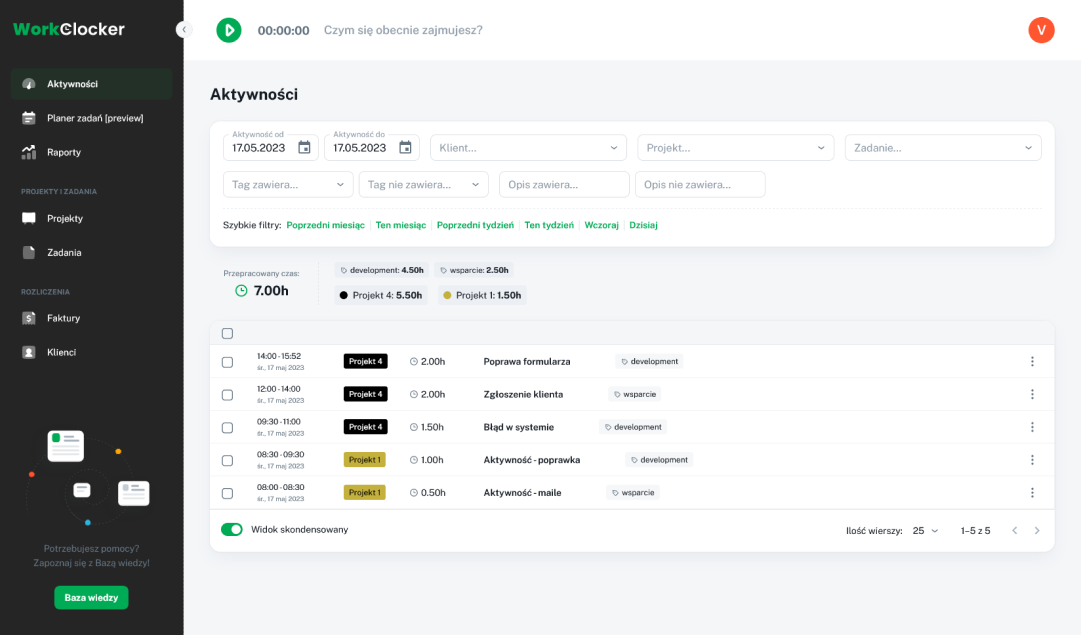
Firmao is for companies that want a Polish CRM with invoicing through KSeF (Poland's national e-invoicing system) and want to record task time in the same place. Its working-time module takes manual entries or a timer run on the current task; pausing or finishing the work sets the task to paused or closed, and the company can require a comment when work stops. Entries can be planned or actual, reports group time by company, project, equipment, and employee, and an administrator can stop people from editing their own time. Its terms name Firmao Polska sp. z o.o. in Łódź.
Price and fit: time records are in every plan; Standard costs PLN 93 net/seat/month on monthly billing and PLN 69 on a 12-month term. The working-time module is off by default and is switched on in the company settings.
Tradeoff: Firmao makes the most sense when you need the CRM anyway. The linked pages do not describe timesheet approvals or billing rates for time; confirm them with the vendor.
Polish apps for shifts, attendance, and field work
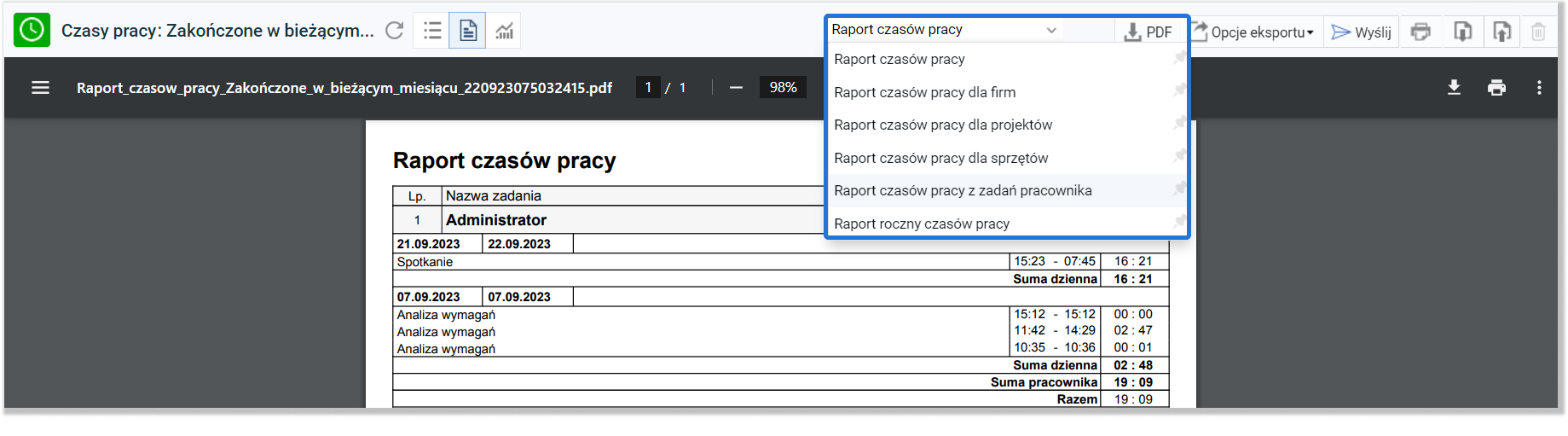
Attendance systems record the start, breaks, and end of work, compare them with the schedule, and pass approved hours to payroll. The 16 products here differ mainly in capture method (phone, kiosk, card, GPS), whether scheduling is included, and the billing model: per person, with a base fee, or by company band.
12. Kadromierz: from schedule to payroll-ready records
Kadromierz is for shift-based businesses where managers build changing schedules and HR reconciles worked hours against them. It connects employee availability, shift planning, attendance registration, leave, and work-time records. What sets it apart is the Premium tier's sales forecasting, automatic scheduling, and %COL and SPMH metrics, which help match store or restaurant staffing to expected traffic. Its terms name Kadromierz sp. z o.o. in Wrocław.
Price and fit: its price list separates planning from attendance. “Planuję czas pracy” (scheduling) starts at PLN 12.99 net/employee/month annually, and time registration starts with “Planuję i rozliczam” (scheduling plus time records) at PLN 15.99. That tier adds app, QR, and PIN clock-ins with GPS and photos, 50% and 100% overtime, and exports to the Polish payroll systems Comarch, Sage, Enova, and R2Płatnik. Premium starts at PLN 19.99.
Tradeoff: evaluate a whole shift, including a swap or absence and a later correction, instead of stopping at the schedule editor. Sandtime.io's Kadromierz guide and Kadromierz comparison explain where attendance and project records can coexist.
13. inEwi: modular attendance, schedules, and leave
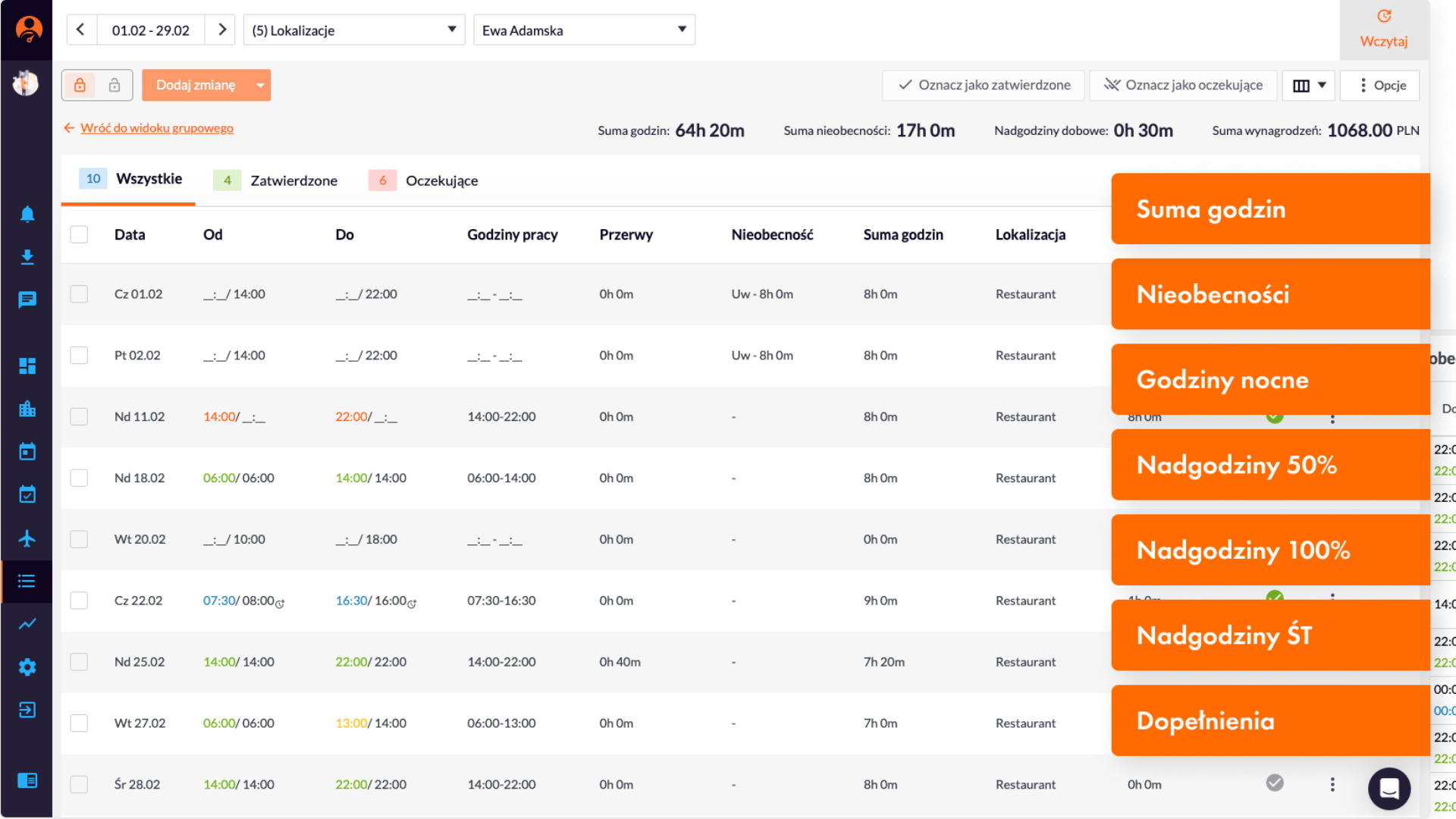
inEwi is for small and midsize companies that want to buy only the modules they need (attendance registration, schedules, or leave requests) and pay only for actual users. What sets it apart is time snapping: clock-ins and clock-outs within set limits are automatically assigned to the scheduled hours, which simplifies settling shifts. It is run by inEwi sp. z o.o. in Bielsko-Biała, part of the Symfonia group since 2025.
Price and fit: one selected module starts at PLN 10.95 net/user/month annually or PLN 12.95 monthly, with no minimum number of users and a 14-day trial. The calculator on the same page prices all three modules for 25 users at PLN 498.75 a month with annual billing, or PLN 19.95 per person.
Tradeoff: a phone, a kiosk, a GPS check, and photo verification each feel different to employees. Use a pilot to see what happens after a forgotten clock-out and which reviewed hours reach payroll.
14. Moniti: attendance for on-site and mobile teams
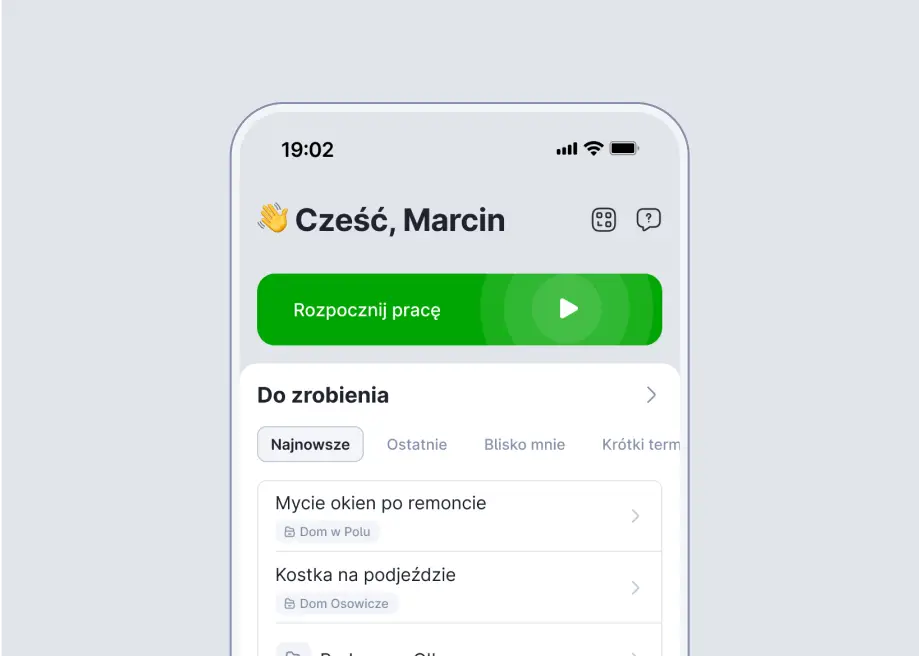
Moniti is for companies whose people work away from the office, such as cleaning crews, service technicians, drivers, or seasonal workers, and confirm attendance with a phone, a photo, and a location. Its time module records working hours, while GPS monitoring, tasks, leave, and schedules are separately priced modules. What sets it apart is that administrator and manager accounts that do not use the modules themselves are free, and each module can have a different number of seats. Its privacy policy names Tres Comas sp. z o.o. in Warsaw.
Price and fit: annual-plan monthly equivalents are PLN 9/employee for time recording, PLN 9 for GPS, PLN 9 for tasks, and PLN 6 each for leave and schedules. The base account fee starts at PLN 99/month; all amounts are net. API access is listed in Enterprise.
Tradeoff: decide whether location should be checked at clock-in and clock-out or monitored throughout the shift. A useful pilot includes travel, a break, poor connectivity, and a corrected entry.
15. Proplanum: shift attendance reconciled with the plan
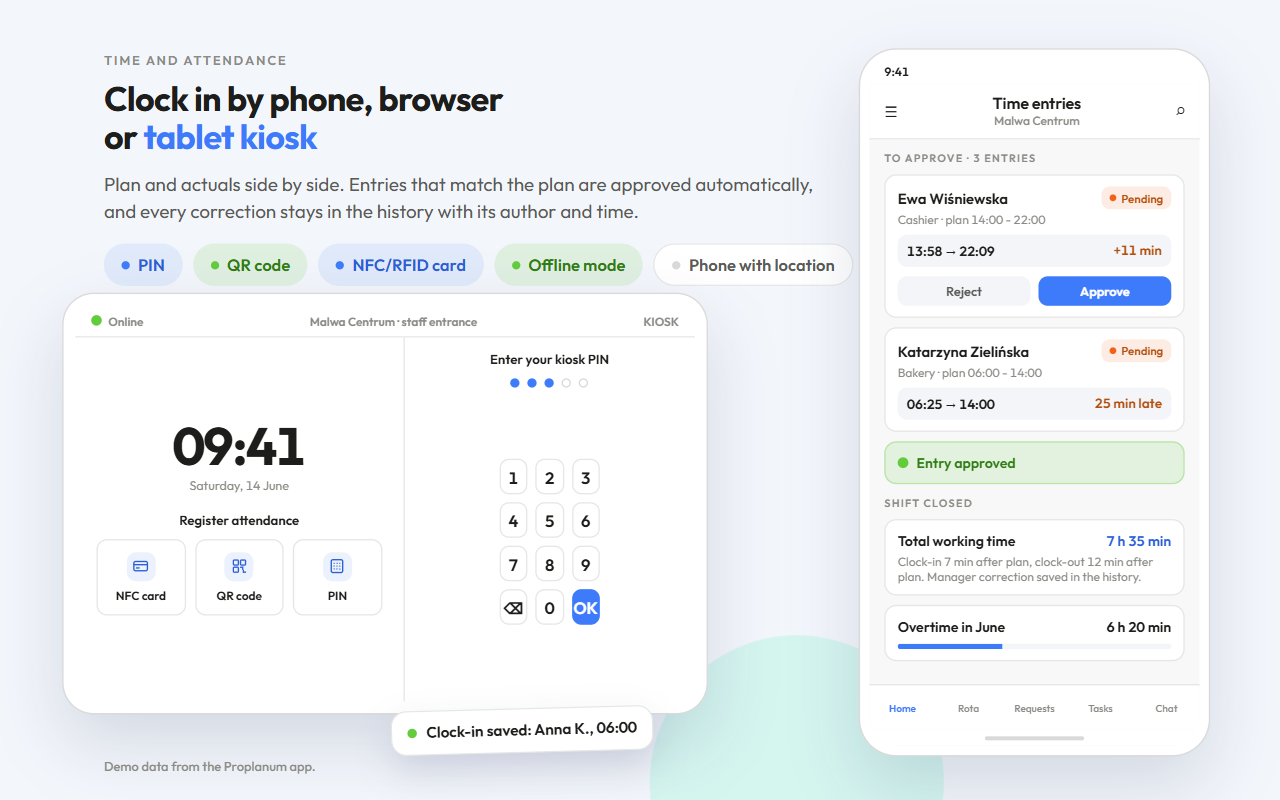
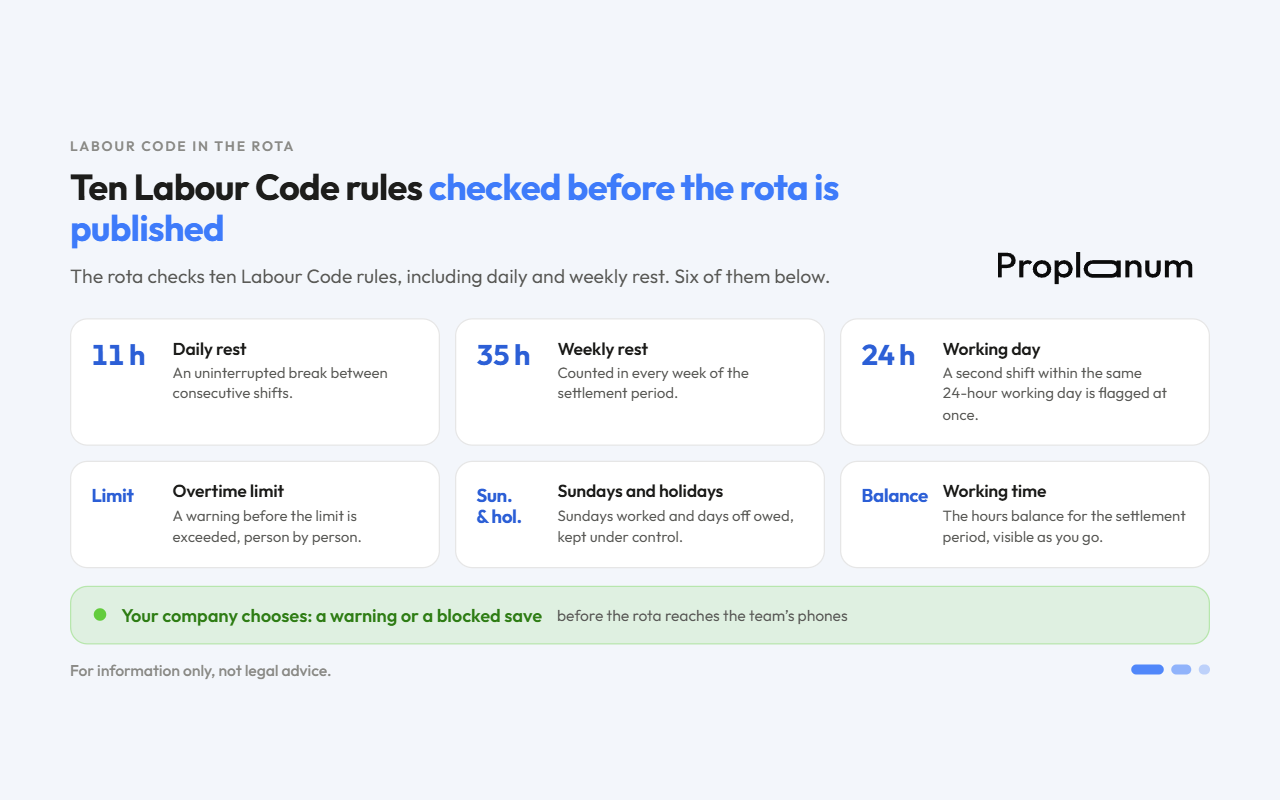
Proplanum connects schedules with time recording for shift-based businesses. Its time-recording page describes clocking in by phone, browser, or tablet kiosk (PIN, QR, or an NFC/RFID card with a reader), with planned hours shown beside actuals. Entries that match the plan approve themselves, and every correction stays in the history with its author and time. The kiosk accepts PIN and QR without internet, and the phone checks location when a shift starts. Before a schedule is published, the system checks it against ten configurable Polish Labor Code rules, such as daily and weekly rest and the 24-hour working day, and the company chooses whether a breach triggers a warning or a block. Its terms name Proplanum sp. z o.o. in Siedlce.
Price and fit: Biznes is the first plan with recording: USD 4/account/month annually or USD 4.50 monthly, excluding VAT, with a 21-day trial. Every employee, manager, and administrator account needs a license; the Start plan covers scheduling only.
Tradeoff: integrations are mainly files with import instructions for nine HR and payroll systems used in Poland. Only ADP exchanges data both ways. Sick notes (e-ZLA) arrive from ZUS (the Polish social insurance agency), and the API requires Enterprise. Demand forecasting and automatic scheduling require Premium, and the vendor does not document project-based client billing.
16. Grafik Optymalny: complex schedules and actual-work reconciliation
Grafik Optymalny is for midsize and large employers, including multi-site chains, with complex work patterns and a formal day- and month-closing process. It combines workforce planning with time registration by QR code or barcode and recording in the employee panel. What sets it apart is day closing: recorded events are compared with the actual-work schedule and transferred to it, with differences highlighted in red. Its terms name Grafik Optymalny sp. z o.o. in Kraków.
Price and fit: the price page shows no rates. The single-site Podstawowy (Basic) package requires at least 25 licenses, and the package table marks time registration from the Multi package; the standard contract runs 12 months. The registration module page says it carries no extra charge. Ask for an offer that names the package with registration, the payroll connection, and the implementation cost.
Tradeoff: in a trial, test an overnight shift, a missing event, and an adjustment after a day has closed. Then check what HR can reopen and which changes stay traceable.
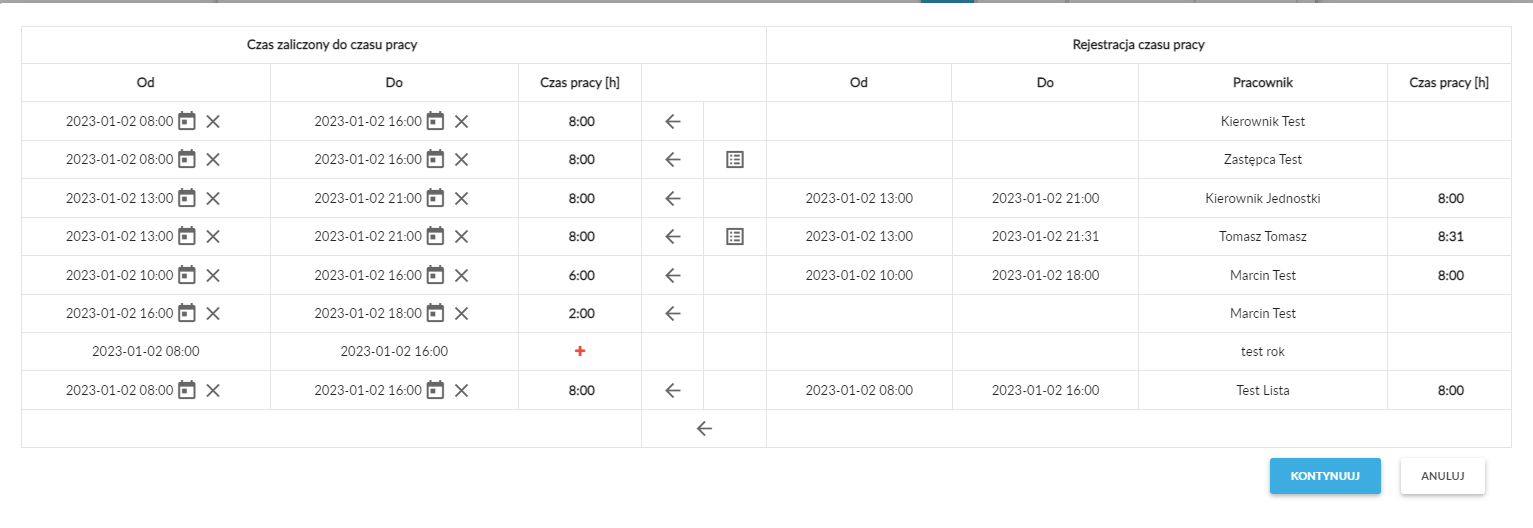
17. RCPonline: attendance with hardware and mobile options
RCPonline is for companies that want to price office readers and a field app from one vendor at a low per-employee rate. It combines working-time records, schedules, absences, and optional registration and location services. What sets it apart is reader rental: devices arrive locked in kiosk mode with a stand and service. Rental costs PLN 80 net a month for a QR reader, PLN 90 for NFC, and PLN 110 for an IP68 model, plus a PLN 199 activation fee per device. Its terms name RCPonline sp. z o.o. in Leszno.
Price and fit: the annual price list shows MINI at PLN 4.50, STANDARD at PLN 6.50, and BIZNES at PLN 8.50 net/employee/month. MINI covers up to 10 employees, and the number of capture methods grows with the plan (MINI one, STANDARD two, BIZNES all). Paid add-ons per employee per month are Location BASIC (PLN 1), Location PREMIUM with route tracking (PLN 3), photo registration (PLN 1), and projects from STANDARD (PLN 2).
Tradeoff: check how employees clock in without their phones, what the selected device does during an outage, and whether a correction reaches the exported record.
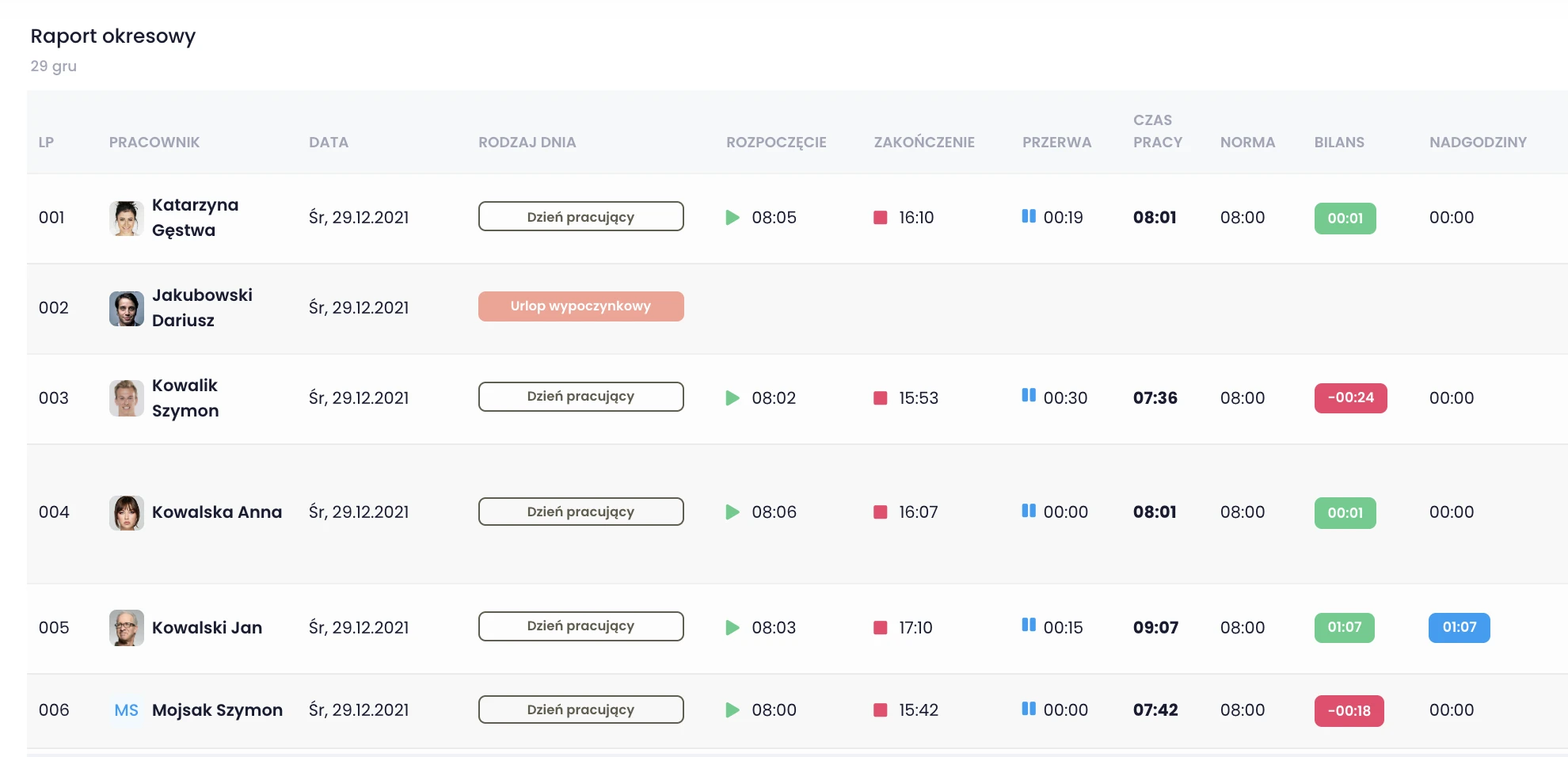
18. Unrubble: buy attendance, schedules, and leave separately
Unrubble is for teams that want an English-language offer priced in US dollars and plan to buy attendance, schedules, and leave as separate modules. Its pricing and feature page describes the Time Tracking, Scheduling, and PTO Tracker modules, custom work statuses, geofencing, and facial recognition. Its terms name inEwi sp. z o.o. in Bielsko-Biała as the operator, so compare it with inEwi.
Price and fit: a module starts at USD 1/user/month annually or USD 1.25 monthly, with no minimum number of users and a 14-day trial. The calculator on the pricing page puts all modules for 25 users at USD 62.50 a month with annual billing. It is free for nonprofits.
Tradeoff: check that your payroll software accepts its PDF, CSV, or XLSX export and that the app's offline storage holds up where coverage is weak.
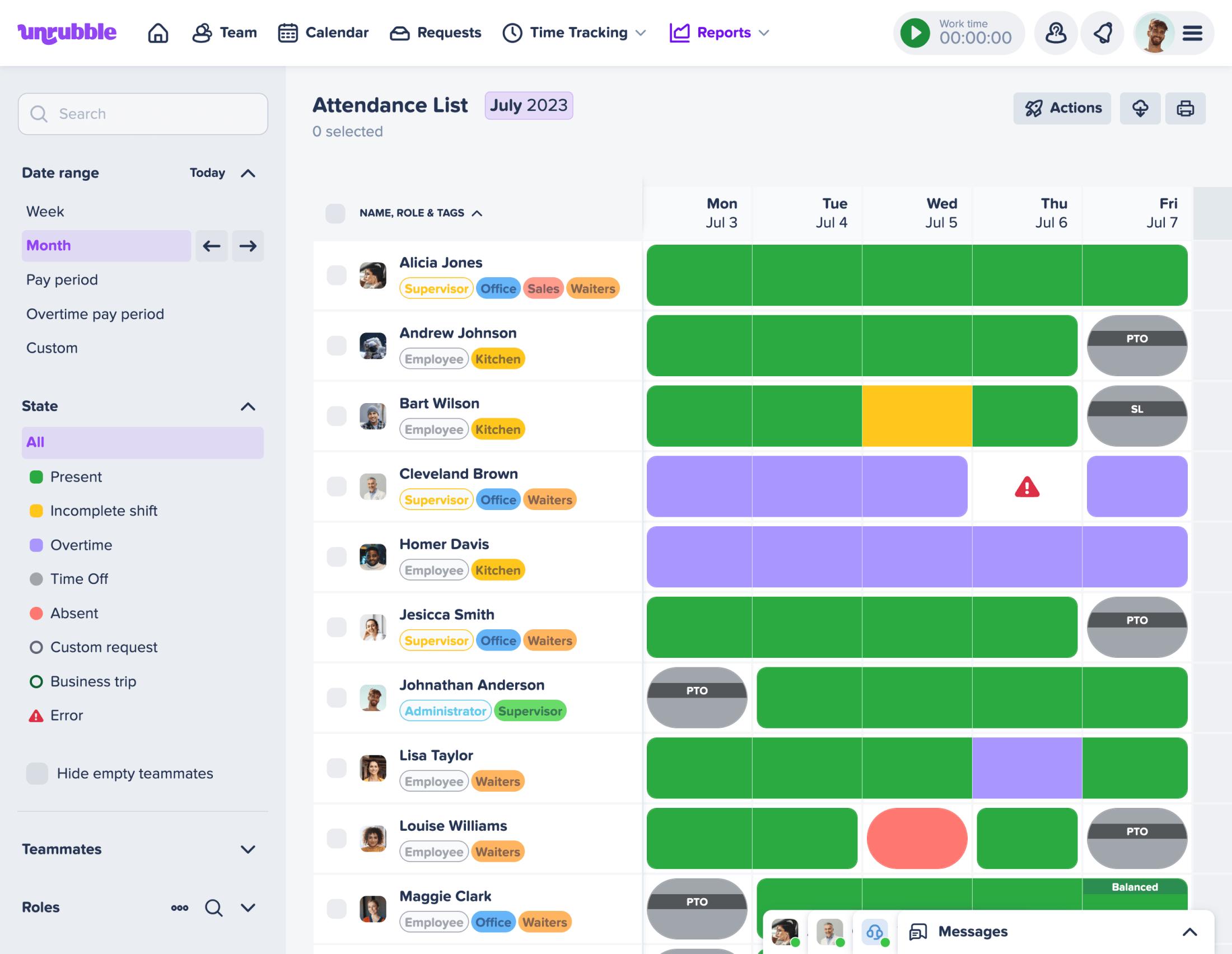
19. Time Harmony: operational attendance setup
Time Harmony is for warehouses, manufacturers, service companies, and staffing agencies that want software and on-site terminals rolled out together. It is developed by P2P2 sp. z o.o. in Warsaw and covers clock-ins by RFID card, QR code, PIN, smartphone, or employee panel, plus schedules, records, and reporting. What sets it apart is its activity measurement module, which lines up attendance events with data from WMS/ERP systems, scanners, and turnstiles and calculates idle time. Ask for a configured offer that separates licenses, terminals, setup, support, and integrations.
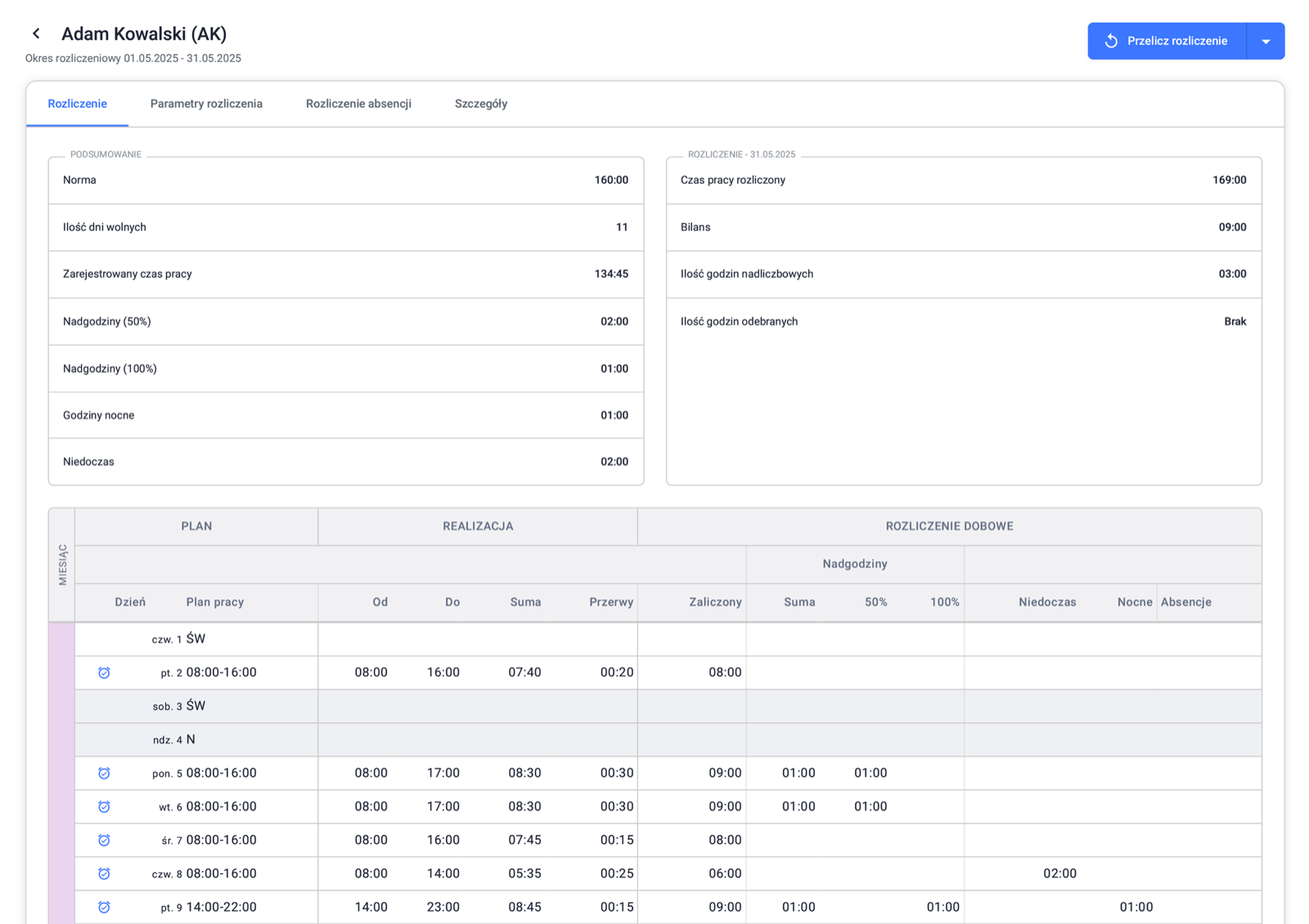
20. Registo: simple attendance and a flat PRO fee
Registo is for small businesses that want to start with free attendance and later pay one flat fee for the whole company instead of a per-employee rate. The free basic version covers QR/PIN attendance and breaks for unlimited employees. PRO adds schedules, leave, and GPS controls, plus company vehicle and business-trip management. It costs PLN 99 gross per 30 days or PLN 599 gross per 365 days, with a 30-day trial. Because that flat price is gross (VAT included), it is not directly comparable with a net per-employee subscription. Its terms name NSF sp. z o.o. in Opole.
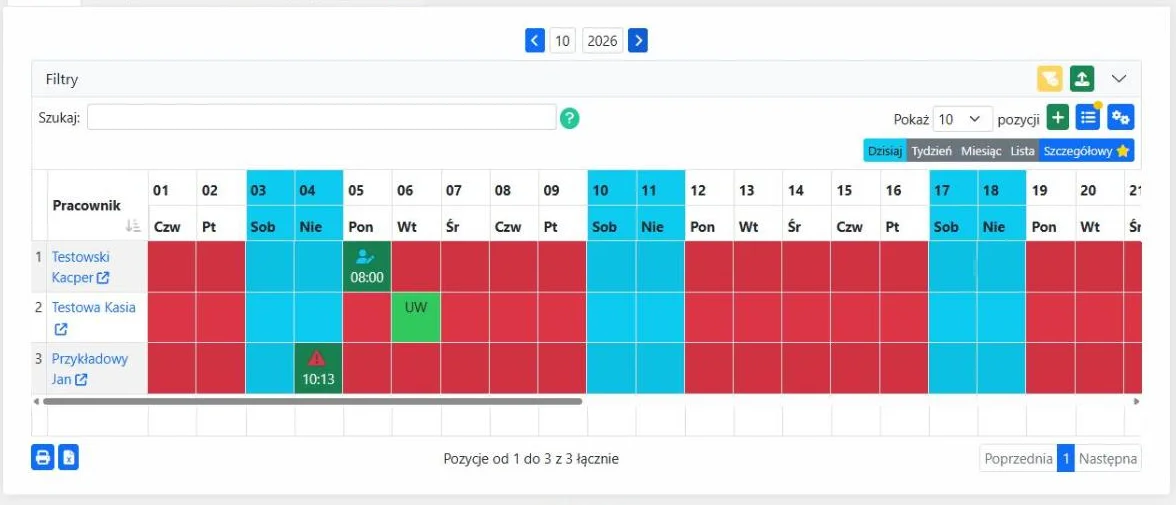
21. UnitagAtt: browser and tablet identification choices
UnitagAtt is for small businesses that want low-cost attendance on a company tablet or employees' phones with nothing to install, because it runs as a browser app. It records arrivals, departures, breaks, and time out of the office on business by NFC, QR, PIN, or phone. Its price list makes the MAX10 plan free for up to 10 employees; from 11 employees, every user costs PLN 2.50 net per month. Schedules, leave requests, and projects cost PLN 1.50 net each, the employee portal and photo capture cost from PLN 1, and a tablet with an NFC reader costs PLN 990 net. Its privacy policy names PG Software in Smolna.
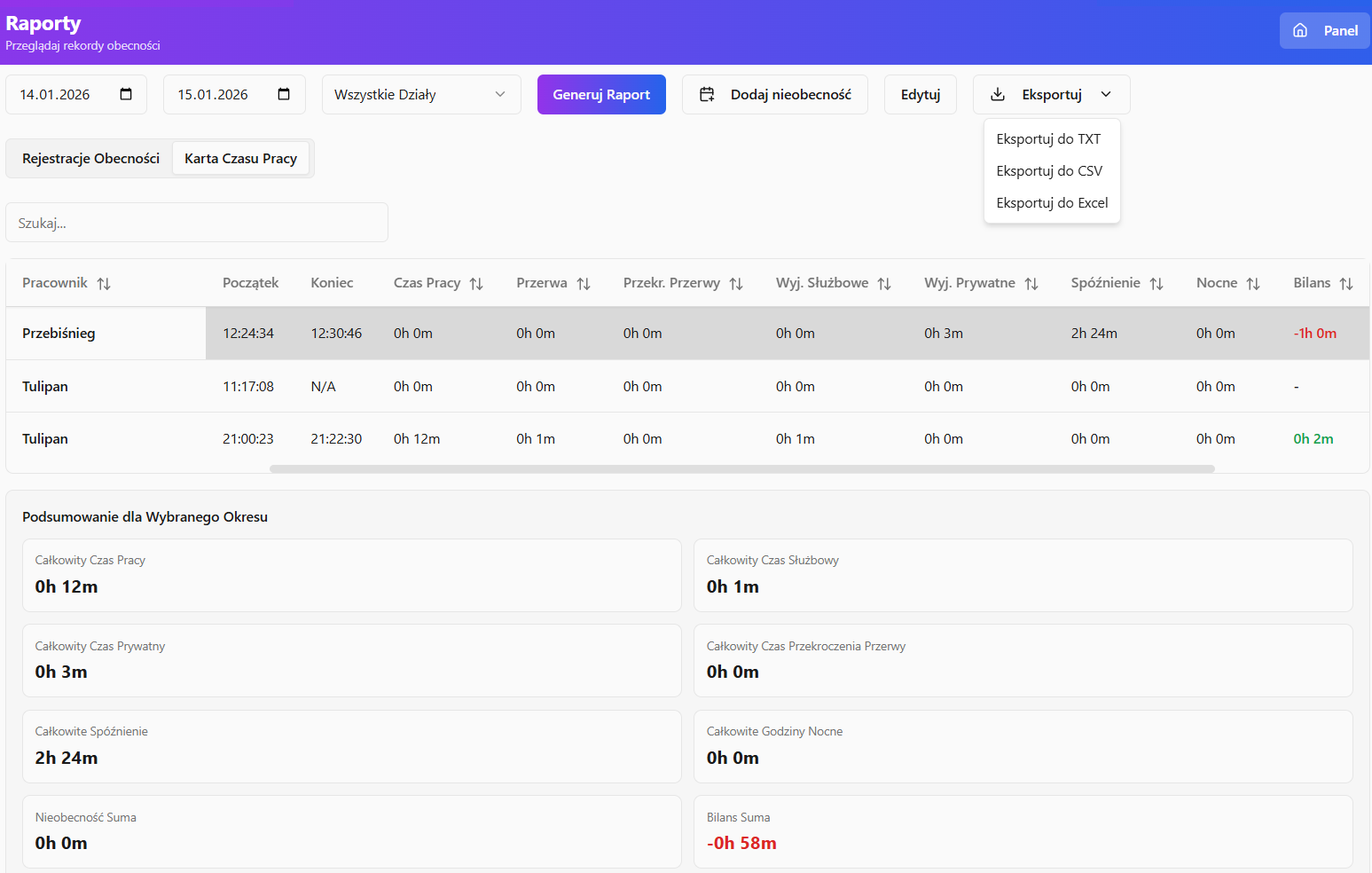
22. PlanujGrafik: schedules with Premium attendance
PlanujGrafik is for teams that start with free scheduling and add time recording later. The permanent free Podstawowy (Basic) plan covers schedules, availability, and the mobile app for up to 20 employees, while time recording, plan-versus-actual comparison, reports, and leave requests start with Premium. Standard Premium pricing is PLN 11.99 net per active employee per month annually or PLN 14.99 monthly, and the plan also includes unlimited automatic schedule generation. A first-invoice discount is a separate offer and is not reflected in these figures. Its contact page lists Vaeron Technologies sp. z o.o. in Wrocław.
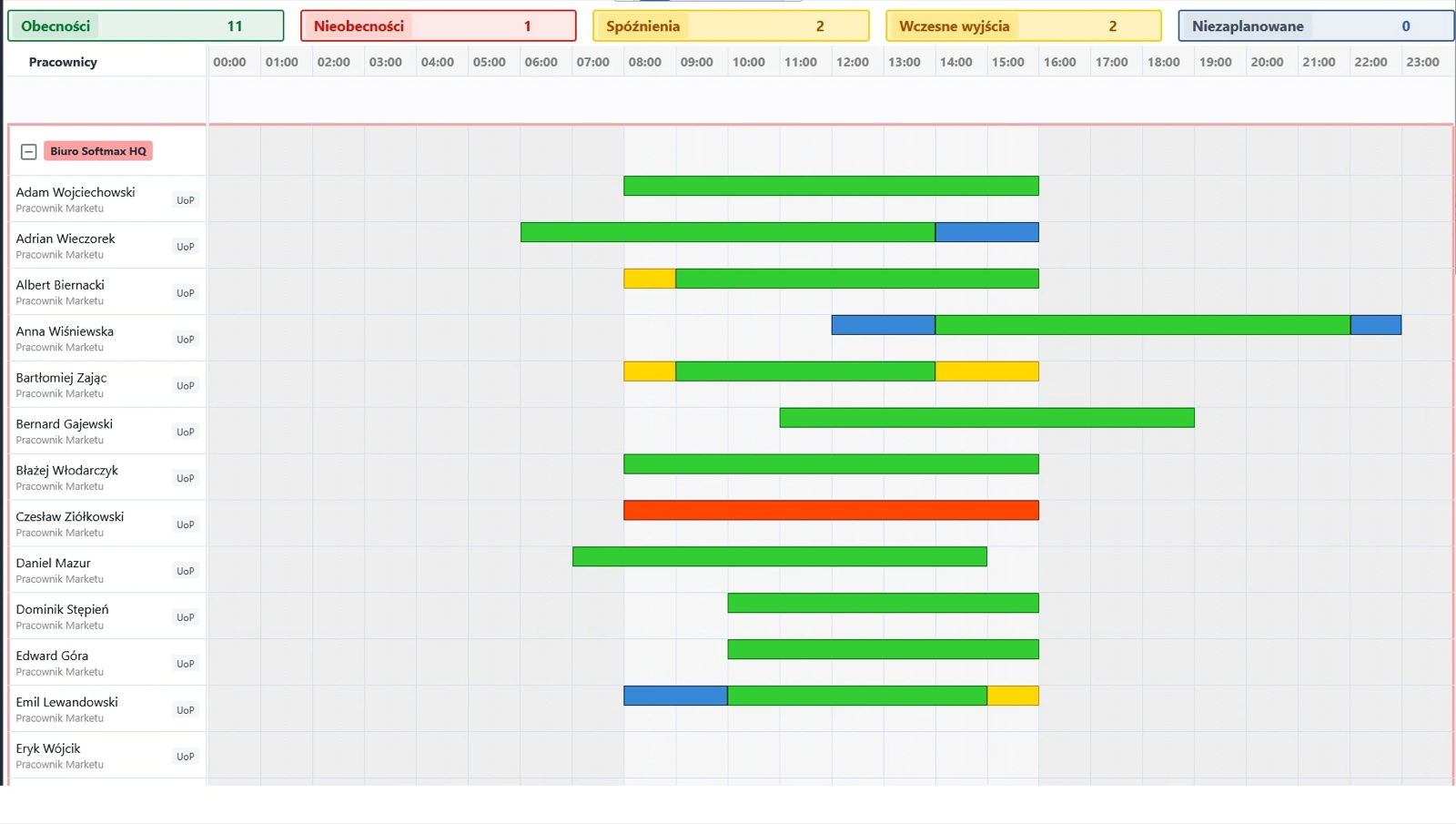
23. GrafikPro: SMB mobile attendance
GrafikPro is for small and midsize businesses that want one subscription with no add-on modules and no long contract. Employees record start, end, and breaks on their own phones with a photo and GPS location, or on a shared kiosk tablet with a PIN and a photo. Its subscription covers schedules, attendance, and leave for PLN 10 net/employee/month, can be canceled at any time, and comes with a 14-day trial. You choose the kiosk hardware yourself: the vendor focuses on software and recommends compatible devices. Its terms name a sole proprietorship run by Kamil Oksztulski in Warsaw.
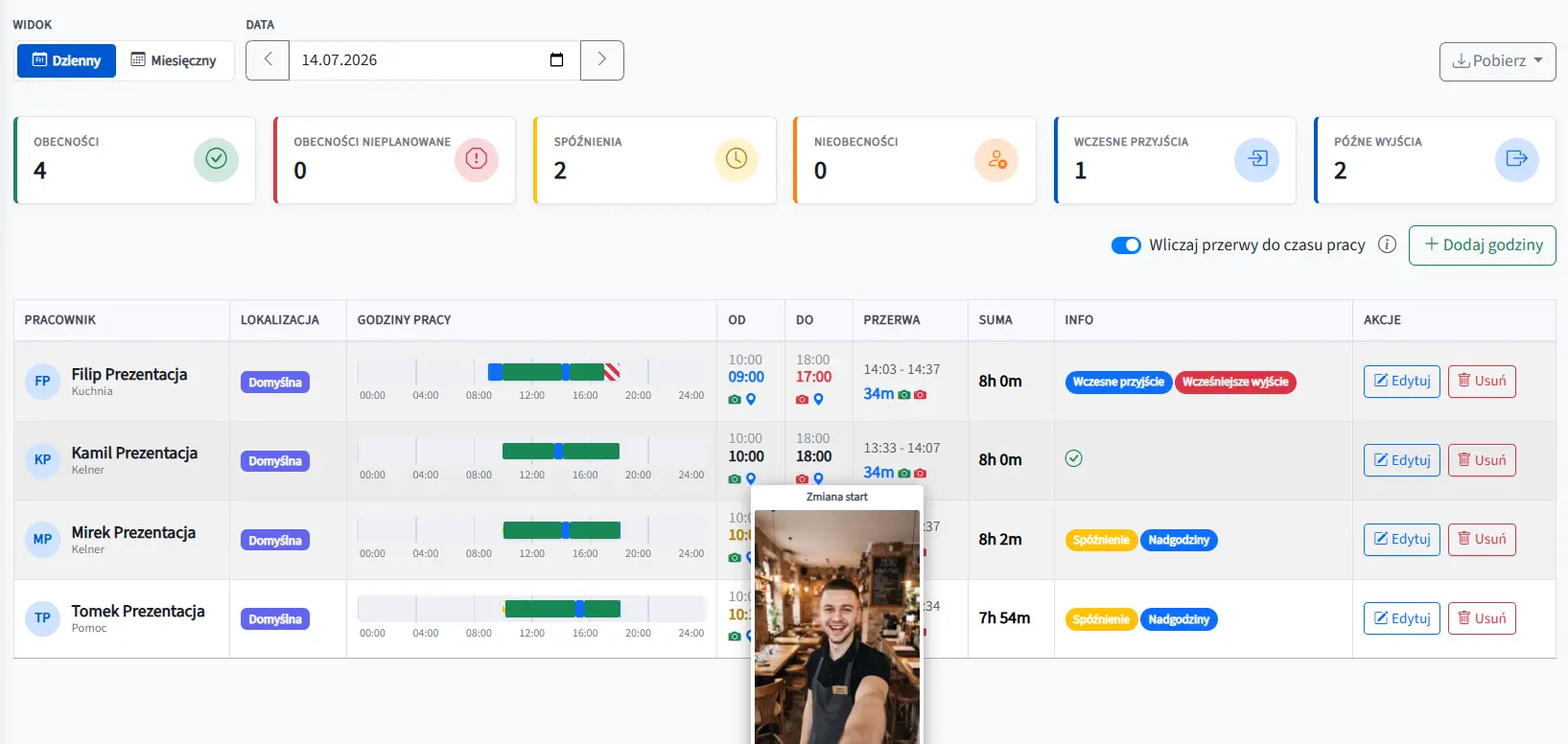
24. Ewido: small-team attendance records
Ewido is for small businesses and accounting offices that keep records for several companies from one account: paid plans have no company limit, and Pro adds a cross-company view. The vendor describes recording start and end times in a browser, a mobile app, or a PIN or QR kiosk, and through the API. Free covers up to three employees, Starter (PLN 4 net/person/month, up to 50 people) adds the PIN kiosk, and Pro (PLN 7, up to 200 people) the REST API. Even Free keeps an audit trail of changes; test it together with the export on your own sample data. Its terms name Apify Karol Marcinkiewicz, a sole proprietorship in Łódź.
25. GrafikiOnline.pl: schedules and QR clock-ins
GrafikiOnline.pl, running since 2010, is for businesses that mainly need schedules compliant with the Polish Labor Code and want simple QR clock-ins alongside them. Its package page lists the QR time recorder among the modules every package includes, and a separate Android app works as the reader. The price depends on a headcount band and a prepaid term: 3, 6, or 12 months bring a 10%, 20%, or 30% discount, and nonprofits can get 50% off by contacting the vendor. Enter your actual user count and term in the calculator; the default package is not a standard per-user rate. Its privacy policy names GrafikiOnline.pl Tomasz Kwiatkowski, a sole proprietorship in Kielce.
26. RCM Control: online attendance sold with readers
RCM Control is for plants, warehouses, and construction sites with a fixed entry point that want attendance software and readers from one vendor, RCM Group sp. z o.o. in Kozłówka (terms). On its own terminals, employees clock in with an RFID card or fob, a PIN, a fingerprint, or a card plus PIN; without a connection, the terminal stores events and syncs them later. The records panel compares actuals with the schedule, flags lateness and missing events, and exports CSV for the Polish payroll systems Comarch Optima, Symfonia, and Enova.
Price and fit: the price list uses company bands: PLN 90 net/month up to 10 employees, PLN 198 up to 25, and PLN 389 up to 50, with further bands up to 75 and 100. The indoor terminal costs PLN 990 net or PLN 90 a month on lease, and for outdoor sites and dusty halls the options are an IP45 model (PLN 1,450) and a screenless IP65 armored model (PLN 1,650).
Tradeoff: the price list adds a one-off PLN 290 net activation fee, while the same page's FAQ says there are no implementation fees; confirm it in the offer. The public pages do not describe a mobile app, GPS, or photos, so it mainly suits fixed sites.
27. Weekly by TIGAMI: field-work events from phones and terminals
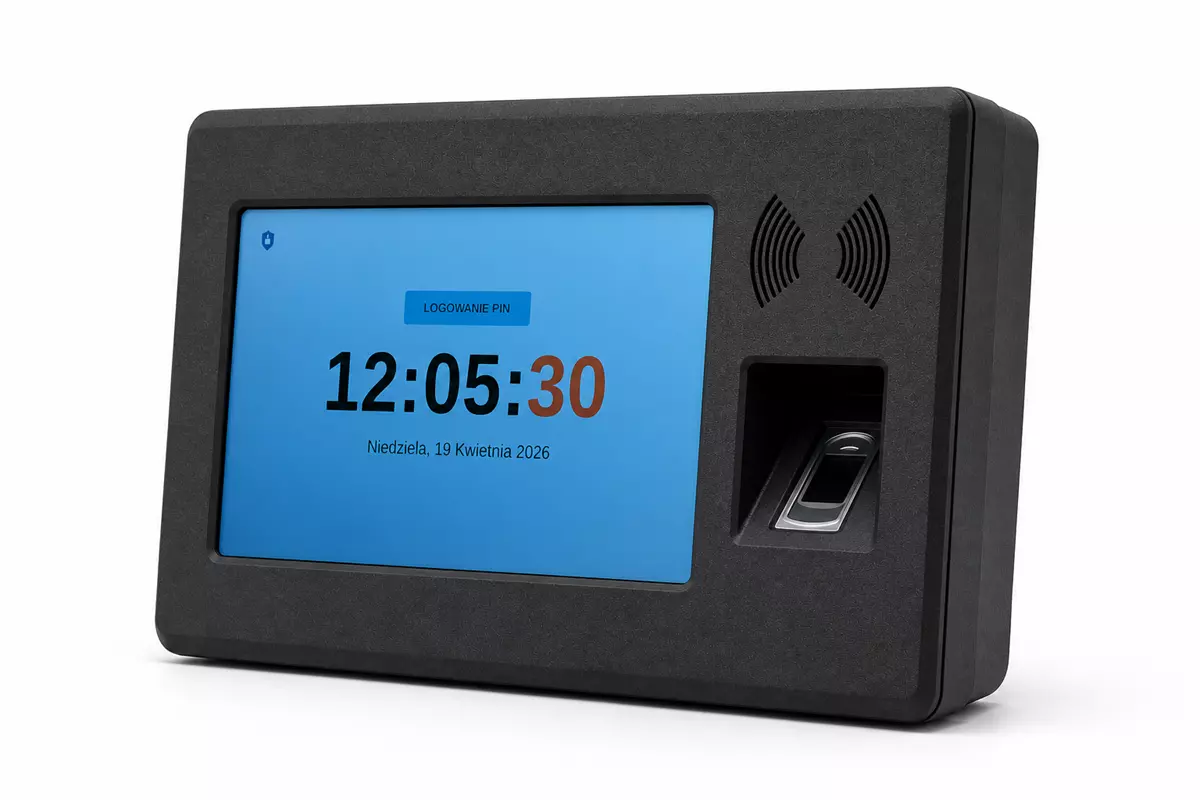
Weekly is for companies with field crews that record the workday on Android phones and, at shared points, on tablets or RFID/NFC card terminals. It is developed by Tigami sp. z o.o. in Bydgoszcz. The app handles start/break/stop, corrections, XLSX reports, and geofencing, which checks whether a clock-in happened inside a designated area. What sets it apart is a separate “Dojazd” (travel) status that keeps travel time apart from on-site work. The tablets and terminals buffer events during short connection drops. Its Google Play listing describes continuous position monitoring during the shift: the app runs in the background with a persistent notification. Setup is a one-off fee, and upkeep depends on the number of users. Before choosing it, confirm the quote and how long location data is kept.
Polish apps that put time inside HR and CRM
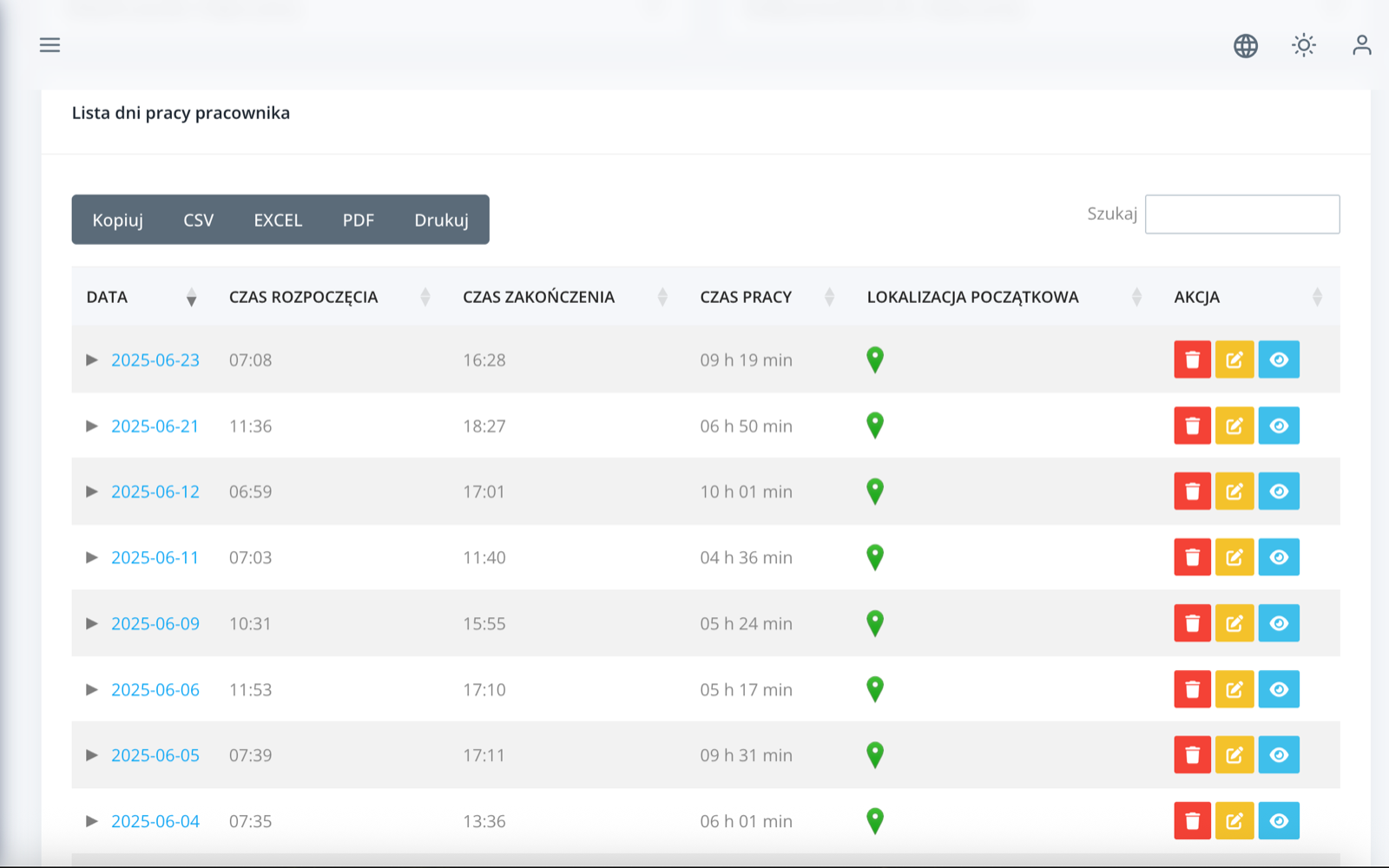
HR and CRM suites treat working time as one module next to leave, documents, payroll, or sales. They pay off when the company needs those processes anyway. If only the time record matters, a focused tracker from the previous sections is often simpler to roll out.
28. Calamari: attendance and project codes alongside modular HR
Calamari suits international and hybrid teams that want to buy attendance as a separate module next to leave and employee records. What sets it apart is iBeacon clock-in: according to the module page, the app records the start and end of work automatically when an employee enters and leaves the office. In all, it documents eight capture methods, including the browser, mobile app, a kiosk with QR codes and NFC cards, Slack, and Microsoft Teams. The module also covers anomaly notifications, approval paths, and project time. Its privacy policy names Calamari sp. z o.o. sp.k. in Warsaw.
Price and fit: the Polish price page lists the Czas pracy (working time) module at PLN 7/employee/month annually or PLN 8 monthly, with a ten-user minimum. Other modules have their own prices.
Tradeoff: the module pages describe a report of time on projects but not client billing rates, so check the export if you invoice hours. For a mixed workforce, pilot it with one office employee and one person clocking in on site.
29. HRappka: time recording in broad Polish HR operations
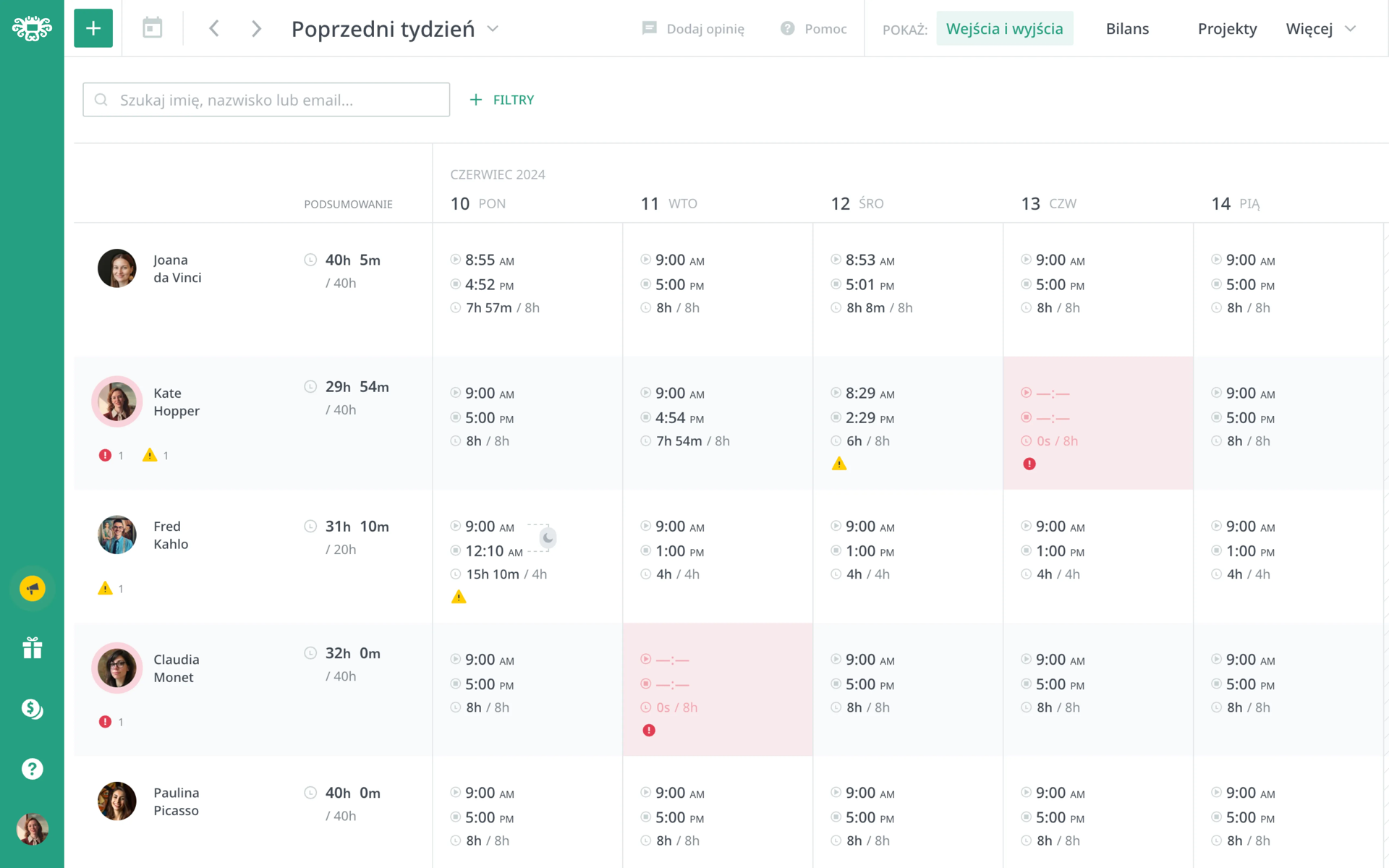
HRappka suits staffing agencies and employers that run recruitment, work and residence permits for foreign workers, staff housing, and payroll in one system and want time records in the same place. Its time-recording module covers schedules and clock-ins through the employee portal, a mobile app with geolocation, a tablet, or an RFID card, plus time on projects and tasks. Its terms name HRappka sp. z o.o. in Lublin.
Price and fit: the offer configurator prices the time-recording module at PLN 6 net/employee/month with a ten-employee minimum, and administrator and manager accounts are free in the module. The All-HR package works the other way around: you pay for administrator and HR accounts (PLN 135/month per account for one to four accounts, less per account in higher brackets), and employee accounts are free.
Tradeoff: the breadth helps only when the company needs it. Pilot one full record, from employee setup through approved hours to payroll or a client report.
HRappka's short video shows the calendars in its time-records module:
30. HRnest: attendance, leave, and business trips for a flat fee
HRnest suits companies that prefer one flat company fee to a per-person price and want working time, leave, and business trips in one system. Its working-time recording offers eight capture modes, including start/stop, automatic accrual of fixed hours, the mobile app, QR codes with optional photo verification, Slack, and API. Its help center explains how to submit time for a manager's approval, a feature HRnest staff turn on at HR's request. Exports cover the payroll systems Symfonia, Comarch Optima, Enova, and R2Płatnik. Its privacy policy names HRnest sp. z o.o. in Gdynia.
Price and fit: the price list is a flat company fee. Starter costs PLN 99 net/month on annual billing (PLN 119 quarterly) for up to 10 employees, with one manager and one administrator account. Podstawowy (Basic) at PLN 199 removes the employee limit and adds business trip orders; settling trip expenses is a separate add-on. Schedules, projects, QR codes, Slack, and API start with Rozszerzony (Extended) at PLN 399. The trial lasts 14 days.
Tradeoff: a flat fee rewards a growing team, but each extra manager account costs from PLN 59/month on Starter to PLN 99 on Rozszerzony (Extended). Recalculate with your actual number of supervisors.
31. iPersonel: actual hours within HR and payroll
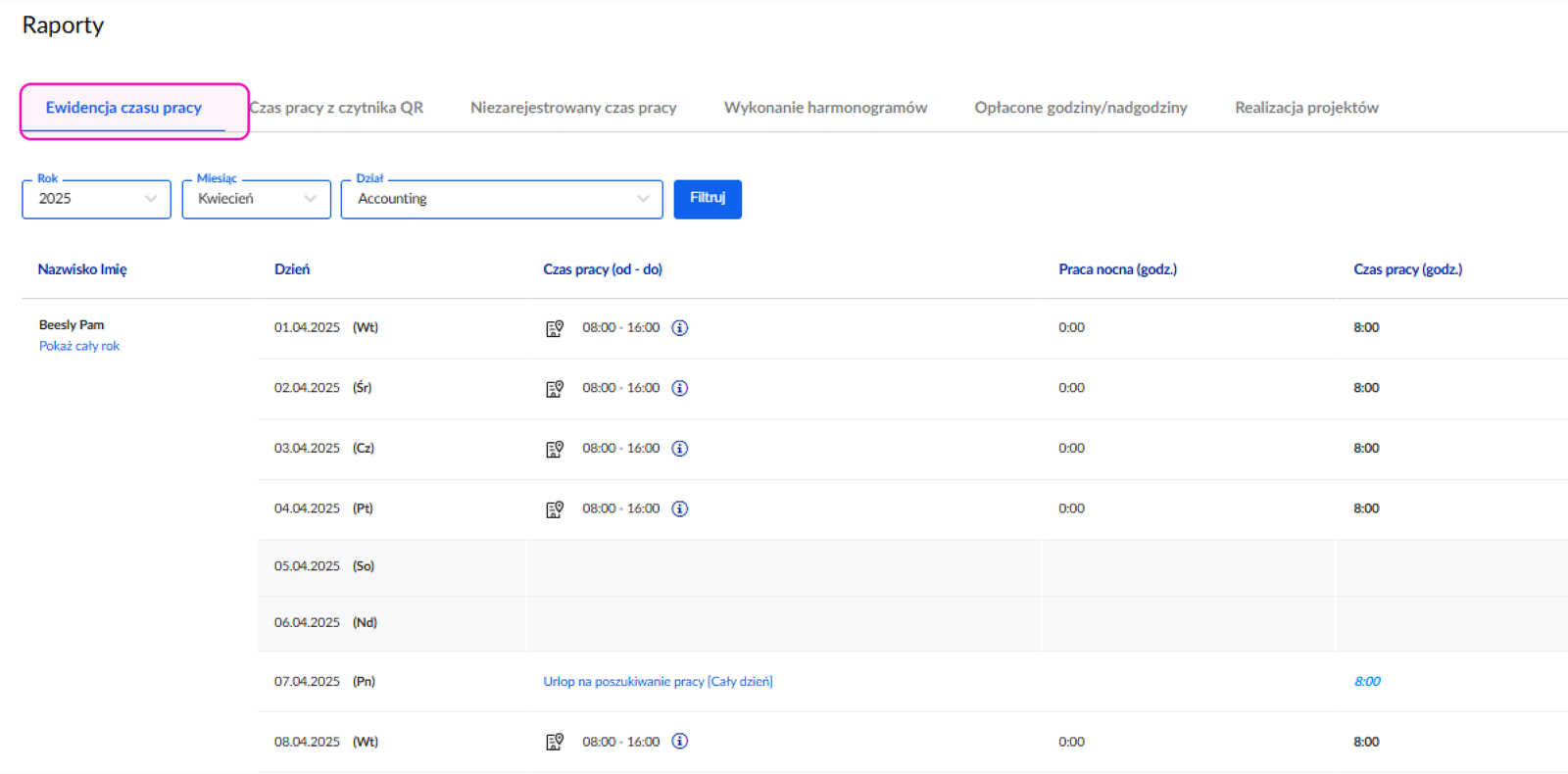
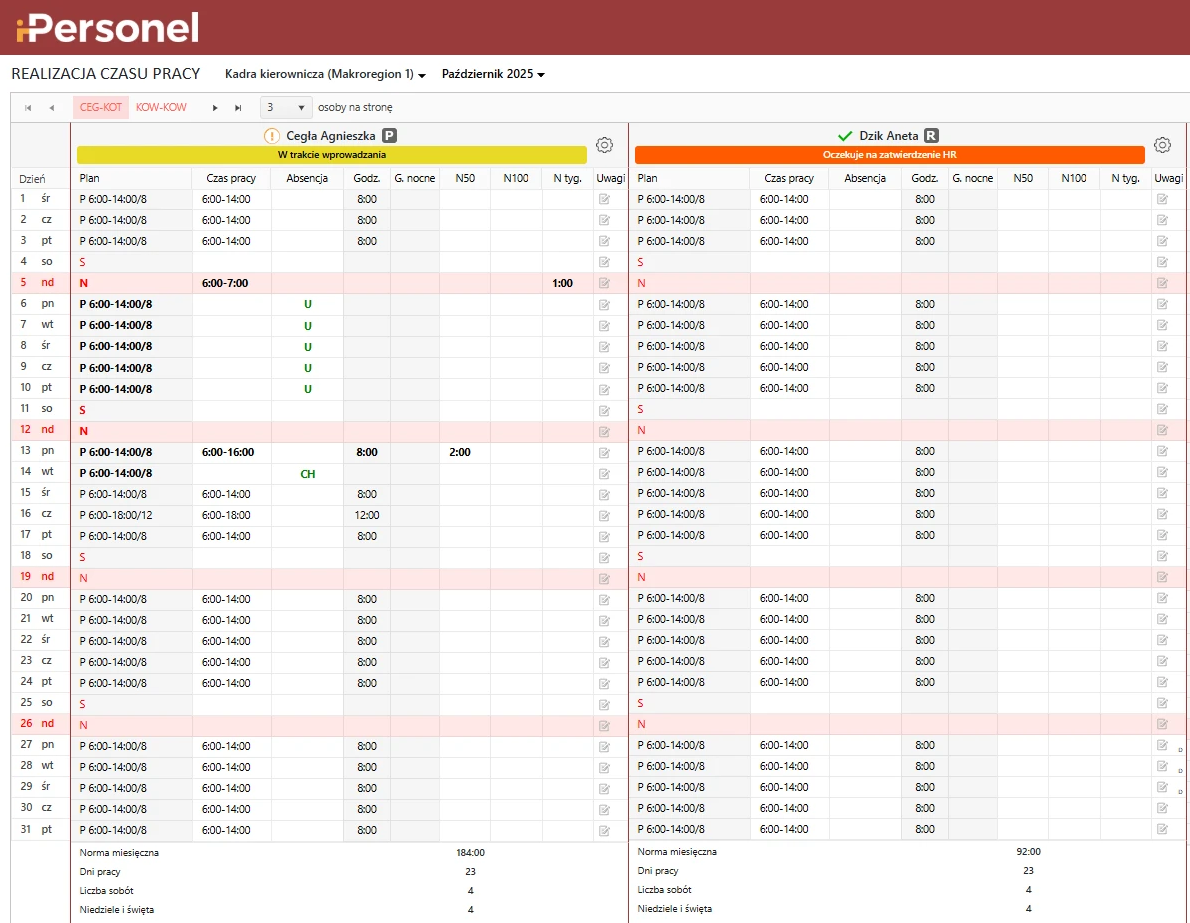
iPersonel suits midsize and large companies, from about 50 employees, that want to plan and settle working time where payroll runs. Its work-time planning module compares planned and actual hours, handles overtime and absences, and records time through a virtual time clock or common entry and exit terminals. What sets it apart is that it can run as an iPersonel module or as an extension of a company's existing HR and payroll system. Its privacy policy names LST-Soft sp. z o.o. in Złotniki near Poznań.
Price and fit: pricing comes from a custom quote based on a short survey of user and employee counts, with work-time planning quoted as an add-on module. The FAQ on the home page puts access to the base version at PLN 1,500 net a month and up; the vendor does not publish a price for the work-time module.
Tradeoff: in a demo, ask to see the whole path: a clock-in or an import from a terminal, a correction, and the payroll calculation. If the module will sit beside another payroll program, have the written implementation scope say who maintains the integration.
32. ePlanneR: work-time records and overtime
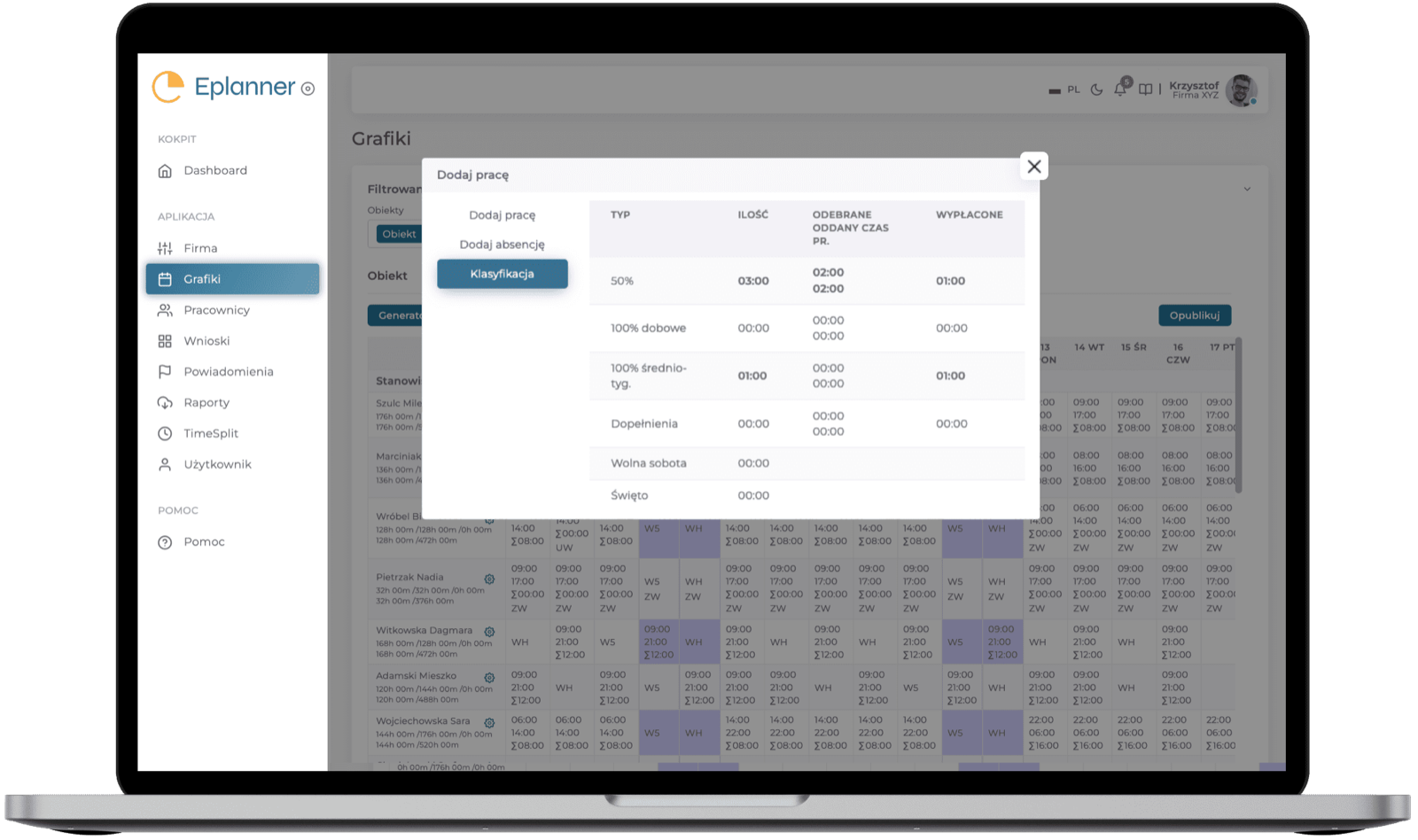
ePlanneR suits HR teams that build schedules under equivalent, task-based, or property-security working-time systems and want overtime classified automatically. The product page describes settlement periods of up to 12 months and custom overtime rules, such as always applying a 100% premium on Saturdays and Sundays. Overtime marked for payout is exported to a CSV file for payroll. Time records are generated from the schedules managers plan. Its privacy policy names HR We Go sp. z o.o. in Warsaw.
Price and fit: the START, PROF, and ENTERPRISE plans have no public prices; the site directs buyers to a demo. The electronic attendance list, overtime settlement, and file-based data exchange start with PROF, while TimeSplit for projects and the REST API come with ENTERPRISE.
Tradeoff: because records follow the schedule, check in a demo how actual hours and deviations from the plan are entered and which capture method the offer includes.
33. e-Pracownik: payroll-connected HR portal
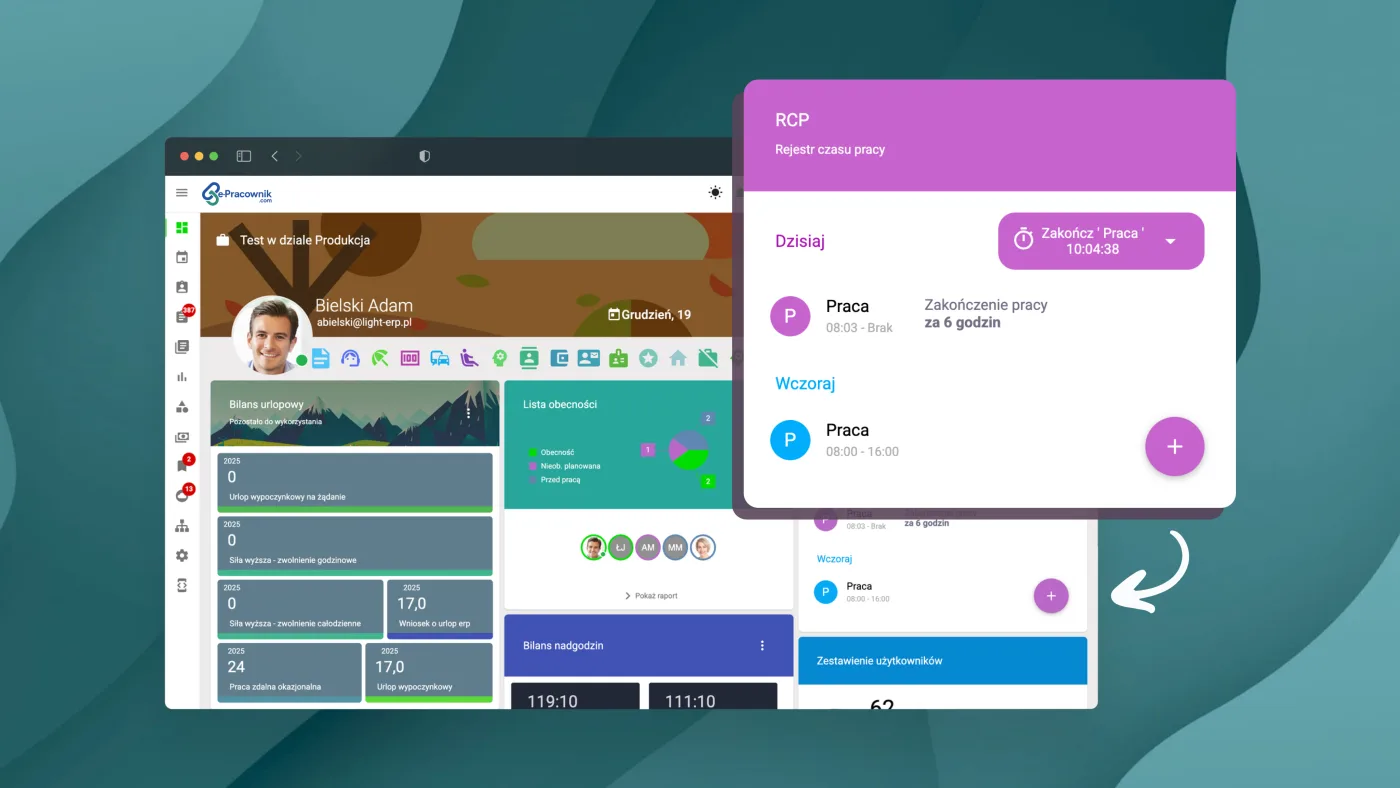
e-Pracownik suits companies that run payroll in Symfonia and want to add requests and time records without retyping data. Its ready-made integration pulls employee records and schedule templates and passes absences and working time to Symfonia Kadry i Płace, supporting the program's three latest versions; the vendor also describes an R2Płatnik integration. Time is captured with Smart Guzik, several login types, or imports from time clock systems, and the system compares clock-ins with the schedule to flag overtime and gaps. Its terms name Light ERP sp. z o.o. in Poznań.
Price and fit: the license depends only on user count, and modules and new features come within it. The Online (SaaS) version starts within 48 hours of a signed order; the vendor quotes the on-premises version, which integrates with Active Directory, after a demo, and a hybrid model is also available.
Tradeoff: for payroll programs other than Symfonia, the vendor checks integration on request. The offer should name the clock-in source, the payroll version, and who maintains the connection.
34. Tillio: a CRM with a team work-time report
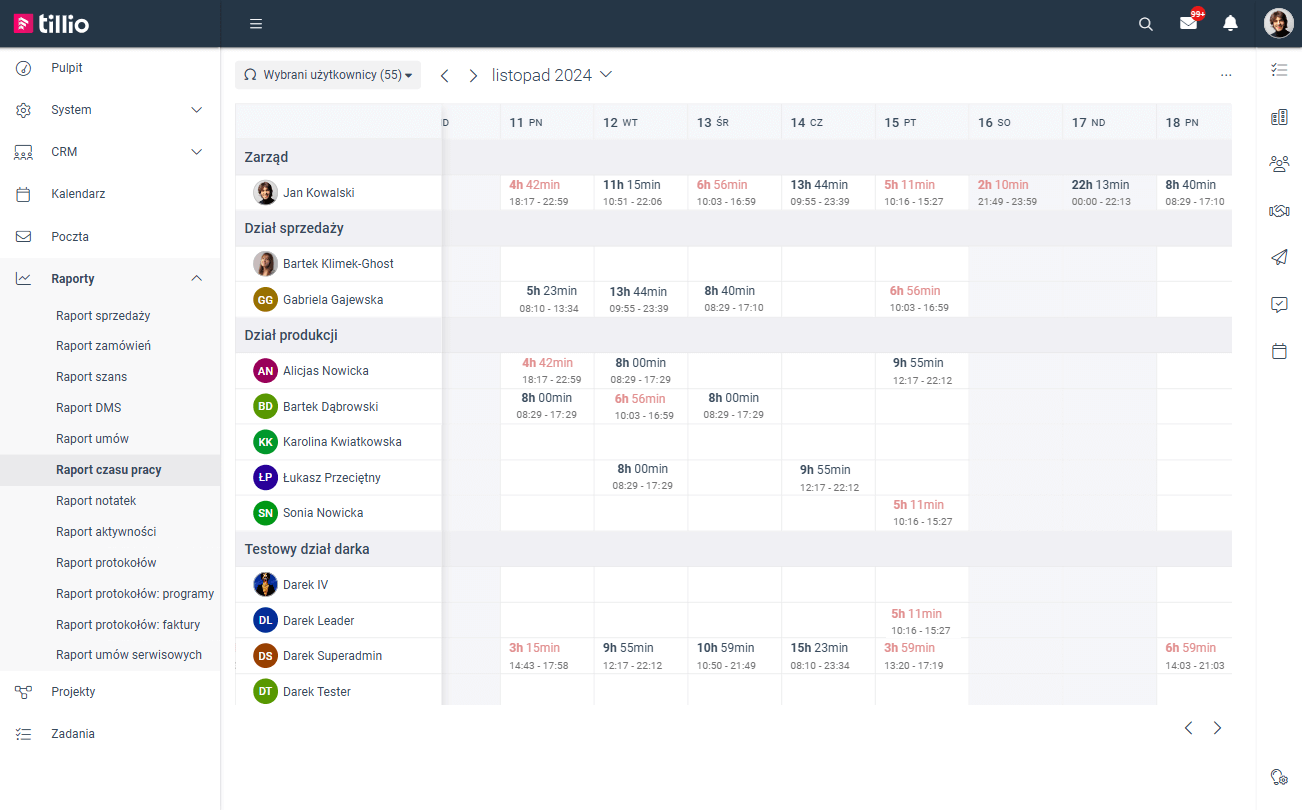
Tillio suits small and midsize companies that want time records in the same system as their CRM, tasks, and projects rather than in a separate tracker. Its team management module produces an automatic work-time report for remote and office work, and hourly rates assigned to users are used to charge that time against the client budget. The Projects module sets task budgets against the time each specialist worked. Its terms name Tillio sp. z o.o. in Poznań.
Price and fit: time records and project budgets start with the PLUS plan at PLN 59 net/user/month annually or PLN 69 monthly. At this price the plan allows up to 15 users, and a paid add-on doubles the limit to 30; the ONE plan does not include time records. The trial lasts 14 days.
Tradeoff: the product pages do not describe how time is captured or approved. Before dropping a separate time record, compare the automatic report with the hours your HR records require.
What does the advertised price actually buy?
An advertised price usually covers licenses on a single plan, and the license unit differs from vendor to vendor. Some products charge per employee, some per active user or account, some per company, and some combine seats with a base fee. Start from the record you need, count the right licenses, and add modules, hardware, onboarding, and usage-based charges before comparing totals.

Free plans that include time recording
Seven products in this guide have a permanent free plan with actual time recording, not just a trial. Limits range from one active user to no user limit at all.
Sandtime.io
- No user limit
Project timesheets, approvals, and Excel or CSV export.
TimeCamp
- Free: no user limit
Timesheet approvals start with the paid Ultimate plan.
Registo
- Basic: no employee limit
QR or PIN clock-ins and breaks; GPS and schedules in PRO.
Clockwork for Jira
- Pro: up to 10 Jira users
Licensed by the user count of the whole Jira site.
UnitagAtt
- MAX10: up to 10 employees
From 11 people, every user is charged.
Ewido
- Free: up to 3 employees
PIN kiosk from Starter, API from Pro.
Timenotes
- Solo: one active user
A team of up to 10 active users costs USD 6.99 a month.
The free plans of PlanujGrafik and FlexiProject do not include time recording, and Kanban Tool lists time tracking only in Enterprise.
The chart compares published prices for the cheapest plan that records actual time, for 25 employees. It counts licenses only: no hardware, setup, or extra modules. Annual billing is shown as a monthly amount where the vendor publishes an annual rate; the 5% annual-payment discount in UnitagAtt's calculator is not applied. Every amount comes from the vendor's Polish price list in PLN, which is why Proplanum appears at PLN 16 rather than the USD 4 on its English page.

License cost for 10, 25, and 50 employees, PLN net per month
| Product | 10 people | 25 people | 50 people | Calculation basis |
|---|---|---|---|---|
| Sandtime.io | 0 | 0 | 0 | free, no user limit; project time, no attendance clock-ins |
| UnitagAtt | 0 | 62.50 | 125 | free up to 10 people, then a monthly rate for every user |
| HRappka | 60 | 150 | 300 | monthly rate, 10-person minimum |
| RCPonline | 45 | 162.50 | 325 | annual rate; MINI up to 10 people, STANDARD above |
| Calamari | 70 | 175 | 350 | annual rate, 10-person minimum |
| RCM Control | 90 | 198 | 389 | company price band |
| GrafikPro | 100 | 250 | 500 | monthly per-person rate |
| inEwi | 109.50 | 273.75 | 547.50 | annual rate for one module |
| PlanujGrafik Premium | 119.90 | 299.75 | 599.50 | annual per-person rate |
| Moniti | from 189 | from 324 | from 549 | account fee from PLN 99 + annual rate |
| Kadromierz | 159.90 | 399.75 | 799.50 | annual per-person rate |
| Proplanum Biznes | 160 | 400 | 800 | annual rate per account, managers included |
The calculation applies the minimum headcount from each price list (10 at Calamari and HRappka) and UnitagAtt's free plan up to 10 people. It also applies the 10-person limit of RCPonline's MINI package (STANDARD above that), Moniti's lowest base fee (from PLN 99), and RCM Control's price bands. Proplanum also licenses manager and administrator accounts, so the real account count can exceed the employee count. Registo PRO at PLN 599 gross a year and HRnest Starter at PLN 99 net a month (up to 10 employees; Podstawowy at PLN 199 above that) are flat fees. Within their limits they do not change with headcount, so neither appears in the chart or the table.
Sandtime.io, the publisher of this guide, is in the table for comparison. Its core product is free for unlimited users, but it keeps project timesheets and does not record clock-ins or clock-outs, so it is not in the attendance cost chart.
Watch for these common pricing traps:
- Scheduling versus recording: Proplanum Start, PlanujGrafik's free plan, Grafik Optymalny's Podstawowy package, and FlexiProject's free plan (Darmowa) do not record actual time.
- Minimum seats: a small team still pays for IC Project's five-user minimum, the ten-user minimums at Calamari and HRappka, and Grafik Optymalny's 25-license minimum.
- Base fees and modules: Moniti adds an account fee; inEwi and Unrubble totals change with module selection; readers and tablets (for example at RCM Control, RCPonline, or UnitagAtt) cost extra.
- Tax treatment: Registo advertises PRO gross, while most attendance vendors quote net prices. Those figures cannot be compared directly.
- Plan features: TimeCamp records time for free but charges for approvals, Kanban Tool has time tracking only in Enterprise, and Tillio time records start with PLUS. Confirm the plan that produces the record you need.
- Who takes a license: in Teamdeck, a Light Member without app access costs less than a Full Member, so decide who enters their own time. In FlexiProject, seeing team time requires the pricier Pełna license, bought only for the people who need it. Clockwork, like most Atlassian apps, is licensed by Jira user count.
How should you test attendance, approvals, and payroll exports?
Test with one real reporting or payroll cycle, and keep the existing process running until the results match. For attendance products, include people from the actual locations and devices; for project tools, include a client with a real reporting requirement.

The second graphic shows the same pilot from the attendance side, from the schedule to the payroll file.

Use this pilot checklist:
- Record normal work and an exception. Include a break, an overnight shift where relevant, a forgotten stop, and an entry corrected later.
- Compare planned, recorded, and approved time. Keep the original events visible. Check what rounding, tolerances, and automatic approvals change.
- Test access from both sides. Check what the employee sees and can correct, who approves, and what the history keeps.
- Test the chosen capture method offline. Name the device: phone, browser kiosk, tablet app, or reader. “Offline support” without a named method cannot be tested.
- Reconcile the handoff. Import the actual export into a test payroll process or compare the client report with approved entries. A file download alone does not prove the format is compatible.
- Confirm the commercial and data terms. Count all billable accounts, check the required modules, and document data location, retention, export, and administrator access.
For location tools, distinguish a clock-in location check from continuous tracking. For integrations, distinguish an export format from a recurring synchronization. For legal compliance, document how the configured software behaves and compare it with the employer's record-keeping duties in Poland. A vendor's “compliant” headline is not an independent legal assessment.
Which record should your team start with?
Start with the record your team must already produce: client project hours or payroll attendance. For agencies and consultants, try one complete cycle of project timesheets, approval, and reporting. If that is the job and Sandtime.io is on your shortlist, start free; the core product is free for unlimited users, and registered nonprofits can request a custom offer.
For a shift-based business, start with the attendance shortlist and its payroll handoff. The overtime templates and timesheet correction form can help define the process before choosing software. In a company with mixed work models, payroll attendance and project records can run side by side. Agree how they reconcile instead of assuming they integrate.
Frequently asked questions
What is the best Polish time tracking app in 2026?
It depends on the workflow; this guide compares 34 Polish products for project, attendance, and HR records. For project hours, compare Sandtime.io, TimeCamp, Timenotes, Teamdeck, Primetric, IC Project, and FlexiProject, plus Clockwork inside Jira. Kadromierz, inEwi, Proplanum, Grafik Optymalny, and PlanujGrafik connect schedules with actual attendance. For field teams, compare Moniti, RCPonline, GrafikPro, and Weekly by TIGAMI, or RCM Control for fixed sites with readers. Calamari, HRappka, and HRnest place time inside broader HR processes.
Which Polish time trackers have a permanent free plan?
Sandtime.io's core product is free for unlimited users. TimeCamp's Free plan allows unlimited users and projects, Clockwork Pro is free for up to 10 Jira users, and Timenotes Solo is free for one active user. Registo (no employee limit), UnitagAtt (up to 10 employees), and Ewido (up to three employees) also offer free attendance recording. PlanujGrafik's free plan and FlexiProject's Darmowa plan do not include time recording.
How much does Polish attendance software cost?
Across 11 Polish products, licenses for the cheapest plan that records attendance cost PLN 62.50 to PLN 400 net a month for 25 employees. The figures use the annual rate where the vendor publishes one, from price lists checked on October 19, 2026. UnitagAtt is the lowest, Proplanum Biznes (PLN 400) and Kadromierz (PLN 399.75) are the highest, and seven of the 11 fall between PLN 150 and PLN 300. Readers, tablets, setup, and extra modules cost more, and flat-fee plans such as Registo PRO and HRnest Starter are priced differently.
Does the cheapest scheduling plan include actual time recording?
Not necessarily. Kadromierz sells planning and recording as separate tiers, Proplanum starts recording with Biznes, PlanujGrafik with Premium, Grafik Optymalny with the Multi package, and Moniti prices schedules and time as separate modules. Check paid manager accounts, user minimums, and additional modules in the relevant price list.
Which clock-in methods work without internet?
Offline behavior depends on the device and method. Of the 17 attendance vendors whose capture methods this guide lists, eight document an offline mode: Kadromierz, inEwi, Unrubble, and Ewido in the app, Proplanum on kiosks (PIN, QR), RCM Control on readers, Weekly by TIGAMI on tablets and terminals, and UnitagAtt in the browser cache. Test the chosen device and method rather than assuming every phone, browser, kiosk, and reader behaves the same way.
Is Polish-language availability enough to call an app Polish?
No. This guide requires documented Polish roots or a Polish operator and actual time recording. An international tool's Polish translation does not establish that origin, and a schedule-only product does not qualify as a time recorder.
Does an attendance app replace project timesheets?
Only if it produces the project record you need. Calamari, HRappka, HRnest (from the Rozszerzony plan), and RCPonline (an add-on from STANDARD) support projects, but the pilot must verify client allocation, billable status, rate handling, review, and export. Being present at a workplace does not show which client the work was for.
Does payroll integration mean live synchronization?
It can mean an export file with import instructions, an API, or a recurring connection. Ask for the exact mechanism, supported payroll version, field mapping, direction, frequency, and required plan, then reconcile one cycle before replacing the existing process.
About the contributors


Przemysław Zalewski
Sandtime.io engineer and Sanddev team member who reviews product accuracy, technical details, sources, and editorial quality.
LinkedInEmailSanddev profileWebsite