A TrackingTime alternative that keeps approvals and rates on the free plan
TrackingTime and Sandtime.io are both free for unlimited users. TrackingTime moves approvals, locking, rates, and CSV exports to paid plans and adds invoicing, time off, and task management. Sandtime.io keeps the whole timesheet workflow free and hosts its data in the European Union.
TrackingTime is a time tracking and task management tool from Tracking Time, LLC in the United States. It combines timers, timesheets, task and project views, and tracking inside more than 50 apps, with invoicing, time off, and time cards on its Pro plan. Visit TrackingTime website
Sandtime.io vs TrackingTime: the short answer
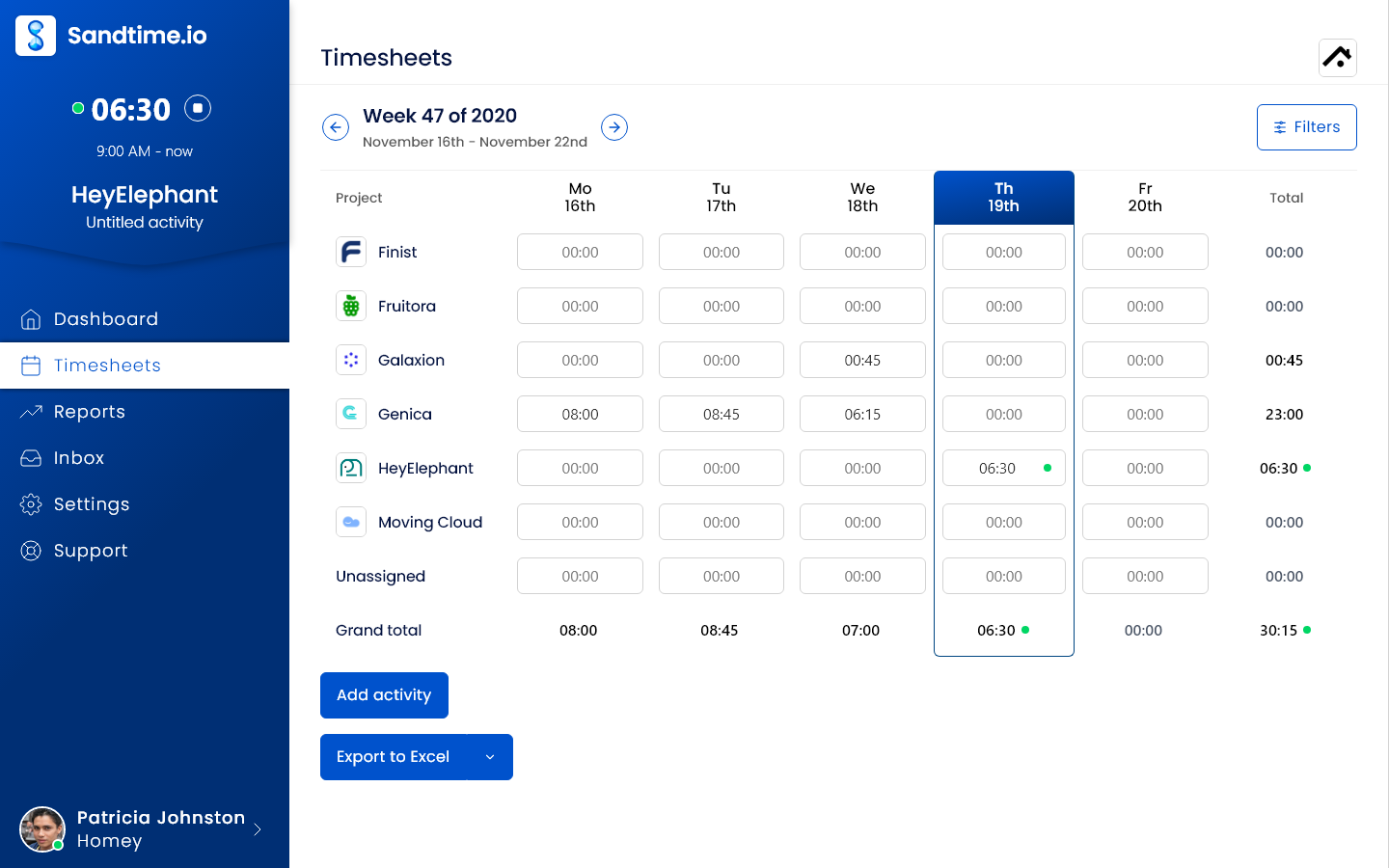
Both products are free for unlimited users, so the real question is what each free plan lets a team finish. Sandtime.io includes the whole month-end workflow for free: reminders, approvals, locking, roles, historical and multi-currency rates, and Excel or CSV exports. TrackingTime's free plan covers tracking and task management, then puts billable hours and CSV exports on Starter, and approvals, locking, rates, and invoicing on Pro. Pick TrackingTime when you want a broader work management tool and will pay for it; pick Sandtime.io when you need closed, billable timesheets without a seat bill.
Choose Sandtime.io when the month has to close on the free plan
Everyone submits a timesheet, a manager approves it, the week locks, and reports use the rate that applied on the day, in the currency the client is billed in. None of that needs a paid plan. Sandtime.io also publishes its EU hosting on OVHcloud, its subprocessors, a REST API, and an MCP server.
Choose TrackingTime when you want time and tasks in one broader tool
TrackingTime adds task and project views, AutoTrack, invoicing, expenses, retainers, time cards, time off, calendar and project tool integrations, and CSV imports. It supports more browser extensions and offers SSO with Azure AD and Google on Business. For teams that need those, the Pro or Business price buys real scope.
Sandtime.io vs TrackingTime at a glance
Where each capability sits on TrackingTime's plans, as of September 29, 2026.
| Decision factor | Sandtime.io | TrackingTime |
|---|---|---|
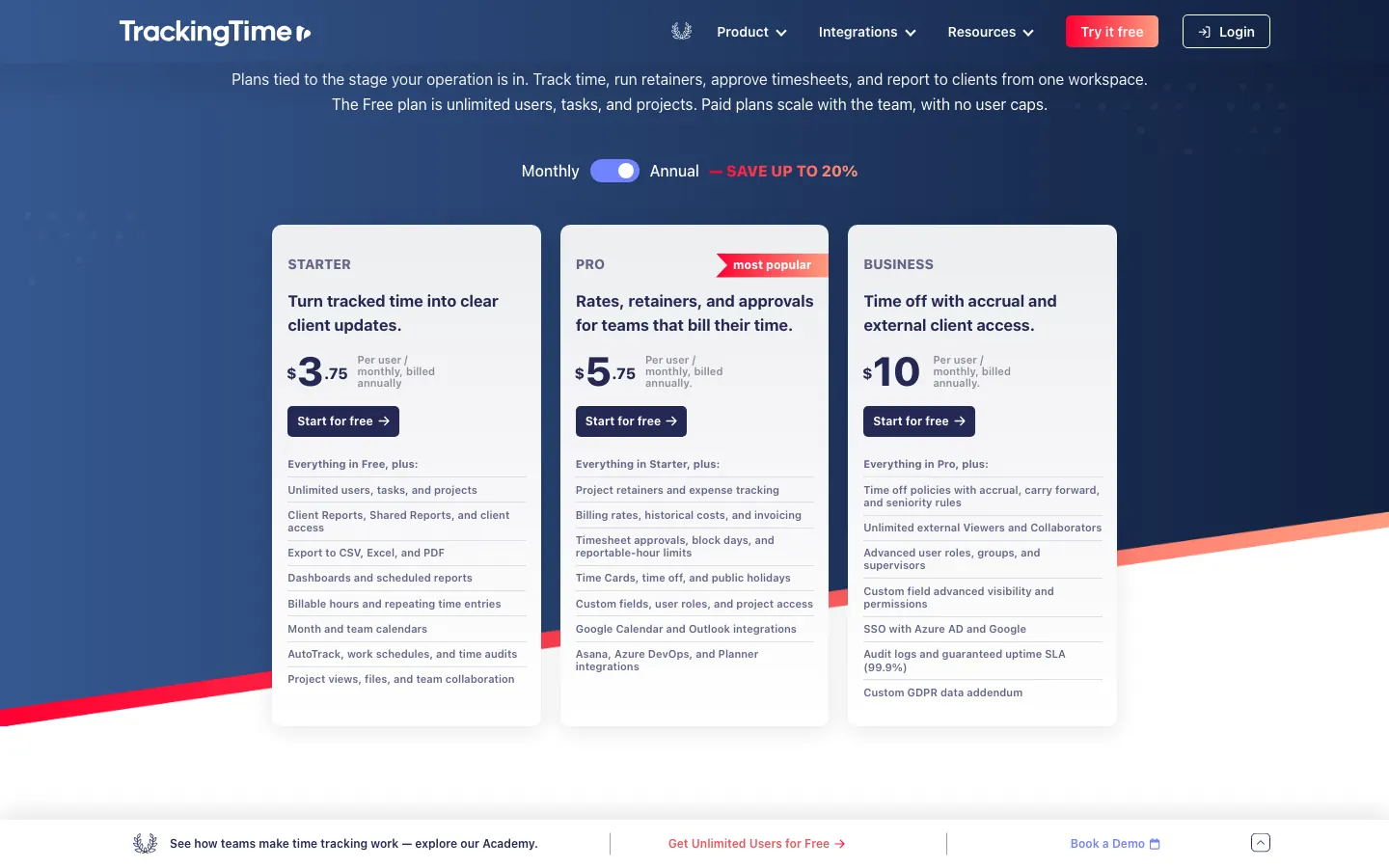
| Price and free plan | Free for unlimited users and projects | Free for unlimited users, tasks, and projects. Paid plans from $3.75 per user per month billed annually, or $5 monthly |
| Roles | Administrator, Project Administrator, and User, included free | Every member is an Admin on Free and Starter. Manager, Project Manager, Coworker, and Time Logger roles on Pro |
| Timesheet approvals | Submit, approve, and reject, included free | Approve or reject time and request missing hours on Pro and Business |
| Locking | Approved timesheets lock, and unlock requests go to an administrator, included free | Block hours after approval and block days on Pro and Business |
| Reminders | Automatic email reminders every Friday at 6 PM, before the week locks, included free | Reminders and notifications on Free, timer-left-running alerts from Starter |
| Billable time and rates | Billable and non-billable time, dated cost and revenue rates, and a currency per rate, included free | Billable hours from Starter. Project, task, and historical user rates and costs on Pro, with the rate currency set per workspace |
| Reports and exports | Custom reports, print layout, and Excel and CSV export, included free | PDF export on every plan. CSV and Excel exports and most reports from Starter |
| Invoices, time off, and attendance | Reports and exports for invoice preparation, without built-in invoices, expenses, time off, or time cards | Invoices, expenses, retainers, time cards, and time off on Pro. Time off accrual on Business |
| Automatic tracking | None by design. People start a timer or enter their hours | AutoTrack from Starter detects apps, sites, calendar events, and idle time on desktop, stored locally |
| Apps | Web, iPhone, Android, Chrome extension, and macOS and Windows desktop apps | Web, iOS, Android, Mac, Windows, and Chrome, Firefox, Safari, and Edge extensions. The Help Center says offline tracking is not supported |
| Integrations, API, and MCP | Slack, the Chrome extension, a public REST API with an OpenAPI schema, and an MCP server, included free | Slack, Microsoft Teams, 50+ apps through the browser extension, a public API, and an MCP server on Free. Calendar, Asana, Azure DevOps, and Planner integrations on Pro |
| Sign-in and SSO | Passwordless email links, or continue with Google, Microsoft, Apple, or Yahoo, on every account | SSO with Azure AD and Google on Business |
| Hosting | OVHcloud in the European Union; self-hosting arranged case by case for Enterprise | Amazon Web Services data centers in the United States |
| Moving data in | No importer. Recreate active projects and rates | CSV import of time entries on Free, plus project imports |
| Best fit | Teams that need approved, locked, billable timesheets for everyone at no cost | Teams that want time, tasks, invoices, and time off in one tool and will pay per user for it |
Why teams choose Sandtime.io instead of TrackingTime
Approvals and locking without Pro
Submitting, approving, rejecting, and locking timesheets are free in Sandtime.io. In TrackingTime, time approval and blocked hours start on Pro.
Rates that stay right as they change
Each rate has a start date and its own currency, so a raise or a client billed in euros never rewrites last quarter. No plan upgrade is involved.
Full exports for everyone
Custom reports and Excel or CSV exports are part of the free plan, for every member and every date range.
Roles that match the team
Administrators, project administrators, and users each see what they should. TrackingTime makes every member an Admin until Pro.
Data hosted in the European Union
Sandtime.io runs on OVHcloud in the EU and publishes its subprocessors. TrackingTime runs on Amazon Web Services in the United States.
A narrower product, on purpose
Sandtime.io has no task boards, invoices, time off, or automatic tracking. If you need those, TrackingTime covers more ground.
Which product should your team choose?
Start with the workflow you cannot do without, then check which plan it sits on.
Choose Sandtime.io
Pick Sandtime.io when every member has to submit hours that a manager approves and locks, when reports need historical or multi-currency rates, or when data has to stay in the EU, and nobody wants a per-user bill for it.
Choose TrackingTime
Pick TrackingTime when time tracking should sit inside task and project management, or when invoices, expenses, time cards, time off, AutoTrack, or calendar and project tool integrations matter enough to pay for Pro.
Choose neither
Keep looking if you need payroll processing or GPS-verified clock-ins for field staff. Neither product is built around field attendance, so a dedicated attendance tool such as Jibble will fit better.
What TrackingTime costs once approvals and rates matter
Time approval, blocked hours, and historical rates start on TrackingTime Pro. For a team of 10 that is $57.50 a month billed annually. Sandtime.io includes the same workflow at $0 for any team size.
Sandtime.io
The whole month-end workflow, for everyone
Freefor unlimited users, no credit card required
- 5 users$0 a month
- 10 users$0 a month
- 25 users$0 a month
- 50 users$0 a month
- Submit, approve, and reject weekly timesheets
- Approved weeks lock, with unlock requests
- Friday email reminders before the week locks
- Historical and multi-currency rates
- Custom reports with Excel and CSV export
TrackingTime Pro
The plan where approvals and rates start
$5.75per user per month billed annually, or $7 billed monthly
- 5 users$28.75 a month$35 billed monthly
- 10 users$57.50 a month$70 billed monthly
- 25 users$143.75 a month$175 billed monthly
- 50 users$287.50 a month$350 billed monthly
- Approve or reject time and request missing hours
- Block hours after approval and block days
- Project, task, and historical user rates
- Invoices, expenses, retainers, time cards, and time off
- Manager, Project Manager, and Time Logger roles
Monthly cost at list price. Taxes, volume discounts, nonprofit and education offers, and negotiated terms are excluded.
Watch the 75-second Sandtime.io product tour
See the timer, timesheets, reporting flow, integrations, and mobile apps before creating an account. The video is served directly by Sandtime.io, so it does not contact a third-party player.
Prices and plans checked on September 29, 2026. If TrackingTime's pricing page disagrees, trust TrackingTime, and see Sandtime.io pricing for ours.
TrackingTime vs Sandtime.io: frequently asked questions
Direct answers about free plans, paid tiers, approvals, monitoring, hosting, and moving your data.
What is the best TrackingTime alternative?
Sandtime.io is the closer TrackingTime alternative for teams that want approvals, locking, historical rates, multi-currency reporting, and CSV or Excel exports without a paid plan, or that need their data hosted in the European Union. TrackingTime is the better choice when task management, invoicing, time off, time cards, automatic desktop tracking, or a long list of integrations should live in the same product.
How much does TrackingTime cost?
Checked September 29, 2026, TrackingTime Free was $0 for unlimited users. Paid plans cost, per user per month, $3.75 billed annually or $5 billed monthly for Starter, $5.75 or $7 for Pro, and $10 or $12 for Business. TrackingTime's Help Center adds that Starter and Pro are billed for at least 2 users, and lists a one-user Freelancer plan at $8 per month billed annually or $10 monthly, offered in the app when a trial ends.
Is TrackingTime free for unlimited users?
Yes. TrackingTime Free covers unlimited users, tasks, and projects, with timers, reminders, PDF export, the desktop, mobile, and browser apps, Slack and Microsoft Teams, the public API, and its MCP server. Billable hours and CSV or Excel exports start on Starter. Approvals, locking, rates, invoicing, and the Manager and Time Logger roles start on Pro, and on Free every member is an Admin.
Is Sandtime.io free for unlimited users?
Yes. Sandtime.io is free for unlimited users and projects, with no per-user fee and no credit card required. Reminders, approvals, locking, roles, reports, Excel and CSV exports, historical rates, multi-currency support, the REST API, and MCP access are all included.
Does TrackingTime take screenshots or monitor employees?
TrackingTime says its optional AutoTrack feature, available from Starter, never takes screenshots or records keystrokes. AutoTrack detects apps, websites, calendar events, and idle time in the Mac and Windows desktop app, and TrackingTime says that activity is saved locally and not visible to workspace admins. Sandtime.io has no automatic activity capture at all: hours are entered or timed by the person doing the work.
Where do TrackingTime and Sandtime.io host data?
TrackingTime runs on Amazon Web Services data centers in the United States, and its privacy policy says it is based outside the EEA and relies on the EU-U.S. Data Privacy Framework or Standard Contractual Clauses for transfers. Sandtime.io runs on OVHcloud infrastructure in the European Union, and self-hosting can be arranged case by case under an Enterprise agreement.
Can I move from TrackingTime to Sandtime.io?
Yes, but not automatically. TrackingTime can export users, projects, tasks, hours, and comments as CSV files, which make a good archive. Sandtime.io has no TrackingTime importer, so recreate active projects, members, and current rates, then run one weekly or monthly reporting cycle in both products before switching.
Is Sandtime.io or TrackingTime better for agencies?
It depends on what the agency is missing. Sandtime.io fits agencies that need approved, locked timesheets, historical and multi-currency rates, and full exports for every member at no cost. TrackingTime fits agencies that want tasks, project boards, invoices, expenses, retainers, and time off in one tool, and are ready to pay for Pro to get them.
Comparing something else?
Teams weighing this one usually weigh these too.
Run one real reporting cycle in Sandtime.io
Invite the whole team at no seat cost, submit and approve one week or month, and compare the export with what TrackingTime produces for the same period.