Use the browser extension

The browser extension gives faster access to Sandtime.io from the browser. It opens as a popup from the toolbar icon, so you can start or stop tracking without leaving the page you are on.

What it helps with

  • opening timer controls quickly,
  • jumping to projects, timesheets, or reports,
  • keeping time tracking close while you work in web tools.

Starting an activity from the popup

The popup opens on the dashboard, with the same fields as the web app: what you are working on, the project, Started at, Ended at, and Duration. See Track time with the built-in timer for what each field does.
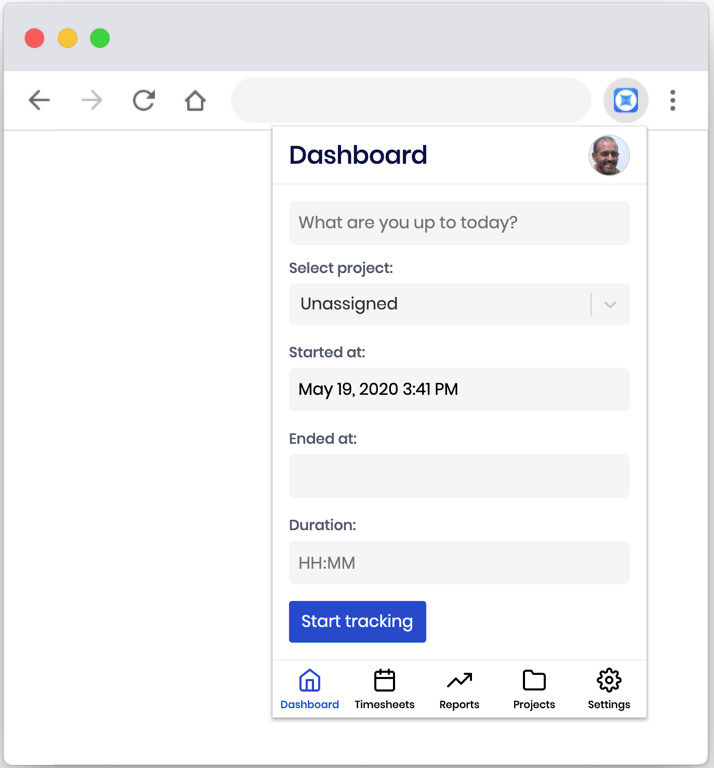
The Sandtime.io extension popup open under the browser toolbar icon, showing a Dashboard view with a "What are you up to today?" field, a project selector set to Unassigned, Started at, Ended at, and Duration fields, and a Start tracking button.

Moving around

The bar along the bottom of the popup switches between Dashboard, Timesheets, Reports, Projects, and Settings - the same sections as the full app, in a narrower layout.
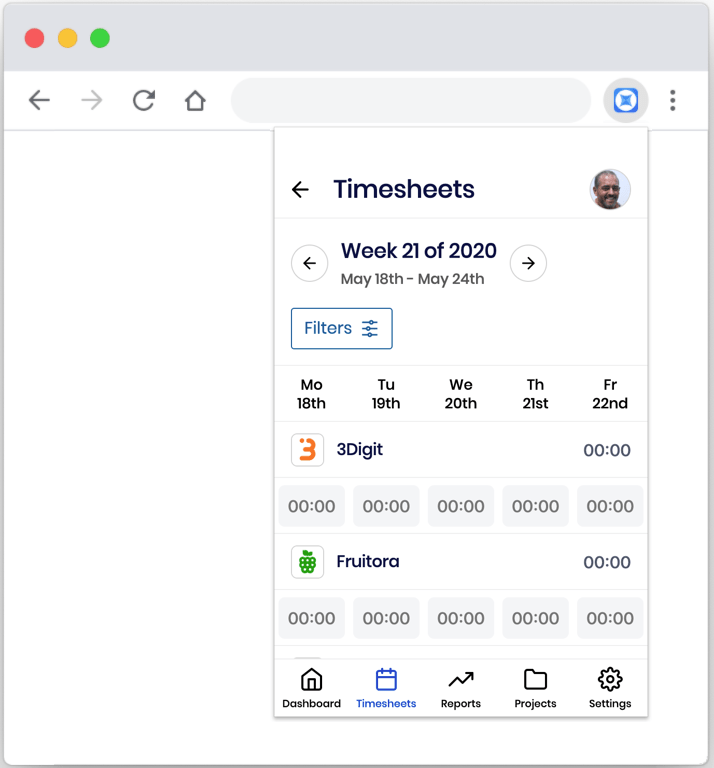
The extension popup showing the Timesheets view, with week navigation, a Filters button, and a weekday grid of per-project durations, above the Dashboard, Timesheets, Reports, Projects, and Settings navigation bar.

When it is useful

  • browser-heavy workflows,
  • support, admin, and research work done mostly on the web,
  • teams that want easier access than switching full app windows.

Recommendation

Treat the extension as a convenience layer, not a separate system. The same projects, entries, and reports still live in Sandtime.io, so anything you track here shows up everywhere else straight away.

Related articles

Keep moving without going back to the help-center home page.

Track time with the built-in timer

Start and stop time quickly, reuse recent activity context, and fall back to manual edits when needed.

Read article

Create and customize reports

Build reports with date ranges, groupings, metrics, filters, and additional columns, plus pinning the ones you use most to your dashboard.

Read article

Welcome to Sandtime.io: first setup checklist

A short path from a fresh workspace to usable projects, members, and reports, with the settings worth changing first and the steps that follow.

Read article

Connect Sandtime.io with Slack

Add Sandtime.io to Slack so people can track time without leaving team communication, using slash commands once their Slack user is linked.

Read article