Logging Time in a Timesheet
There are many ways of logging time. Some are very cheap but not effective. Check the pros and cons of paper, spreadsheets, and app timesheets.
Paper timesheet log
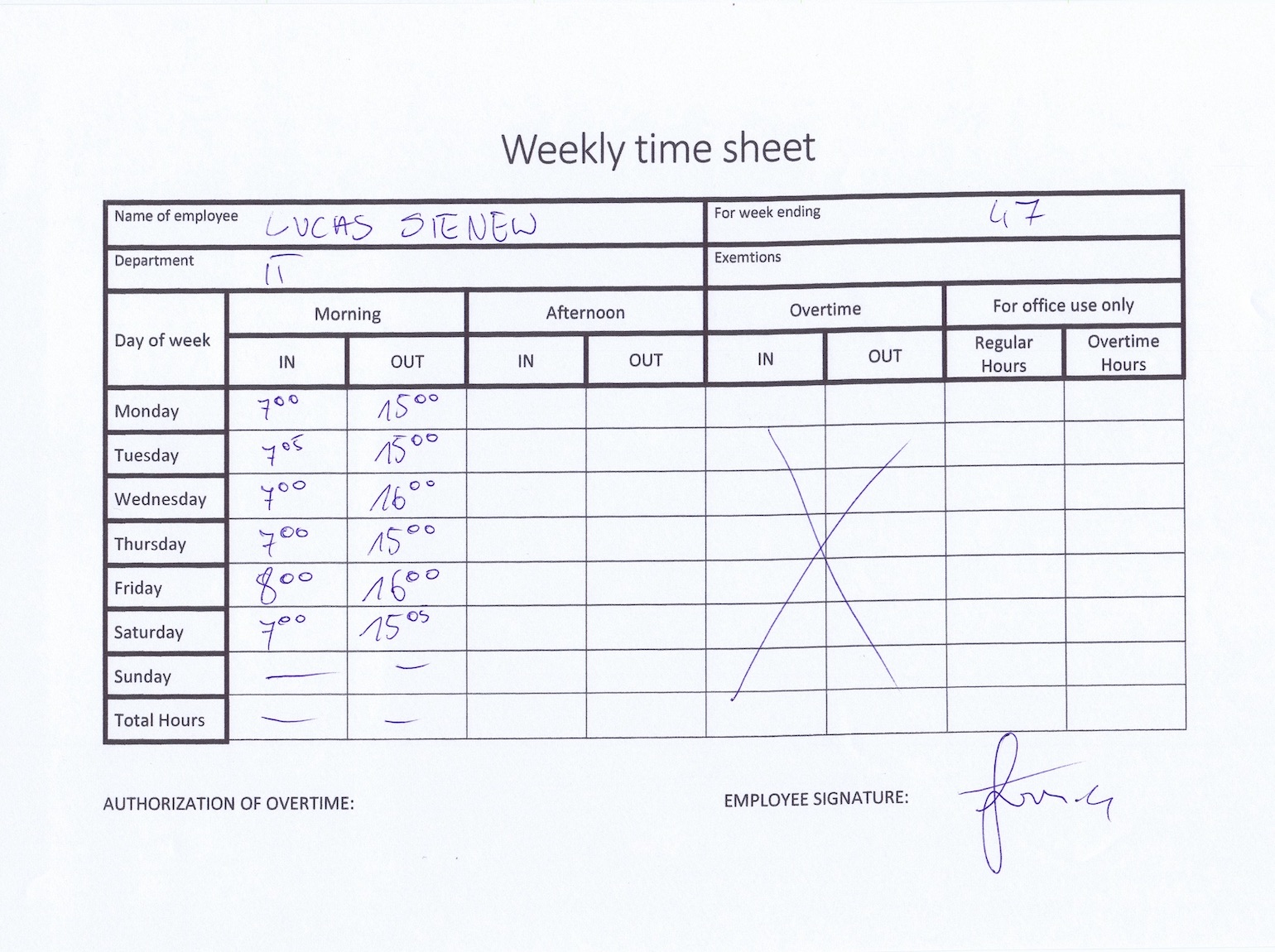
Nowadays, almost none of us use paper timesheets. However, you can still find them in some places. The disadvantages of filling in paper time reports are large enough that most companies look for friendlier ways to collect their employees’ timesheets. Paper is quick to add to a daily routine, but if you want to share the current status with a customer or a manager, the challenge is finding, organizing, and scanning the sheet. Paper timesheets also get lost, leaving no evidence of the work.
Spreadsheet for time tracking
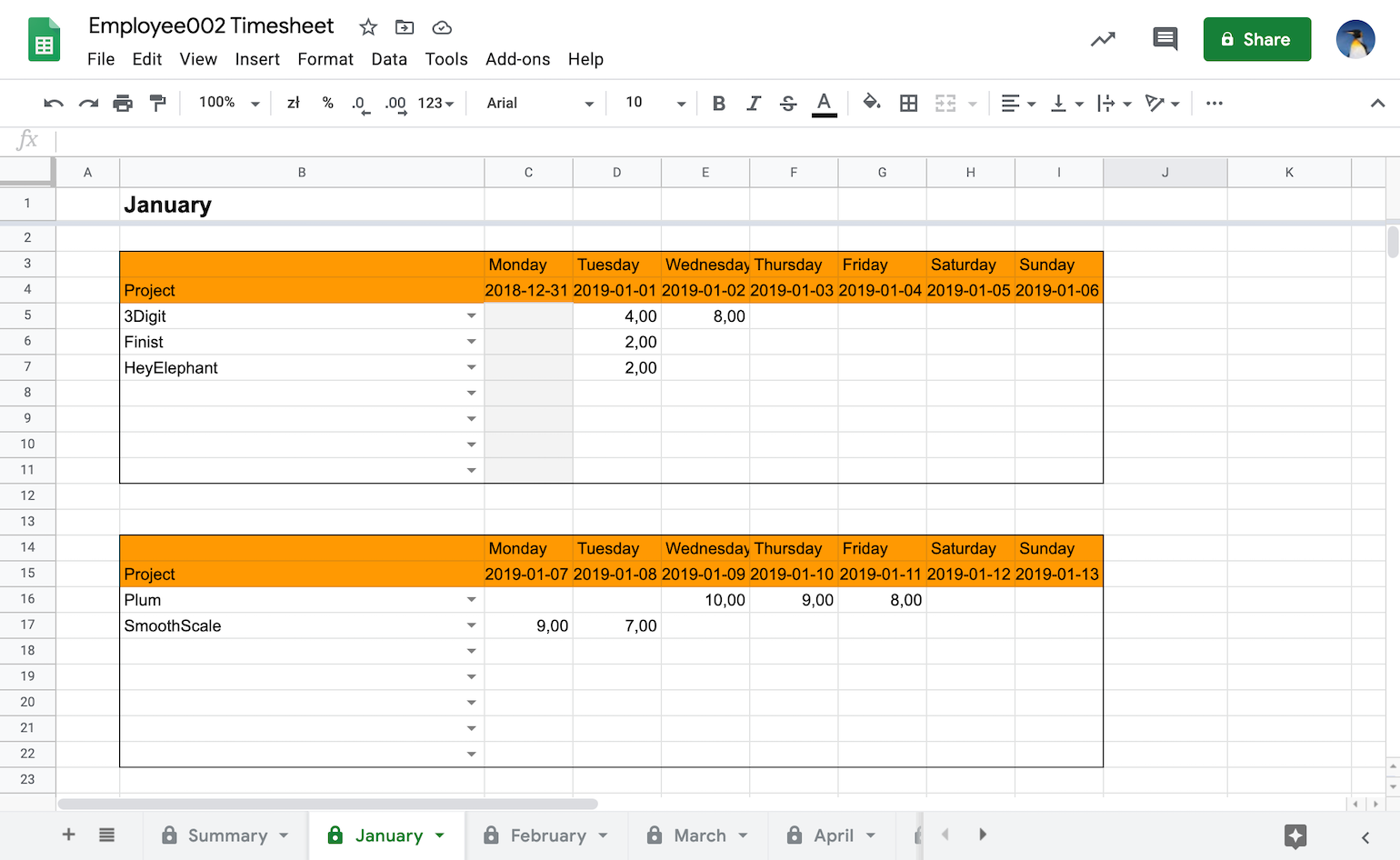
There are several ways companies handle timesheet calculation. One of the most popular methods is keeping everything in one big Excel or spreadsheet file. The most significant advantage of collecting time in a spreadsheet is that it is the easiest method to start with. Unfortunately, it requires much effort to keep the data consistent, valid, and available for those who might want to see it from the managerial perspective.
The biggest challenge is the inaccuracy of the data filled into the cells. Employees can overestimate or underestimate the time they have spent working. That can leave your earnings lower than they should be. Sharing the current status with a customer or another manager is also hard without building charts and reports first. With many projects, coworkers, and currencies, calculating what you earned gets difficult, which makes an accurate invoice difficult too.
If a spreadsheet is the right next step, start with Sandtime.io’s free daily, weekly, and monthly timesheet templates. They include calculated totals and are available for Excel and printable PDF without an email gate.
Timesheet calculation in a time recording app
With a time recording app (also called a time tracker, time tracking app, or time reporting app), timesheet calculations are handled for you. The main idea behind the time tracking app is to keep up-to-date information about you and your employees’ working time on several activities.
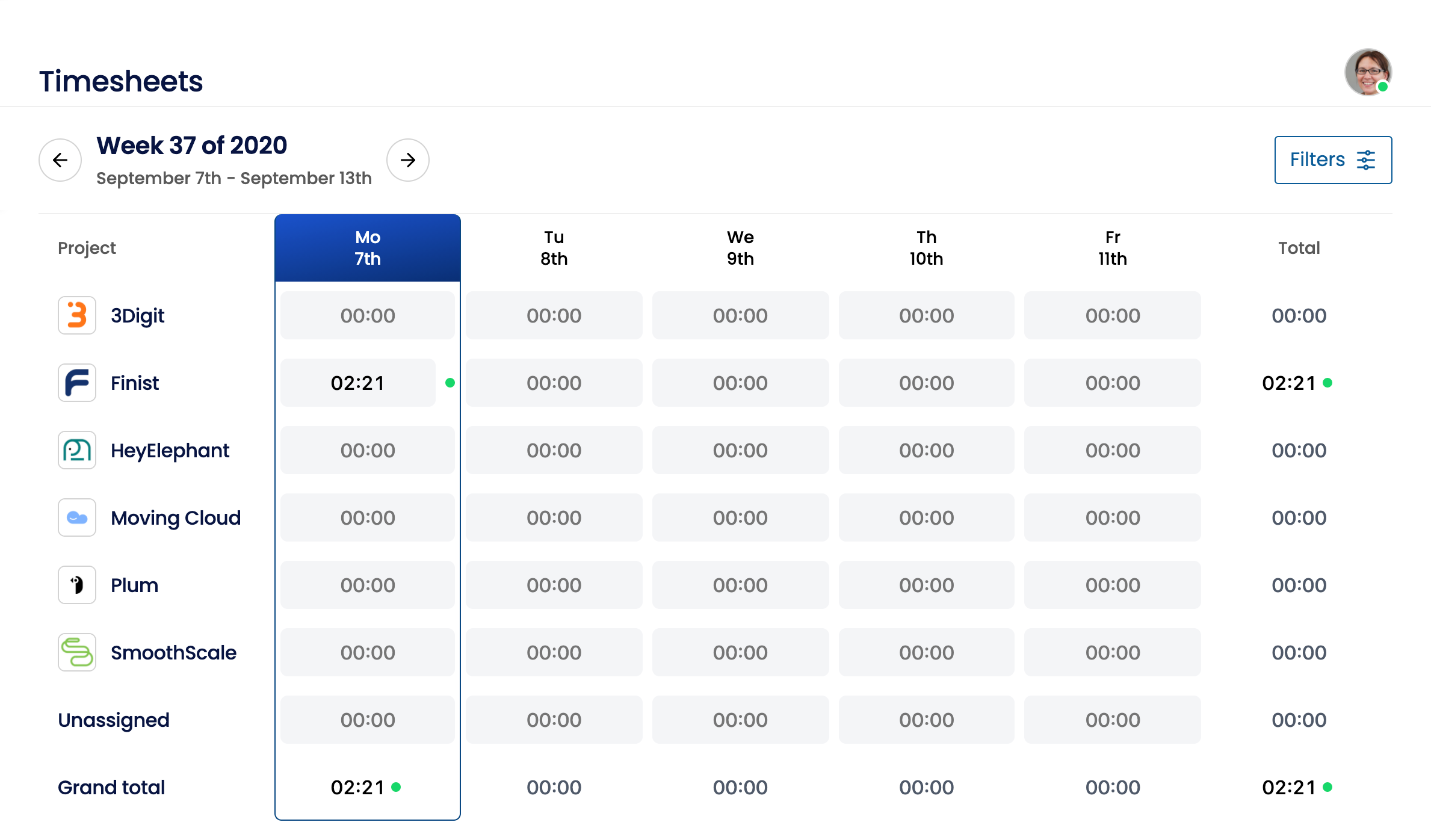
With the timesheet app, you can collect accurate data by filling in the number of hours you worked. Alternatively, you can automatically record time entries with the built-in timer.
Weekly timesheets generated automatically
The most effective way of collecting data related to the time you and your team spent on each project is to let a system such as a time recording app do it for you.
Employees do not want to fill in data in timesheets, which is usually due to two reasons:
- they do not know why you want to collect this data, so they are afraid of the unknown consequences,
- they know why, but the paper timesheets or spreadsheets are not user friendly and require additional effort.
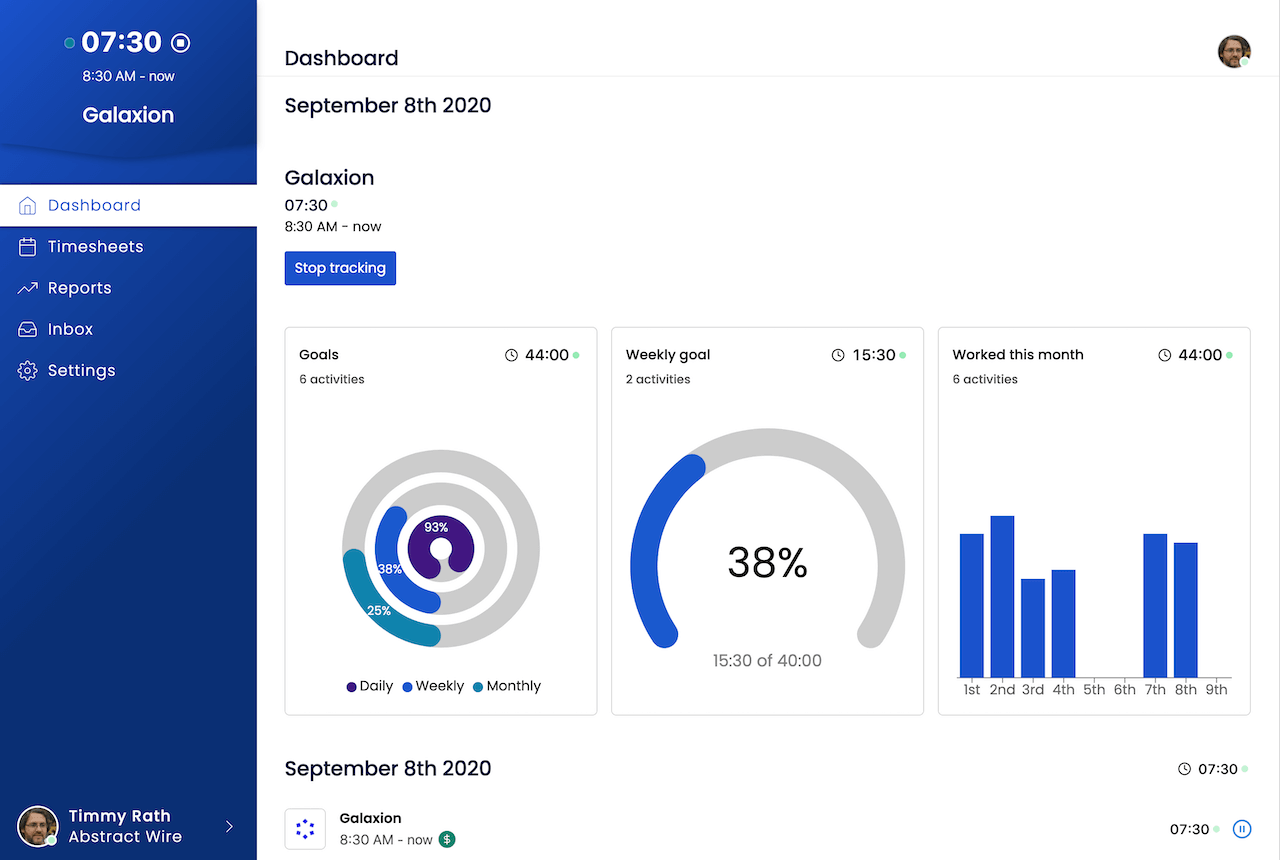
With an automated solution, you and your employees can quickly turn on/off currently selected project/activity tracking. After several days or weeks, you will have reliable information about your team’s time spent on your projects.
It is not a secret that for your business, every reported hour is crucial. Information about the current status of reported hours allows you to assign people to the right tasks, create proper invoices, and pay them a reliable salary.
Why you and your team should use a time tracking app
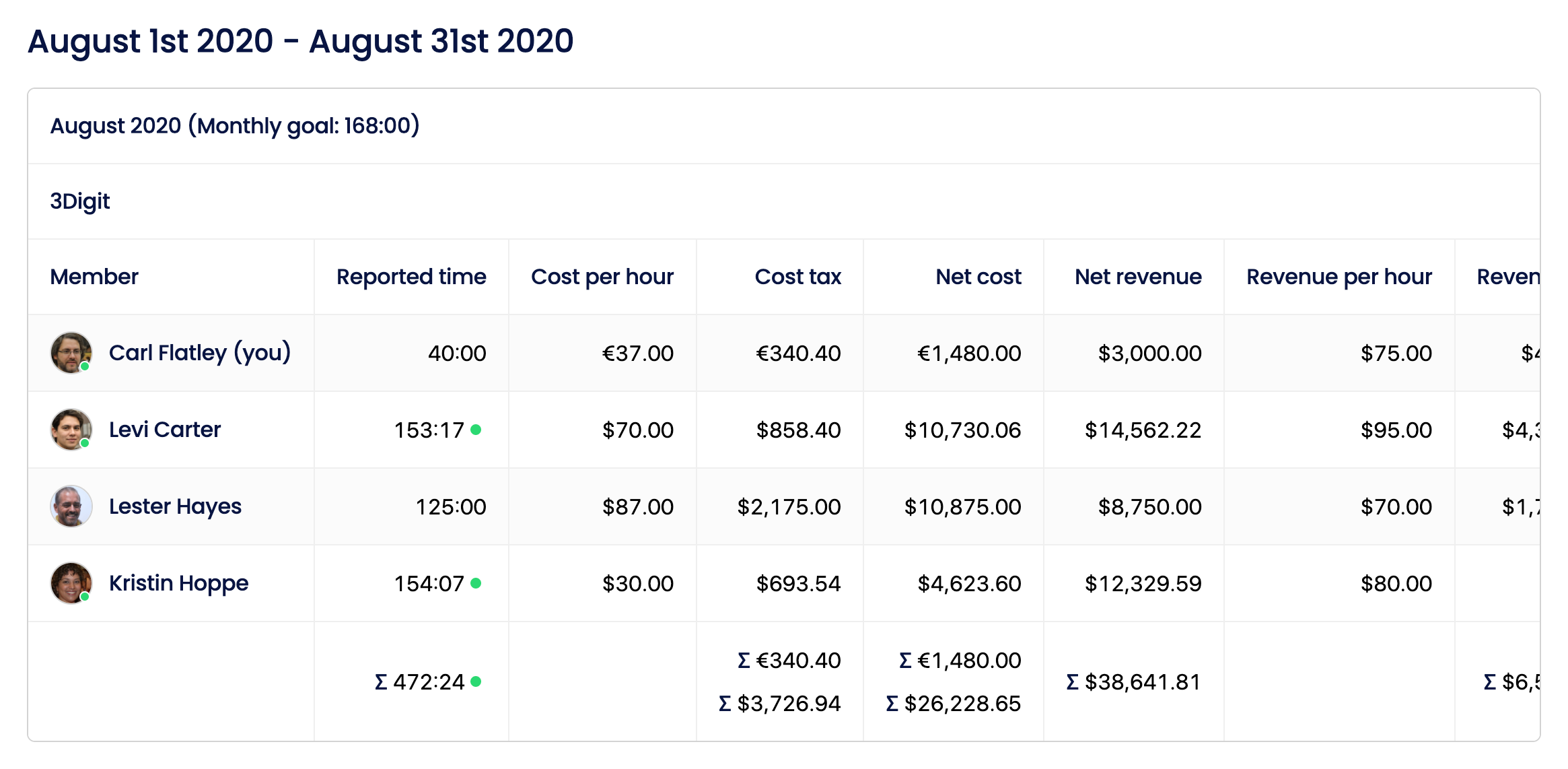
Collecting the data by week or by month lets you estimate more precisely how much time your team needs to finish its tasks. Better estimates mean your company earns more, and more money means more options at the end of the month. With a time tracking app, you will generate reports to show your customers or employees.
Who a time tracking app is for
If you are a manager (e.g., CEO, project manager, program manager, line manager, etc.), you know how important it is to see where you are now. You want to identify bottlenecks quickly, discover assignment issues, and of course, invoice your customers. A time tracking app handles all of that, and more. Beyond the managerial side, you may also be legally required to account for every hour worked.
If you are a freelancer, consultant, lawyer, and you are trying to bill your customers accurately, a time tracking app with a timesheet of working hours is a must-have.
If you are an employer who feels that your insight into a project is not enough, or you suspect that too much time goes to certain activities, a time tracking app is for you. In one place, you will collect all the necessary data, which will allow you to monitor your work-life balance.
Most common problems of not using timesheets
First of all, you are losing the current status of your organization. It can cost you a lot of money. Your planning is like wishful thinking because you are not grounding your estimates on historical results. Your employees or team members may struggle with procrastination, which kills many projects. Even though you believe that you and your teammates are aware of multitasking, the time tracking app could show you how much time you and your team spend on each activity. Based on that knowledge, you can select those projects which are more beneficial for your organization.
How to choose the best timesheet solution
You can create some paper timesheets on your own. But the time you spend working out how it should work, and what information is useful for your organization, is time you could spend growing your business.
Downloading Excel or Google spreadsheets is a little bit better. However, you are still left with raw data, and no help finding bottlenecks, savings, or room to grow.
The timesheet available in the time tracking app will give you everything above with plenty of features developed based on collected experience. One solution you can try for free is Sandtime.io, designed by a manager. You will easily find the timesheets that you and your employees could collect and customizable reports that allow you to check daily, monthly, and yearly all the necessary information. And if you need spreadsheets, every report exports to Excel.
Check planned hours before recording actual hours
Use the working hours and public holiday guides for 2026 to check calendar capacity, then record the hours actually worked in your timesheet. For Polish employment schedules, use the statutory hours calculator, which also accounts for Saturday holidays. Planning next year? The 2027 preview includes monthly figures and sources.
About the contributors

Łukasz Sienkiewicz
Founder and CEO of Sandtime.io, Łukasz knows the paper timesheet workflow firsthand. He brings practical experience in project and association management to time tracking.
LinkedInSanddev profileProfessional source
Przemysław Zalewski
Sandtime.io engineer and Sanddev team member who reviews product accuracy, technical details, sources, and editorial quality.
LinkedInEmailSanddev profile